Category: Mac Photo & Design

  • Alien Skin Exposure X3 Bundle 3.0 for Mac

    Alien Skin Exposure X3 Bundle 3.0 for Mac

    Alien Skin Exposure X3 Bundle 3.0 for Mac

    Alien Skin Exposure X3 Bundle 3.0 for Mac

    Mac Photo & Design
    Updated Nov 4, 2026
    Mac Photo & Design • Updated Nov 4, 2026

    Alien Skin Exposure X3 Bundle 3.0 for Mac is the three-app photography collection from Alien Skin Software, now Exposure Software. Exposure X3 handles organising and non-destructive RAW editing, Blow Up handles sharp enlargements for large prints, and Snap Art converts photos into natural-media artwork like oil paintings and sketches.

    The bundle suited photographers who wanted editing, printing and creative effects under one perpetual licence instead of three separate purchases. This 3.0 bundle is a legacy package: Exposure Software now sells the Exposure X7 Bundle as its current integrated collection. The X3 Bundle was paid software with trial options at the time, so start from the official site for the supported bundle, price and free trial.

    Key Features

    • Exposure X3 for catalog-free organising, RAW adjustments and film-style preset looks
    • Blow Up for high-quality image enlargement with print sizes and output sharpening
    • Snap Art for painterly effects including oil paint, watercolour, crayon and impasto styles
    • Send images between bundle apps from inside Exposure for a joined-up workflow
    • Standalone editing plus plug-in support for Adobe Photoshop and Lightroom

    How to Download

    1. Download from the official site
    2. Select the current Exposure X7 Bundle or its free trial, since the X3 Bundle is a legacy release.
    3. Install the bundle, reopen Photoshop or Lightroom if you use plug-ins, and activate your licence.

    How is the bundle different from Exposure X3 alone?
    The standalone product is only the editor and organiser. The bundle adds Blow Up for large-format printing and Snap Art for artistic effects, and it costs less than buying the three programs separately.

    Can I upgrade from the X3 Bundle?
    Exposure Software has historically offered upgrade pricing to owners of earlier versions. Check the official site with your existing licence details to see the current upgrade price toward Exposure X7.

  • Alien Skin Exposure X2 2.0 for Mac

    Alien Skin Exposure X2 2.0 for Mac

    Alien Skin Exposure X2 2.0 for Mac

    Alien Skin Exposure X2 2.0 for Mac

    Mac Photo & Design
    Updated Nov 4, 2026
    Mac Photo & Design • Updated Nov 4, 2026

    Alien Skin Exposure X2 2.0 for Mac is a non-destructive RAW photo editor and organiser released by Alien Skin Software, the developer now rebranded as Exposure Software. It lets photographers browse, cull, edit and style a whole shoot in one program without importing images into a locked catalog first.

    Version 2.0 is a legacy release from the X2 generation, notable at launch for adding a Spot Heal tool, a histogram and a History panel to the standalone editor. Exposure has since moved on to the current Exposure X7, so X2 is no longer sold. It was paid software with a free trial at the time; buy today through the official site for the supported current edition.

    Key Features

    • Non-destructive RAW editing with a catalog-free folder browser for fast organising
    • Large library of film-inspired presets, including faded looks, plus custom preset saving
    • Spot Heal, histogram and History panel for cleaner retouching and step-by-step control
    • Metadata search by camera settings such as ISO, shutter speed and camera model
    • Works standalone and as a plug-in for Adobe Photoshop and Lightroom

    How to Download

    1. Download from the official site
    2. Review the current Exposure X7 edition and its free trial or purchase options, since X2 itself is a legacy version.
    3. Install Exposure, point it at your photo folders, and activate your licence to start editing.

    Is Exposure X2 still sold?
    No, X2 is a legacy version and Exposure Software now sells Exposure X7. If you own an older licence, the official site is the place to check upgrade pricing and whether your Mac still meets the requirements.

    Is Exposure X2 free?
    It was never a free full version; it was paid software sold on a perpetual licence. Exposure Software offers a free trial of the current Exposure version, so use that official trial rather than old installer copies from other sites.

  • Alien Skin Exposure X2 Bundle 1.0 for Mac

    Alien Skin Exposure X2 Bundle 1.0 for Mac

    Alien Skin Exposure X2 Bundle 1.0 for Mac

    Alien Skin Exposure X2 Bundle 1.0 for Mac

    Mac Photo & Design
    Updated Nov 4, 2026
    Mac Photo & Design • Updated Nov 4, 2026

    Alien Skin Exposure X2 Bundle 1.0 for Mac is the combined photography package from Alien Skin Software, now Exposure Software. At its centre sits Exposure X2 for organising and non-destructive RAW editing, with Blow Up 3 for large, sharp enlargements and Snap Art 4 for painterly, hand-crafted artwork.

    The bundle suited photographers who preferred one perpetual purchase over separate plug-ins. This 1.0 build is a legacy release: the line has since advanced to Exposure X7. The X2 Bundle was paid software, not a free collection, so check the official site for today's bundle, pricing and trial.

    Key Features

    • Exposure X2 editor for catalog-free organising, RAW adjustments and film-style presets
    • Blow Up 3 for clean, print-ready enlargements with resize modes and output sharpening
    • Snap Art 4 for natural-media effects such as oil paint, pastel and watercolour looks
    • Bundle integration that lets you send an image from Exposure into Blow Up or Snap Art
    • Each tool also works as a plug-in for Adobe Photoshop and Lightroom workflows

    How to Download

    1. Download from the official site
    2. Choose the current Exposure X7 Bundle or its free trial, since the X2 Bundle itself is a legacy package.
    3. Run the bundle installer, restart your host apps if prompted, and activate with your licence.

    What is included in the X2 Bundle?
    Three programs: Exposure X2 for editing and organising, Blow Up 3 for enlarging images for print, and Snap Art 4 for painterly effects. Together they cover a full creative workflow from RAW file to finished print or artwork.

    Should I buy the X2 Bundle today?
    Only the current bundle from Exposure Software is actively sold and supported. If you already own the X2 Bundle, keep your licence details safe and use the official site to check upgrade offers toward Exposure X7.

  • Alien Skin Blow Up 3.1 for Mac

    Alien Skin Blow Up 3.1 for Mac

    Alien Skin Blow Up 3.1 for Mac

    Alien Skin Blow Up 3.1 for Mac

    Mac Photo & Design
    Updated Nov 4, 2026
    Mac Photo & Design • Updated Nov 4, 2026

    Alien Skin Blow Up 3.1 for Mac is an image enlargement plug-in made for photographers who need a small file to hold up as a large print. Instead of simply stretching pixels, it analyses edges and detail so posters, canvas wraps and exhibition prints stay crisp and natural.

    Blow Up was created by Alien Skin Software, the company now known as Exposure Software. This 3.1 release is the mature Blow Up 3 generation, sold as a paid plug-in rather than a free tool. The same technology now lives inside the current Exposure X7 Bundle, so Blow Up 3.1 is a legacy version for older workflows.

    Key Features

    • High-quality enlargements designed to keep edges sharp without obvious halos or jagged artefacts
    • Crop and Resize, Resize, and Stretch modes for exact print sizes and paper proportions
    • Print-ready presets for common paper, canvas and photo sizes with output sharpening controls
    • Grain control that can add a natural texture to very large enlargements
    • Works as a plug-in for Adobe Photoshop and Lightroom, and as an external editor from Exposure

    How to Download

    1. Download from the official site
    2. On the Exposure Software page, look at the current Exposure X7 Bundle, which includes the Blow Up enlargement tools, and its trial or purchase options.
    3. Install the software, restart your host app if needed, and open Blow Up from the Filter or Automate menu.

    Is Alien Skin Blow Up free?
    No, Blow Up was a paid plug-in, not a free full version. Exposure Software offers a free trial of the current Exposure line, which is the official way to test the enlargement tools today.

    Does Blow Up work on its own?
    Blow Up is designed as a plug-in and does not run as a normal standalone editor. You launch it from Photoshop, Lightroom or Exposure and apply your output size there.

  • ALCE 3.0 for Mac

    ALCE 3.0 for Mac

    ALCE 3.0 for Mac

    ALCE 3.0 for Mac

    Mac Photo & Design
    Updated Nov 4, 2026
    Mac Photo & Design • Updated Nov 4, 2026

    ALCE 3.0 for Mac is a Photoshop extension whose name spells out its job: Advanced Local Contrast Enhancer. Developed by Davide Barranca and sold through the Know How Transfer / CC-Extensions store, it increases contrast locally — within detailed areas of the picture — rather than across the whole frame, which gives photographs more shape, depth and a recognisable three-dimensional feel without the flat look of a global contrast push.

    Local contrast is the finishing step many landscape and commercial photographers apply just before output, because what looks punchy on screen often prints dull. ALCE packages that technique into a panel that lives inside Photoshop on Mac and PC. Version 3 targets Photoshop CC and later, it is paid software, and photographers who outgrow it can step up to its successor, NEXT, from the same team.

    Key Features

    • Boosts local contrast to add depth and a distinct 3D quality to otherwise flat images
    • Radius control separates global contrast (large radius) from fine local contrast (small radius)
    • Works as a Photoshop panel via the Window > Extensions menu, close to your normal workflow
    • Supports RGB, CMYK, Grayscale and Lab images in both 8-bit and 16-bit depths
    • Records the setting in the layer name, so an edit can be recreated later exactly

    How to Download

    1. Download from the official site
    2. On the official ALCE page, buy the version matching your Photoshop — ALCE 3 for Photoshop CC onwards on Mac.
    3. Install the panel following the supplied quick-start guide, restart Photoshop, and open ALCE from Window > Extensions.

    Is ALCE free?
    No. ALCE is a paid single-user licence, not a free full version. Check the official page for current pricing in your region, and note that VAT is added for EU customers.

    Does ALCE work outside Photoshop?
    No. ALCE is a Photoshop panel and filter, so it needs a compatible Photoshop installation on your Mac. If you run a newer Photoshop and want a live preview and faster processing, the same developers offer NEXT as its modern successor.

  • AlbumStomp 1.55 for Mac

    AlbumStomp 1.55 for Mac

    AlbumStomp 1.55 for Mac

    AlbumStomp 1.55 for Mac

    Mac Photo & Design
    Updated Nov 4, 2026
    Mac Photo & Design • Updated Nov 4, 2026

    AlbumStomp 1.55 for Mac, from StompSoftware, is album design software made for photographers who deliver wedding albums, family yearbooks and photo books. Album layout is normally the slow part of the job — nudging images around a page in a general design program — and AlbumStomp replaces that with a drag-and-drop workflow built only for spreads.

    You drop the photos you want onto a spread and AlbumStomp snaps them into a clean collage layout automatically; if you do not like that arrangement, you shuffle through alternatives or adjust it yourself. Finished designs export at print quality for whichever album company you use, since StompSoftware sells the design tool rather than the printing. It is paid software, and the makers offer a free trial that lets you design a book before paying for a licence.

    Key Features

    • Automatic spread layouts: drop in photos and they snap into a finished collage design
    • Shuffle and swap layout options until a spread looks right, then fine-tune by hand
    • Change album size mid-project if your print lab or package changes
    • Exports print-ready files you can send to any album or photo book printing company
    • Pairs with the companion AlbumPrüfr service to proof designs with clients online

    How to Download

    1. Download from the official site
    2. On the StompSoftware site, follow the AlbumStomp download for Mac, or start with the free trial version.
    3. Drag the AlbumStomp app into your Applications folder, launch it, and activate your licence when you are ready to export final pages.

    Is AlbumStomp free?
    No, it is paid software, sold by StompSoftware as a licence rather than a subscription service in its classic form. A free trial is available so you can design with it first, but exporting your finished album for a client requires the paid version.

    Does AlbumStomp print the album for me?
    No. AlbumStomp is design software only. You export the finished spreads and upload them to the printing company of your choice, which keeps you free to use any lab you already work with.

  • AKVIS SmartMask 9.0 for Mac

    AKVIS SmartMask 9.0 for Mac

    AKVIS SmartMask 9.0 for Mac

    AKVIS SmartMask 9.0 for Mac

    Mac Photo & Design
    Updated Nov 4, 2026
    Mac Photo & Design • Updated Nov 4, 2026

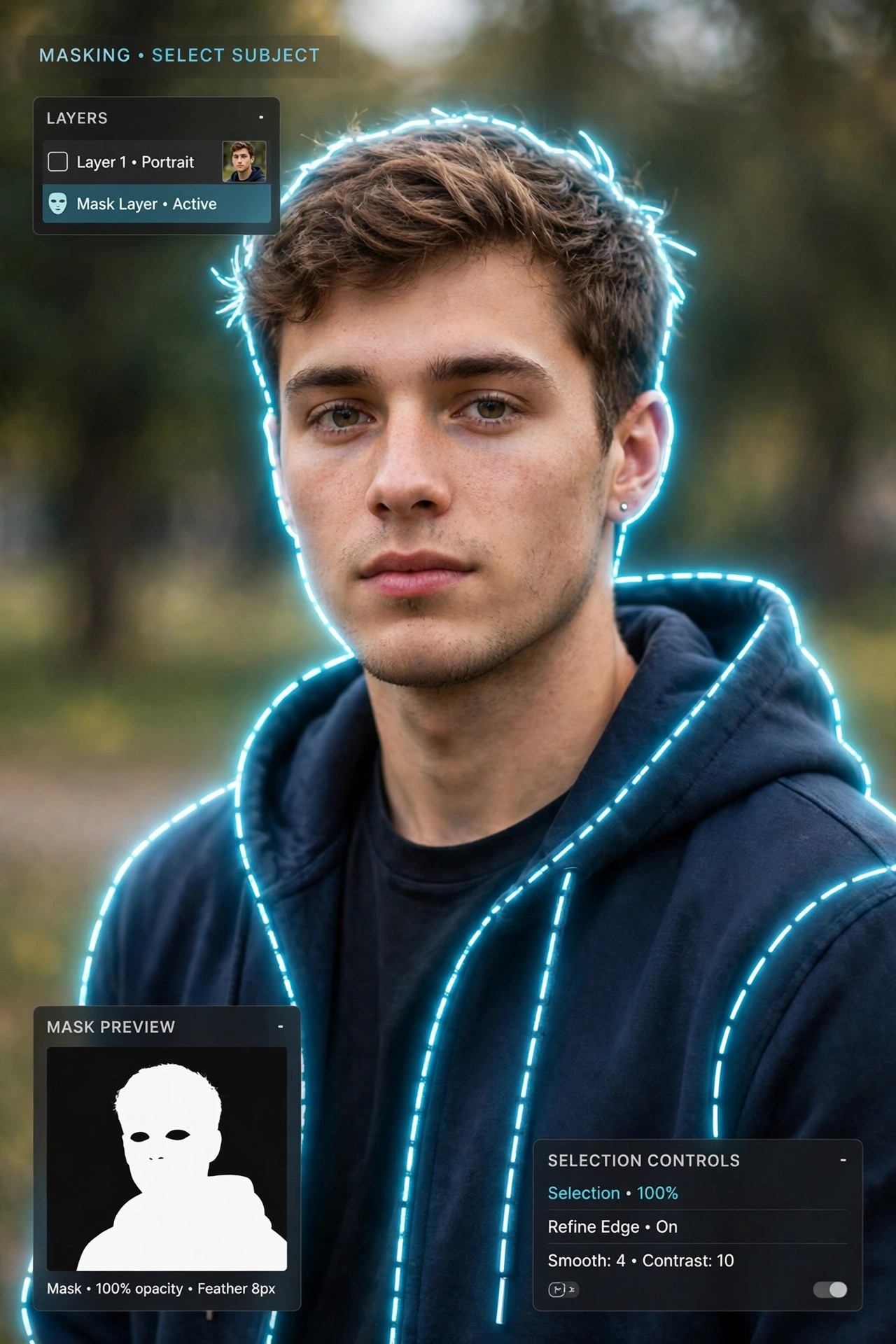
    AKVIS SmartMask 9.0 for Mac is a selection and masking tool from AKVIS, designed to cut objects out of photos far faster than manual pen-path work. Selections are where collages, product shots and portrait retouching usually slow down — especially around hair, fur, tree branches or a semi-transparent veil — and SmartMask exists to shorten exactly that step.

    You mark roughly what should stay and what should go, and the software works out the boundary, including soft and fuzzy edges. It runs as a standalone Mac application and as a plugin for Adobe Photoshop and other compatible editors. SmartMask is paid software with Home, Home Deluxe and Business licences, plus a free 10-day trial from AKVIS if you want to test it on a tricky cut-out first.

    Key Features

    • Auto mode recognises keep and remove areas from a few coloured pencil strokes — no precise tracing needed
    • Manual mode adds smart brushes and a Quick Selection tool for refining difficult edges
    • Handles complex subjects such as hair, fur, glass and transparent fabric that defeat simple selection tools
    • Chroma Key mode removes a solid background colour automatically, with a Custom Background option for the result
    • Works standalone or as a plugin inside Photoshop, Photoshop Elements and other supported editors

    How to Download

    1. Download from the official site
    2. Select the Mac standalone installer or the Mac plugin on the AKVIS page, or start the free 10-day trial.
    3. Install SmartMask, try a selection on one of your own photos, and activate it with your licence key after purchase.

    Is AKVIS SmartMask free?
    No, it is commercial software. AKVIS gives you a free 10-day trial to evaluate both the standalone and plugin editions, but a licence is required for continued use — there is no free full version.

    Can it really select hair and fur?
    That is one of its main use cases. The edge-detection tools are built for fine, semi-transparent boundaries, and the Refine Edges controls let you clean up stray background colour left around the cut-out subject.

  • AKVIS Noise Buster 10.0.2 for Mac

    AKVIS Noise Buster 10.0.2 for Mac

    AKVIS Noise Buster 10.0.2 for Mac

    AKVIS Noise Buster 10.0.2 for Mac

    Mac Photo & Design
    Updated Nov 4, 2026
    Mac Photo & Design • Updated Nov 4, 2026

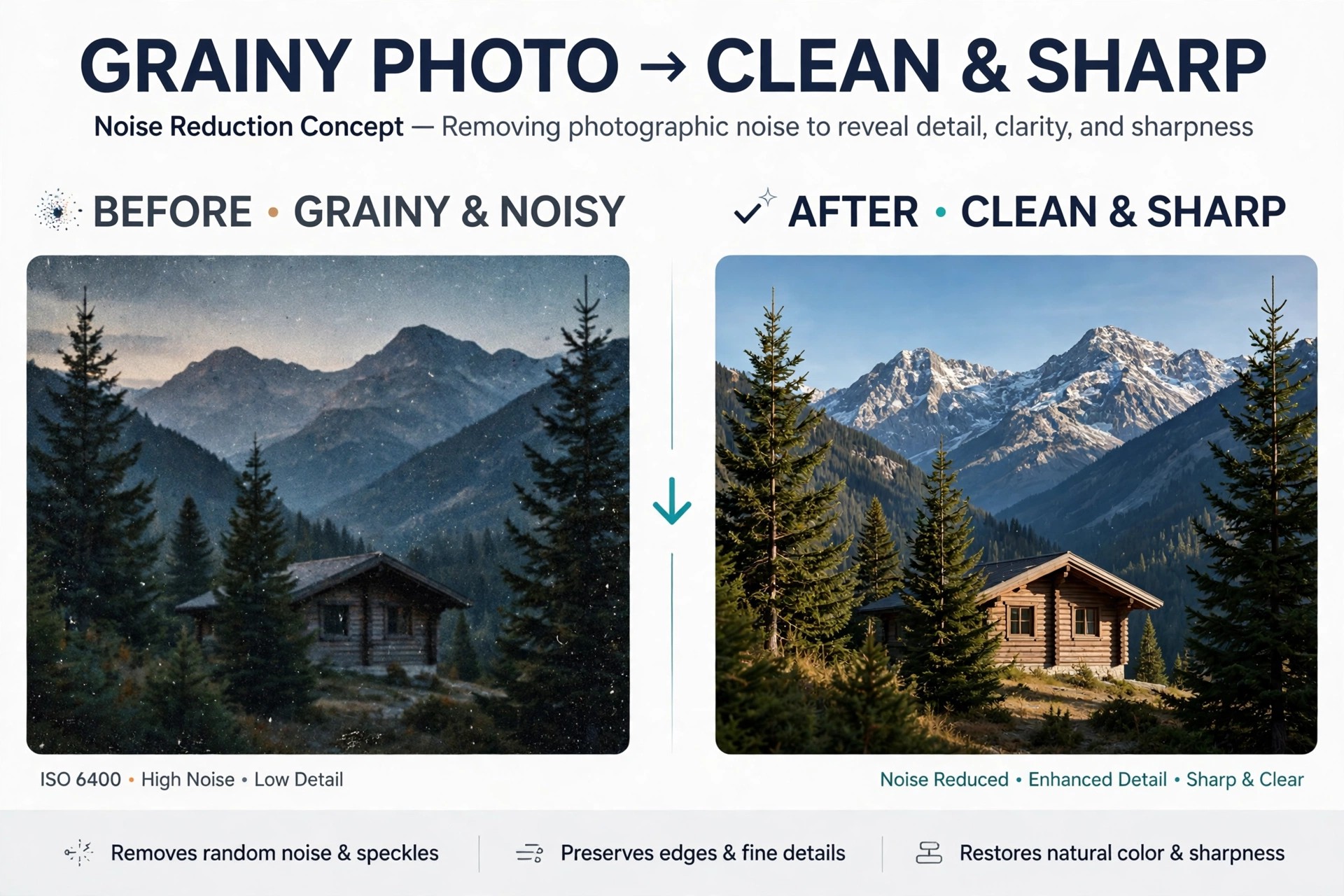
    AKVIS Noise Buster 10.0.2 for Mac is a dedicated noise reduction tool from AKVIS, made for the grain and coloured speckling that creep into photos shot at high ISO, in low light, or with small-sensor cameras and phones. It targets both luminance noise, the gritty texture that roughens skin and skies, and colour noise, the random red and blue pixels that spoil clean tones.

    Rather than applying a blanket blur, Noise Buster analyses the image and suppresses the noise while trying to hold on to edges and detail. It works as a standalone Mac application and as a plugin for editors like Adobe Photoshop. It is paid software, and AKVIS offers a free 10-day trial from the official site so you can test it on your noisiest shots before buying a licence.

    Key Features

    • Reduces both luminance and colour noise without flattening the rest of the photograph
    • Automatic filtering gives a good starting result, with sliders to fine-tune strength and detail preservation
    • Histogram-guided adjustments help you balance smoothing against sharpness and micro-detail
    • Batch processing applies the same noise reduction settings to a whole set of images at once
    • Available as a standalone app and as a plugin for Photoshop, Photoshop Elements and other compatible editors

    How to Download

    1. Download from the official site
    2. Choose the Mac standalone or plugin edition on the AKVIS page, or begin with the free 10-day trial.
    3. Install the software, run it on a sample photo, and enter your licence key after purchase to remove the trial limit.

    Is AKVIS Noise Buster free?
    No. Noise Buster is a paid product, not a free full version. The free download is a 10-day trial; continued use requires a Home, Home Deluxe or Business licence from AKVIS.

    Will it make my photos look soft?
    Heavy noise reduction can soften any image, which is why Noise Buster separates noise controls from sharpening and detail settings. Start with automatic filtering, then lower the strength until the grain is controlled but textures still look natural.

  • AKVIS Magnifier 9.0 for Mac

    AKVIS Magnifier 9.0 for Mac

    AKVIS Magnifier 9.0 for Mac

    AKVIS Magnifier 9.0 for Mac

    Mac Photo & Design
    Updated Nov 4, 2026
    Mac Photo & Design • Updated Nov 4, 2026

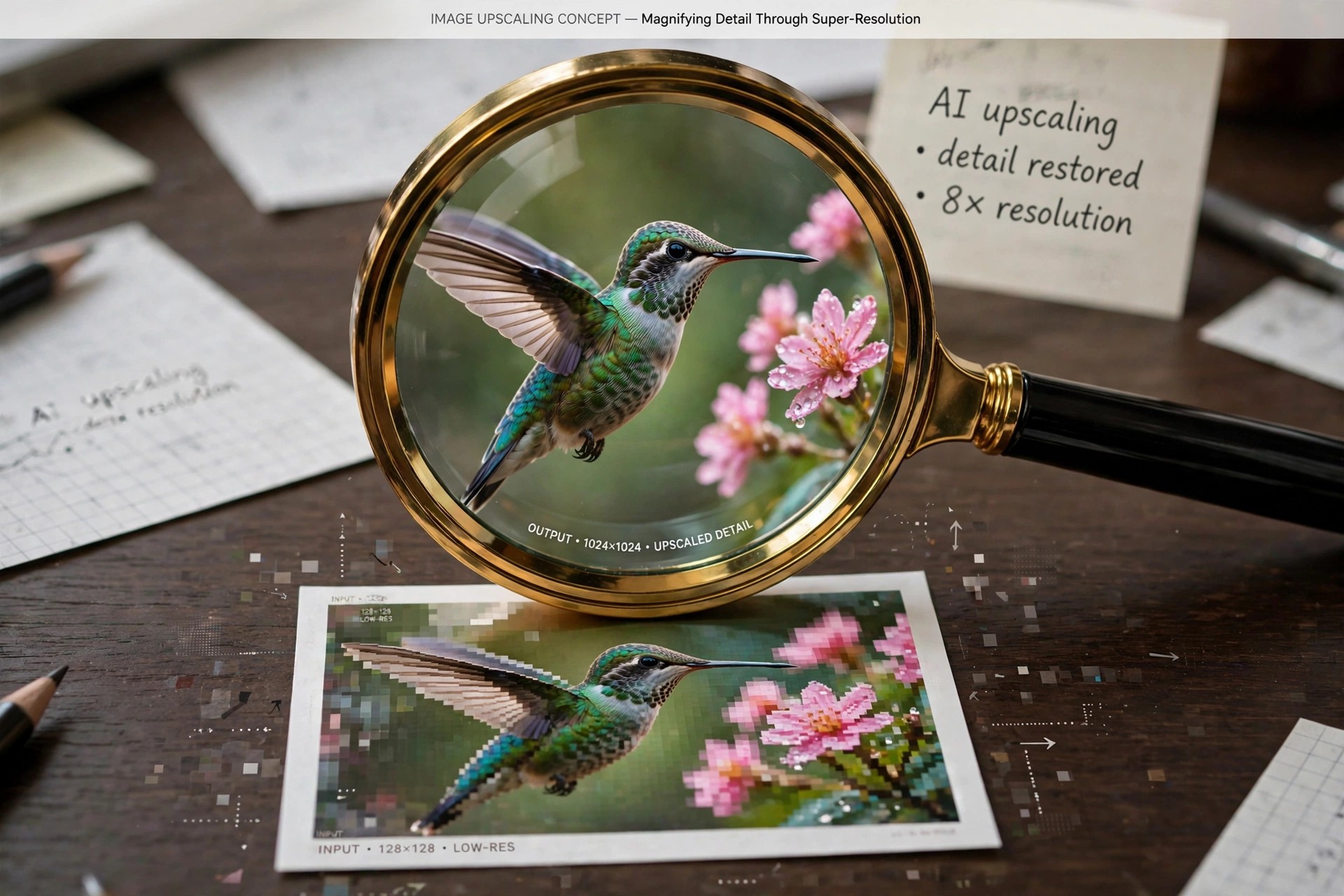
    AKVIS Magnifier 9.0 for Mac is an image enlargement tool from AKVIS that tackles a familiar problem: a photo that looks fine on screen turns soft and blocky the moment you try to print it big or crop deeply into it. Magnifier uses specialised resizing algorithms to add resolution while keeping edges clean, instead of simply stretching the pixels a normal editor would give you.

    It is aimed at photographers preparing poster-size prints, designers rescuing low-resolution web images, and anyone working with older, small files from early digital cameras. The program is paid software sold under Home, Home Deluxe and Business licences, and AKVIS provides a free 10-day trial through the official site so you can judge the enlargement quality on your own images first.

    Key Features

    • Enlarges images to very high resolutions suitable for large prints and posters, far beyond standard resize tools
    • Dedicated algorithms for reducing, moderately enlarging and heavily enlarging images, chosen to suit the target size
    • Sharpens edges and suppresses the halos, noise and compression artefacts that upsizing usually creates
    • Batch processing resizes a whole folder of photos with the same settings in one run
    • Runs as a standalone Mac app and as a plugin, found under Photoshop's Automate menu

    How to Download

    1. Download from the official site
    2. Pick the Mac standalone or plugin installer on the AKVIS page, or start with the free 10-day trial.
    3. Install Magnifier, open a test image to check the result, then activate your licence key when you are ready to buy.

    Is AKVIS Magnifier free?
    No, it is a paid program. The free offer is a 10-day trial period only; after that you need a licence. It is not a free full version, and any site promising one is not the official source.

    How is it different from resizing in my photo editor?
    A standard resize command only spreads the existing pixels out, which is why enlargements look blurred and pixelated. Magnifier rebuilds edge detail as it scales, so prints stay crisper at large sizes.

  • AKVIS Chameleon 9.0 for Mac

    AKVIS Chameleon 9.0 for Mac

    AKVIS Chameleon 9.0 for Mac

    AKVIS Chameleon 9.0 for Mac

    Mac Photo & Design
    Updated Nov 4, 2026
    Mac Photo & Design • Updated Nov 4, 2026

    AKVIS Chameleon 9.0 for Mac is a photo collage and photomontage tool from AKVIS, built for anyone who wants to move an object from one picture into another without spending an hour on a pixel-perfect selection. Instead of demanding a precise cut-out, it works from a rough outline of the fragment you want to keep, then adapts that fragment to its new surroundings.

    The software runs both as a standalone application and as a plugin for photo editors such as Adobe Photoshop and Photoshop Elements. AKVIS sells it under paid Home, Home Deluxe and Business licences, and a free 10-day trial is available from the official site, so you can test the blending modes on your own photos before paying anything.

    Key Features

    • Five collage modes — Montage, Chameleon, Blend, Emersion and Double Exposure — for different kinds of composites
    • Automatically matches the pasted object to the colour range, lighting and texture of the new background
    • Works from rough selections, so no careful manual masking is needed around the subject
    • Available as a standalone Mac app and as a plugin for Photoshop, Photoshop Elements and other compatible editors
    • Handy for practical fixes too, such as swapping closed eyes for open ones from another shot in the same series

    How to Download

    1. Download from the official site
    2. On the AKVIS page, choose the Mac standalone installer, the Mac plugin, or start the free 10-day trial first.
    3. Install the app or plugin, then activate it with the licence key you receive after purchase.

    Is AKVIS Chameleon free?
    No. Chameleon is paid software, not a free full version. AKVIS offers a free 10-day trial with the features available for testing, after which you need a Home, Home Deluxe or Business licence to keep using it.

    Do I need Photoshop to use it?
    No. The standalone edition works on its own with common formats such as JPEG, PNG, TIFF and RAW. The plugin edition is only needed if you prefer to launch Chameleon from inside Photoshop or another supported editor.