Author: admin

  • Block Swap 1.0 for Mac

    Block Swap 1.0 for Mac

    Block Swap 1.0 for Mac

    Block Swap 1.0 for Mac

    Mac Video
    Updated Nov 4, 2026
    Mac Video • Updated Nov 4, 2026

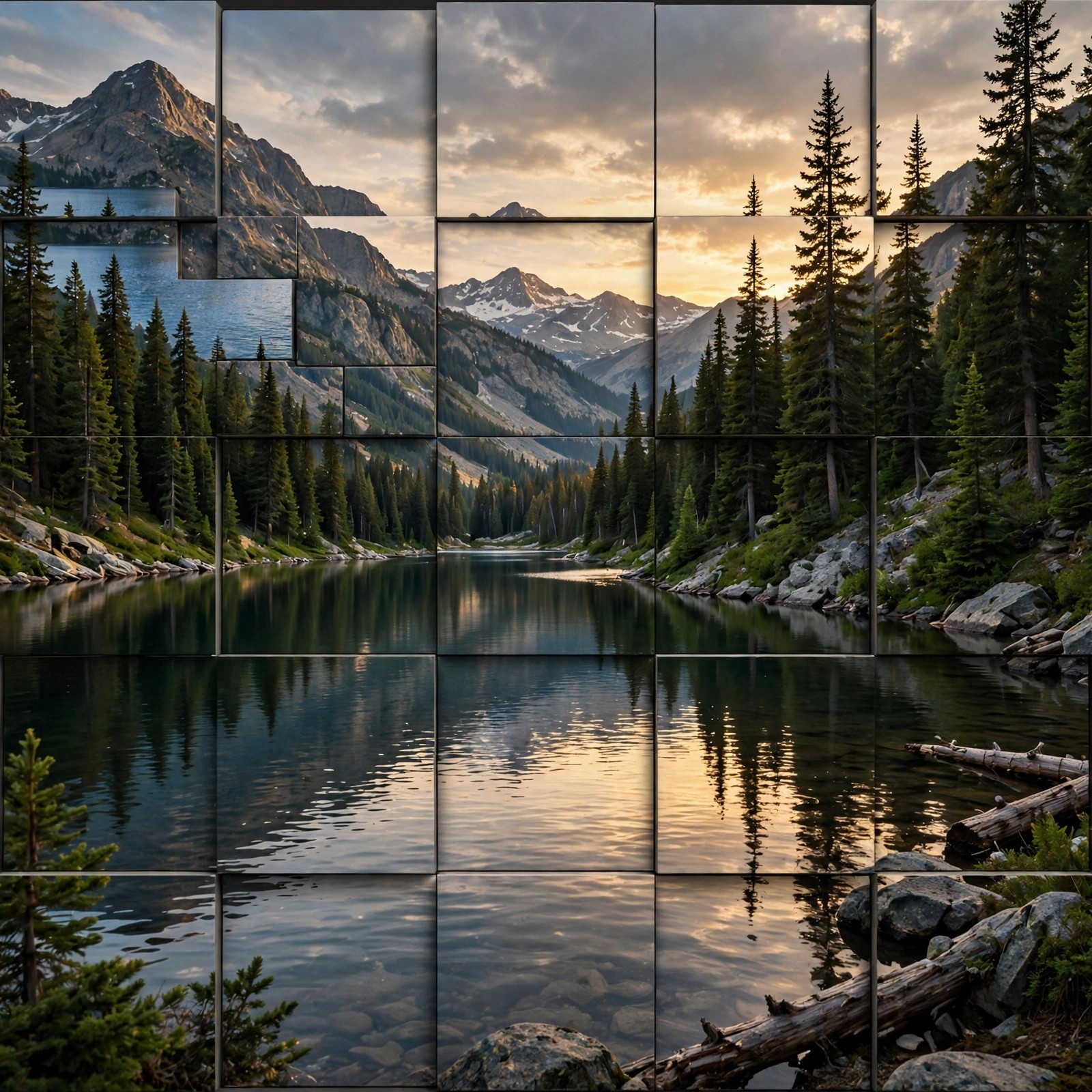
    Block Swap 1.0 for Mac is a plug-in by Satori, sold on the aescripts marketplace, that cuts your image into blocks and randomly swaps them with each other. Block size, spread, count and other parameters can all be controlled and animated, so a calm shuffle, a blocky glitch or a full recomposition of the scene is only a few keyframes away.

    It is aimed at motion designers, editors and VJs who want clean-looking noise effects, digital glitch looks and eye-catching transitions without building them by hand. A Time Shift section can pull blocks from other frames, and a Mask Filter limits the effect to chosen areas. Block Swap is a paid plug-in, listed at around $27.99, and it requires Adobe After Effects or Premiere Pro — it is not a standalone app. A trial is available on the official page.

    Key Features

    • Randomly shuffles image blocks with animatable size, spread, count and seed controls
    • Block width and height from tiny noise-like tiles up to large 4096-pixel blocks
    • Time Shift swaps blocks in time as well as space, using frames from other moments
    • Mask Filter controls exactly where swapping happens for precise in and out animation
    • Works in Adobe After Effects and Premiere Pro, for glitches, noise and transitions

    How to Download

    1. Download from the official site
    2. Sign in to aescripts, try the trial or buy a licence, then download the Mac installer from your account.
    3. Install with the aescripts + aeplugins manager app and restart After Effects or Premiere Pro to apply Block Swap.

    Is Block Swap free?
    No. It is a paid plug-in sold through aescripts. The trial version limits rendering resolution, while the registered version removes that limit — there is no free full version.

    Does Block Swap work without Adobe software?
    No. It is a plug-in for Adobe After Effects and Premiere Pro, so one of those host apps must be installed on your Mac. The official page lists supported versions from CS6 onwards.

  • Bao Boa for After Effects 1.4.6 for Mac

    Bao Boa for After Effects 1.4.6 for Mac

    Bao Boa for After Effects 1.4.6 for Mac

    Bao Boa for After Effects 1.4.6 for Mac

    Mac Video
    Updated Nov 4, 2026
    Mac Video • Updated Nov 4, 2026

    Bao Boa for After Effects 1.4.6 for Mac is a plug-in from BAO Plugins, sold on the aescripts marketplace, that distorts a layer along a mask path. Draw a mask, and Boa bends, stretches and flows your artwork, text or footage along that curve — the classic way to make ribbons, tentacles, snakes and sweeping path animations that are painful to build with standard After Effects tools.

    It suits motion designers and character animators who need smooth, controllable bending without expressions or complex rigs. You get full control over the start, end, scale and position along the path, plus rotation and twisting for more organic results. Boa is a paid plug-in and requires Adobe After Effects — it is not standalone software. A trial is available on the official page, so test it on your Mac before buying.

    Key Features

    • Warp and distort any layer along any mask path in After Effects
    • Rotate and twist the layer as it travels along the path
    • Full control over start, end, scale and Z position along the path
    • Adjustable mesh definition and sub-sampling for smooth, clean bends
    • Popular for fake 2.5D effects, ribbons, creatures and flowing title animation

    How to Download

    1. Download from the official site
    2. Sign in to aescripts, try the trial first or buy a licence, then download the Mac installer from your account.
    3. Install with the aescripts + aeplugins manager app, restart After Effects and apply BAO Boa to a layer with a mask path.

    Is Bao Boa free?
    No. It is a paid After Effects plug-in sold on aescripts, also available inside the BAO Distortion Bundle. The official page offers a trial, but there is no free full version.

    Does Bao Boa need Premiere Pro?
    No. Boa is an Adobe After Effects plug-in, so you need After Effects installed on your Mac. It does not run on its own or inside Premiere Pro.

  • Bang for After Effects 1.1.0 for Mac

    Bang for After Effects 1.1.0 for Mac

    Bang for After Effects 1.1.0 for Mac

    Bang for After Effects 1.1.0 for Mac

    Mac Video
    Updated Nov 4, 2026
    Mac Video • Updated Nov 4, 2026

    Bang for After Effects 1.1.0 for Mac is a modular, fully procedural 3D muzzle flash plug-in for Adobe After Effects, originally sold through the aescripts marketplace and now continued by Maxon as part of its VFX line. Instead of pasting flat stock footage over a shot, Bang generates each flash in 3D, so it can be viewed from any angle and responds to your composition camera.

    It is built for VFX artists and action filmmakers who need gunfire that matches their scene: shape controls and ready-made presets cover common firearms, while colour, brightness, glow, sparks and burst behaviour can all be tuned. Bang is paid software and requires Adobe After Effects — it is not a standalone app. The official Maxon page is the safe source for the current version, pricing and trial information.

    Key Features

    • Procedural 3D muzzle flashes rendered from any angle, aware of After Effects cameras
    • Up to four flash types and sixteen flash instances per layer for big gun battles
    • Fully customisable presets for well-known pistols, rifles, a minigun and stylised looks
    • Bang Relighter module simulates the flash lighting up actors and surroundings
    • Control petal shape, roll, scale, age randomisation, glow and sparks per flash

    How to Download

    1. Download from the official site
    2. On the Maxon page, check the current VFX Bang pricing or trial, then download the official Mac installer for your licence.
    3. Install the plug-in, restart After Effects and apply Bang to a layer in your action scene.

    Is Bang free?
    No. Bang is a paid After Effects plug-in. Older listings priced a single-user licence at around $75; check the official Maxon page for current pricing and any trial, and avoid cracked copies.

    Does Bang work without After Effects?
    No. Bang only works as a plug-in inside Adobe After Effects. You need a supported After Effects installation on your Mac before you can use it.

  • Auto Crop 3.1.1 for Mac

    Auto Crop 3.1.1 for Mac

    Auto Crop 3.1.1 for Mac

    Auto Crop 3.1.1 for Mac

    Mac Video
    Updated Nov 4, 2026
    Mac Video • Updated Nov 4, 2026

    Auto Crop 3.1.1 for Mac is a small but very useful Adobe After Effects tool from BatchFrame, sold on the aescripts marketplace as Auto Crop 3. With one click it shrinks a composition down to the exact size of its visible content, removing empty borders based on the alpha channel of every layer in the comp.

    Motion designers use it to tidy pre-comps, prepare exports at the true content size and stop renders wasting time on blank space. You can crop at the current frame, or let it analyse the whole timeline so animated content is never clipped. Auto Crop is a low-cost paid plug-in, listed at around $9.99, and it requires Adobe After Effects — it is not a standalone Mac app. A limited free trial is available on the official page.

    Key Features

    • One-click cropping of a composition to the size of its actual content
    • Pixel-perfect results based on the alpha channel of every layer
    • Crop at the current frame or analyse the full timeline so animation is not cut off
    • Rebuilt as a fast native After Effects plug-in, with a dockable panel
    • Keeps layer positions intact and can be triggered from other scripts and KBar

    How to Download

    1. Download from the official site
    2. Sign in to aescripts, try the trial or buy a licence, then download the Mac plug-in files from your account.
    3. Install with the aescripts + aeplugins manager app, restart After Effects and run Auto Crop from the menu or panel.

    Is Auto Crop free?
    No. It is an inexpensive paid plug-in. The official trial works like the full version but is limited to 10 crops per day for 7 days, which is enough to test it properly.

    Does Auto Crop work outside After Effects?
    No. Auto Crop is an After Effects plug-in and needs a supported version of Adobe After Effects on your Mac. It does not crop video files on its own.

  • Geometric Filter for After Effects 1.2.0 for Mac

    Geometric Filter for After Effects 1.2.0 for Mac

    Geometric Filter for After Effects 1.2.0 for Mac

    Geometric Filter for After Effects 1.2.0 for Mac

    Mac Video
    Updated Nov 4, 2026
    Mac Video • Updated Nov 4, 2026

    Geometric Filter for After Effects 1.2.0 for Mac is a plug-in by Satori, sold on the aescripts marketplace, that rebuilds your footage out of geometric shapes. Its custom proximity-matching algorithm groups similar pixels and connects them with lines, curves, triangles, squares, circles or rectangles, tracing contours in a way that feels surprisingly hand-drawn.

    It is made for artists, motion designers and VJs who want stylised, illustrated looks for music videos, visualisations and live visuals rather than a clean photographic image. Geometric Filter works inside Adobe After Effects and Premiere Pro, so a host app is required — it is not standalone software. It is a paid plug-in, listed at around $43.99, with a trial available on the official page so you can test the look on your own footage first.

    Key Features

    • Transforms footage into a geometric approximation using six shape types: lines, curves, triangles, squares, circles and rectangles
    • Custom proximity-matching algorithm that traces contours and similar regions
    • 20 built-in presets, plus your own presets with fully keyframable parameters
    • Controls for shape size, fill, outline, randomness and compositing over the original image
    • Works in both Adobe After Effects and Premiere Pro on Mac and Windows

    How to Download

    1. Download from the official site
    2. Sign in to aescripts, try the trial or buy a licence, then download the Mac installer from your account.
    3. Install with the aescripts + aeplugins manager app and restart After Effects or Premiere Pro to use the effect.

    Is Geometric Filter free?
    No. It is a paid plug-in sold through aescripts. A trial version is available on the official page, but there is no free full version.

    Does Geometric Filter work without Adobe software?
    No. It is a plug-in and needs Adobe After Effects or Premiere Pro installed on your Mac. The official page lists the supported host versions from CS6 onwards.

  • Depth Scanner 1.7.2 for Mac

    Depth Scanner 1.7.2 for Mac

    Depth Scanner 1.7.2 for Mac

    Depth Scanner 1.7.2 for Mac

    Mac Video
    Updated Nov 4, 2026
    Mac Video • Updated Nov 4, 2026

    Depth Scanner 1.7.2 for Mac is an AI-based Adobe After Effects plug-in from Blace Plugins, sold on the aescripts marketplace. It analyses ordinary images and video and automatically estimates a depth map, showing which parts of the shot are near and which are far — information a normal camera never records.

    Compositors and motion designers use those depth maps for realistic post work: adding fog and haze, creating shallow depth-of-field blur, relighting-style effects and converting footage towards stereo-3D. Depth Scanner is paid software, listed at around $99.99 for the current line, and it requires Adobe After Effects — it does not run on its own. The official page offers a free trial, and the developer advises testing your Mac configuration before you buy.

    Key Features

    • Automatic AI depth estimation from still images and video footage in After Effects
    • Multiple depth models, so you can pick the best match for each type of shot
    • 20+ colour maps for clear visual guidance or stylised depth effects
    • Pairs with After Effects blur tools for convincing shallow depth-of-field looks
    • Useful for fog, atmosphere, stereo-3D conversion and other depth-based effects

    How to Download

    1. Download from the official site
    2. Sign in to aescripts, download the free trial first or buy a licence, then get the Mac version from your account.
    3. Install via the aescripts + aeplugins manager app, restart After Effects and apply Depth Scanner to your footage.

    Is Depth Scanner free?
    No. It is a paid plug-in, but a free trial is available on the official aescripts page so you can check speed and quality on your own footage before paying.

    Does Depth Scanner need Premiere Pro or only After Effects?
    Depth Scanner is built for Adobe After Effects and needs a supported After Effects installation on your Mac. Check the compatibility list on the official page for your exact version.

  • Diffusae 1.4.1 for Mac

    Diffusae 1.4.1 for Mac

    Diffusae 1.4.1 for Mac

    Diffusae 1.4.1 for Mac

    Mac Video
    Updated Nov 4, 2026
    Mac Video • Updated Nov 4, 2026

    Diffusae 1.4.1 for Mac is an Adobe After Effects plug-in sold on the aescripts marketplace that brings Stable Diffusion generative AI directly inside After Effects. Instead of switching to a separate web service or command-line setup, you type text prompts and generate or restyle imagery from within your composition, using models that run locally on your own machine.

    It is aimed at motion designers, VFX artists and experimenters who want AI-generated textures, stylised looks and evolving, glitch-like diffusion effects in their timelines. Diffusae is a paid plug-in, listed at around $99.99, and it requires Adobe After Effects — it is not a standalone app. A free trial is offered on the official page, and because generation is GPU-intensive, a capable Mac GPU is strongly recommended.

    Key Features

    • Stable Diffusion generation directly inside Adobe After Effects, no external service needed
    • Text-prompt workflow using a text layer, with seed controls for repeatable variations
    • Local model management, so you can install and switch Stable Diffusion models
    • Animate diffusion strength and prompts over time for morphing, generative looks
    • Runs locally on Mac and Windows, with no per-render subscription fees

    How to Download

    1. Download from the official site
    2. Create a free aescripts account, try the trial first or buy a licence, then download the Mac installer from your account.
    3. Install with the aescripts + aeplugins manager app, restart After Effects and apply Diffusae to a layer.

    Is Diffusae free?
    No. Diffusae is a paid After Effects plug-in. The official page offers a free trial so you can test performance on your Mac before buying, but there is no free full version.

    Does Diffusae work without After Effects?
    No. Diffusae only runs as a plug-in inside Adobe After Effects. You also need a Mac powerful enough for local Stable Diffusion generation, which is demanding on the GPU.

  • Aerofly RC 7 Ultimate Edition 7.0.7 for Mac

    Aerofly RC 7 Ultimate Edition 7.0.7 for Mac

    Aerofly RC 7 Ultimate Edition 7.0.7 for Mac

    Aerofly RC 7 Ultimate Edition 7.0.7 for Mac

    Mac Utilities
    Updated Nov 4, 2026
    Mac Utilities • Updated Nov 4, 2026

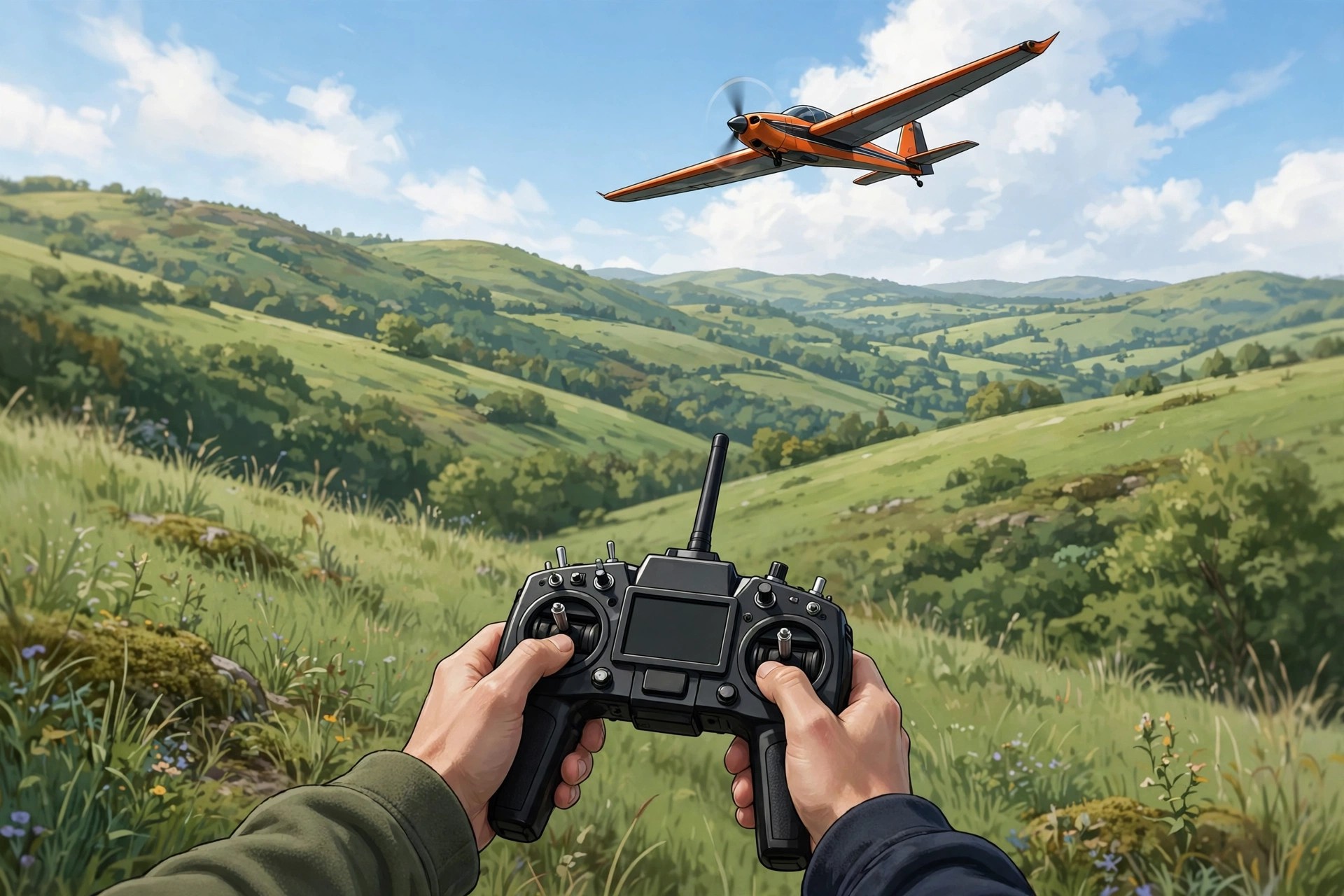
    Aerofly RC 7 Ultimate Edition 7.0.7 for Mac is a radio-controlled flight simulator from Ikarus and IPACS that lets you practise flying model aircraft on your Mac without risking a real model. The Mac version is sold through the Mac App Store as the Standard edition, and the Ultimate edition is unlocked as an in-app upgrade inside the app, rather than as a separate standalone download.

    It is made for RC beginners learning the controls and for experienced pilots who want to rehearse manoeuvres in bad weather or between flying days. The Ultimate upgrade expands the library to more than 200 models and over 50 sceneries, covering aeroplanes, helicopters, gliders, jets and quadcopters. It is paid software with no free full version, so check the system requirements on the official page before buying.

    Key Features

    • More than 200 flyable models in the Ultimate edition, from trainers and aerobatic planes to helicopters, gliders and jets
    • Over 50 detailed sceneries with full Retina display support
    • Realistic flight physics, freely scalable models and a built-in aircraft editor
    • Helicopter hover trainer and torque trainer for structured practice
    • Works with mouse and keyboard, and best with a USB joystick or RC transmitter interface

    How to Download

    1. Download from the official site
    2. Follow the Ikarus guidance for Mac users and buy aerofly RC 7 in the Mac App Store, then unlock the Ultimate edition as an in-app purchase inside the app.
    3. Install the app, connect your joystick or RC controller, calibrate it and start flying.

    Is Aerofly RC 7 Ultimate Edition free?
    No. The Mac app is paid, and the Ultimate content is a paid in-app upgrade from the Standard edition. There is no free full version, so avoid sites offering cracked copies.

    Can I buy the Ultimate edition on its own for Mac?
    No. On Mac you buy the Standard edition from the Mac App Store first, then upgrade to Ultimate from inside the app. Updates for the Mac version also arrive through the App Store.

  • Aerate Pro 2.0.1 for Mac

    Aerate Pro 2.0.1 for Mac

    Aerate Pro 2.0.1 for Mac

    Aerate Pro 2.0.1 for Mac

    Mac Utilities
    Updated Nov 4, 2026
    Mac Utilities • Updated Nov 4, 2026

    Aerate Pro 2.0.1 for Mac is a lossless image compression app from BZG, the studio behind Unite and Coherence. Despite sometimes being listed in the wrong category online, it has nothing to do with audio: you drag in PNG and JPG images and Aerate makes the files dramatically smaller without visible quality loss, using compression engines including Zopfli and OptiPNG and a multi-core mode that puts your whole CPU to work on batch jobs.

    It is built for designers, developers and photographers preparing images for websites, apps or email, where file size affects loading speed and storage. Aerate 2 added Fast and Extreme presets, a results view for previewing each image before saving, custom filename suffixes, batch JPG metadata removal, and PSD-to-JPG conversion without Photoshop. It was a paid Mac App Store app; BZG retired Aerate in July 2025, and legacy versions remain on the official page for existing users.

    Key Features

    • Lossless PNG and JPG compression with Fast and Extreme presets and a mode slider
    • Multi-core processing for very fast batch compression of whole folders
    • Results preview so you can check and save each image individually
    • Batch removal of JPG metadata and custom suffixes for compressed files
    • Convert PSD files to JPG and PNG files to JPG without extra software

    How to Download

    1. Download from the official site
    2. On BZG's official Aerate page, open the changelog to find the legacy downloads the developer still provides.
    3. Install the app, drag your images or folders in, choose a compression mode, and save the optimised files.

    Is Aerate Pro free?
    No. Aerate was a paid Mac App Store app. BZG has now retired it, so there is no supported free full version; the developer keeps legacy downloads on its official page for existing users.

    Does Aerate reduce image quality?
    Its default mode is lossless, shrinking file size without changing the visible image. The results preview lets you compare each image before saving it.

  • Aeon Timeline 2.1.3 for Mac

    Aeon Timeline 2.1.3 for Mac

    Aeon Timeline 2.1.3 for Mac

    Aeon Timeline 2.1.3 for Mac

    Mac Business
    Updated Nov 4, 2026
    Mac Business • Updated Nov 4, 2026

    Aeon Timeline 2.1.3 for Mac is a timeline-building app for projects where a spreadsheet or calendar is not enough. Writers use it to track story events, character ages and plot arcs across years of fictional time, while researchers, legal teams and project planners use the same tools for case chronologies and historical data. Events, people, places and arcs are linked together, so changing one date updates everything connected to it.

    Version 2 was a favourite with novelists because it syncs with Scrivener and Ulysses, keeping manuscript structure and timeline in step, and supports custom and even fantasy calendars normal calendar apps cannot handle. Aeon Timeline is paid software with a perpetual-style licence rather than a forced subscription. Note that 2.1.3 is a legacy release: Aeon Timeline 3 is the current version on the official site, so check upgrade options there.

    Key Features

    • Visual timelines linking events, people, places, projects and story arcs
    • Sync with Scrivener and Ulysses writing projects on Mac
    • Custom calendar systems, including fantasy calendars for fiction
    • Relationship and dependency views showing how events affect each other
    • Spreadsheet-style data entry plus image and PDF export for sharing

    How to Download

    1. Download from the official site
    2. Download the current version for Mac from the official site or the Mac App Store and check the trial or read-only options before buying.
    3. Install the app, open a template for fiction, research or project planning, and add your first events.

    Is Aeon Timeline free?
    No. It is paid software. The current version can be used in read-only mode to view shared timelines, but editing requires a purchased licence; it is not a free full version.

    Is version 2.1.3 still the right one to install?
    It is an older release. Aeon Timeline 3 is current, with a newer interface and licensing, and version 2 files can be opened and upgraded in it, so most new users should start with version 3.