Author: admin

  • Wave-O-Matic 1.2.0 for Mac

    Wave-O-Matic 1.2.0 for Mac

    Wave-O-Matic 1.2.0 for Mac

    Wave-O-Matic 1.2.0 for Mac

    Mac Video
    Updated Nov 4, 2026
    Mac Video • Updated Nov 4, 2026

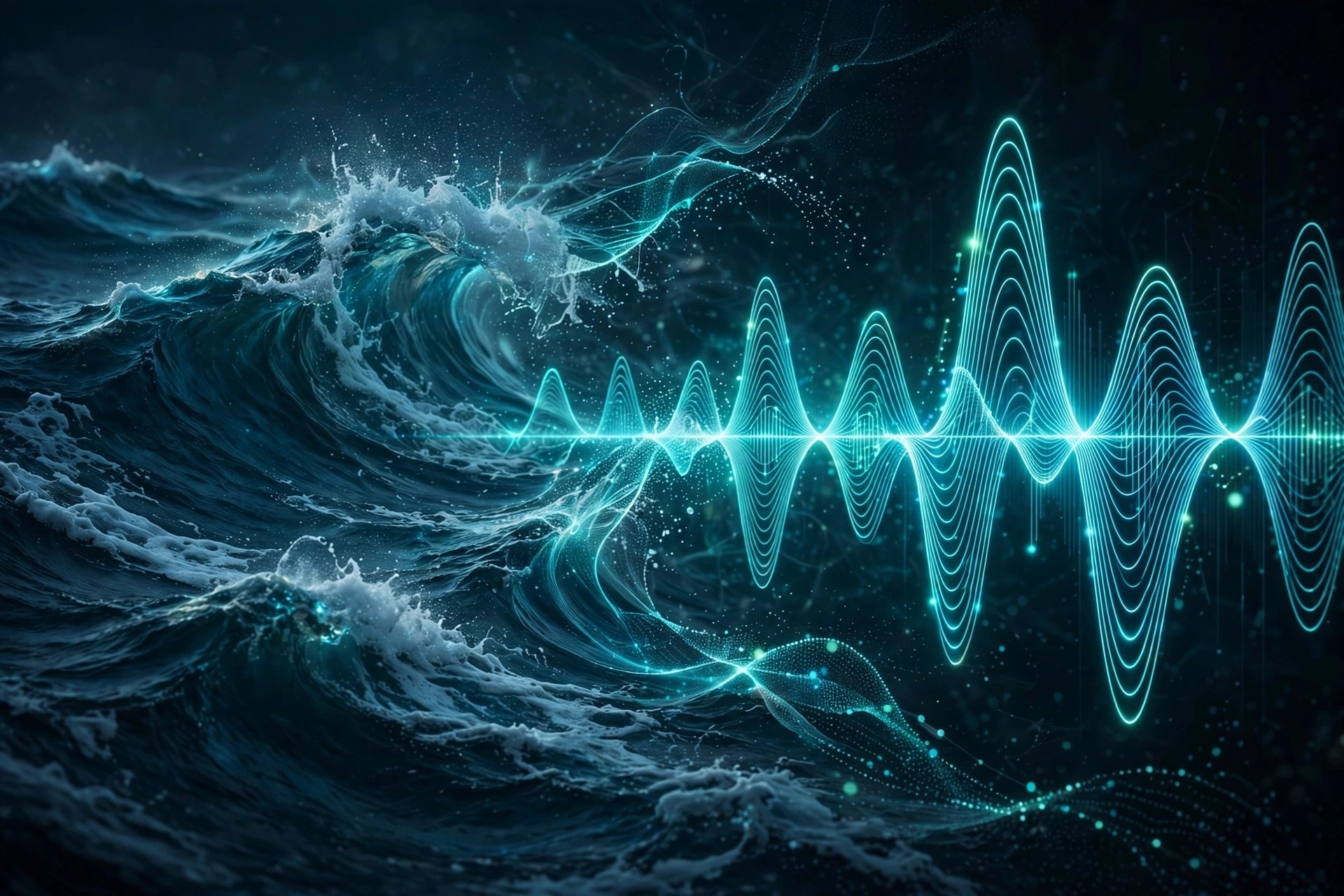
    Wave-O-Matic 1.2.0 for Mac is a keyframe assistant for Adobe After Effects on macOS, from Bear Studios and sold on aescripts.com. As its name suggests, it creates quick and easy advanced wave-based motion on any layer, in 2D or 3D — useful for anything that needs to move with a natural, flowing rhythm rather than stiff, linear keyframes.

    Instead of hand-animating sine-like motion with expressions or dozens of keyframes, you apply Wave-O-Matic and shape the wave with its controls. It works on layers that already have keyframes and expressions, and impact sliders let you blend the wave motion in or out. Animators use it for floating objects, swimming and flying loops, flags, text and playful secondary motion.

    Key Features

    • Creates advanced wave-based motion on any layer, in both 2D and 3D space
    • Full customisation of positional and rotational wave settings for precise control
    • Supports layers that already use keyframes and expressions, so it fits existing rigs
    • Easy on/off settings and impact sliders to dial the wave strength up or down
    • Saves time on natural looping motion for floating, flying, swimming and waving animation

    How to Download

    1. Check the supported After Effects versions for Mac on the official product page.
    2. Get it here: Download from the official site
    3. Install it as instructed by the seller, restart After Effects, and apply Wave-O-Matic to a selected layer.

    Is Wave-O-Matic free?
    No. Wave-O-Matic is a paid tool, listed at around $24.99 on aescripts.com. There is no free full version, so check the official page for current pricing before you buy.

    Does it replace my existing animation?
    No. It is designed to work alongside keyframes and expressions you already have, adding wave motion on top. The impact sliders and on/off controls let you decide how strongly it affects the layer.

  • True Comp Duplicator 3.9.11 for Mac

    True Comp Duplicator 3.9.11 for Mac

    True Comp Duplicator 3.9.11 for Mac

    True Comp Duplicator 3.9.11 for Mac

    Mac Video
    Updated Nov 4, 2026
    Mac Video • Updated Nov 4, 2026

    True Comp Duplicator 3.9.11 for Mac is a long-running utility for Adobe After Effects on macOS, by Mike Overbeck and sold on aescripts.com. It solves a famous After Effects frustration: duplicating a composition normally still shares its nested subcomps, so editing the copy quietly changes the original. This tool creates a complete, independent duplicate instead.

    With one operation it duplicates the selected composition hierarchy, including subcomps, with many options for how the new structure is named and organised. Motion designers use it to create safe variations of a scene for different clients, languages, formats or durations, while keeping the original project version completely untouched and ready to return to.

    Key Features

    • Creates a complete duplicate of a selected comp hierarchy, including all subcomps
    • Duplicated comps are fully independent, so editing a copy never changes the original
    • Many options for handling nested comps, naming and project organisation
    • Ideal for making client, language, format and duration variations of the same scene
    • Lightweight script tool that runs inside After Effects on Mac, with no separate app

    How to Download

    1. Confirm your version of After Effects on Mac is supported on the official page.
    2. Get it here: Download from the official site
    3. Install the script as instructed, restart After Effects, and run it from the File > Scripts or Window menu.

    Is True Comp Duplicator free?
    No. It is a paid tool, listed at around $24.99 on aescripts.com. There is no free full version, so check the official page for the current price before buying.

    Why not just duplicate in the Project panel?
    Standard duplication shares nested subcomps between the original and the copy. True Comp Duplicator duplicates the whole hierarchy, which is what you need when a variation must be edited independently.

  • Tracery 1.1 for Mac

    Tracery 1.1 for Mac

    Tracery 1.1 for Mac

    Tracery 1.1 for Mac

    Mac Video
    Updated Nov 4, 2026
    Mac Video • Updated Nov 4, 2026

    Tracery 1.1 for Mac is a plug-in for Adobe After Effects on macOS from Plugin Everything, sold on aescripts.com. It automates colour-based object tracking: pick a colour in your footage and Tracery follows those regions through the shot, then generates sophisticated graphical overlays on top of them without manual keyframing for every frame.

    Those overlays can become complex visual noise, data-style diagrams, tracking graphics and stylish motion elements derived directly from your video content. Version 1.1 added new line connection types, including Star, Full and Minimum Spanning Tree patterns between tracked points. It suits editors making sports analysis graphics, sci-fi interfaces, music visuals and data-driven motion design.

    Key Features

    • Automatically tracks objects and regions by colour, with no traditional keyframing
    • Track and visualise up to 512 objects at once, each with its own styling
    • Build boxes, markers, labels and connection lines into custom tracking graphics
    • Star, Full and MST connection patterns added in version 1.1 for richer diagrams
    • Works directly inside After Effects on Mac — no external tracking app or data import needed

    How to Download

    1. Check the After Effects versions supported on Mac on the official product page.
    2. Get it here: Download from the official site
    3. Install the plug-in as instructed by the seller, restart After Effects, and apply Tracery to your footage layer.

    Is Tracery free?
    No. Tracery is a paid plug-in, listed at around $59.99 on aescripts.com. There is no free full version, so check the official page for current pricing or sale offers.

    Do I need separate tracking software?
    No. Tracery's colour-based tracking happens inside After Effects itself. It works best when your subject has a clear, distinct colour that stands out from the background of the shot.

  • SpeedLines 1.5 for Mac

    SpeedLines 1.5 for Mac

    SpeedLines 1.5 for Mac

    SpeedLines 1.5 for Mac

    Mac Video
    Updated Nov 4, 2026
    Mac Video • Updated Nov 4, 2026

    SpeedLines 1.5 for Mac is an effect plug-in for Adobe After Effects made by Japanese developer PSOFT, part of its ComicStyle family. It recreates speed lines — the radiating or parallel effect lines used in anime, manga, games and comics to give a screen an instant sense of speed and impact — directly inside your After Effects composition on macOS.

    Rather than drawing dozens of lines by hand, you apply the effect and shape the result with rich parameters for grouping, randomness and depth. Version 1.5 added wave effects for the lines and randomised line colours. Editors and motion designers use it for action emphasis, impact frames, rain, hatching and other stylised line work that would be slow to animate manually.

    Key Features

    • Creates classic, radial and parallel speed lines for anime, comic and game-style work
    • Rich shape and grouping parameters, plus random controls for more natural, less uniform lines
    • Taper function adds depth and pen-pressure style In/Out shaping to lines
    • Auto Offset animates lines without keyframes, with wave effects and random colours in version 1.5
    • Ready-made preset gallery from PSOFT for basic lines, rain, space warp and taper effects

    How to Download

    1. SpeedLines is sold by its maker PSOFT, not on aescripts.com, so use the maker's official product page.
    2. Get it here: Download from the official site
    3. Follow PSOFT's purchase and installation steps for the Mac version, then apply SpeedLines from the Effects menu in After Effects.

    Is SpeedLines free?
    No. SpeedLines is a paid commercial plug-in from PSOFT. There is no free full version, so check PSOFT's official store for current Mac pricing and any trial terms.

    Why is this not on aescripts.com?
    Although it is often listed alongside aescripts plug-ins, SpeedLines is a PSOFT product sold through PSOFT's own channels. Buying from the official PSOFT page ensures you get a genuine licence, updates and support.

  • SF Caddy for After Effects 1.1 for Mac

    SF Caddy for After Effects 1.1 for Mac

    SF Caddy for After Effects 1.1 for Mac

    SF Caddy for After Effects 1.1 for Mac

    Mac Video
    Updated Nov 4, 2026
    Mac Video • Updated Nov 4, 2026

    SF Caddy for After Effects 1.1 for Mac, from Script Fighter author Mike Overbeck and sold on aescripts.com, is a quick asset-replacement tool built for character animation inside Adobe After Effects on macOS. Instead of digging through nested compositions to swap a mouth shape, eye set or prop, SF Caddy lets you replace assets in a much faster, more organised way.

    Its best-known use is lip-sync: you can now lip-sync using markers, placing markers on your audio or timeline and letting the tool step through the right mouth assets in time with the dialogue. For animators producing regular character episodes, explainers or social cartoons, that turns one of the most repetitive jobs in After Effects into a quick, repeatable process.

    Key Features

    • Fast asset replacement for character parts, props and other repeated elements
    • Marker-based lip-sync, so mouth shapes change in time with your placed markers
    • Designed specifically for character animation and head rigging workflows
    • Saves time on repetitive swapping across long scenes and episode-based work
    • Runs inside After Effects on Mac as a lightweight workflow tool, not a separate app

    How to Download

    1. Check the supported After Effects versions on the official product page.
    2. Get it here: Download from the official site
    3. Install the script or panel as instructed, restart After Effects, and open SF Caddy from the Window menu.

    Is SF Caddy free?
    No. SF Caddy is a paid tool, listed at around $27 on aescripts.com. There is no free full version, so check the official page for current pricing before you buy.

    Who is SF Caddy for?
    Character animators working in After Effects, especially anyone doing regular dialogue scenes. If you rarely swap assets or animate characters, you probably do not need it; if lip-sync is weekly work, it can save hours.

  • Paint & Stick 2 for After Effects 2.1 for Mac

    Paint & Stick 2 for After Effects 2.1 for Mac

    Paint & Stick 2 for After Effects 2.1 for Mac

    Paint & Stick 2 for After Effects 2.1 for Mac

    Mac Video
    Updated Nov 4, 2026
    Mac Video • Updated Nov 4, 2026

    Paint & Stick 2 for After Effects 2.1 for Mac is a plug-in that lets you paint directly inside the composition window in Adobe After Effects, instead of painting blind in the layer window like the built-in tools. You see your brush strokes in context, alongside effects, mattes and adjustment layers, which makes hand-drawn animation and touch-up work far more intuitive.

    Its second half is the patented Stick technology: paint on one frame of a CG render and the paint sticks to the moving surface for the whole shot, with no 3D object needed inside After Effects. Version 2 can also stick paint to live compositions. It is aimed at cel animators, compositors and VFX artists.

    Key Features

    • Paint directly in the comp window with full context of your other layers and effects
    • Use custom brushes and imported Photoshop brushes, with onion skinning for cel animation
    • Stick paint to 3D renders so artwork follows the surface through the animation
    • Stick paint to live compositions in version 2, with a faster, cleaner stick algorithm
    • Free Sticky Pass exporter plug-in for Cinema 4D to prepare renders for sticking

    How to Download

    1. Read the compatibility notes on the official page carefully before buying, especially for Mac hardware.
    2. Get it here: Download from the official site
    3. Download the free trial first, test it on your Mac and project, then install and license the full version if it works for you.

    Is Paint & Stick 2 free?
    The Paint Only mode is offered at no cost with Stick features watermarked, and a free trial is available. The full Paint & Stick licence, with no watermarks, is paid. Check the official page for current licence options.

    Does it work on Apple Silicon Macs?
    The official page states Paint & Stick 2 is not compatible with Apple Silicon chips. If you use an M-series Mac, check the current compatibility notes and test the free trial on your exact setup before purchasing.

  • Origami for After Effects 1.2.4 for Mac

    Origami for After Effects 1.2.4 for Mac

    Origami for After Effects 1.2.4 for Mac

    Origami for After Effects 1.2.4 for Mac

    Mac Video
    Updated Nov 4, 2026
    Mac Video • Updated Nov 4, 2026

    Origami for After Effects 1.2.4 for Mac is a net-creation and animation tool that runs inside Adobe After Effects on macOS. It generates a flat net, or mesh, from a layer and then animates that net folding, unfolding and expanding, giving you dramatic paper-like reveals and cartoon-style transitions without building every fragment by hand.

    The mesh can be created from a shape layer path, a layer mask or the boundaries of a layer itself, so logos, illustrations and graphic elements can all become folding surfaces. Animators and motion designers use it for logo reveals, explainer graphics and playful transitions where an object appears to assemble itself from flat pieces in a couple of clicks.

    Key Features

    • Generates a folding net from a layer and animates the unfold or expansion automatically
    • Create the mesh from a shape path, a layer mask or simple layer boundaries
    • Cartoon-style animation controls let you pick starting fragments and build the motion quickly
    • Useful for logo reveals, transitions and stylised explainer and social graphics
    • Runs inside After Effects on Mac, using regular layers you can keep editing afterwards

    How to Download

    1. Confirm your Mac version of After Effects is supported on the official product page.
    2. Get it here: Download from the official site
    3. Install it as directed by the seller, restart After Effects, and open the tool from the Window or Effects menu.

    Is Origami free?
    No. Origami is a paid tool sold on aescripts.com, listed at around $39.99. There is no free full version, so check the official page for current pricing and any trial options.

    Does it work with every shape?
    Not quite. It works best with polygon-based shapes, masks and layer bounds. Complex Bezier shapes can be a limitation, so test your artwork style before relying on it for a large project.

  • m’s Halftone 1.53 for Mac

    m’s Halftone 1.53 for Mac

    m's Halftone 1.53 for Mac

    m's Halftone 1.53 for Mac

    Mac Video
    Updated Nov 4, 2026
    Mac Video • Updated Nov 4, 2026

    m's Halftone 1.53 for Mac is a plug-in for Adobe After Effects on macOS that converts video, images and graphics into a classic halftone print look. Instead of building the effect from stacked filters and displacement maps, you simply apply the effect to a layer and adjust the dot pattern directly. It is made for motion designers who want a comic-book, newspaper or pop-art texture without a complicated setup.

    Halftone recreates tones with dots that change in size and spacing. This plug-in keeps that process fast and predictable, so you can style titles, backgrounds, transitions and footage, then animate the result like any other layer. It suits music videos, social clips and retro design work.

    Key Features

    • Converts footage and graphics into halftone dot patterns inside After Effects
    • No layer maps or pre-composing tricks required — just apply the effect to a layer
    • Control dot size, spacing and pattern behaviour to go from subtle print texture to bold comic style
    • Works on video, stills, text and shape layers for titles, backgrounds and transitions
    • Runs inside the host app on macOS, so settings can be keyframed and animated over time

    How to Download

    1. Check the compatibility list on the official page for your version of After Effects on Mac.
    2. Get it here: Download from the official site
    3. Install the plug-in following the seller's instructions, restart After Effects, and apply it from the Effects menu.

    Is m's Halftone free?
    No. It is a paid plug-in sold on aescripts.com, listed at around $19.98. There is no free full version, so check the official page for any current trial or sale pricing before you buy.

    Is it safe to download from other sites?
    No. Only download it from the official aescripts.com page. Cracked copies from other sites can contain malware and will not receive updates or support.

  • Aescripts MonkeyBars 1.07 for Mac

    Aescripts MonkeyBars 1.07 for Mac

    Aescripts MonkeyBars 1.07 for Mac

    Aescripts MonkeyBars 1.07 for Mac

    Mac Video
    Updated Nov 4, 2026
    Mac Video • Updated Nov 4, 2026

    MonkeyBars is an After Effects script by Ebberts + Zucker, sold through aescripts + aeplugins, and part of their popular Monkey family of production tools. It was built to procedurally create animated text boxes — the kind used for lower thirds, social video captions, infographics and subtitles — in a fraction of the time manual keyframing takes.

    It is aimed at Mac motion designers and editors doing high-volume work in After Effects on macOS: type your lines into the panel, and MonkeyBars builds multi-line animations based on the text you entered, with the bars automatically sized to fit. It is a genuine workhorse for broadcast and online video graphics.

    Key Features

    • Fast, procedural creation of animated lower thirds and text bars
    • Automatically builds multi-line animations from the text you type
    • Bars resize to fit content, including long horizontal layouts
    • Designed for high-volume caption, subtitle and infographic work
    • From the makers of TypeMonkey, with the same novice-friendly approach

    How to Download

    1. Confirm your Mac version of After Effects is supported on the product page.
    2. Get it from the official listing: Download from the official site
    3. Install with the aescripts + aeplugins manager app or into ScriptUI Panels, then restart After Effects.

    Is MonkeyBars free?
    No. It is a paid script (listed at $59.95). A free trial version is offered through aescripts, which is the safe way to test it — avoid cracked copies on other sites.

    Can I copy MonkeyBars layers between compositions?
    Take care: MonkeyBars is based on an intricate set of expressions spanning several compositions, so layers should not simply be duplicated with markers into other comps. Follow the included manual for moving designs between projects.

  • Aescripts Mettle Mantra 2.25.3 for Mac

    Aescripts Mettle Mantra 2.25.3 for Mac

    Aescripts Mettle Mantra 2.25.3 for Mac

    Aescripts Mettle Mantra 2.25.3 for Mac

    Mac Video
    Updated Nov 4, 2026
    Mac Video • Updated Nov 4, 2026

    Mantra V2 is a plugin suite by Mettle for Adobe After Effects and Premiere Pro, sold through aescripts + aeplugins. Originally released as Mantra VR for stylising 360 and VR footage, Mettle dropped the “VR” from the name in version 2 as the toolset grew into AR and XR content creation as well. Version 2.25.3, the release covered here, added 2024 host compatibility.

    On a Mac it runs inside the host app on macOS, letting editors add spherical effects to 360 footage and prepare 3D assets for AR players such as Adobe Aero and Apple Reality Composer.

    Key Features

    • Mantra ObjX imports Alembic, FBX, OBJ, glTF and USDZ models and exports USDZ and glTF for AR
    • Spherify turns 360 stills or footage into 3D spheres and portals, with full RGBA support
    • Graphix extrudes 2D graphics, logos and text into 3D geometry for AR export
    • 360/VR effects including Mobius Transform virtual dolly moves, wormholes and Little Planets
    • Mettle 3DNA rendering engine, Node Panel and Globe Preview for mono and stereo 360 work

    How to Download

    1. Check the compatibility tables for your Mac versions of After Effects and Premiere Pro.
    2. Buy or trial it from the official listing: Download from the official site
    3. Run the Mac installer (version 2.25.1 fixed the macOS installer signature), then restart your host app.

    Is Mantra V2 free?
    No. It is a paid plugin (listed at $229), also available in the Mettle Super Suite with Flux and FreeForm Pro. Check the official page for trial availability before buying.

    Does version 2.25.3 support Apple silicon?
    Yes. Native Apple silicon support was added in version 2.24, and 2.25.3 builds on that with 2024 compatibility. Always confirm your exact host version on the official compatibility list.