Author: admin

  • Aegis 2.01 for Mac

    Aegis 2.01 for Mac

    Aegis 2.01 for Mac

    Aegis 2.01 for Mac

    Mac Utilities
    Updated Nov 4, 2026
    Mac Utilities • Updated Nov 4, 2026

    Aegis 2.01 for Mac is a small security utility by developer Jiulong Zhao (dragonBTV), sold through the Mac App Store. Its job is narrow but important: it protects your Mac from data being copied onto external storage. Any USB, Thunderbolt or FireWire drive, flash stick or SD card that is not on your own pre-set whitelist is blocked when plugged in, while trusted devices connect normally with no delay.

    It suits anyone who uses a Mac in a shared office, classroom or studio, where a flash drive is still the simplest way files get stolen. You can even allow or block individual partitions of the same disk. Aegis itself is password-protected, with the password stored in the macOS Keychain, and the whitelist is stored in protected form so it cannot be quietly edited.

    Key Features

    • Blocks any external storage device that is not on your whitelist
    • Covers USB, Thunderbolt and FireWire drives, flash sticks and SD cards
    • Block or allow individual partitions of a single physical disk
    • Simple whitelist enrolment: open preferences, plug the device in, unplug it
    • Password-protected settings with the password saved in the macOS Keychain

    How to Download

    1. Search the Mac App Store for Aegis by dragonBTV, as this older version's listing could not be verified live; avoid third-party installers.
    2. Install the app, set your password, then plug in each trusted drive once to add it to the whitelist.

    Is Aegis free?
    Aegis was a Mac App Store app by dragonBTV. We could not verify a current live listing or price for version 2.01, so check the App Store directly rather than trusting sites advertising it as a free download.

    Does Aegis block my own drives too?
    Only until you trust them. Whitelisted devices mount automatically with no delay; anything unknown is blocked, and you can reset the trusted list in the app to start over.


  • Aegean Music Spirit Reverb 1.1 for Mac

    Aegean Music Spirit Reverb 1.1 for Mac

    Aegean Music Spirit Reverb 1.1 for Mac

    Aegean Music Spirit Reverb 1.1 for Mac

    Mac Audio
    Updated Nov 4, 2026
    Mac Audio • Updated Nov 4, 2026

    Aegean Music Spirit Reverb 1.1 for Mac is an audio plug-in that recreates vintage spring reverb, the splashy, chirping sound built into classic guitar amplifiers and studio tanks. Alongside realistic springs it adds exaggerated and experimental modes, so a single plug-in covers both authentic retro tones and sound-design effects you cannot get from real hardware.

    It is aimed at guitarists, producers and mix engineers working in a DAW on Mac who want spring character without maintaining a physical tank. Spirit Reverb is paid software sold directly by Aegean Music, and a demo version is available from the official page so you can test it in your own sessions first. Note that it is a mature plug-in: the vendor lists Mac support for OS X 10.10 to 10.15, so check compatibility with current macOS before buying.

    Key Features

    • 7 reverb types including Classic Spring, Bright Spring, Exaggerated, Digital and Cosmic
    • Adjustable spring count, length, tone and texture for realistic tanks
    • Tube preamp simulation for authentic vintage spring colour
    • Parametric EQ plus stereo spread and delay effects
    • Preset templates, MIDI automation and a customisable control panel in VST and AU formats

    How to Download

    1. Download from the official site
    2. Grab the free demo first to confirm it runs in your DAW and macOS version.
    3. To buy, add it to the cart on the official page, check out, then activate with the codes in your account downloads.

    Is Spirit Reverb free?
    No. It is paid software, although Aegean Music offers a demo from the official product page so you can evaluate the sound before purchasing a licence.

    Which plug-in formats does it use on Mac?
    Spirit Reverb is available as VST and Audio Unit (AU) for Mac, with AAX versions also offered by the vendor, so it works in most popular DAWs that support those formats.

  • AE Pixel Sorter 2.0 for Mac

    AE Pixel Sorter 2.0 for Mac

    AE Pixel Sorter 2.0 for Mac

    AE Pixel Sorter 2.0 for Mac

    Mac Video
    Updated Nov 4, 2026
    Mac Video • Updated Nov 4, 2026

    AE Pixel Sorter 2.0 for Mac is a plug-in for Adobe After Effects that creates pixel sorting effects: the streaked, melting glitch look where rows or columns of pixels are rearranged by brightness or other values. It was the first tool to bring pixel sorting inside After Effects, and version 2 rebuilt the engine to be faster and easier to control, so motion designers can experiment without exporting frames to external tools.

    It is made for motion designers, VJs, broadcast designers and music video editors who want controlled digital glitch art rather than random corruption. The plug-in is paid software from Pixel Sorter Studio, sold through aescripts + aeplugins; the product line has since moved on to newer Pixel Sorter releases, so version 2.0 is a legacy release. After Effects itself requires a separate Adobe subscription.

    Key Features

    • Pixel sorting effects created natively inside After Effects compositions
    • Faster multi-threaded engine in version 2 for smoother experimentation
    • Sort by different values and directions for varied glitch looks
    • Mask and threshold controls to limit the effect to parts of the frame
    • Animatable parameters for sorting that moves and evolves over time

    How to Download

    1. Download from the official site
    2. On aescripts, choose the current Pixel Sorter release, buy a licence or check whether a trial is offered on the product page.
    3. Install the plug-in, restart After Effects on your Mac, and apply the effect to a layer.

    Is AE Pixel Sorter free?
    No. It is a paid plug-in sold through aescripts. Sites offering cracked copies or serial keys are distributing pirated software that may contain malware.

    Does AE Pixel Sorter work on its own?
    No. It is a plug-in and needs a compatible version of Adobe After Effects installed on your Mac. Check the system requirements on the official product page before buying.

  • Adze 1.4.12 for Mac

    Adze 1.4.12 for Mac

    Adze 1.4.12 for Mac

    Adze 1.4.12 for Mac

    Mac Utilities
    Updated Nov 4, 2026
    Mac Utilities • Updated Nov 4, 2026

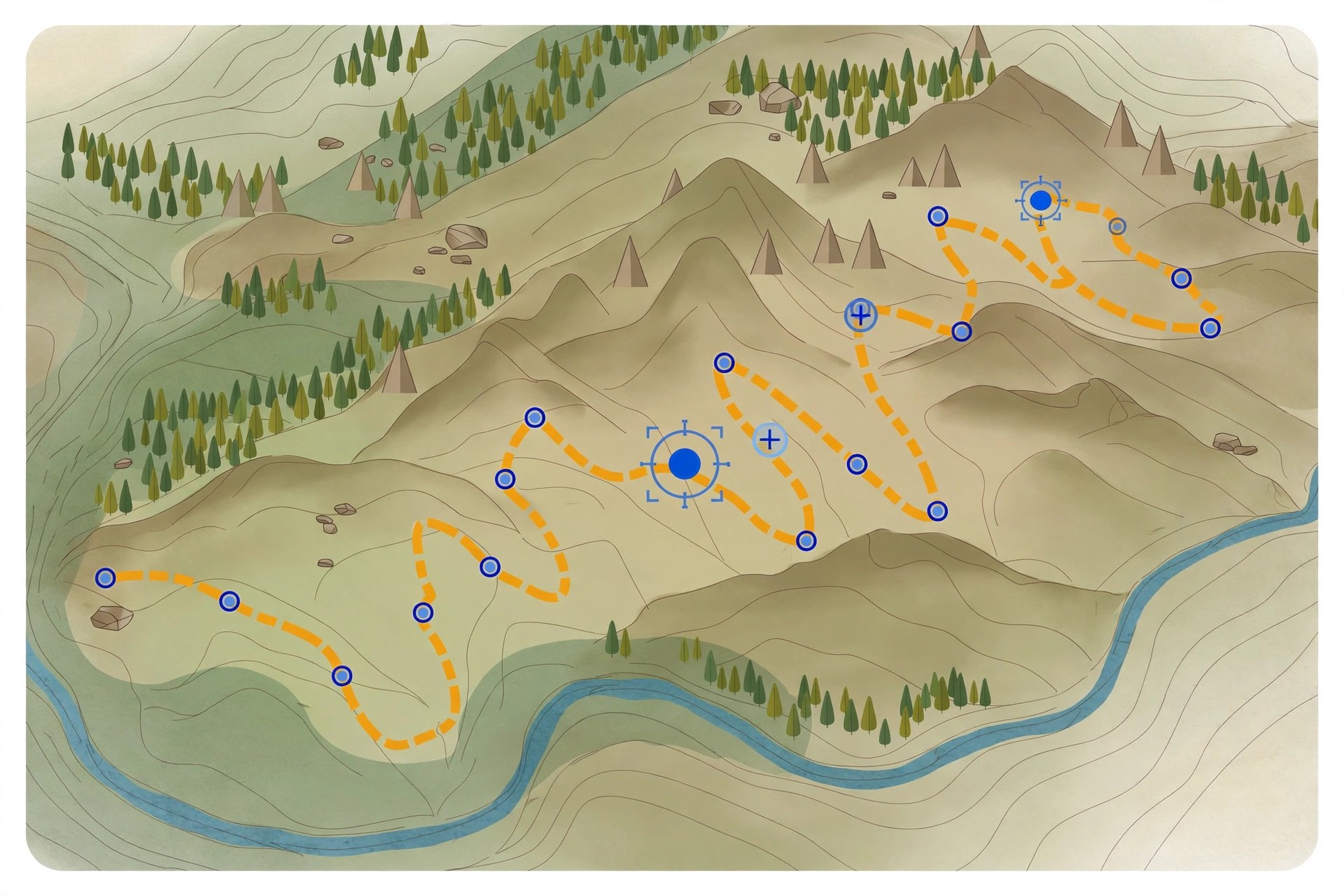
    Adze 1.4.12 for Mac is a dedicated editor for GPX files, the standard format GPS devices and outdoor apps use to store tracks, routes and waypoints. Open a tracklog recorded on a hike, ride or run and Adze shows it on a map, ready for proper editing rather than just viewing: you can create, modify and delete tracks, adjust individual points, and clean up the messy sections every real-world recording contains.

    It is aimed at hikers, cyclists, geocachers and other outdoor users who keep an archive of GPX files and want them accurate. Useful touches include merging and splitting tracks, detecting rest stops, editing timestamps and viewing track statistics before sharing or uploading a route. Adze was sold as a paid app at around $20 as a one-time purchase. We could not verify a live official product page for this older version, so treat download sources with care.

    Key Features

    • Create, modify and delete tracks, routes and waypoints in GPX files
    • Merge and split tracks, with automatic rest stop detection
    • Timestamp tools and statistics for reviewing recorded activities
    • Optimise files by removing redundant track points
    • Export tracks to KML for use in Google Earth

    How to Download

    1. Check the developer's site or the Mac App Store for current availability, as this is an older release.
    2. Install the app, then open your GPX files from Finder to start editing.

    Is Adze free?
    No. Adze was sold as a paid app, at around $20 as a one-time purchase. Any site offering this version as a free download is not an official source.

    What files does Adze work with?
    Adze works with GPX files from GPS devices and outdoor apps, and can export to KML. It edits existing recordings and planned routes; it is not a GPS recorder itself.

  • Adware Zap Pro 2.7.6.3 for Mac

    Adware Zap Pro 2.7.6.3 for Mac

    Adware Zap Pro 2.7.6.3 for Mac

    Adware Zap Pro 2.7.6.3 for Mac

    Mac Security
    Updated Nov 4, 2026
    Mac Security • Updated Nov 4, 2026

    Adware Zap Pro 2.7.6.3 for Mac is a name that appears on third-party download listings for the Adware Zap browser cleaner by Voros Innovation. The underlying app removes adware, browser hijackers and unwanted extensions, and resets Safari, Chrome and Firefox by clearing cookies, caches and changed preferences. We could not find a separate "Pro" edition sold by the developer: the vendor's own site and Mac App Store presence list the standard Adware Zap app only.

    That distinction matters. Listings using the "Pro" name and 2.7.x version numbers come from unofficial sites, and their files cannot be verified as the developer's genuine release. If your browser shows pop-ups, redirects or a hijacked homepage, the safe route is the standard Adware Zap app from the Mac App Store, a paid one-time purchase with no subscription.

    Key Features

    • Removes adware, browser hijackers and unwanted browser extensions
    • Resets Safari, Chrome and Firefox preferences to a clean state
    • Clears cookies, caches and website data left behind by adware
    • On-device scanning against a locally stored adware database
    • Customisable clean-up, with bookmarks and history kept by default

    How to Download

    1. Because no separate Pro edition is published by the vendor, get the standard Adware Zap app from its official site or Mac App Store listing instead.
    2. Avoid unofficial "Pro" bundles, which may be repackaged, outdated or modified.

    Is Adware Zap Pro free?
    There is no official free Pro edition. The genuine Adware Zap app is a paid one-time purchase on the Mac App Store, so any site offering a "Pro" version free of charge is not distributing it with the developer's pricing.

    Is Adware Zap Pro a different app from Adware Zap?
    We found no evidence of a separate Pro product from the developer. Third-party listings under this name point back to the same app and the same Mac App Store listing as the standard edition.

  • Adware Zap Malware Cleaner 2.12.0 for Mac

    Adware Zap Malware Cleaner 2.12.0 for Mac

    Adware Zap Malware Cleaner 2.12.0 for Mac

    Adware Zap Malware Cleaner 2.12.0 for Mac

    Mac Security
    Updated Nov 4, 2026
    Mac Security • Updated Nov 4, 2026

    Adware Zap Malware Cleaner 2.12.0 for Mac is a focused clean-up tool from Voros Innovation that removes adware, browser hijackers and unwanted extensions from your Mac. Instead of scanning your whole drive like a general antivirus, it targets the places adware actually hides, such as launch agents and Application Support folders, then resets Safari, Chrome and Firefox back to a clean state.

    It suits Mac users whose browser homepage keeps changing, who see pop-up adverts on normal websites, or who find extensions they never installed. Everything runs locally against a stored adware database, so your files and browsing history are not uploaded. Adware Zap is a paid Mac App Store app, a one-time purchase with no subscription; version 2.12.0 is an older release, and the current version is newer.

    Key Features

    • Removes adware, browser hijackers and rogue extensions from Safari, Chrome and Firefox
    • Scans launch agents, Application Support and other common adware hiding places
    • Resets browser preferences and clears cookies, caches and website data
    • On-device detection with a locally stored database and no file uploads
    • Customisable clean-up options, with bookmarks and history kept by default

    How to Download

    1. Download from the official site
    2. Follow the vendor's link to the Mac App Store listing and complete the one-time purchase there.
    3. Install the app, run a scan, and review the results before confirming the clean-up.

    Is Adware Zap free?
    No. Adware Zap is a paid Mac App Store app sold as a one-time purchase, not a subscription, and there is no free full version. Prices vary by country because Apple sets regional App Store pricing.

    Does Adware Zap replace a full antivirus?
    No. It focuses on adware, hijackers and browser clean-up rather than scanning every file for viruses and trojans. The same developer offers a separate full malware scanner if you need broader protection.

  • Adware Zap Browser Cleaner 2.8.3 for Mac

    Adware Zap Browser Cleaner 2.8.3 for Mac

    Adware Zap Browser Cleaner 2.8.3 for Mac

    Adware Zap Browser Cleaner 2.8.3 for Mac

    Mac Security
    Updated Nov 4, 2026
    Mac Security • Updated Nov 4, 2026

    Adware Zap Browser Cleaner 2.8.3 for Mac is a focused cleanup tool from Voros Innovation, sold on the Mac App Store, that removes adware and browser hijackers and puts your browsers back the way they were. It scans the places adware installs itself, such as launch agents and application support folders, and cleans Safari, Chrome and Firefox in one pass.

    It is made for Mac users whose homepage or search engine keeps changing, who see pop-ups and injected ads, or who find extensions they never installed. Alongside adware removal it can clear cookies, caches and other website data as a privacy clean. Everything runs locally on your Mac with nothing uploaded. Adware Zap is a one-time purchase with no subscription; the official site lists the current App Store price.

    Key Features

    • Detects and removes adware, browser hijackers and unwanted extensions
    • Resets Safari, Chrome and Firefox preferences back to a clean default state
    • Checks launch agents and support folders where adware hides outside the browser
    • Privacy clean option clears cookies, caches, history and download lists
    • Scans run entirely on your Mac; no files or browsing data are uploaded

    How to Download

    1. Download from the official site
    2. Follow the link to the Mac App Store and buy and install Adware Zap from there.
    3. Launch the app, choose which browsers to clean and click Remove Adware to run the scan and cleanup.

    Is Adware Zap free?
    No. It is a low-cost one-time purchase on the Mac App Store, with no subscription or renewal fees. The official site shows the current price, which Apple sets per country.

    Is it a full antivirus?
    No. Adware Zap specialises in adware, hijackers and browser cleanup rather than scanning every file for viruses and trojans. The same developer offers a separate full malware scanner if you need that broader coverage.

  • Advanced Uninstall Manager 3.1 for Mac

    Advanced Uninstall Manager 3.1 for Mac

    Advanced Uninstall Manager 3.1 for Mac

    Advanced Uninstall Manager 3.1 for Mac

    Mac Utilities
    Updated Nov 4, 2026
    Mac Utilities • Updated Nov 4, 2026

    Advanced Uninstall Manager 3.1 for Mac is an application uninstaller from Systweak Software. Dragging an app onto its window does more than move it to the Trash: the tool scans for the preferences, caches, support files and other data the app left scattered around your system, and removes everything together in a single click.

    It is useful for anyone who tests a lot of software or whose Mac has slowed down under years of half-removed apps. Alongside uninstalling, it lists the programs that launch at login so you can disable the ones you do not need and shorten boot times. Advanced Uninstall Manager is paid software sold through the Mac App Store, and it requires macOS 10.11 or later; the developer's site links to the current App Store listing and pricing.

    Key Features

    • Drag-and-drop uninstalling that removes an app and all its associated files
    • Scans and presents a categorised list of installed apps and startup programs
    • Login item manager to disable unnecessary startup apps and improve boot time
    • Keeps a history of removed applications, with details for each uninstall
    • Protects native system apps so important macOS components are not removed

    How to Download

    1. Download from the official site
    2. Follow the developer's link to the Mac App Store and purchase and install the app from there.
    3. Launch Advanced Uninstall Manager, drag in the app you want gone, review the related files found and confirm the uninstall.

    Is Advanced Uninstall Manager free?
    No. It is a paid app sold on the Mac App Store with a one-time price rather than a subscription. Check the App Store listing linked from the official site for the current price in your region.

    Why not just drag apps to the Trash?
    Dragging to the Trash removes the app bundle but usually leaves behind preferences, caches and support files. This tool finds and removes those leftovers too, which is the main reason to use it.

  • Advanced Duplicate Cleaner 1.7 for Mac

    Advanced Duplicate Cleaner 1.7 for Mac

    Advanced Duplicate Cleaner 1.7 for Mac

    Advanced Duplicate Cleaner 1.7 for Mac

    Mac Utilities
    Updated Nov 4, 2026
    Mac Utilities • Updated Nov 4, 2026

    Advanced Duplicate Cleaner 1.7 for Mac is a duplicate file finder from Tweaking Technologies, available on the Mac App Store. It scans your whole Mac, or just the folders you choose, and identifies both exact duplicates and similar files across photos, videos, music, documents and even apps, grouping the results so you can review them before anything is removed.

    It is aimed at Mac users whose drives have filled up with repeated downloads, copied photo libraries and backed-up folders. Scan results are split into Duplicates and Similar sections, and an Auto-Mark option can select the copies for you. Nothing is deleted permanently; chosen files are moved to the Trash so you can recover them. The App Store listing is free to download with in-app purchases, so check the listing for what the paid upgrade unlocks.

    Key Features

    • Finds duplicate and similar files, photos, videos, music, documents and apps
    • Scan the whole Mac or add specific folders and recommended locations
    • Results grouped into Duplicates and Similar sections for easy review
    • Auto-Mark and Smart Cleanup to select and remove copies in a few clicks
    • Removed files go to the Trash first, so mistakes can be undone

    How to Download

    1. Download from the official site
    2. On the Mac App Store listing, click Get to install Advanced Duplicate Cleaner on your Mac.
    3. Launch the app, choose folders to scan, review the results and use Smart Cleanup to remove the copies you do not need.

    Is Advanced Duplicate Cleaner free?
    The Mac App Store download is free with in-app purchases. You can install and scan with it, but some cleanup capability is tied to the paid in-app upgrade listed on the App Store page.

    Will it delete my only copy of a file?
    No. It works on duplicates and similar files, shows you the groups before removal, and sends removed items to the Trash rather than erasing them permanently, so you stay in control.

  • ADSR Drum Machine 1.4.0 for Mac

    ADSR Drum Machine 1.4.0 for Mac

    ADSR Drum Machine 1.4.0 for Mac

    ADSR Drum Machine 1.4.0 for Mac

    Mac Audio
    Updated Nov 4, 2026
    Mac Audio • Updated Nov 4, 2026

    ADSR Drum Machine 1.4.0 for Mac is a drum instrument from ADSR Sounds that combines a pad-based kit builder, a step sequencer and a mixer in one colour-coded interface. It runs as a standalone app and as an AU and VST3 plug-in, so you can sketch beats on its own or inside your DAW session.

    It is designed for producers who want to get a groove going quickly without losing depth later. The library includes more than 50 kits and over 800 patterns across 10 popular genres, all royalty-free, and you can load your own samples onto the 16 pads. ADSR Drum Machine is paid software priced at $79 on the official store, with a fully featured 30-day free trial so you can test every kit and feature before buying.

    Key Features

    • 16 playable pads with a tabbed browser, Sound & FX, sequencer and mixer layout
    • 50+ factory kits and 800+ patterns across 10 genres, plus your own samples
    • Per-pad pitch, a three-stage drum envelope and multi-channel processing
    • Up to 16 patterns with 4 pages per lane in the built-in sequencer
    • Standalone, Audio Unit and VST3 formats for Mac

    How to Download

    1. Download from the official site
    2. Start the 30-day free trial or buy a licence, then download the Mac installer from your ADSR account.
    3. Run the installer and open ADSR Drum Machine standalone, or load it as an AU/VST3 instrument in your DAW.

    Is ADSR Drum Machine free?
    No. It costs $79, but the free trial runs for 30 days with all features and kits unlocked, so you can properly evaluate it before paying.

    Can I use my own samples?
    Yes. You can drag your own one-shots onto the pads, shape them with the per-pad sound and effects controls, and save them as your own kits alongside the factory library.