Category: Mac Video

  • Apeaksoft DVD Creator 1.0.50 for Mac

    Apeaksoft DVD Creator 1.0.50 for Mac

    Apeaksoft DVD Creator 1.0.50 for Mac

    Apeaksoft DVD Creator 1.0.50 for Mac

    Mac Video
    Updated Nov 6, 2026
    Mac Video • Updated Nov 6, 2026

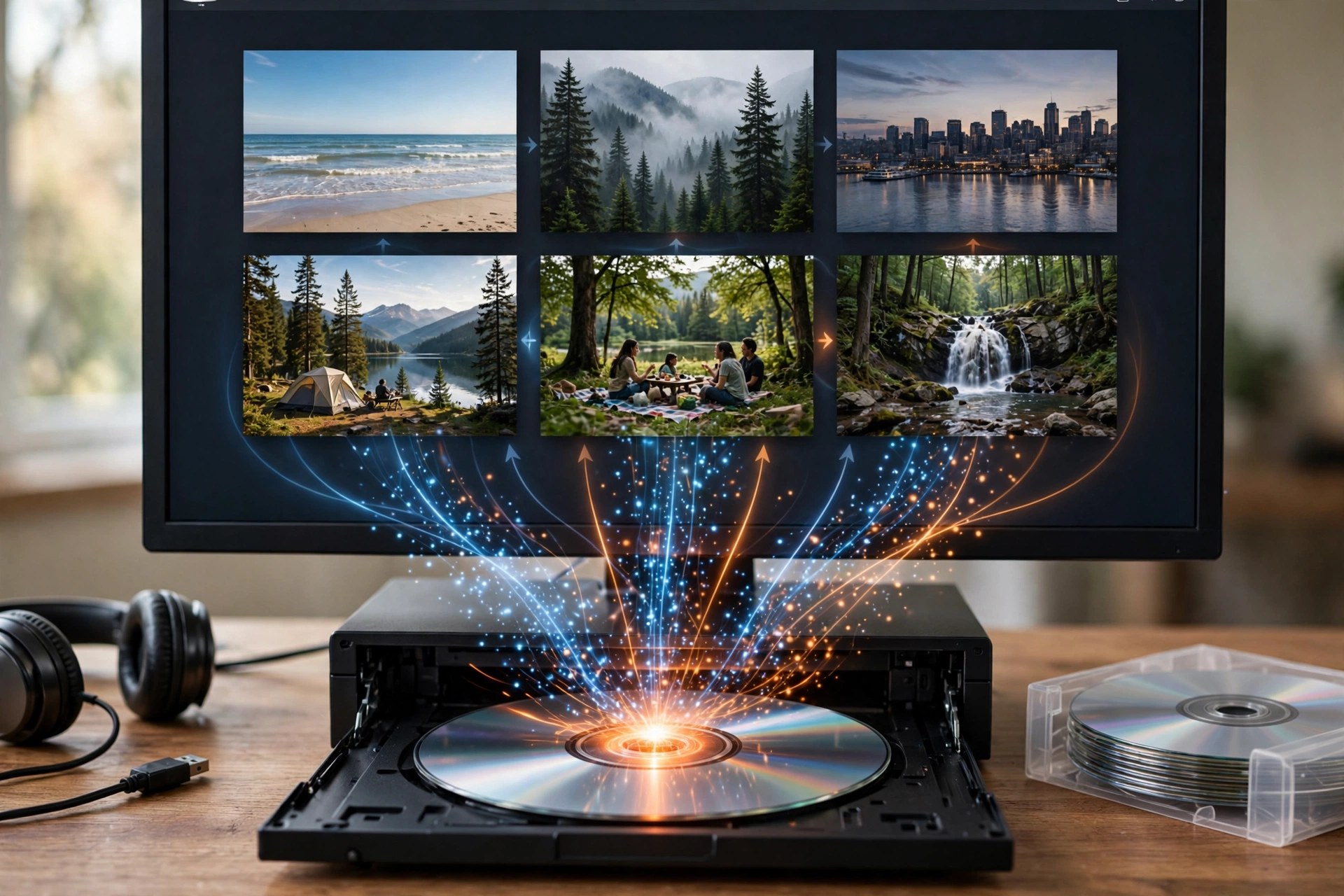
    Apeaksoft DVD Creator 1.0.50 for Mac turns video files sitting on your Mac into proper DVDs you can play in a standard DVD player. Add clips in formats such as MP4, MOV, MKV, AVI, MTS, FLV and WMV, arrange them, and burn the result to a blank DVD disc — or save it as a DVD folder or ISO image if you would rather burn it later or keep a digital master.

    Before burning, you can personalise the disc with ready-made menu templates, background music and pictures, opening film and your own subtitle and audio tracks, plus light editing tools to trim clips and adjust the picture. It is paid software with a free trial, not a free full version, so check the trial's limits before planning a big project around it.

    Key Features

    • We could not verify a direct product page for this exact Mac build, so download only from apeaksoft.com itself and avoid mirror or crack sites.
    • Install the app, add a test video, pick a menu template and try burning to a rewritable disc or ISO first.
    • Do I need a DVD burner?
      Only for physical discs, and most Macs need an external USB DVD drive. If you do not have one, you can still create DVD folders and ISO images entirely on your Mac.

      Is Apeaksoft DVD Creator free?
      No. It is commercial software with a free trial. A paid licence is needed for continued, unrestricted use — there is no free full version.

  • Apeaksoft Blu-ray Player 1.1.90 for Mac

    Apeaksoft Blu-ray Player 1.1.90 for Mac

    Apeaksoft Blu-ray Player 1.1.90 for Mac

    Apeaksoft Blu-ray Player 1.1.90 for Mac

    Mac Video
    Updated Nov 6, 2026
    Mac Video • Updated Nov 6, 2026

    Apeaksoft Blu-ray Player 1.1.90 for Mac solves a problem macOS leaves open: Apple never built Blu-ray playback into the system. With an external Blu-ray drive connected to your Mac, this player handles Blu-ray discs, Blu-ray folders and ISO image files, and it plays DVD discs, folders and ISOs just as easily, with menus, audio tracks and subtitle tracks you can switch during playback.

    Beyond discs, it works as a general media player for 4K UHD, 1080p and 720p HD and standard-definition video in formats such as MP4, MKV, MOV, AVI, MTS, M2TS, WMV and FLV. It is commercial software with a free trial, not a free full version, so test it with your own drive and discs before buying a licence.

    Key Features

    • We could not verify a direct product page for this exact Mac build, so download only from apeaksoft.com itself and avoid mirror or crack sites.
    • Install the player, connect a USB Blu-ray drive, insert a disc and use the trial to confirm playback before purchasing.
    • Does my Mac need a Blu-ray drive?
      Yes, for physical discs — Macs do not include one. You will need an external USB Blu-ray drive. Disc-free content such as ISO files, folders and ordinary videos plays without one.

      Is Apeaksoft Blu-ray Player free?
      No. It is paid software with a free trial period. Sites offering a cracked full version are unofficial and should be avoided.

  • AnyRec Video Repair 1.0.18 for Mac

    AnyRec Video Repair 1.0.18 for Mac

    AnyRec Video Repair 1.0.18 for Mac

    AnyRec Video Repair 1.0.18 for Mac

    Mac Video
    Updated Nov 6, 2026
    Mac Video • Updated Nov 6, 2026

    AnyRec Video Repair is a focused recovery tool from AnyRec for video files that refuse to play. If a recording was interrupted, a download was cut off, or a memory card glitched mid-shoot, the file often ends up with a damaged header or broken frames. Version 1.0.18 for Mac tackles that problem with a sample-based approach: you load the corrupted clip plus a healthy video shot on the same device, and the program uses the good file's structure — resolution, frame rate, bitrate, and encoder — as the reference for rebuilding the broken one.

    The repair runs locally on your Mac, so private footage never leaves your computer, and a preview lets you check the result before saving. AnyRec promotes the tool with a free trial; it is paid software, not a free full version, so confirm the trial terms on AnyRec's own site before relying on it for important footage.

    Key Features

    • Repairs corrupted, unplayable, choppy, and blurry videos
    • Sample-based repair that mirrors a healthy file's structure
    • Supports MP4, MKV, MOV, AVI, and 3GP files from cameras, drones, phones, and SD cards
    • Handles SD through high-resolution footage, including 4K and above
    • Preview the repaired video before saving, with all processing done locally

    How to Download

    1. Visit anyrec.io and find Video Repair in AnyRec's product lineup.
    2. Install the Mac version, add your damaged video and a sample video, then click Repair.

    What kinds of damage can it fix?
    It targets corruption problems such as files that won't open, freeze, play without sound, or show distorted frames, in formats including MP4, MKV, MOV, and AVI.

    Why does it need a sample video?
    The sample acts as a healthy reference. Using a working clip recorded with the same device and settings gives the repair the best chance of restoring the original quality.

  • AnyRec Video Converter 1.0.30 for Mac

    AnyRec Video Converter 1.0.30 for Mac

    AnyRec Video Converter 1.0.30 for Mac

    AnyRec Video Converter 1.0.30 for Mac

    Mac Video
    Updated Nov 6, 2026
    Mac Video • Updated Nov 6, 2026

    AnyRec Video Converter is AnyRec's desktop app for converting video and audio files on macOS without uploading them to a website. Version 1.0.30 for Mac handles conversion between more than 1,000 formats and device profiles, so footage from a phone, camera, or screen recording can be turned into an MP4, MOV, MKV, or audio file that plays where you need it. Alongside the converter sits a Toolbox with extra utilities for everyday jobs like trimming, merging, and compressing clips.

    The Mac build runs on Intel and Apple Silicon machines and is designed for batch work: add a folder of files, pick one output format, and let it process the queue offline with no file size limit. AnyRec offers a free trial so you can test conversions before buying a license — it is not a free full version, and the registered version unlocks the complete feature set.

    Key Features

    • Convert video and audio between 1,000+ formats and device presets
    • Batch conversion with no maximum file size limit
    • Toolbox with trimming, merging, compression, and other editing tools
    • Adjust resolution, frame rate, bitrate, and encoder before converting
    • Works fully offline on Intel and Apple Silicon Macs

    How to Download

    1. Open the official AnyRec page for Video Converter and choose the Mac download.
    2. Start your download from the official site: Download from the official site
    3. Open the downloaded package, install the app, and launch it to start the free trial.

    Is AnyRec Video Converter free?
    There is a free trial, but the full converter is paid software. The trial lets you test conversions before deciding on a license.

    Does it work on Apple Silicon Macs?
    Yes. The Mac version supports both Apple Silicon and Intel processors, and conversions run locally on your machine.

  • AnyRec Screen Recorder 1.1.36 for Mac

    AnyRec Screen Recorder 1.1.36 for Mac

    AnyRec Screen Recorder 1.1.36 for Mac

    AnyRec Screen Recorder 1.1.36 for Mac

    Mac Video
    Updated Nov 6, 2026
    Mac Video • Updated Nov 6, 2026

    AnyRec Screen Recorder 1.1.36 for Mac is a beginner-friendly recorder for the things QuickTime handles awkwardly — above all, capturing your screen together with system audio and your microphone at the same time. It is built for online meetings, classes, webinars, tutorials and gameplay, and it lets you record the full screen, a single window or a custom region, with webcam overlay if you want yourself in the corner of the video.

    The Mac version organises everything into clear modes — Video Recorder, Window Recorder, Audio Recorder, Webcam Recorder and Screen Capture for screenshots — and adds practical extras like scheduled recording, auto-stop, and a built-in trimmer, compressor and converter for tidying up recordings afterwards. Output quality goes up to 4K. The free trial limits recordings to short clips and locks the trimmer, and the full version is paid software sold as monthly or lifetime Mac licences through AnyRec's official shop at anyrec.io.

    Key Features

    • Records screen, system audio, microphone and webcam together or separately
    • Full screen, window or custom-region capture, up to 4K quality
    • Dedicated modes for video, audio, windows, webcam and screenshots
    • Scheduled recording and auto-stop for unattended captures
    • Built-in tools to trim, compress, merge and convert recordings after capture

    How to Download

    1. Open the official AnyRec Screen Recorder for Mac page via the link below.
    2. Start your download from the official site: Download from the official site
    3. Install the app, grant screen recording permission in macOS Settings, and start your first recording.

    Why is my recording silent or black?
    macOS requires permission first: grant the app access under System Settings, Privacy and Security, Screen Recording (and Microphone for voice). Without it, the app cannot capture sound or picture properly.

    Is AnyRec Screen Recorder free?
    There is a free trial, but it limits recording length and disables tools like the trimmer. A paid monthly or lifetime licence unlocks the full recorder.

  • AnyRec Mac Video Enhancer 1.0.6 for Mac

    AnyRec Mac Video Enhancer 1.0.6 for Mac

    AnyRec Mac Video Enhancer 1.0.6 for Mac

    AnyRec Mac Video Enhancer 1.0.6 for Mac

    Mac Video
    Updated Nov 6, 2026
    Mac Video • Updated Nov 6, 2026

    AnyRec Mac Video Enhancer 1.0.6 for Mac is AnyRec's quality-fixing tool for disappointing footage. Old clips, low-resolution recordings and shaky phone videos can all look rough on a modern Retina display, and this enhancer tackles the four most common problems in one place: it upscales the resolution, optimises brightness and contrast, removes video noise, and reduces shaking — each with simple tick-box controls rather than a professional editor's learning curve.

    Upscaling can take standard-definition and HD material up to 4K, and the AI-based processing aims to add clarity rather than just stretching pixels. A short preview shows you the result before you commit to exporting the whole file, which is the sensible way to judge any enhancer. The official AnyRec guide describes a free download to get started, with a purchase unlocking the full features via a registration code. Get it from AnyRec's official site, anyrec.io, only — not from download mirrors.

    Key Features

    • Upscales low-resolution video up to 4K with AI-based processing
    • Removes video noise for cleaner low-light and older footage
    • Reduces shake in handheld and action-camera recordings
    • Optimises brightness and contrast automatically for flat, dull clips
    • Preview the enhancement before exporting, with support for popular formats like MP4, MOV, MKV and AVI

    How to Download

    1. Open AnyRec's official Video Enhancer page from the link below.
    2. Start your download from the official site: Download from the official site
    3. Install the app, add your video, tick the enhancements you want, preview, and export.

    How is this different from AnyRec Video Converter?
    The converter changes formats and includes an enhancer inside its toolbox, while this dedicated enhancer focuses purely on improving picture quality — upscaling, denoise, stabilising and colour balance.

    Is AnyRec Mac Video Enhancer free?
    You can download and try it first, but full features require purchasing a licence and registering with the code AnyRec emails you. There is no free full version.

  • AnyRec Blu-ray Player 1.0.18 for Mac

    AnyRec Blu-ray Player 1.0.18 for Mac

    AnyRec Blu-ray Player 1.0.18 for Mac

    AnyRec Blu-ray Player 1.0.18 for Mac

    Mac Video
    Updated Nov 6, 2026
    Mac Video • Updated Nov 6, 2026

    AnyRec Blu-ray Player 1.0.18 for Mac gives your Mac the disc playback it does not have built in. Connect an external drive and it plays commercial and homemade Blu-ray discs, DVD discs, Blu-ray and DVD folders, and ISO image files — including opening an ISO directly, without mounting it first. Playback is region-free, keeps the original disc menus and chapters, and covers BD and DVD formats such as BD-R, BD-RE, DVD-R and DVD-RW.

    It is also a capable general media player for 4K UHD, 1080p and regular video and audio files, with hardware acceleration for smooth high-bitrate playback and support for high-quality audio decoding including Dolby TrueHD and DTS-HD. You can switch audio tracks and subtitles, adjust the picture, and take snapshots while watching. The free version plays Blu-ray with a watermark, and the full player is paid software — registering removes the watermark and time limits. Download it only from AnyRec's official site, anyrec.io.

    Key Features

    • Plays Blu-ray and DVD discs, folders and ISO files with full menu and chapter support
    • Region-free playback for discs bought in any country
    • 4K UHD, 1080p and 720p video playback with hardware acceleration for smooth performance
    • Lossless audio support including Dolby TrueHD, DTS-HD and Apple Lossless decoding
    • Playback controls for audio tracks, subtitles and aspect ratio, plus one-click snapshots

    How to Download

    1. Open AnyRec's official Blu-ray Player page using the link below.
    2. Start your download from the official site: Download from the official site
    3. Install the player, connect your external disc drive, and open your disc, folder or ISO file.

    Do I need an external drive to use it?
    For physical discs, yes — modern Macs have no built-in optical drive, so you will need a USB Blu-ray drive. Disc-free files such as ISOs, folders and videos play without one.

    Is AnyRec Blu-ray Player free?
    A free version is available, but Blu-ray playback carries a watermark. The paid, registered version removes the watermark and all time limitations.

  • AnyMP4 Video Repair 1.0.18 for Mac

    AnyMP4 Video Repair 1.0.18 for Mac

    AnyMP4 Video Repair 1.0.18 for Mac

    AnyMP4 Video Repair 1.0.18 for Mac

    Mac Video
    Updated Nov 6, 2026
    Mac Video • Updated Nov 6, 2026

    AnyMP4 Video Repair 1.0.18 for Mac exists for one stressful moment: a video that will not play. Files get corrupted when a camera battery dies mid-recording, a transfer is interrupted, a memory card fails, or a download stops halfway — and the result is footage macOS refuses to open. This tool repairs damaged, broken and unplayable videos, currently covering MP4, MOV and 3GP files, including high-resolution footage up to 8K.

    Its repair method is simple and clever. You load the broken file, then load a healthy sample video recorded with the same device or saved from the same source, and the software uses that sample as a reference to rebuild the damaged file's structure. A preview lets you check the repaired video before saving it. AnyMP4 offers a free trial download from the official site; the full version is paid, and as with any repair tool, success depends on how badly the original file is damaged.

    Key Features

    • Repairs corrupted, damaged and unplayable MP4, MOV and 3GP videos
    • Sample-file repair rebuilds broken files using a healthy reference recording
    • Handles footage from cameras, drones, phones and SD cards, up to 8K resolution
    • Preview the repaired video before you save it, so you only keep good results
    • Repairs are processed locally on your Mac — your videos are not uploaded anywhere

    How to Download

    1. Open the official AnyMP4 Video Repair page from the link below.
    2. Start your download from the official site: Download from the official site
    3. Install the app, add your broken video plus a healthy sample from the same device, and click Repair.

    What sample video should I use?
    Use a working video in the same format, recorded with the same device or saved from the same platform as the broken file. The closer the match, the better the repair.

    Can it fix every corrupted video?
    No tool can. If the file's data is mostly intact it has a good chance, but a severely overwritten or truncated file may only partially recover. The free trial lets you test your file first.

  • AnyMP4 Video Enhancement 8.2.36 for Mac

    AnyMP4 Video Enhancement 8.2.36 for Mac

    AnyMP4 Video Enhancement 8.2.36 for Mac

    AnyMP4 Video Enhancement 8.2.36 for Mac

    Mac Video
    Updated Nov 6, 2026
    Mac Video • Updated Nov 6, 2026

    AnyMP4 Video Enhancement 8.2.36 for Mac is a focused clean-up tool for footage that is watchable but disappointing: old family recordings, low-resolution downloads, grainy low-light clips and shaky handheld video. Rather than editing your timeline, it works on the picture itself, offering four one-click improvements — upscale the resolution, optimise brightness and contrast, remove video noise, and reduce shaking — which you can apply individually or together before exporting.

    Upscaling goes up to 4K, which makes standard-definition and 720p material hold up far better on a modern TV or monitor. The app also includes basic editing such as trimming and 3D settings, and it can convert the enhanced result into other video and audio formats. It is paid software with a free trial from the official AnyMP4 site; the trial carries time limitations, so use it to judge the enhancement quality on a short clip first.

    Key Features

    • Upscales lower-resolution video up to 4K for modern displays
    • Removes dirt-like video noise from grainy or low-light footage
    • Reduces camera shake in handheld recordings
    • Optimises brightness and contrast automatically for dull, flat clips
    • Real-time preview lets you compare the enhanced picture before exporting, plus format conversion after enhancing

    How to Download

    1. Go to the official AnyMP4 Video Enhancement page via the link below.
    2. Start your download from the official site: Download from the official site
    3. Install the app from the DMG, add a test clip, and try the enhancements in the free trial.

    Can it really turn an old SD video into true 4K?
    It can upscale the resolution to 4K and clean up noise and contrast, which looks noticeably better on big screens, but it cannot invent detail that was never recorded.

    Is AnyMP4 Video Enhancement free?
    No. It is paid software. A free trial is available from AnyMP4, with some limitations, so you can check the results before buying.

  • AnyMP4 Video Converter Ultimate 9.2.98 for Mac

    AnyMP4 Video Converter Ultimate 9.2.98 for Mac

    AnyMP4 Video Converter Ultimate 9.2.98 for Mac

    AnyMP4 Video Converter Ultimate 9.2.98 for Mac

    Mac Video
    Updated Nov 6, 2026
    Mac Video • Updated Nov 6, 2026

    AnyMP4 Video Converter Ultimate 9.2.98 for Mac is AnyMP4's flagship all-in-one converter, a step up from the standard Video Converter. It converts 8K, 5K, 4K and HD video — and your own DVDs — into MP4, MP3, GIF and more than 500 other digital formats, using hardware acceleration to reach conversion speeds the vendor rates at up to 70x faster than real time. If you regularly move footage between cameras, phones, TVs and editors, this is the version built for that workload.

    The Ultimate edition also packs in a proper toolbox: a video compressor, GIF maker, metadata editor, enhancement tools and a fuller set of editing controls covering trimming, cropping, filters, subtitles and audio tracks. It is paid software, with monthly and lifetime licences, and AnyMP4 offers a free trial download from the official product page. The trial is limited, so treat it as a test drive before registering.

    Key Features

    • Converts video and DVD to over 500 formats, including 8K, 4K and HD output
    • Hardware-accelerated processing for much faster batch conversions
    • Full editing suite: trim, crop, merge, filters, watermarks, subtitles and audio tracks
    • Toolbox extras including video compressor, GIF maker and media metadata editor
    • Enhancement options to upscale resolution, reduce noise and steady shaky footage

    How to Download

    1. Visit the official AnyMP4 Video Converter Ultimate page using the link below.
    2. Start your download from the official site: Download from the official site
    3. Install from the DMG, open the app, and use the free trial or register your licence.

    What is the difference between Video Converter and Video Converter Ultimate?
    Ultimate adds DVD conversion, far more output formats, faster hardware acceleration and the extra toolbox tools. The standard converter covers basic file-to-file conversion only.

    Is the Ultimate version free?
    No. It is paid software, but a free trial with limited features is available from AnyMP4 so you can test it before buying a monthly or lifetime licence.