Category: Mac Utilities

  • AnyMP4 Data Recovery 1.5.18 for Mac

    AnyMP4 Data Recovery 1.5.18 for Mac

    AnyMP4 Data Recovery 1.5.18 for Mac

    AnyMP4 Data Recovery 1.5.18 for Mac

    Mac Utilities
    Updated Nov 4, 2026
    Mac Utilities • Updated Nov 4, 2026

    AnyMP4 Data Recovery for Mac is the tool you reach for after disaster: a folder emptied from the Trash, a USB stick formatted by mistake, a drive that stopped mounting after a crash. It scans Mac drives, external disks, flash drives and camera memory cards, then lists the photos, documents, emails, audio and video it can still find so you can preview and restore what matters.

    Recovery works best when you act quickly and stop writing new data to the affected drive, and no software can promise miracles on overwritten files — this one lets you preview before you commit. It is paid software, but scanning and previewing are free on the trial, so you only need a licence once you can see your files are recoverable. It runs on Mac OS X 10.7 and later.

    Key Features

    • Recovers photos, documents, emails, audio, video and other file types
    • Scans internal drives, external disks, USB flash drives and memory cards
    • Quick Scan for recent deletions and Deep Scan for formatted or crashed drives
    • Filter and search tools with preview, so you restore only the files you need
    • Handles loss from emptying the Trash, system crashes, re-partitioning and virus damage

    How to Download

    1. Install the software on a different drive from the one you lost files on, to avoid overwriting them.
    2. Start your download from the official site: Download from the official site
    3. Launch it, select the file types and the drive to scan, then preview the results and click Recover for the files you want back.

    Can I check whether my files are recoverable for free?
    Yes. The trial scans and previews found files at no cost; you only pay for a licence when you are ready to actually restore them.

    Why did Deep Scan find files Quick Scan missed?
    Quick Scan checks recent deletion records, while Deep Scan reads the drive sector by sector — slower, but it surfaces files from formatted or damaged volumes.

  • AnyMP4 Android Data Recovery 2.1.26 for Mac

    AnyMP4 Android Data Recovery 2.1.26 for Mac

    AnyMP4 Android Data Recovery 2.1.26 for Mac

    AnyMP4 Android Data Recovery 2.1.26 for Mac

    Mac Utilities
    Updated Nov 4, 2026
    Mac Utilities • Updated Nov 4, 2026

    AnyMP4 Android Data Recovery for Mac is a recovery utility for the moment an Android phone loses something important — a deleted contact list, a cleared message thread, or photos removed by mistake. Connect the phone to your Mac by USB, let the software scan the device, preview what it finds, and restore only the items you actually need to your computer rather than wiping and restoring the whole phone.

    The Mac edition supports phones and tablets from Samsung, Google, Huawei, Xiaomi, Sony, LG and other major brands, and AnyMP4 lists it for Mac OS X 10.7 and later. It is paid software with a free trial: the trial can scan your device and preview recoverable files, which is exactly what you want before paying, because no recovery tool can guarantee that overwritten data is still retrievable.

    Key Features

    • Recover contacts, messages, call history and message attachments from Android
    • Restore photos, videos, audio, documents and gallery files to your Mac
    • Recover WhatsApp messages and attachments alongside standard data types
    • Preview found items and recover selectively instead of restoring everything
    • Also includes Android data backup and restore for supported content

    How to Download

    1. Stop using the phone as much as possible — new data can overwrite what you hope to recover.
    2. Start your download from the official site: Download from the official site
    3. Install the app, connect your Android device by USB, enable USB debugging when prompted, and run a scan to preview recoverable files in the trial.

    Can the free trial recover my files?
    The trial is mainly for scanning and previewing what can be recovered. Saving the recovered data generally requires a paid licence, so use the preview to confirm your files are found first.

    Does it work with every Android phone?
    It supports a wide range of Android phones and tablets from major brands. Very new Android versions and locked or physically damaged devices can limit what any recovery software can access.

  • AnyGo 8.1.0 for Mac

    AnyGo 8.1.0 for Mac

    AnyGo 8.1.0 for Mac

    AnyGo 8.1.0 for Mac

    Mac Utilities
    Updated Nov 4, 2026
    Mac Utilities • Updated Nov 4, 2026

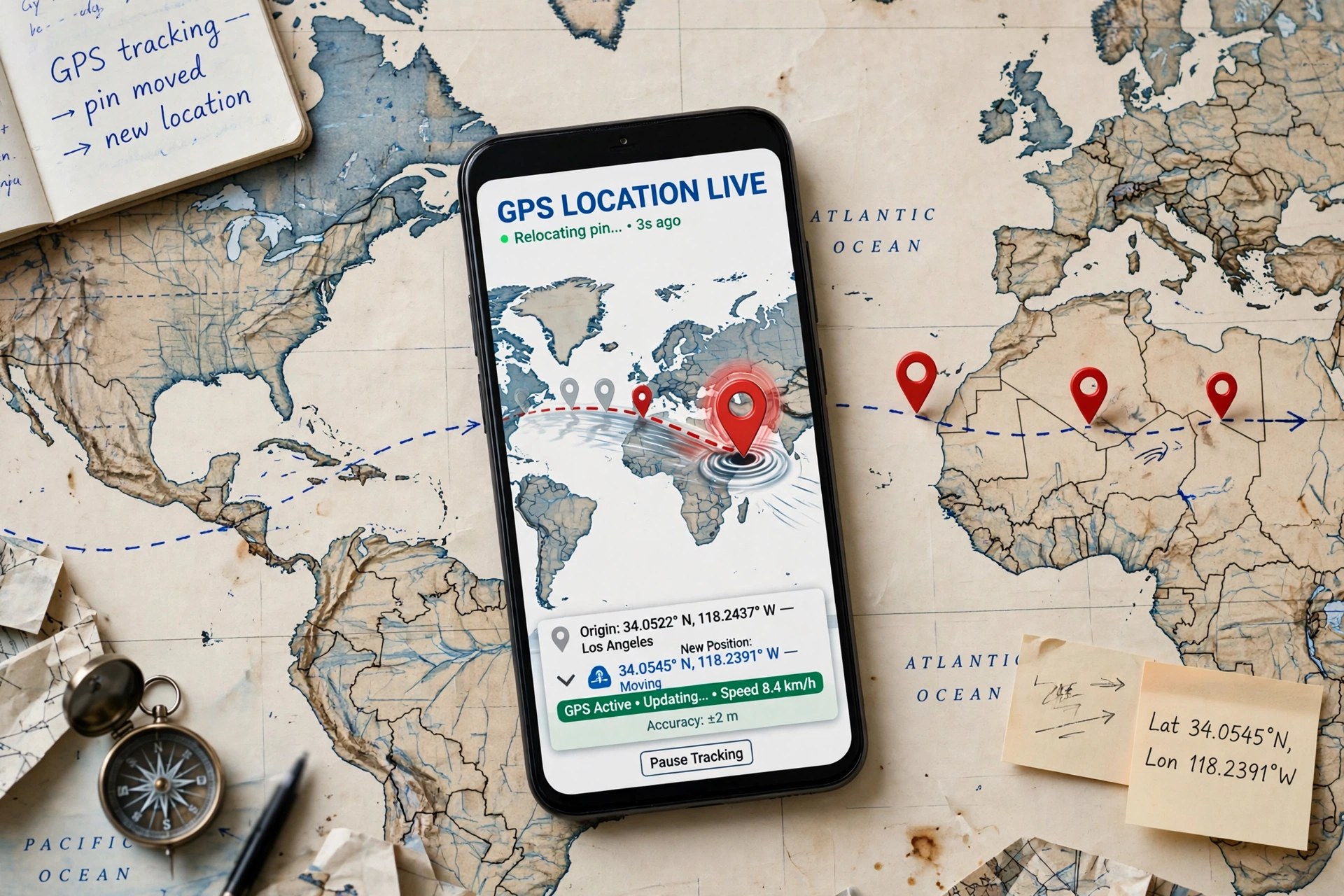
    AnyGo, from iToolab, is a GPS location changer that runs on your Mac and controls the location reported by a connected iPhone, iPad or Android device. Pick a place on the map and the phone reports that location to its apps, or draw a route and the phone appears to walk, cycle or drive along it at a speed you choose. People use it for testing location-aware apps, privacy on location-sharing apps, and location-based games.

    AnyGo does not require a jailbreak, and iToolab offers a free trial with a limited number of location changes so you can test compatibility with your device first. Continued use requires a paid plan, sold monthly, quarterly, yearly and as a lifetime licence. Be aware that spoofing your location in some games and services can breach their terms and risk account penalties, so use it thoughtfully and only on accounts you own.

    Key Features

    • Teleport an iPhone or Android device to any map location in one click, no jailbreak
    • Two-spot and multi-spot modes that simulate movement along custom routes
    • Joystick mode for free 360-degree movement in location-based games
    • Import GPX files to replay recorded routes at adjustable speeds
    • Connect and spoof multiple devices from the same Mac at once

    How to Download

    1. Confirm your iPhone or Android version is supported on the official AnyGo page.
    2. Start your download from the official site: Download from the official site
    3. Install the app, connect your phone by USB or Wi-Fi, pick a location on the map, and use the trial before buying a plan.

    Does AnyGo need a jailbreak?
    No. AnyGo changes location from the Mac over a USB or Wi-Fi connection and is designed to work on standard, non-jailbroken devices.

    Is AnyGo free?
    It has a free trial with limited location changes. Full, ongoing use requires a paid iToolab plan; there is no free full version.

  • AnyDroid 7.5.0.20211008 for Mac

    AnyDroid 7.5.0.20211008 for Mac

    AnyDroid 7.5.0.20211008 for Mac

    AnyDroid 7.5.0.20211008 for Mac

    Mac Utilities
    Updated Nov 4, 2026
    Mac Utilities • Updated Nov 4, 2026

    AnyDroid, made by iMobie and originally released as AnyTrans for Android, is a desktop manager that gives Android phones a proper home on your Mac. Instead of digging through folders, you connect a phone or tablet by USB or Wi-Fi and manage everything from one window: photos, videos, music, contacts, messages, call logs, apps and documents. It is especially handy when switching phones, including moving from an iPhone to Android.

    AnyDroid works with Android devices running Android 5.0 and later from Samsung, Google, Xiaomi, Huawei and other major brands, and the Mac version needs macOS 10.13 or later. It is paid software, but iMobie offers a free trial that can transfer a limited number of items per day, so you can confirm your device connects and your data is readable before buying a licence.

    Key Features

    • Transfer photos, videos, music, contacts and messages between Android and Mac
    • One-click Android-to-Android mover and iOS-to-Android switching support
    • Batch install, uninstall and back up apps, including APK files
    • Connect over Wi-Fi without a cable, or over USB for a more stable transfer
    • Organise files by category and use the phone as temporary storage

    How to Download

    1. Check your Android version and macOS version against the requirements on the official page.
    2. Start your download from the official site: Download from the official site
    3. Install the DMG, launch AnyDroid, connect your Android device by USB or Wi-Fi, and follow the on-screen prompts to begin the trial.

    Is AnyDroid free?
    It offers a free trial with daily transfer limits. Unlimited transfers and full management features require a paid licence from iMobie.

    Does AnyDroid work without a USB cable?
    Yes. After setup you can connect over Wi-Fi on the same network, while USB remains the more stable option for very large photo or video libraries.

  • Antinote 2.1.0 for Mac

    Antinote 2.1.0 for Mac

    Antinote 2.1.0 for Mac

    Antinote 2.1.0 for Mac

    Mac Utilities
    Updated Nov 4, 2026
    Mac Utilities • Updated Nov 4, 2026

    Antinote 2.1.0 for Mac is a small scratchpad built for the notes you need for twenty minutes, not forever. Press its global hotkey, Option-A by default, and a clean window appears over whatever you are doing, ready for a thought, a phone number, a snippet or a quick sum, then disappears again just as fast.

    It is sold direct from its official site for a one-time $5 with lifetime updates, and a free trial is available without creating an account, so it is not a free full version and there is no subscription to manage. It needs macOS 14 or later, stores notes locally, and offers optional iCloud sync that you switch on yourself.

    Key Features

    • Global hotkey capture from any app, with Dock, menu bar or dropdown window styles
    • Keyword modes on the first line: math, list, sum, avg, count, code and timer
    • Inline calculations with currency, distance and weight conversions as you type
    • Plain-text paste that strips formatting, plus AutoPaste and screenshot-to-text OCR
    • Swipe navigation between temporary notes, with nine pinned slotted notes that never expire

    How to Download

    1. Download from the official site
    2. Start the free trial from that page, or buy the one-time licence if you want to keep it.
    3. Open the downloaded file, move Antinote to Applications, launch it and set your preferred hotkey.

    Is Antinote a replacement for Apple Notes or Obsidian?
    No. It has no folder tree or shared documents and is deliberately temporary. Anything worth keeping can be exported as text, Markdown or PDF, or sent on to Apple Notes, Obsidian or Bear.

    Is Antinote free?
    No. There is a free trial, after which Antinote costs $5 once, with lifetime updates included. It is also available through the Setapp subscription catalogue as a separate option.

  • Animated Wallpapers 1.0.24 for Mac

    Animated Wallpapers 1.0.24 for Mac

    Animated Wallpapers 1.0.24 for Mac

    Animated Wallpapers 1.0.24 for Mac

    Mac Utilities
    Updated Nov 4, 2026
    Mac Utilities • Updated Nov 4, 2026

    Animated Wallpapers 1.0.24 for Mac is a lightweight desktop customisation app that replaces your still Mac wallpaper with gently moving scenes. Rather than a fixed photograph sitting behind your windows all day, the desktop itself drifts and breathes, with a built-in set of 18 animated wallpapers to choose from.

    It is a modest, single-purpose app rather than a huge wallpaper platform: you pick one of the included scenes and it loops quietly behind your work. Honest sourcing note: we could not verify a live official vendor page or a current Mac App Store listing for this exact name and version, and similar names are used by unrelated apps, so confirm the version number and seller carefully before installing anything that claims to be it.

    Key Features

    • We could not verify a current official listing for version 1.0.24, so search the Mac App Store by the exact title and check the seller and version before installing.
    • Avoid download-mirror copies of discontinued utilities like this one — they are a common route for bundled adware.
    • Is Animated Wallpapers free?
      We could not confirm the pricing of this exact listing. Small wallpaper apps of this kind are often free with ads or a paid unlock, so rely on the official store listing rather than expecting a guaranteed free full version.

      Will an animated wallpaper drain my battery?
      Any constantly animating desktop uses more power than a still image. On a laptop, expect some extra battery and GPU use, and switch back to a static picture when you need maximum battery life.

  • Anicesoft EPUB Converter 10.2.1 for Mac

    Anicesoft EPUB Converter 10.2.1 for Mac

    Anicesoft EPUB Converter 10.2.1 for Mac

    Anicesoft EPUB Converter 10.2.1 for Mac

    Mac Utilities
    Updated Nov 4, 2026
    Mac Utilities • Updated Nov 4, 2026

    Anicesoft EPUB Converter 10.2.1 for Mac is an ebook format converter from AniceSoft, a small software publisher whose tools lived at epubconverter.com. Its job is simple: take an ebook in one format and turn it into another, so a book bought for one reader can be opened on a different device — an EPUB moved to PDF, or a Kindle-style MOBI turned into EPUB, for example.

    An honest note on availability: AniceSoft's official website could not be verified as live when this page was written, and the converter has not been meaningfully updated in years. Treat mirror-site listings with caution; if you need EPUB conversion today, the maintained, free Calibre covers the same ground.

    Key Features

    • We could not verify a live official AniceSoft page for this Mac version, so do not trust random mirror installers using this name — bundled adware is a real risk with discontinued tools.
    • If you find the genuine installer, check it opens as version 10.2.1 before relying on it, and consider Calibre as a maintained alternative.
    • Is Anicesoft EPUB Converter free?
      Historically it was sold as inexpensive shareware with a limited trial rather than a free full version. Because the official store is no longer verifiable, we cannot confirm current pricing.

      Why is there no working official link?
      AniceSoft's site, epubconverter.com, did not respond during our checks, and the Mac edition appears discontinued. We would rather say that plainly than send you to a crack or mirror download.

  • Angry Birds Reloaded 3.25.1 for Mac

    Angry Birds Reloaded 3.25.1 for Mac

    Angry Birds Reloaded 3.25.1 for Mac

    Angry Birds Reloaded 3.25.1 for Mac

    Mac Utilities
    Updated Nov 4, 2026
    Mac Utilities • Updated Nov 4, 2026

    Angry Birds Reloaded 3.25.1 for Mac is Rovio Entertainment's remastered take on the slingshot puzzle game that defined early mobile gaming. To be clear about what it is: this is a game, not a utility — it rebuilds the classic bird-flinging physics puzzles with refreshed visuals, new characters and episodes drawn from the original game, Seasons, Space and the Angry Birds movies.

    On Mac, Reloaded is an Apple Arcade title. That means there is no separate paid download and no free full version: you play it with an Apple Arcade subscription through the Mac App Store, and the game has no adverts and no in-app purchases — power-ups are bought with coins earned by playing. Version 3.25.1 is one of the regular content updates Rovio ships for the game.

    Key Features

    • Classic physics-based slingshot gameplay — aim, launch and topple the pigs' towers
    • More than 2,000 levels across 60+ episodes, with fresh content added in monthly updates
    • Remastered visuals and animation, plus characters and worlds from the Angry Birds movies
    • No ads and no in-app purchases — an Apple Arcade subscription covers the full game
    • Progress syncs across your Apple devices, and controllers are supported on Mac

    How to Download

    1. Download from the official site — this opens the official Mac App Store listing.
    2. Make sure you have an active Apple Arcade subscription (a free trial is often available to new subscribers).
    3. Click Get in the App Store, then launch the game and sign in with your Apple ID to sync progress.

    Is Angry Birds Reloaded free?
    Not on its own. It is included with Apple Arcade, Apple's game subscription service, so you need an active subscription — after which there are no ads or in-app purchases.

    What does my Mac need to run it?
    The App Store listing requires macOS 11.0 or later. Because it is distributed through Apple Arcade, there is no standalone installer from Rovio's website.

  • Ammonite 1.23.1 for Mac

    Ammonite 1.23.1 for Mac

    Ammonite 1.23.1 for Mac

    Ammonite 1.23.1 for Mac

    Mac Utilities
    Updated Nov 4, 2026
    Mac Utilities • Updated Nov 4, 2026

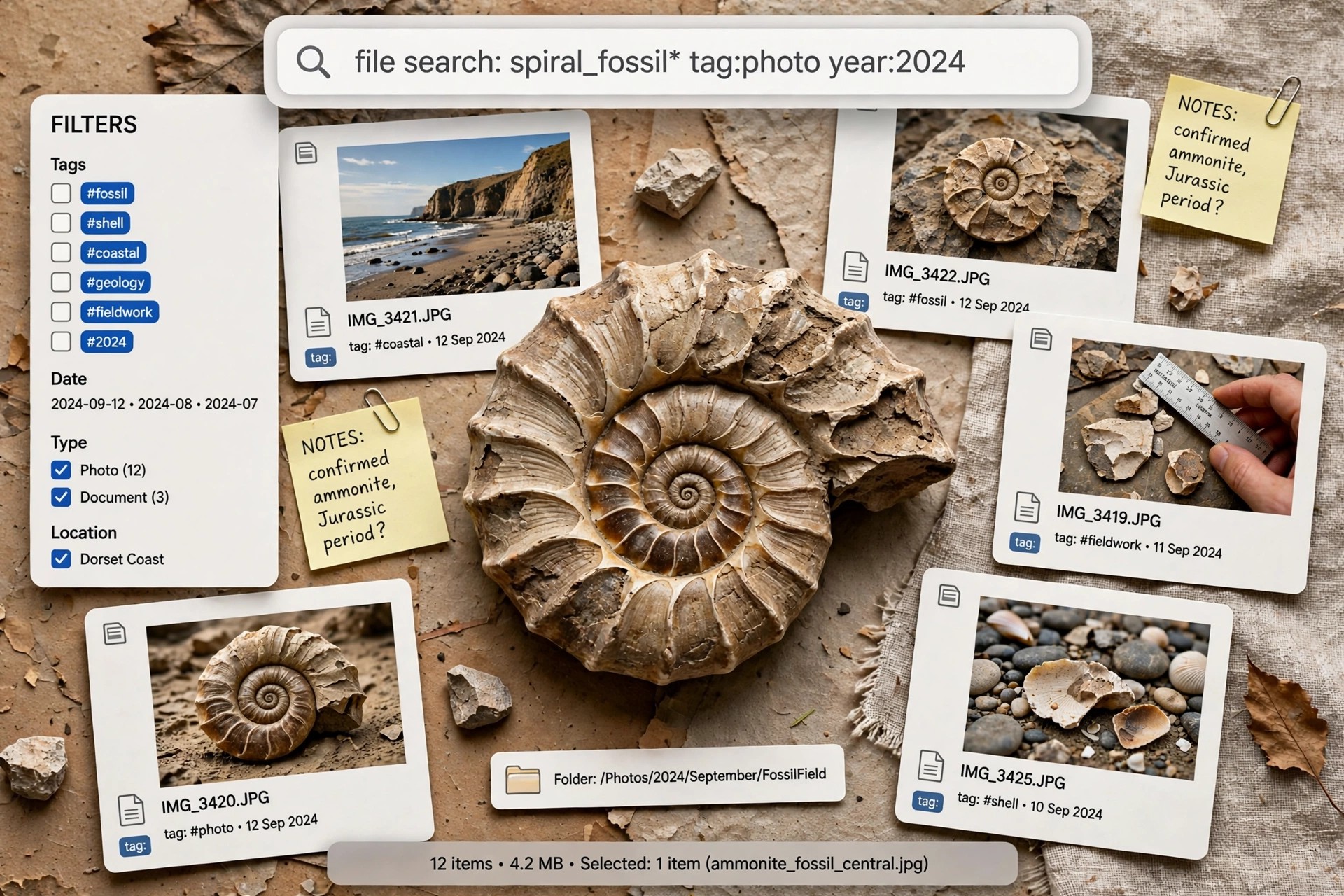
    Ammonite 1.23.1 for Mac is a tag visualiser and search utility from Soma-Zone, the German developer also known for BackupLoupe. macOS tags are useful only if you can find things with them again, and Ammonite turns all the tags on your system into a cloud where the most-used tags appear biggest and are clickable.

    Clicking a tag instantly narrows the results to matching documents, and you can combine several tags, exclude others, or filter by date. Ammonite reads tags from Finder files and also works directly with DEVONthink databases and Obsidian vaults. It is shareware: you can download and try it from the maker, then buy a licence if it earns a place in your workflow.

    Key Features

    • Tag cloud view for Finder, DEVONthink and Obsidian, sized by tag usage
    • Left-click to include a tag, right-click to exclude it, with instant results
    • Tag hierarchies using names like Publisher>Manning, nested without limits
    • Search by creation or modification date and date range
    • Quick Look previews, document details, and support for OpenMeta and native macOS tags

    How to Download

    1. Download from the official site
    2. Use the Download link on the Soma-Zone page to get the trial, or the Buy link for a licence.
    3. Install Ammonite, let it index your tags, and click through the cloud to find your documents.

    Does Ammonite replace DEVONthink?
    No. It is a companion tool. It searches and visualises tags inside DEVONthink databases, Finder folders and Obsidian vaults, but your documents still live in those apps.

    Is Ammonite free?
    It is shareware rather than a free full version. The download lets you try it out first, and ongoing use requires buying a licence from Soma-Zone.

  • AltTab Pro 11.7.1 for Mac

    AltTab Pro 11.7.1 for Mac

    AltTab Pro 11.7.1 for Mac

    AltTab Pro 11.7.1 for Mac

    Mac Utilities
    Updated Nov 4, 2026
    Mac Utilities • Updated Nov 4, 2026

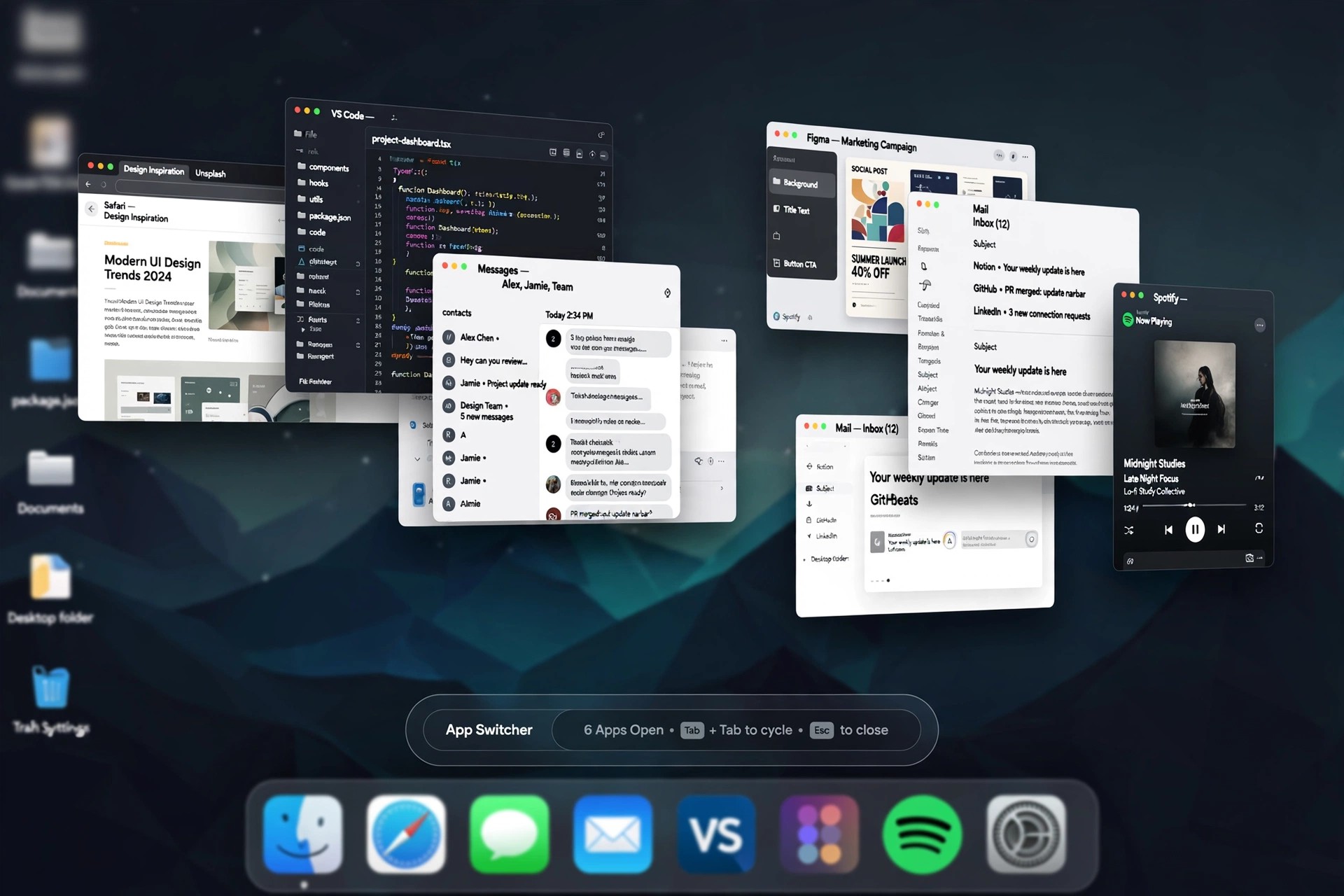
    Listings for an "AltTab Pro" circulate on download sites, but it is worth knowing what the official project actually publishes: AltTab is a single, free and open-source window switcher for macOS, maintained by developer Louis Pontoise and contributors on GitHub. There is no separate official application called AltTab Pro with its own version line — the version numbers attached to "Pro" listings on third-party sites do not come from the project's own release history.

    What you get from the official AltTab is the complete switcher: live thumbnails of every window, including minimised and hidden ones, across all Spaces and monitors, with customisable shortcuts and appearance styles. If optional paid extras are ever offered by the project, they belong to that same one app — you never need to hunt down a different "Pro" program from a mirror site, and nobody legitimate will sell you a cracked copy of free software.

    Key Features

    • Windows-style switching with live previews of every open window
    • Includes minimised and hidden windows from all Spaces and displays
    • Type-to-filter and search through long window lists on busy desktops
    • Custom shortcuts, appearance styles and thumbnail sizing options
    • Open source under the GPL, with signed releases published on GitHub

    How to Download

    1. Download from the official site
    2. Download the standard AltTab release from the official site or GitHub — that is the genuine, complete app.
    3. Open it and approve the Accessibility and Screen Recording permissions macOS asks for, then set your preferred shortcut in its preferences.

    Is AltTab Pro a real, separate product?
    Not as a standalone application. The official project distributes one app, AltTab, free of charge. Treat any site selling an "AltTab Pro" installer or licence key as unofficial, and get the app from the project's own site instead.

    Do I have to pay anything to use AltTab?
    No. The core window switcher is free and open source, and it keeps working without any payment. You can optionally support the developer, but paying is never required to unlock the switcher itself.