Category: Mac Utilities

  • AltTab 10.3.0 for Mac

    AltTab 10.3.0 for Mac

    AltTab 10.3.0 for Mac

    AltTab 10.3.0 for Mac

    Mac Utilities
    Updated Nov 4, 2026
    Mac Utilities • Updated Nov 4, 2026

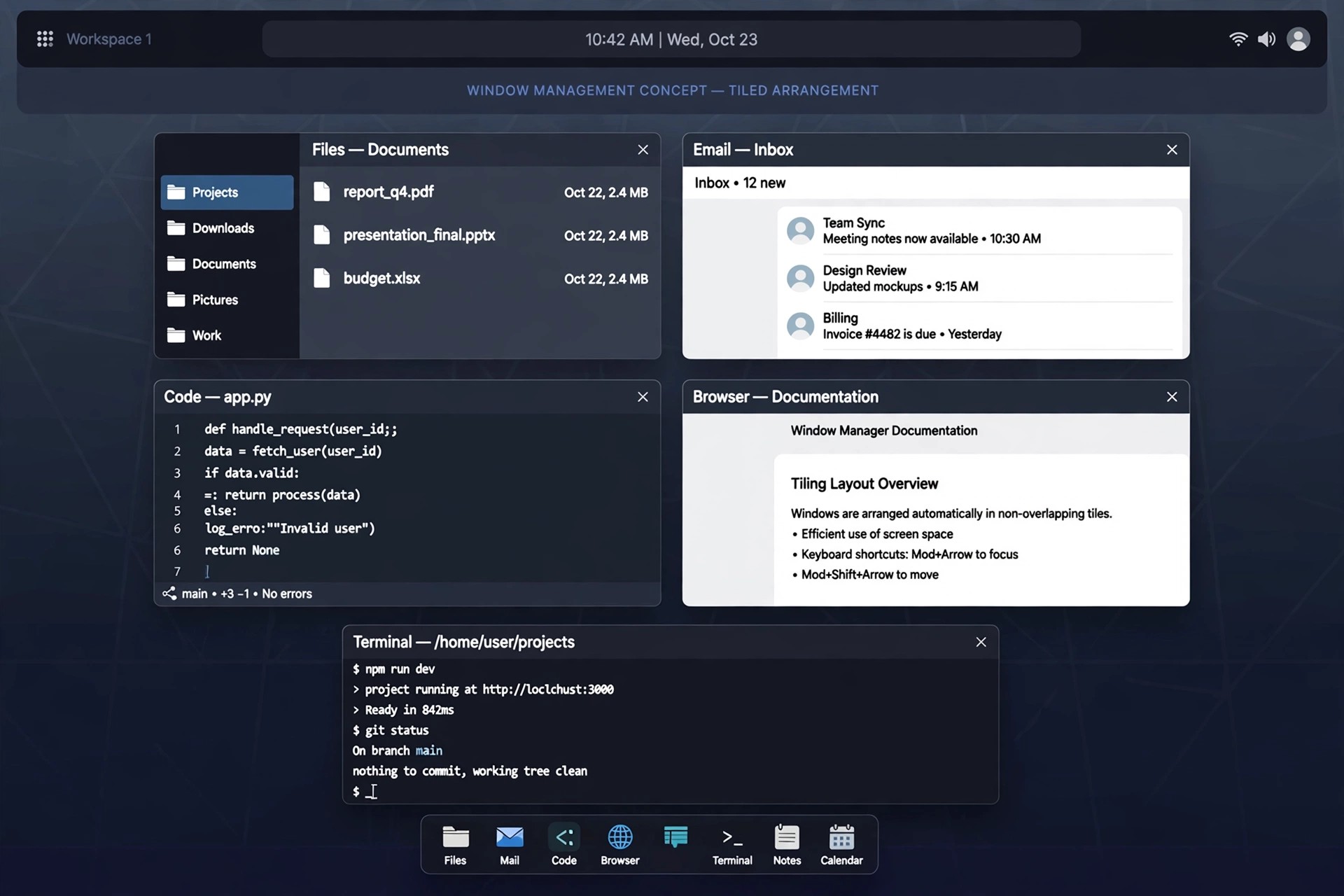
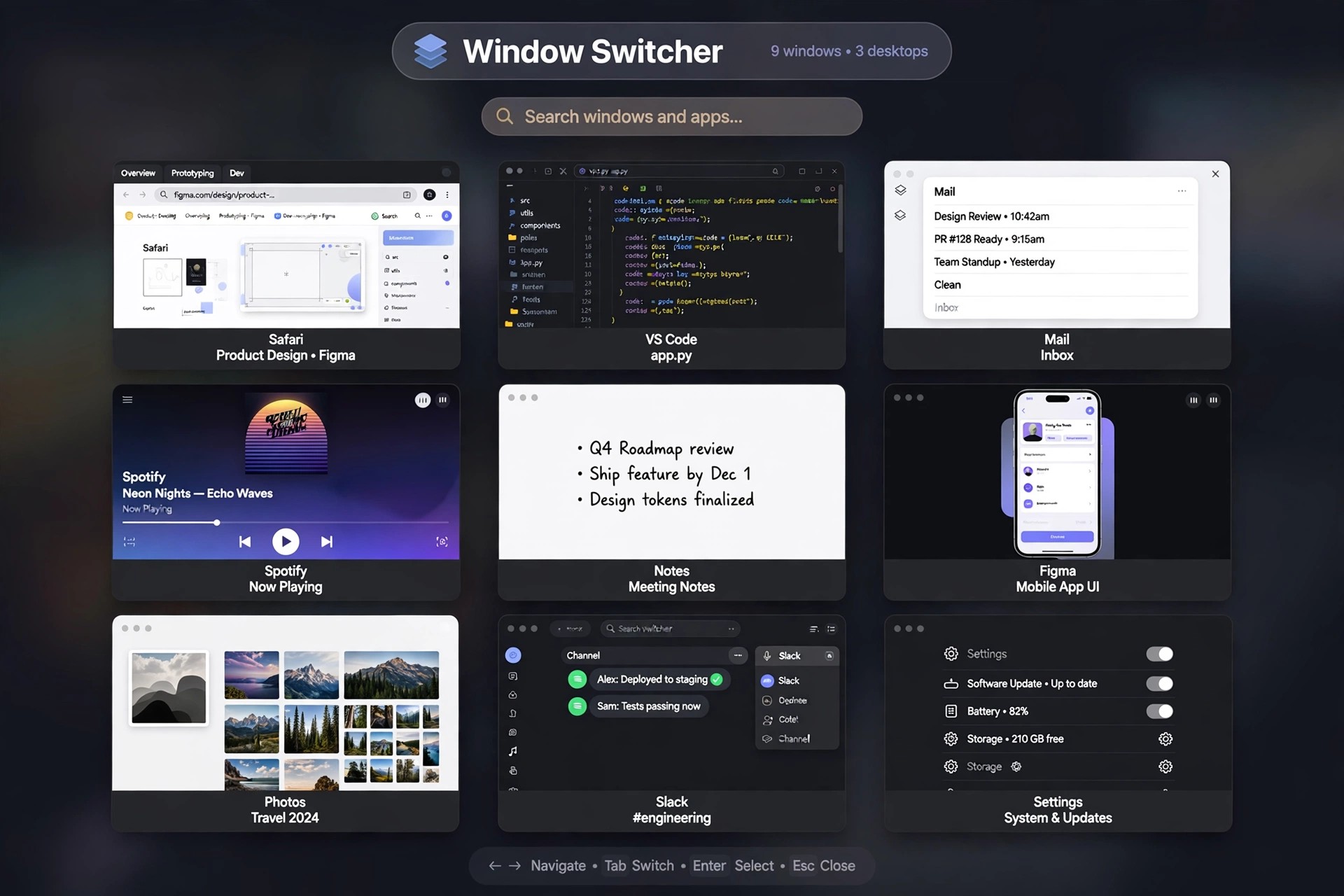
    AltTab 10.3.0 for Mac gives macOS the window switcher it never shipped with: a Windows-style Alt+Tab overlay that shows every open window, instead of the single icon per app that Command+Tab offers. It is an open-source project maintained by developer Louis Pontoise together with community contributors, and its full source code is published on GitHub under the GPL licence.

    Press the shortcut and you see live thumbnails of all your windows, including minimised and hidden ones, gathered from every Space and every connected monitor. You can tap through the list, click a thumbnail to jump straight to a window, or close, minimise and quit apps without leaving the switcher. AltTab is completely free to use — there is no paid full version waiting to be unlocked.

    Key Features

    • Live thumbnail previews of every window, including minimised and hidden windows
    • Sees windows across all Spaces and multiple monitors in one overlay
    • Fully customisable shortcuts — keep the Option+Tab default or remap it to Command+Tab
    • Several appearance styles with adjustable thumbnail sizes, themes and spacing
    • Window actions from inside the switcher: close, minimise, hide, fullscreen or quit apps

    How to Download

    1. Download from the official site
    2. Grab the latest release from the official site or the project's GitHub page, or install it with Homebrew using brew install --cask alt-tab.
    3. Launch the app and grant the Accessibility and Screen Recording permissions macOS requests, so AltTab can list your windows and draw their previews.

    Is AltTab really free?
    Yes. AltTab is free, open-source software with no licence fee and no feature paywall. If a third-party site tries to sell you an AltTab download or a licence key for it, you are not dealing with the official project.

    Why does AltTab ask for Accessibility and Screen Recording access?
    macOS requires Accessibility permission before any app may read window titles and move focus between windows, and Screen Recording permission before it can capture window previews. Without the second permission AltTab still works, but it shows app icons instead of live thumbnails.
  • Almighty 2.10.5 for Mac

    Almighty 2.10.5 for Mac

    Almighty 2.10.5 for Mac

    Almighty 2.10.5 for Mac

    Mac Utilities
    Updated Nov 4, 2026
    Mac Utilities • Updated Nov 4, 2026

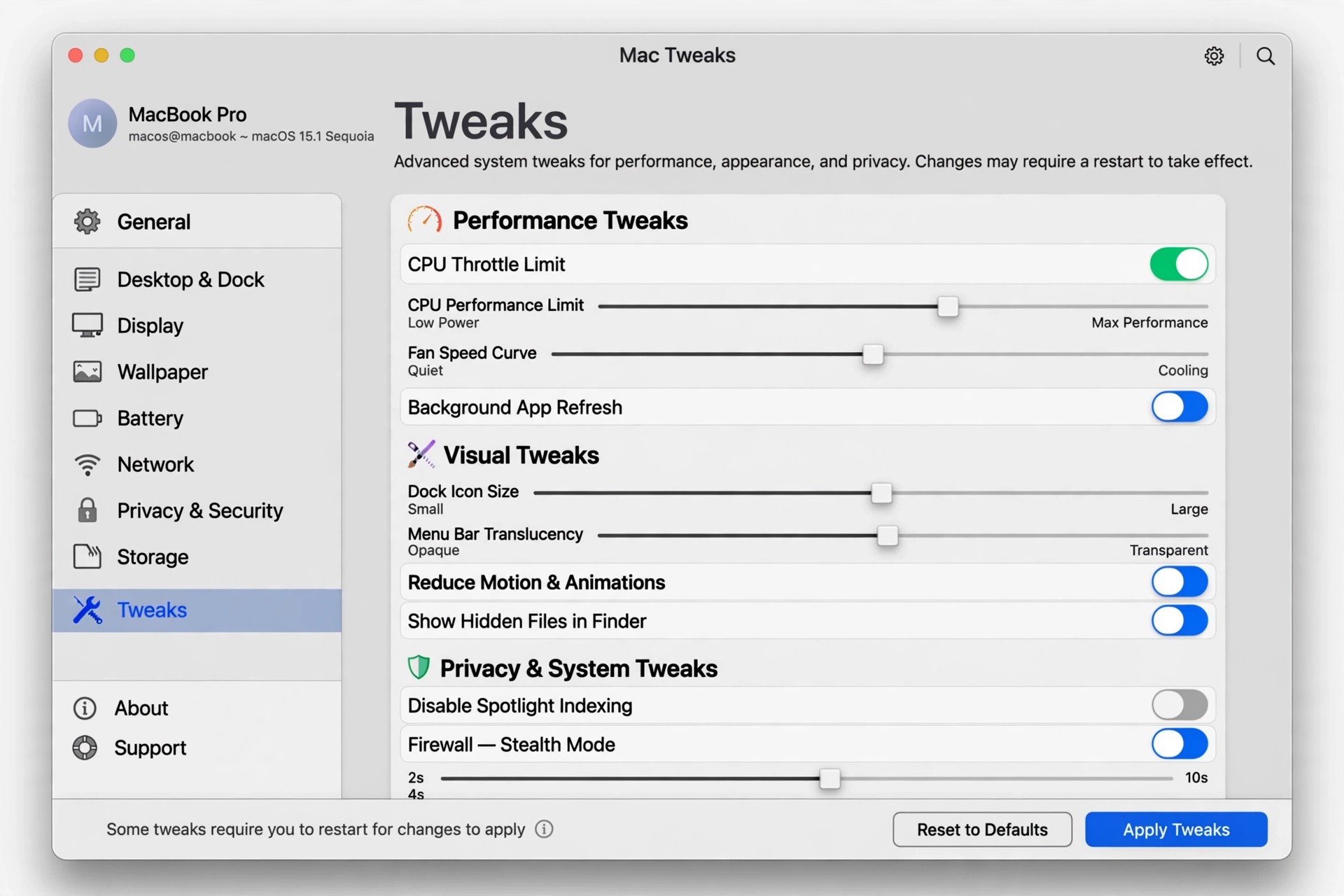
    Almighty 2.10.5 for Mac is a tweaks and utilities collection from Indie Goodies, developed by Khuong Pham. It gathers more than a hundred small macOS adjustments into one native Swift app, so settings that normally need Terminal commands or hidden preferences become simple toggles you can trigger from the menu bar or a keyboard shortcut.

    The tweaks are grouped by area: System options such as keeping the Mac awake or scheduling shutdown, Finder controls like showing hidden files and full paths, Dock customisation, window and display helpers, and a set of Xcode tools for developers. Almighty is free to download with basic tweaks included and a trial of the Pro features; the full standalone licence is a one-off purchase, and a slightly reduced version is also sold on the Mac App Store.

    Key Features

    • Over 100 tweaks for System, Finder, Dock, display and Xcode in one app
    • Popular tools include Keep Mac Awake, hide desktop icons and clear clipboard
    • Extract text from images, visualise keystrokes and preview Dock windows
    • Assign keyboard shortcuts or Siri Shortcuts to any tweak
    • Create your own script-based tweaks in the standalone version

    How to Download

    1. Download from the official site
    2. Pick the standalone edition for the full tweak set, or use the Mac App Store or Setapp edition if you prefer those stores.
    3. Install and launch Almighty, browse the categories, and enable the tweaks you want — Pro features unlock with a licence key.

    Is Almighty free?
    It is free to download, and many basic tweaks work without payment. Advanced tweaks need the Pro upgrade after the trial, sold as a one-off licence rather than a subscription.

    Why does the App Store version have fewer tweaks?
    Apple's store rules block some system-level changes, so a number of tweaks are marked standalone-only. The developer's own edition includes the complete set.

  • AllClips 1.3.5 for Mac

    AllClips 1.3.5 for Mac

    AllClips 1.3.5 for Mac

    AllClips 1.3.5 for Mac

    Mac Utilities
    Updated Nov 4, 2026
    Mac Utilities • Updated Nov 4, 2026

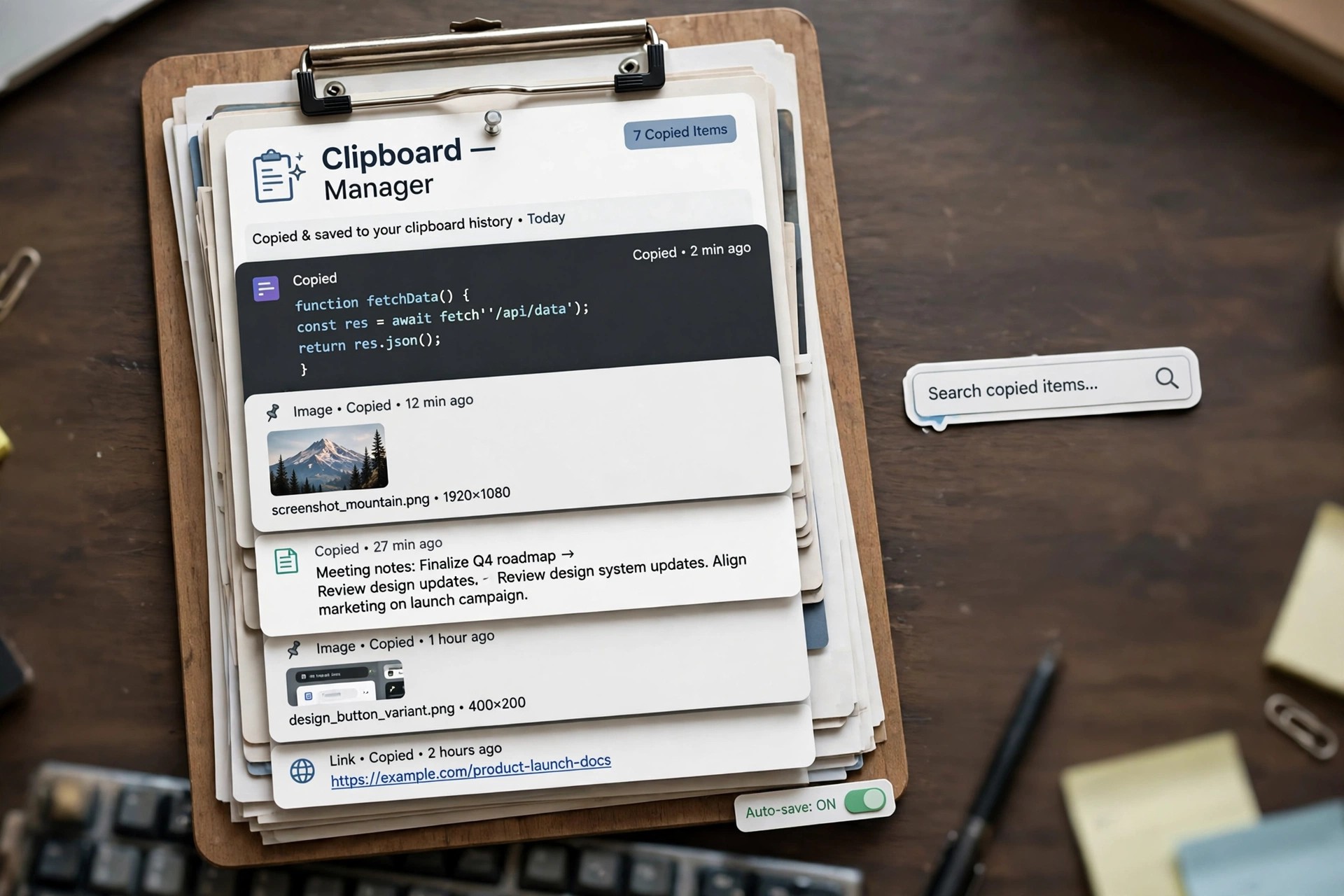
    AllClips 1.3.5 for Mac is a clipboard history utility from enSili, the one-developer studio of Yanis Zafiropulos, who has been writing native Mac apps since 2010. macOS normally remembers only the last thing you copied, so one careless copy wipes out the link or paragraph you needed. AllClips quietly keeps a history of your clippings so you can find and reuse them later.

    The app sits in the background recording copied text and content, then lets you browse the history and restore an older clipping when something gets overwritten. It is a small, single-purpose tool in the enSili catalogue, sold as an inexpensive standalone app and also included in the developer's multi-app bundles. Pricing is a modest one-off cost rather than a subscription, but confirm the current price and macOS support on the official site, as version 1.3.5 is an older release.

    Key Features

    • Keeps a running history of everything you copy on your Mac
    • Recovers clippings that were overwritten by newer copies
    • Lets you browse past items and restore one to the clipboard
    • Native, lightweight build that runs quietly in the background
    • Part of the wider enSili family of small Mac utilities

    How to Download

    1. Download from the official site
    2. Find AllClips in the enSili catalogue and follow the developer's current purchase or bundle route.
    3. Install and launch the app, then copy as normal — your history builds automatically from that point on.

    Does AllClips store passwords safely?
    Clipboard managers record what you copy, so avoid copying passwords while any history tool is active, and clear the history after handling sensitive text. Check the app's settings for exclusion options.

    Is AllClips a subscription?
    No. enSili sells its apps with one-off licences, and AllClips has also appeared in lifetime bundles of the full catalogue. Check the official site for today's price and terms.

  • All Windows Appear 1.2.8 for Mac

    All Windows Appear 1.2.8 for Mac

    All Windows Appear 1.2.8 for Mac

    All Windows Appear 1.2.8 for Mac

    Mac Utilities
    Updated Nov 4, 2026
    Mac Utilities • Updated Nov 4, 2026

    All Windows Appear 1.2.8 for Mac is a small window-management utility from IXEAU, the studio led by developer Martin Lexow, now part of App Ahead GmbH. It restores a classic macOS behaviour that many long-time users miss: when you click an app in the Dock or switch to it, all of that app's windows come to the front together instead of just the most recent one.

    The idea is deliberately narrow. Rather than replacing Mission Control or adding a full tiling system, the app simply makes window layering predictable again, which helps when you work across several documents in the same program. It supports options such as autostart on login and Dark Mode, and version 1.2.8 is a legacy release from the app's earlier years, so check current macOS compatibility before relying on it.

    Key Features

    • Look for the developer's current IXEAU or App Ahead listing, since this older version may only be offered through the Mac App Store today.
    • Install the app, launch it once, and enable autostart on login if you want the behaviour applied at every sign-in.
    • Is All Windows Appear a window manager?
      Not in the tiling sense. It does not resize or arrange windows into grids; it only controls how an app's windows are raised and layered when you switch between programs.

      Does macOS already do this?
      Partly. Mission Control and App Exposé show you all windows, but they do not keep every window of an app raised together during normal switching, which is the gap this utility fills.

  • All Walls Must Fall 1.0 for Mac

    All Walls Must Fall 1.0 for Mac

    All Walls Must Fall 1.0 for Mac

    All Walls Must Fall 1.0 for Mac

    Mac Utilities
    Updated Nov 4, 2026
    Mac Utilities • Updated Nov 4, 2026

    All Walls Must Fall 1.0 for Mac is not a utility at all — it is a tech-noir tactics game by Berlin indie studio inbetweengames, filed here because this site has no games category. Set in Berlin in 2089, in a timeline where the Cold War never ended, you control time-travelling secret agents working through a single looping night in the city's clubs.

    Combat and movement play out as an isometric tactics game synced to the beat of its club soundtrack, and failed actions can be rewound using the agents' time abilities. The game was built in Unreal Engine 4 by former AAA developers. It launched as a paid game in 2018 and its Steam listing currently shows it as free, but always confirm the current price on Steam itself.

    Key Features

    • Isometric action-tactics gameplay where actions land on the beat of the music
    • Time-travel mechanics that let you rewind and rethink failed moves
    • A single-night Berlin campaign with replayable, partly procedurally arranged missions
    • Reactive original soundtrack featuring Berlin club and game music artists
    • Mac, Windows and Linux versions included with the same Steam purchase

    How to Download

    1. Download from the official site
    2. On the Steam page, confirm the current price and Mac system requirements, then add the game to your Steam library.
    3. Install it through the Steam client on your Mac, launch it, and start the campaign from the main menu.

    Is All Walls Must Fall free?
    Steam currently lists the game as free, after an earlier period as a paid release. Store pricing can change, so the price shown on the official Steam page at the moment you visit is the one that applies.

    Does the Mac version need a powerful Mac?
    It is a 3D Unreal Engine 4 game, so it needs more than a basic office Mac. Check the Mac requirements on Steam, especially macOS version and graphics support, before installing on older machines.

  • Alfred Powerpack 5.5 (2257) for Mac

    Alfred Powerpack 5.5 (2257) for Mac

    Alfred Powerpack 5.5 (2257) for Mac

    Alfred Powerpack 5.5 (2257) for Mac

    Mac Utilities
    Updated Nov 4, 2026
    Mac Utilities • Updated Nov 4, 2026

    Alfred Powerpack 5.5 (2257) for Mac is a stable release build of Alfred 5.5, the productivity launcher developed by Running with Crayons. The REL label simply marks the finished release channel, as opposed to the early-access and pre-release test builds — this is the version intended for everyday use on your Mac.

    Alfred's core launcher, search and calculator are free forever. The Powerpack is the paid upgrade, sold as a one-time licence for the major version rather than a subscription, and it unlocks the automation and organisation tools that long-term Alfred users build their routines around.

    Key Features

    • Powerful workflows linking hotkeys, keywords, inputs and actions, with no coding required
    • Clipboard history for text, images and files, plus searchable snippets and text expansion
    • Rich interactive views for previewing Markdown, images, PDFs and text inside Alfred
    • Deep file management, custom web searches, contacts and 1Password integration
    • Custom themes, preference syncing between Macs and a large community workflow gallery

    How to Download

    1. Download from the official site
    2. Download Alfred itself free from Running with Crayons, then buy a Powerpack licence on that page if you need the advanced features.
    3. Activate the licence in Alfred's Powerpack preferences and use the in-app updater to stay on the latest stable build.

    Is Alfred 5.5 a subscription?
    No. The Powerpack is a one-time purchase valid for that major Alfred version, with upgrade pricing when a new major version arrives. Check the official page for the current licence types and prices.

    What do I lose by staying on free Alfred?
    The free core still launches apps, finds files and does calculations. You miss workflows, clipboard history, snippets, custom themes and several integrations, which are exactly the features the Powerpack licence unlocks.

  • Alfred Powerpack 5.0.4 (2094) RC for Mac

    Alfred Powerpack 5.0.4 (2094) RC for Mac

    Alfred Powerpack 5.0.4 (2094) RC for Mac

    Alfred Powerpack 5.0.4 (2094) RC for Mac

    Mac Utilities
    Updated Nov 4, 2026
    Mac Utilities • Updated Nov 4, 2026

    Alfred Powerpack 5.0.4 (2094) RC for Mac is a release candidate — the near-final test stage — of Alfred 5.0.4. Alfred is the long-running Mac launcher from Running with Crayons, and an RC build is feature-complete software shared for last checks before the same version ships as a stable update.

    Because an RC is so close to release, it is mainly useful to workflow authors and testers checking compatibility. It is still the same application and the same Powerpack: a paid, one-time licence on top of the free Alfred core, not a separate RC edition and not a way to get the Powerpack without paying.

    Key Features

    • Workflow objects and automation tasks for building keyboard-driven shortcuts
    • Clipboard history and snippets to reuse copied content without retyping it
    • Advanced file navigation, actions and previews straight from the search window
    • Contacts lookup, 1Password bookmarks and built-in music mini player
    • Terminal and shell commands launched directly from Alfred's interface

    How to Download

    1. Download from the official site
    2. Install the stable Alfred build offered there — it includes the finished version of changes tested in this RC.
    3. Enter your Powerpack licence in preferences to unlock workflows, clipboard history and the other paid features.

    What does RC mean in practice?
    Release candidate: the build is expected to become the final release if no serious problems appear. Small fixes can still land afterwards, which is why downloading the current stable version is the sensible route today.

    Can I keep using an old RC build?
    You could, but there is little reason to. The stable release that followed contains the same features plus final fixes, and it is the version Running with Crayons supports and updates.

  • Alfred Powerpack 5.0.4 (2089) Pre-Release for Mac

    Alfred Powerpack 5.0.4 (2089) Pre-Release for Mac

    Alfred Powerpack 5.0.4 (2089) Pre-Release for Mac

    Alfred Powerpack 5.0.4 (2089) Pre-Release for Mac

    Mac Utilities
    Updated Nov 4, 2026
    Mac Utilities • Updated Nov 4, 2026

    Alfred Powerpack 5.0.4 (2089) Pre-Release for Mac is a pre-release build of Alfred, the productivity launcher from Running with Crayons. The number in brackets is the internal build number, and the pre-release label means this version was distributed for testing shortly before the corresponding stable update became available to everyone.

    Pre-release builds exist to catch bugs on real Macs, especially around workflows, file indexing and new macOS versions. They use the same Powerpack licence as the stable app — Alfred's basic launcher is free, and the Powerpack is a paid one-time upgrade — so testers are existing customers, not users of a different product.

    Key Features

    • Workflows and automation tasks that cut down repetitive clicking and typing
    • Clipboard history for recovering text, images and file paths you copied earlier
    • Snippets with auto-expansion for signatures, links and standard replies
    • Custom search filters and web searches tailored to the sites you use daily
    • Preference syncing, custom themes and Alfred Remote support on iPhone and iPad

    How to Download

    1. Download from the official site
    2. Get the current stable Alfred release there and activate your Powerpack licence in the Powerpack preferences tab.
    3. If you join pre-release updates, enable them knowingly in Alfred's update settings and back up your preferences first.

    Should I install a pre-release build?
    Only if you enjoy testing and can tolerate the occasional bug. Pre-release builds can change or break between updates, so most users are better served by the stable build offered on the official site.

    Is this a free full version of the Powerpack?
    No. The pre-release channel does not change the licensing: Alfred is free, the Powerpack features require a paid licence, and pricing and upgrade options are listed on the official page.

  • Alfred Powerpack 5.7.3 for Mac

    Alfred Powerpack 5.7.3 for Mac

    Alfred Powerpack 5.7.3 for Mac

    Alfred Powerpack 5.7.3 for Mac

    Mac Utilities
    Updated Nov 4, 2026
    Mac Utilities • Updated Nov 4, 2026

    Alfred Powerpack 5.7.3 for Mac is the paid licence that unlocks the advanced half of Alfred, the keyboard-driven productivity app from UK developer Running with Crayons. The base Alfred app is free to download and use, and the Powerpack is not a separate program: it is a licence you activate inside that same app.

    With the Powerpack active, Alfred grows from a fast launcher into an automation hub for repetitive Mac tasks. It is sold as a one-time payment with no subscription, as either a single-version licence or a Mega Supporter licence with lifetime upgrades.

    Key Features

    • Workflows: build and install custom automations that chain apps, scripts and web actions
    • Clipboard History for text and images, so anything you copied earlier is one search away
    • Snippets and text expansion that type long, repeated text from a short keyword
    • Deeper file actions, custom web searches, contacts integration and Terminal control
    • Custom themes, settings sync and access to the Alfred Gallery

    How to Download

    1. Download from the official site
    2. Install the free Alfred app from the official site first if you do not already have it, since the Powerpack activates inside Alfred.
    3. Buy your licence on the official shop, then enter the licence details under the Powerpack tab in Alfred's Preferences.

    Is the Alfred Powerpack free?
    No. The core Alfred app is free forever, but the Powerpack features require a paid, one-time licence. There is no subscription and no free full version of the Powerpack, so download pages offering one for free are not official.

    Do I need a new licence for every major Alfred version?
    A standard licence covers the major version you bought, while the Mega Supporter licence includes free upgrades to future versions for life. Check the official licence page for the current upgrade offers.

  • Alfred Powerpack 5.0 EA9 for Mac

    Alfred Powerpack 5.0 EA9 for Mac

    Alfred Powerpack 5.0 EA9 for Mac

    Alfred Powerpack 5.0 EA9 for Mac

    Mac Utilities
    Updated Nov 4, 2026
    Mac Utilities • Updated Nov 4, 2026

    Alfred Powerpack 5.0 EA9 for Mac is another early-access step in the Alfred 5.0 story. Alfred, from UK developer Running with Crayons, is a launcher that finds apps and files, runs calculations and controls parts of macOS from the keyboard, and the Powerpack is its paid upgrade. EA9 followed EA8 in the pre-release testing sequence.

    That sequence matters for expectations: an EA build is shared so experienced users can test new workflow tools and report problems before launch. It is not a special edition with exclusive features, and it is not the version most people should install today — the current stable Alfred from the official site supersedes it.

    Key Features

    • Visual workflow editor for building automations without writing code
    • Clipboard history and a snippets viewer for reusing text, images and links
    • File filters, buffer actions and quick lookups for documents across your Mac
    • Music control, terminal commands and system commands from one search box
    • Access to hundreds of community workflows through the Alfred Gallery

    How to Download

    1. Download from the official site
    2. Buy or upgrade a Powerpack licence there if you do not already hold an Alfred 5 licence.
    3. Download the current stable Alfred build, activate the licence in preferences, and update normally from inside the app.

    Who should use an early-access build like EA9?
    Confident Powerpack users and workflow creators who want to test upcoming changes and give feedback. If you rely on Alfred all day for work, the stable release is the safer everyday choice.

    Does one licence cover both EA and stable builds?
    Yes. Early-access and release builds use the same Powerpack licence for that major version. You do not buy EA9 separately, and there is no separate free full version of the Powerpack.