Category: Mac Utilities

  • App Cleaner & Uninstaller 10.0 for Mac

    App Cleaner & Uninstaller 10.0 for Mac

    App Cleaner & Uninstaller 10.0 for Mac

    App Cleaner & Uninstaller 10.0 for Mac

    Mac Utilities
    Updated Nov 6, 2026
    Mac Utilities • Updated Nov 6, 2026

    App Cleaner & Uninstaller 10.0 is Nektony's long-running Mac app manager, built to solve a familiar problem: dragging an app to the Trash leaves caches, preferences and support files scattered through your Library. This tool finds those files by bundle ID rather than by name, shows you everything it plans to remove, and deletes the app and its service files together. Nektony says its cleaning database now covers more than 20,000 third-party apps.

    Beyond uninstalling, version 10 also hunts down leftovers from apps you deleted long ago, checks whether installed apps are notarized by Apple, reviews privacy permissions, and can update software obtained outside the Mac App Store. It is paid software, offered by subscription or one-time purchase, with a short free trial of the full Pro feature set and a limited free mode for basic use. It requires macOS 11 or later and is notarized by Apple.

    Key Features

    • Complete uninstalls that remove an app together with its caches, preferences and support files
    • Remaining Files view that finds and clears leftovers from previously deleted apps
    • Built-in updater for apps from the App Store, Sparkle, Homebrew and other channels
    • Startup program, extension and launch agent management in one window
    • Notarization and privacy-permission checks to help you spot untrusted software

    How to Download

    1. Open Nektony's official product page and check the current pricing and trial terms.
    2. Start your download from the official site: Download from the official site
    3. Open the downloaded file, move the app to Applications, and launch it to start the trial.

    Is App Cleaner & Uninstaller free?
    Not fully. There is a limited free mode and a short free trial of Pro features, after which a subscription or one-time license is required. There is no free full version.

    Is it safe to use?
    Yes, when downloaded from nektony.com. It previews every file before removal and is notarized by Apple. Avoid cracked copies, which Nektony warns can put your data at risk.

  • App Cleaner & Uninstaller ARM 9.2.4 for Mac

    App Cleaner & Uninstaller ARM 9.2.4 for Mac

    App Cleaner & Uninstaller ARM 9.2.4 for Mac

    App Cleaner & Uninstaller ARM 9.2.4 for Mac

    Mac Utilities
    Updated Nov 6, 2026
    Mac Utilities • Updated Nov 6, 2026

    This listing refers to the ARM, or Apple Silicon, build of Nektony's App Cleaner & Uninstaller, shown here as version 9.2.4. It is not a separate product: it is the same uninstaller and app manager, compiled to run natively on Macs with M1, M2, M3 and later Apple chips instead of relying on Rosetta translation. Nektony distributes the app as a universal package, so the official download automatically gives Apple Silicon Macs the native code.

    On an Apple Silicon Mac the native build starts faster and works through large application lists more efficiently, while offering exactly the same tools: complete uninstalls, leftover-file cleanup, app updates, and control over startup items and extensions. Pricing is the same as the standard edition — paid plans by subscription or one-time purchase, with a limited free mode and a short free trial of Pro features. It supports macOS 11 or later.

    Key Features

    • Native Apple Silicon code for M-series Macs, with no Rosetta translation needed
    • Removes apps completely, including hidden caches, settings and support files
    • Finds remaining files left behind by apps you uninstalled manually
    • Updates installed apps and manages login items, extensions and launch agents
    • Same Nektony database supporting deep-clean removal for thousands of apps

    How to Download

    1. Use Nektony's official page — there is no separate ARM-only download to hunt for.
    2. Start your download from the official site: Download from the official site
    3. Install the app to Applications and launch it; it will run natively on Apple Silicon.

    Do I need this version on an Intel Mac?
    No. The official Nektony download is universal and also runs on Intel Macs. This ARM listing simply highlights the Apple Silicon-native build of the same app.

    Is the ARM build free?
    The download includes a limited free mode and a short Pro trial. Continued use of the full feature set requires a paid license, just like the standard edition.

  • Apeaksoft iPhone Transfer 2.0.68 for Mac

    Apeaksoft iPhone Transfer 2.0.68 for Mac

    Apeaksoft iPhone Transfer 2.0.68 for Mac

    Apeaksoft iPhone Transfer 2.0.68 for Mac

    Mac Utilities
    Updated Nov 6, 2026
    Mac Utilities • Updated Nov 6, 2026

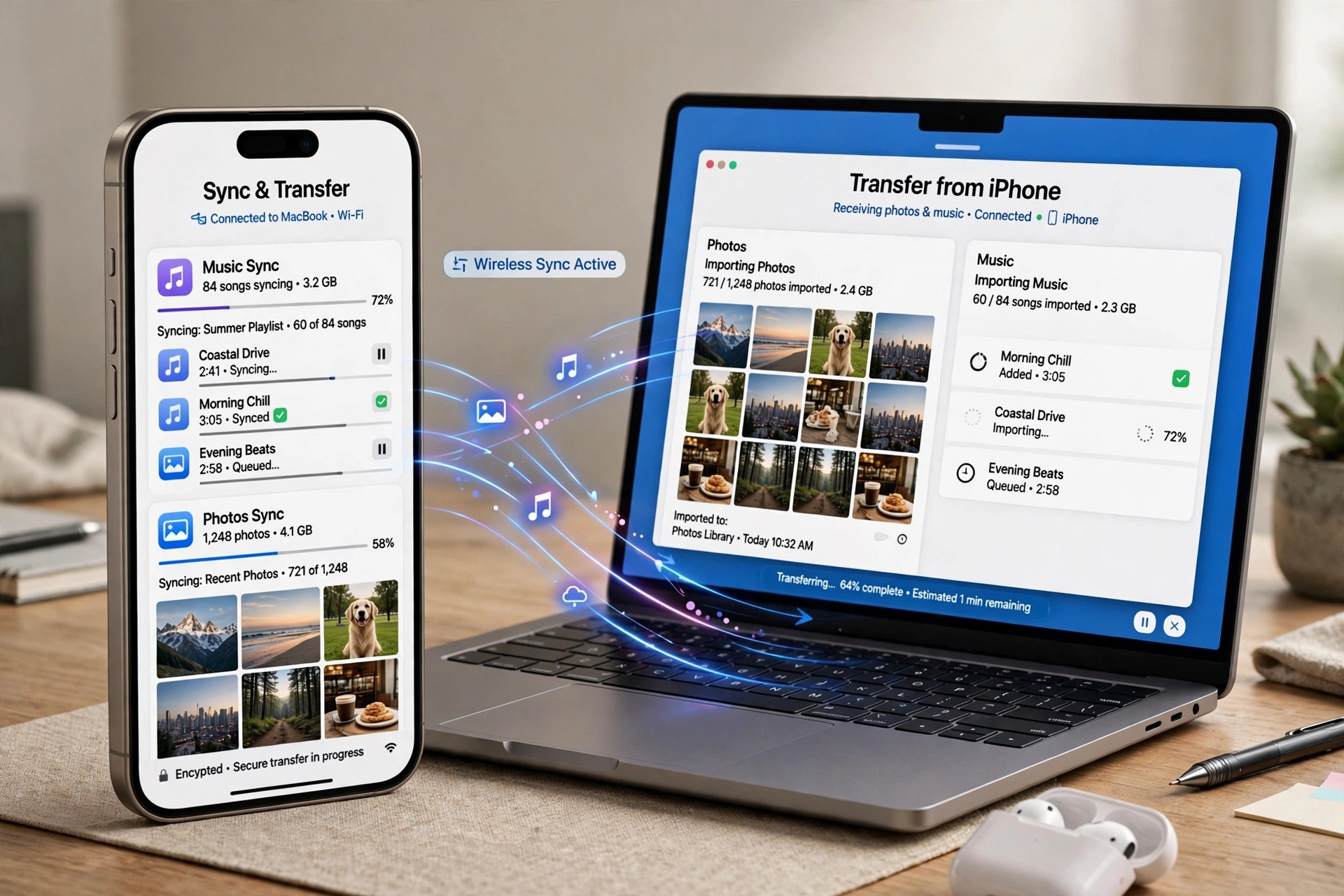
    Apeaksoft iPhone Transfer 2.0.68 for Mac is a file manager for people who find Finder and iTunes sync too rigid for everyday copying. Connect an iPhone, iPad or iPod by cable and you can browse what is actually on the device, then move photos, music, videos, contacts, messages, books and PDFs to your Mac, back to the device, or across to iTunes — selectively, file by file, instead of syncing everything at once.

    That selectivity is the real appeal when you are changing phones, freeing up storage before a trip, or rescuing a large camera roll without disturbing the rest of your library. It is paid software from Apeaksoft, not a free full version: a free trial lets you preview and test transfers with limits, and a licence removes those limits.

    Key Features

    • Transfer photos, music, videos, contacts, messages, books and PDFs between iOS devices, Mac and iTunes
    • Copy in both directions — device to Mac, Mac to device, and device to device — without a full sync
    • Back up and restore contacts and messages to your Mac for safekeeping
    • Preview device content by category before choosing what to move
    • Manage files on the device, including adding, deleting and organising items from your Mac

    How to Download

    1. Check that your Mac and iOS device meet the system requirements shown on Apeaksoft's product page.
    2. Start your download from the official site: Download from the official site
    3. Open the installer, move the app to Applications, connect your device by cable and trust the Mac when iOS asks.

    Is Apeaksoft iPhone Transfer free?
    No. There is a free trial with limited transfers so you can test it with your own device, but continued, unlimited use requires a paid licence from Apeaksoft.

    Does it replace iTunes completely?
    Not completely. It handles everyday file copying and backup more flexibly than sync, but keep Finder or iTunes available for system updates, restores and other device-level tasks.

  • Apeaksoft iPhone Eraser 1.0.20 for Mac

    Apeaksoft iPhone Eraser 1.0.20 for Mac

    Apeaksoft iPhone Eraser 1.0.20 for Mac

    Apeaksoft iPhone Eraser 1.0.20 for Mac

    Mac Utilities
    Updated Nov 6, 2026
    Mac Utilities • Updated Nov 6, 2026

    Apeaksoft iPhone Eraser 1.0.20 for Mac does the opposite of a recovery tool: it makes sure your data cannot be recovered at all. Before you sell, trade in or hand down an iPhone, iPad or iPod, connect it to your Mac and this app permanently wipes contacts, messages, account details, photos, browsing history, videos, music, notes, emails, apps, reminders, voicemails and settings, overwriting the storage so recovery software finds nothing afterwards.

    You pick from three erasing levels — a single fast overwrite for everyday use, two overwrites for a stronger clean, or three overwrites following the US DoD 5220.22-M standard when the device held sensitive information. It can erase more than one iOS device at the same time. It is paid software with a limited free trial, and a wipe is irreversible, so back up anything you still need first.

    Key Features

    • Permanently erases all content and settings so data cannot be recovered afterwards
    • Three security levels, from one overwrite up to a three-pass DoD 5220.22-M erase
    • Wipes messages, photos, accounts, browser history, apps, notes, voicemails and more
    • Erase several iPhone, iPad or iPod devices connected at the same time
    • Useful before selling, recycling or passing a device to a family member

    How to Download

    1. Start your download from the official site: Download from the official site
    2. On the Apeaksoft iPhone Eraser page, choose the Mac version and save the installer.
    3. Install the app, back up the device first, connect it by USB, choose an erasing level and start the wipe.

    Is erasing with this different from a factory reset?
    Yes. A reset mainly removes pointers to your data, while this tool overwrites the storage itself — once at the low level and three times at the high level — specifically so recovery tools cannot bring files back.

    Is Apeaksoft iPhone Eraser free?
    No. A limited trial is available, but full erasing requires a paid licence. There is no free full version, and any wipe you start cannot be undone.

  • Apeaksoft iPhone Data Recovery 1.2.66 for Mac

    Apeaksoft iPhone Data Recovery 1.2.66 for Mac

    Apeaksoft iPhone Data Recovery 1.2.66 for Mac

    Apeaksoft iPhone Data Recovery 1.2.66 for Mac

    Mac Utilities
    Updated Nov 6, 2026
    Mac Utilities • Updated Nov 6, 2026

    Apeaksoft iPhone Data Recovery 1.2.66 for Mac is built for the sinking feeling of deleting the wrong photo album or losing messages after a failed update. Installed on your Mac, it scans an iPhone, iPad or iPod directly for deleted content, and it can also dig into the iTunes and iCloud backups already on your computer — which means it can still help when the phone itself is lost, stolen or broken.

    It covers more than 30 file types, from photos, videos and contacts to messages, notes, call history, calendars and chat data from apps such as WhatsApp, Kik and LINE, and it previews everything it finds so you can restore selectively. The free trial scans and previews only; exporting recovered files takes a paid licence, and no tool can promise a 100 percent recovery rate.

    Key Features

    • Recovers deleted data directly from iPhone, iPad and iPod, even without a backup in some cases
    • Extracts and restores data from iTunes backups and iCloud backups on your Mac
    • Supports photos, messages, contacts, notes, call history, videos, app data and more
    • Restores WhatsApp, LINE, Viber, WeChat and Kik chat records on the Mac version
    • Preview deleted and existing files before recovery, then restore only what you select

    How to Download

    1. Start your download from the official site: Download from the official site
    2. On the Apeaksoft iPhone Data Recovery page, choose the Mac version and save the installer.
    3. Install and launch it, pick recovery from device, iTunes or iCloud, and run a free scan to preview your files.

    Is Apeaksoft iPhone Data Recovery free?
    Scanning and previewing are free in the trial. Actually recovering and saving files requires a paid licence — there is no free full version.

    Can it help if my iPhone is lost or will not turn on?
    Yes, provided you have an iTunes or iCloud backup. The Mac app can open those backups and extract photos, messages and other data from them without the phone itself.

  • Apeaksoft iOS Unlocker 1.0.68 for Mac

    Apeaksoft iOS Unlocker 1.0.68 for Mac

    Apeaksoft iOS Unlocker 1.0.68 for Mac

    Apeaksoft iOS Unlocker 1.0.68 for Mac

    Mac Utilities
    Updated Nov 6, 2026
    Mac Utilities • Updated Nov 6, 2026

    Apeaksoft iOS Unlocker 1.0.68 for Mac is a commercial unlocking utility from Apeaksoft for iPhone, iPad and iPod owners locked out of their own devices. Run it on your Mac, connect the device by USB, and it can wipe a forgotten lock-screen passcode — 4-digit, 6-digit, Touch ID or Face ID — remove an Apple ID you can no longer sign into, and recover or remove a forgotten Screen Time passcode, with tools for MDM profiles and iTunes backup passwords as well.

    Use it honestly and with your eyes open: wiping a passcode or removing an Apple ID erases the device's data, it only makes sense on a device you own, and it will not help with a phone that is still tied to someone else's account in any legitimate way. It is paid software; the free trial mainly detects your device and checks compatibility, and the actual unlock needs a licence.

    Key Features

    • We could not verify a direct product page for this exact Mac build, so download only from apeaksoft.com itself and avoid mirror or crack sites.
    • Install the app, connect your device, back up anything you can first, and confirm the trial recognises your model before buying.
    • Will unlocking erase my data?
      For a passcode wipe or Apple ID removal, yes — the device is erased as part of the process. Back up first whenever you still can, and expect to set the phone up again afterwards.

      Is Apeaksoft iOS Unlocker free?
      No. Downloading and device detection are free, but performing an unlock requires a paid licence. There is no free full version, and cracked copies are unsafe and unofficial.

  • Apeaksoft iOS Toolkit 1.2.20 for Mac

    Apeaksoft iOS Toolkit 1.2.20 for Mac

    Apeaksoft iOS Toolkit 1.2.20 for Mac

    Apeaksoft iOS Toolkit 1.2.20 for Mac

    Mac Utilities
    Updated Nov 6, 2026
    Mac Utilities • Updated Nov 6, 2026

    Apeaksoft iOS Toolkit 1.2.20 for Mac is a bundle rather than a single tool: it brings Apeaksoft's main iPhone utilities together in one Mac suite. Its best-known module recovers deleted or lost photos, messages, contacts, notes, call history and app data such as WhatsApp chats from an iPhone, iPad or iPod directly, or from iTunes and iCloud backups stored on your Mac.

    Around that core sit companion modules for backing up and restoring iOS data without relying entirely on iTunes, and for fixing common iOS system problems that leave a device stuck on a logo or in a boot loop. The toolkit is paid software sold as monthly, yearly and lifetime licences; a free trial lets you scan and preview, but recovery and repair need a licence — there is no free full version.

    Key Features

    • We could not verify a direct product page for this exact Mac bundle, so download only from apeaksoft.com itself and avoid mirror or crack sites.
    • Install the suite, connect your iPhone or iPad by USB, trust the Mac when prompted, and run a free scan first.
    • Is Apeaksoft iOS Toolkit free?
      No. The trial covers scanning and previewing. Recovering data, repairing the system and restoring backups all require a paid licence.

      How is the toolkit different from iPhone Data Recovery alone?
      Data Recovery is one module inside it. The toolkit adds system repair and backup and restore tools, which suits people who expect to need more than one fix over the life of a phone.

  • Apeaksoft Data Recovery 1.6.26 for Mac

    Apeaksoft Data Recovery 1.6.26 for Mac

    Apeaksoft Data Recovery 1.6.26 for Mac

    Apeaksoft Data Recovery 1.6.26 for Mac

    Mac Utilities
    Updated Nov 6, 2026
    Mac Utilities • Updated Nov 6, 2026

    Apeaksoft Data Recovery 1.6.26 for Mac is a file recovery tool for the moments you empty the Trash a second too soon or format the wrong card. It scans your Mac's internal drive as well as external hard drives, USB flash drives, memory cards and digital cameras, looking for deleted, formatted or otherwise lost photos, documents, emails, audio, video and archives.

    You choose the file types and the location, run a quick scan first, and fall back on the deeper scan if the quick pass misses something, previewing files before you restore them. It is paid software: the free trial scans and previews, but recovering files needs a licence, and there is no free full version. Recover to a different drive from the one you are scanning to avoid overwriting data.

    Key Features

    • Recovers images, documents, emails, audio, video, archives and other common file types
    • Scans Mac drives, external disks, USB flash drives, memory cards and digital cameras
    • Quick scan for speed and a deep scan mode for drives that need a thorough search
    • Preview files before recovery and filter results by type, path and search term
    • Covers deletion, formatting, partition problems, crashes and inaccessible or RAW drives

    How to Download

    1. Start your download from the official site: Download from the official site
    2. Choose the Mac version on the Apeaksoft Data Recovery page and save the installer.
    3. Install and launch the app, select the file types and drive to scan, then preview what the free trial finds.

    Is Apeaksoft Data Recovery free?
    No. The trial lets you scan and preview recoverable files for free, but you need a paid licence to actually restore them.

    Why should I recover files to a different drive?
    Writing recovered files back onto the same drive can overwrite other deleted data that is still waiting to be recovered. Saving to a separate disk keeps the remaining files intact.

  • Apeaksoft Android Toolkit 1.2.26 for Mac

    Apeaksoft Android Toolkit 1.2.26 for Mac

    Apeaksoft Android Toolkit 1.2.26 for Mac

    Apeaksoft Android Toolkit 1.2.26 for Mac

    Mac Utilities
    Updated Nov 6, 2026
    Mac Utilities • Updated Nov 6, 2026

    Apeaksoft Android Toolkit 1.2.26 for Mac is the Mac edition of Apeaksoft's Android data recovery software, installed under the Android Toolkit name. Connect an Android phone or tablet to your Mac by USB and it scans the device and its SD card for data that has been deleted or lost, including contacts, text messages, call logs, photos, videos, audio and documents from brands such as Samsung, Huawei, LG, Sony and Xiaomi.

    It is paid software, not a free full version. The free trial scans your device and lets you preview what it finds, which is genuinely useful because it tells you whether your files are recoverable before you spend anything — actually recovering them requires a paid licence. Stop using the phone as soon as you notice the loss, since new data can overwrite what you want back.

    Key Features

    • We could not verify a direct product page for this exact Mac build, so download only from apeaksoft.com itself and avoid mirror or crack sites.
    • Install the app, connect your Android device by USB, enable USB debugging if prompted, and run a scan to preview recoverable files.
    • Is Apeaksoft Android Toolkit free?
      No. Scanning and previewing are free in the trial, but recovering files requires a paid licence. There is no free full version.

      Can it guarantee my deleted photos will come back?
      No recovery tool can. If deleted data has already been overwritten by new photos, apps or updates, it cannot be restored, which is why you should scan as soon as possible.

  • AnyTrans for iOS 8.9.14.20260226 for Mac

    AnyTrans for iOS 8.9.14.20260226 for Mac

    AnyTrans for iOS 8.9.14.20260226 for Mac

    AnyTrans for iOS 8.9.14.20260226 for Mac

    Mac Utilities
    Updated Nov 6, 2026
    Mac Utilities • Updated Nov 6, 2026

    AnyTrans for iOS is iMobie's all-in-one manager for Apple mobile devices, and this post covers the Mac edition — the desktop app you install on macOS to look after an iPhone or iPad. Version 8.9.14, dated February 2026, keeps the formula that made AnyTrans popular: instead of juggling Finder sync, iTunes libraries, and iCloud in separate places, it brings transfer, backup, and management of 27-plus types of iOS content into a single window on your Mac.

    Practical jobs include moving photos, music, messages, contacts, and videos between device and computer, making full or incremental backups, scheduling wireless Air Backup, migrating everything to a new iPhone — including from an Android phone — and handling extras like custom ringtones and social message transfers. It is paid software (one-year subscription or one-time purchase); iMobie provides a free download so you can start with the free trial, which limits transfers before activation.

    Key Features

    • Manage 27+ types of content across iPhone, iPad, iPod, iTunes, and iCloud
    • Full, incremental, and scheduled wireless Air Backup modes
    • One-click migration to a new iPhone, including Android-to-iPhone moves
    • Transfer WhatsApp and other social messages between devices
    • Extras including ringtone maker, app downloader, and screen mirroring

    How to Download

    1. Visit iMobie's official AnyTrans download page and choose the Mac version.
    2. Start your download from the official site: Download from the official site
    3. Open the DMG, install AnyTrans, connect your iPhone or iPad, and begin with the free trial.

    Does AnyTrans replace Finder or iTunes syncing?
    It works alongside them but gives you selective, two-way control — you can add, export, or back up individual items without the all-or-nothing erase-and-sync behaviour of a standard sync.

    What does the free trial allow?
    The trial limits how many items you can transfer within the first days. A paid plan — yearly subscription or one-time purchase — removes those limits.