Category: Mac Audio

  • Amarra Symphony 3.0 for Mac

    Amarra Symphony 3.0 for Mac

    Amarra Symphony 3.0 for Mac

    Amarra Symphony 3.0 for Mac

    Mac Audio
    Updated Nov 4, 2026
    Mac Audio • Updated Nov 4, 2026

    Amarra Symphony 3.0 for Mac was the flagship music player in Sonic Studio's Amarra family, sitting above the standard Amarra editions as the choice for serious audiophile systems. It combined the company's high-resolution playback engine with Sonic EQ and, most distinctively, iRC impulse response correction built on Dirac technology, which measured your listening room and built correction filters to tame its acoustic problems.

    Honesty matters with this one: Symphony was a premium product in its day, sold at a premium price, but it belongs to an earlier generation of the Amarra line. Sonic Studio no longer lists Symphony in its current catalogue — Amarra Luxe is the player the company sells and supports today — so treat Symphony as legacy software for existing licence holders rather than something to buy new.

    Key Features

    • Because Symphony is retired, check Sonic Studio's current Amarra range — Amarra Luxe is its modern successor for Mac listeners.
    • If you already own a Symphony licence, contact Sonic Studio support directly for installer and activation help rather than using third-party downloads.
    • Can I still buy Amarra Symphony?
      Not as a current product. Sonic Studio's store now centres on Amarra Luxe and Amarra sQ+, and Symphony is no longer part of the active line-up, so any site offering fresh Symphony licences or installers should be treated with caution.

      What made Symphony different from regular Amarra?
      Room correction. Symphony integrated Dirac-based iRC measurement and filtering directly into the player, letting it compensate for speaker placement and room acoustics — the feature that justified its flagship price.


  • Amarra sQ 2.3 for Mac

    Amarra sQ 2.3 for Mac

    Amarra sQ 2.3 for Mac

    Amarra sQ 2.3 for Mac

    Mac Audio
    Updated Nov 4, 2026
    Mac Audio • Updated Nov 4, 2026

    Amarra sQ 2.3 for Mac is a real-time audio enhancement utility from Sonic Studio. Unlike the Amarra players, it does not play your music files itself — instead it sits between your Mac and your speakers or headphones and processes every sound the system produces, so streaming services, web video, movies and voice calls all pass through Sonic Studio's mastering-grade processing.

    It works through a virtual audio driver that routes system sound into the app, where a four-band parametric equaliser and the Audio Conditioner cleanup stage reshape it before output. Amarra sQ was a paid app, and the line continues today as Amarra sQ+, which is the current version Sonic Studio sells and supports — the official link below leads to that current product page.

    Key Features

    • Processes all Mac audio in real time: Spotify, Apple Music, YouTube, Netflix, browsers and calls
    • Four-band fully parametric Sonic EQ with multiple filter types and custom presets
    • Audio Conditioner reduces noise and harshness, with Music, Video and Voice modes
    • Factory presets tuned for popular headphones and music genres
    • Optional remote control from the Amarra Play app on iPhone or iPad

    How to Download

    1. Download from the official site
    2. On Sonic Studio's page, choose the current Amarra sQ+ release, which supersedes the older sQ versions.
    3. Install the app together with its audio driver, select the driver as your Mac's output, and pick a preset that suits what you are listening to.

    How is Amarra sQ different from Amarra Luxe?
    Luxe is a player for your own music library and hi-res streaming accounts. sQ is a system-wide processor: it improves whatever is already playing, from any app, rather than playing files itself.

    Is Amarra sQ still the current version?
    No. Sonic Studio replaced it with Amarra sQ+, which added full 64-bit support for modern macOS releases. Buy or download sQ+ from the official page rather than hunting for old sQ installers on third-party sites.

  • Amarra Luxe 4.3 for Mac

    Amarra Luxe 4.3 for Mac

    Amarra Luxe 4.3 for Mac

    Amarra Luxe 4.3 for Mac

    Mac Audio
    Updated Nov 4, 2026
    Mac Audio • Updated Nov 4, 2026

    Amarra Luxe 4.3 for Mac is a high-resolution music player from Sonic Studio, a California company whose mastering tools have a long history in professional audio. Luxe is the flagship of the Amarra family, created for listeners who keep serious local music libraries and external DACs, and who want playback handled by an engine designed purely for sound quality rather than a general media app.

    The player scans and organises your collection, including formats the stock Music app ignores such as FLAC and DSD, and folds TIDAL and Qobuz streaming into the same library view. Amarra Luxe is paid software sold under a licence from Sonic Studio; check the official product page for the current price and any trial offer before you commit.

    Key Features

    • High-resolution playback of FLAC, ALAC, AIFF, WAV and DSD 64/128 files
    • MQA core decoding for local MQA files and TIDAL Masters streaming
    • Integrated Qobuz and TIDAL streaming, including hi-res catalogues, in one library
    • Imports and upgrades your existing Apple Music library for Amarra-quality playback
    • Precision EQ and remote control through the Amarra Play iOS companion app

    How to Download

    1. Download from the official site
    2. Follow Sonic Studio's purchase or trial route on that page and download the Mac installer.
    3. Install Amarra Luxe, activate it with the licence details Sonic Studio emails you, then scan your music folders to build your library.

    Is Amarra Luxe free?
    No. It is a paid, licensed player, not a free full version. Sonic Studio has priced Luxe well below its earlier flagship products, but you should always confirm the current price and trial terms on the official page.

    Why use Amarra Luxe instead of the Music app?
    It plays formats Apple leaves out, such as FLAC and DSD, decodes MQA, and merges TIDAL and Qobuz streaming with your local files — all through a playback engine tuned for external DACs and critical listening.

  • Amadeus Pro 2.8 for Mac

    Amadeus Pro 2.8 for Mac

    Amadeus Pro 2.8 for Mac

    Amadeus Pro 2.8 for Mac

    Mac Audio
    Updated Nov 4, 2026
    Mac Audio • Updated Nov 4, 2026

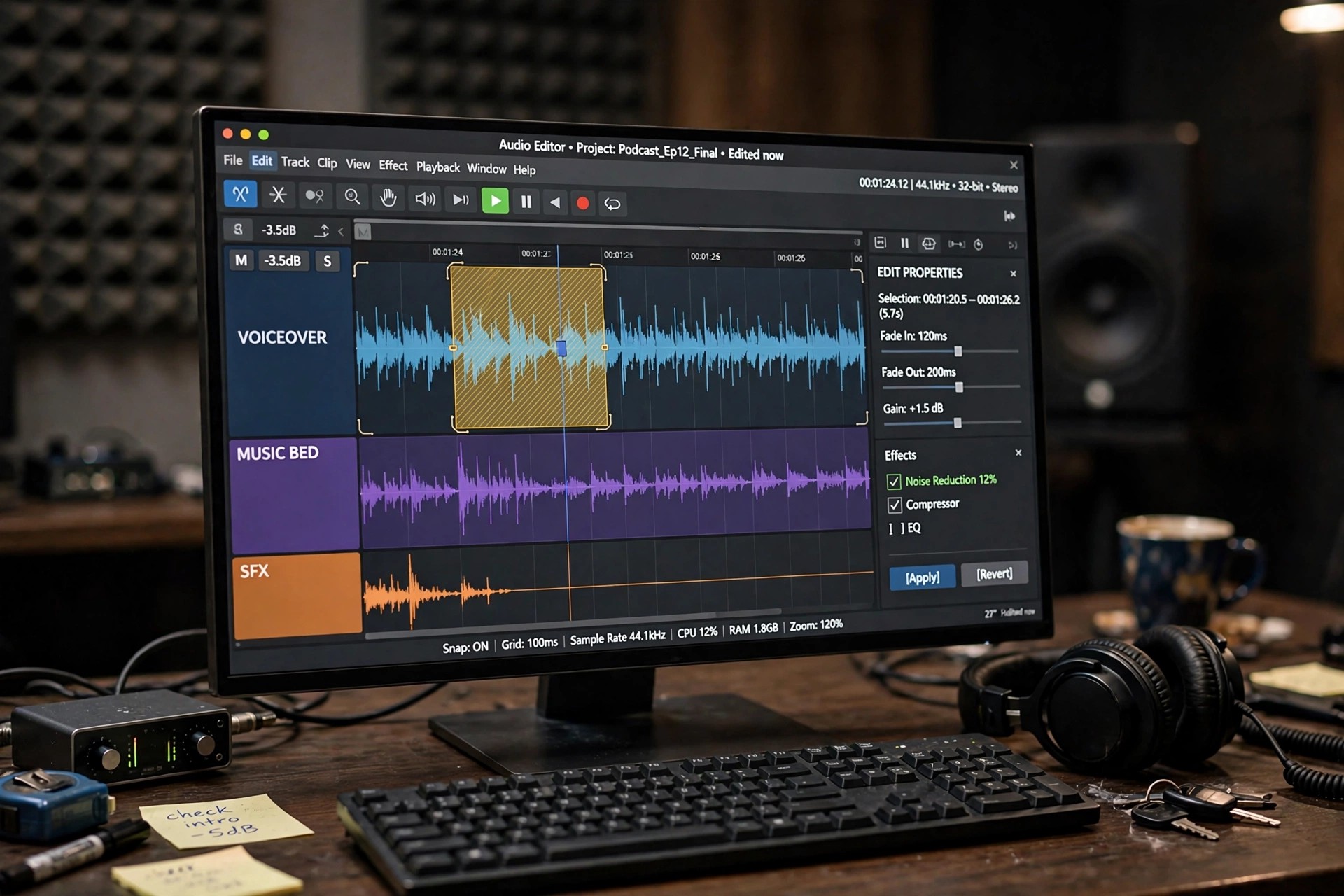
    Amadeus Pro 2.8 for Mac is a multitrack audio editor and recorder from HairerSoft, the small independent developer behind one of the longest-running audio apps on the Mac. It is built for people who need to record, edit, clean up and convert sound without the weight of a full digital audio workstation — podcasters, musicians, archivists digitising tapes and vinyl, and anyone preparing audio for release.

    Each track in a project can be adjusted independently for volume and panning, and edits are designed to avoid the clicks and cracks that careless cutting introduces. Amadeus Pro is a paid app, sold for a one-off licence fee, and HairerSoft offers a free trial of the full editor so you can test it on your own recordings before deciding to buy.

    Key Features

    • Multitrack editing and recording with independent volume and panning per track
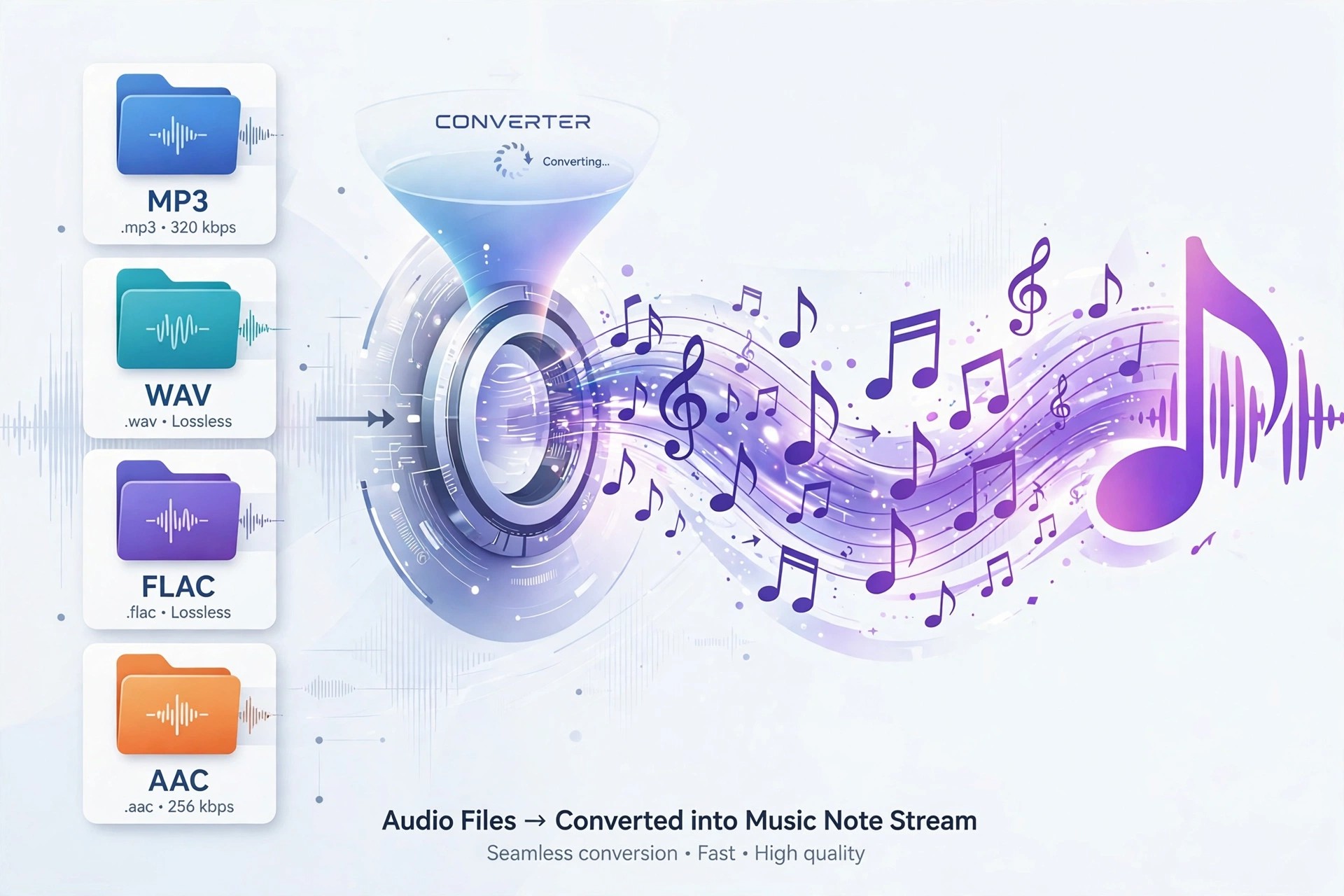
    • Converts between MP3, AAC, Apple Lossless, FLAC, Ogg Vorbis, AIFF, WAV and more
    • Batch processing to convert, normalise or process whole folders of files at once
    • Repair tools for de-noising, de-clicking and restoring ageing or damaged recordings
    • Real-time spectrum and sonogram analysis, plus VST and Audio Unit plug-in support

    How to Download

    1. Download from the official site
    2. Download the free trial from HairerSoft, or choose the Mac App Store edition if you prefer buying through Apple.
    3. Install the app, work through your trial, and enter the licence details from HairerSoft when you are ready to keep it.

    Is Amadeus Pro free?
    No. It is paid software with a one-off licence, not a free full version. The official trial lets you use the editor before paying, which is the safe way to check it fits your workflow.

    Is there a Windows version of Amadeus Pro?
    No. Amadeus Pro is developed for macOS only. Windows users will need a different editor, but Mac users get an app designed specifically around macOS conventions and file handling.

  • All to MP3 Audio Converter 3.4.1 for Mac

    All to MP3 Audio Converter 3.4.1 for Mac

    All to MP3 Audio Converter 3.4.1 for Mac

    All to MP3 Audio Converter 3.4.1 for Mac

    Mac Audio
    Updated Nov 4, 2026
    Mac Audio • Updated Nov 4, 2026

    All to MP3 Audio Converter 3.4.1 for Mac belongs to the long-running family of simple converters whose job is to turn audio files in less convenient formats into widely compatible MP3 files. Tools in this category typically accept formats such as WAV, FLAC, AAC, M4A, WMA and OGG, and some can also extract the audio track from common video files.

    Be careful with the name: several different products, including the older All2MP3 utility and an unrelated open-source app also called All to MP3, use almost identical wording. We could not verify one official vendor page for this exact version 3.4.1, so the seller and version on any listing matter. Never pay for, or install, a same-named app from a download mirror.

    Key Features

    • We could not verify an official page for version 3.4.1, so search the Mac App Store by the exact title and confirm the seller before installing.
    • Install only from that verified listing, convert a test file first, and check the MP3 plays correctly before batch-converting a library.
    • Is this the same as All2MP3?
      Not necessarily. All2MP3 was a separate, older Mac converter with a very similar name and purpose. Because the names overlap, check the developer, icon and version number instead of assuming two listings are the same product.

      Will converting to MP3 lose quality?
      MP3 is a lossy format, so some quality is always discarded, especially at low bitrates. Convert from the highest-quality original you have and use a higher bitrate for music you care about.

  • All Remixes 1.1.0 for Mac

    All Remixes 1.1.0 for Mac

    All Remixes 1.1.0 for Mac

    All Remixes 1.1.0 for Mac

    Mac Audio
    Updated Nov 4, 2026
    Mac Audio • Updated Nov 4, 2026

    All Remixes 1.1.0 for Mac is a music discovery app by Qiplex, built around one simple idea: find every remix of the songs and artists you already love. You search by song title or artist, and the app gathers remix versions in one place so you can browse and pre-listen without hunting across separate sites and videos.

    The app promoted its speed, claiming a search of 100 remixes takes less than a second, and it is aimed at listeners and DJs who follow remix culture closely. We could not verify a current official product page for the Mac version, so treat listings carefully, check the developer name Qiplex, and do not assume the current price or availability from old download pages.

    Key Features

    • We could not verify a live official page for this Mac version, so search for All Remixes by Qiplex and confirm the developer before installing.
    • Install only from a source you have verified, then open the app and search for a song or artist to test the remix results.
    • Is All Remixes free?
      We could not confirm current pricing for version 1.1.0. Qiplex has sold apps with free limited versions and paid full versions, so check the verified listing rather than expecting every feature to be free.

      Does All Remixes download songs?
      It is presented mainly as a discovery and listening app for remixes, not a tool for downloading commercial music to keep. Respect the streaming and download terms of the services whose remixes it surfaces.

  • Algoriffix Transkr 2.2.7 for Mac

    Algoriffix Transkr 2.2.7 for Mac

    Algoriffix Transkr 2.2.7 for Mac

    Algoriffix Transkr 2.2.7 for Mac

    Mac Audio
    Updated Nov 4, 2026
    Mac Audio • Updated Nov 4, 2026

    Algoriffix Transkr 2.2.7 for Mac is a real-time audio-to-MIDI plug-in and standalone app from Swedish developer Algoriffix. It listens to an instrument or voice through a normal audio interface and converts what you play into MIDI notes, so you can perform with synths and virtual instruments without a special pickup.

    This 2.2.7 release belongs to the Transkr V2 generation. It works live while you play and can also process recorded files, detecting pitch along with beat, key and chords to build an editable musical structure you can export for further work in a DAW or notation program. Transkr is paid software on a perpetual licence, and Algoriffix offers a free trial so you can test tracking on your own instrument first.

    Key Features

    • Real-time polyphonic audio-to-MIDI conversion with no special pickup or proprietary hardware needed
    • Beat, key, chord and note tracking that turns a performance into editable MIDI data
    • Built-in polyphonic tuner and a 3-band parametric EQ to clean up the input signal
    • Export to Standard MIDI File, plus MusicXML and MXL for sheet music in notation software
    • Runs as a standalone app and as an AU and VST3 plug-in inside major Mac DAWs

    How to Download

    1. Download from the official site
    2. Choose the current Transkr trial or purchase option on the Algoriffix page and download the Mac installer.
    3. Install the app and plug-in, open it in your DAW or standalone, and activate your licence or start the trial.

    Is Algoriffix Transkr free?
    No, Transkr is a paid plug-in on a one-time perpetual licence, not a free full version. Algoriffix provides a free trial with all features included to check tracking on your setup.

    Which instruments does Transkr support?
    It is designed for guitar, bass, voice, piano, violin-family instruments and saxophone. A clean, dry input from a standard audio interface gives the most reliable pitch and chord detection.

  • Algoriddim Neural Mix Pro 2.0.2 for Mac

    Algoriddim Neural Mix Pro 2.0.2 for Mac

    Algoriddim Neural Mix Pro 2.0.2 for Mac

    Algoriddim Neural Mix Pro 2.0.2 for Mac

    Mac Audio
    Updated Nov 4, 2026
    Mac Audio • Updated Nov 4, 2026

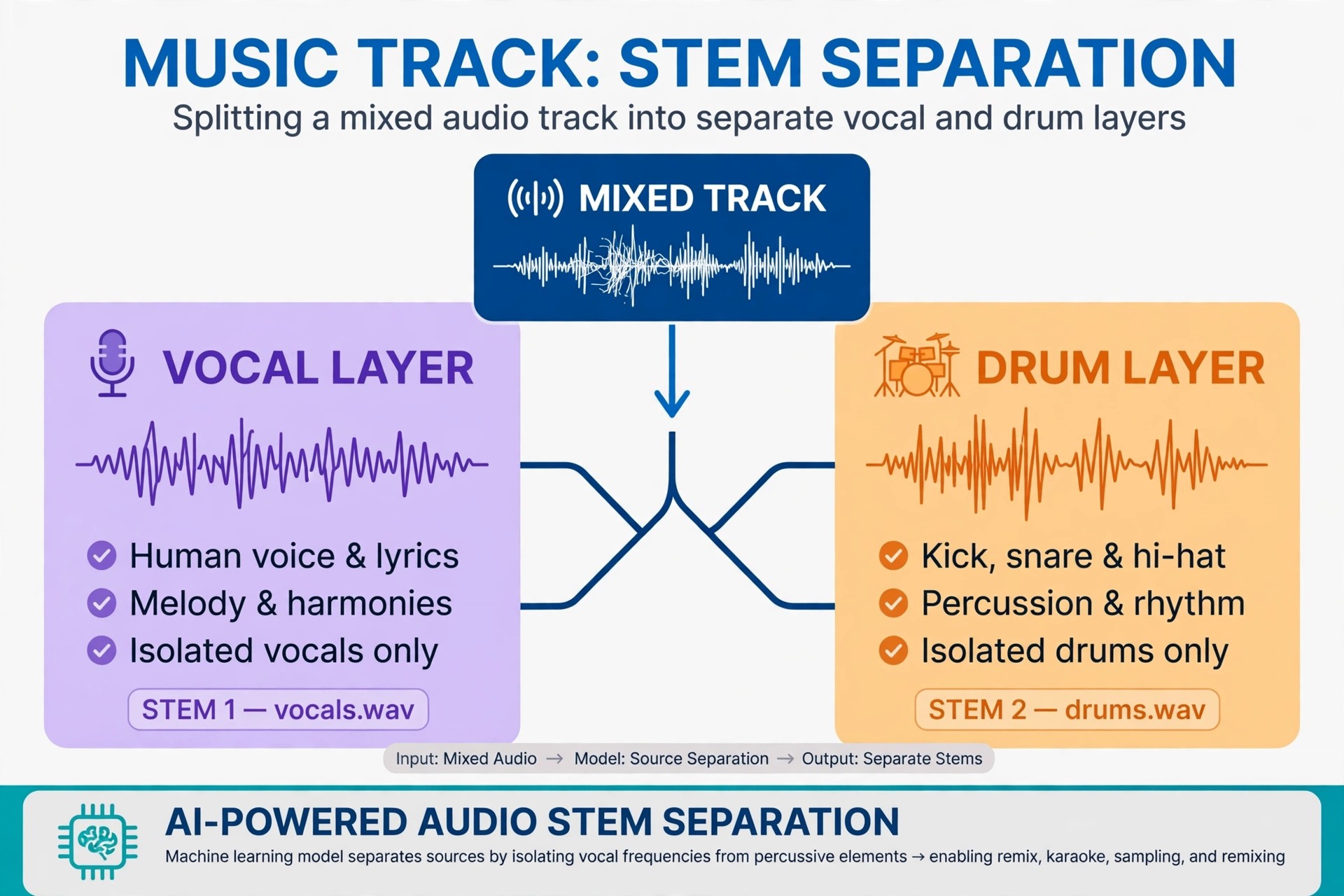
    Algoriddim Neural Mix Pro 2.0.2 for Mac is a standalone AI music player and editor from Algoriddim, the Munich team behind djay. Where djay is built for live mixing, Neural Mix Pro is built for taking songs apart: it separates a finished track into its vocal, drum and harmonic parts so producers, DJs and musicians can reuse them.

    That makes it useful for preparing acappellas and instrumentals for a DAW, practising against a track with one part muted, or cutting precise loops. The Mac App Store download is free to try, with the full Pro feature set unlocked through a one-time in-app purchase rather than a subscription.

    Key Features

    • Real-time AI source separation of vocals, beats and instruments in any local song
    • Offline export of acappellas, instrumentals and individual stems in high sound quality
    • Loop editor for extracting beat-precise loops of a vocal, drum or harmonic part
    • Tempo change and key transposition without affecting the rest of the track
    • Music browser with Music app and Finder integration, BPM and key detection, batch export

    How to Download

    1. Download from the official site
    2. Follow Algoriddim's Mac App Store link on that page and install Neural Mix Pro on a Mac running a supported macOS version.
    3. Open your own music files to test the separation, then unlock the Pro in-app purchase if you need full export features.

    Is Neural Mix Pro free?
    It is a free download for playback and experimentation, but the complete Pro feature set — including full offline export — is a paid one-time in-app purchase. It is not offered as a free full version.

    How is it different from djay Pro?
    djay Pro performs mixes live and includes Neural Mix for performance. Neural Mix Pro is a focused editor for local files, designed to extract and export stems and loops for use in other software.

  • Algoriddim djay Pro 5.6.5 for Mac

    Algoriddim djay Pro 5.6.5 for Mac

    Algoriddim djay Pro 5.6.5 for Mac

    Algoriddim djay Pro 5.6.5 for Mac

    Mac Audio
    Updated Nov 4, 2026
    Mac Audio • Updated Nov 4, 2026

    Algoriddim djay Pro 5.6.5 for Mac is the macOS edition of djay Pro, the DJ software from German developer Algoriddim. Built specifically for the Mac, it combines turntable-style mixing with a modern library that pulls together your local music and streaming services in one place for practice, parties and paid gigs.

    djay Pro is a free download with essential tools included, and the full feature set is unlocked with an optional PRO subscription, which Algoriddim offers with a free trial. Version 5.6.5 sits in the current djay Pro generation that merged the earlier Pro and Pro AI lines into a single app.

    Key Features

    • Two-deck and four-deck mixing with waveforms, sampler, looper and sequencer tools
    • Neural Mix technology to isolate vocals, drums and instruments in real time
    • Streaming integration with Apple Music, Spotify, TIDAL, SoundCloud and Beatport
    • Automix AI for automatic, beat-matched transitions when you step away from the decks
    • Plug-and-play support for over 100 DJ controllers, plus MIDI Learn for custom mapping

    How to Download

    1. Download from the official site
    2. Use Algoriddim's download for macOS there, or install djay from the Mac App Store if you prefer App Store billing.
    3. Launch the app, connect your music library or streaming account, and start the PRO trial only if you want the advanced features.

    Is djay Pro free?
    The download is free and usable for basic mixing. The PRO subscription unlocks the complete feature set across your Mac and iOS devices, and it starts with a free trial — it is not a free full version.

    Does djay Pro work with my controller?
    Very likely. Algoriddim supports a wide range of controllers from Pioneer DJ, Reloop, RANE and others out of the box, and MIDI Learn lets you map hardware that is not officially listed.

  • Algoriddim djay Pro AI 5.6.9 for Mac

    Algoriddim djay Pro AI 5.6.9 for Mac

    Algoriddim djay Pro AI 5.6.9 for Mac

    Algoriddim djay Pro AI 5.6.9 for Mac

    Mac Audio
    Updated Nov 4, 2026
    Mac Audio • Updated Nov 4, 2026

    Algoriddim djay Pro AI 5.6.9 for Mac refers to the AI generation of djay Pro, Algoriddim's DJ software for macOS. The Pro AI name highlighted its rebuilt engine, which used the Apple Neural Engine to separate a playing track into vocals, drums and melody live.

    Algoriddim has since folded the Pro AI line back into the single djay Pro app, so the official page now presents one product carrying those same AI features. The app is a free download, with the complete PRO feature set available by subscription after a free trial; there is no separate Pro AI licence to buy today.

    Key Features

    • Neural Mix stem separation to swap vocals and instrumentals between two tracks live
    • Automix AI that finds natural intro and outro points for smooth automatic mixes
    • Fluid beatgrids and Crossfader Fusion for clean transitions across genres and tempos
    • Library access to Apple Music, Spotify and other streaming services alongside local files
    • Native Apple silicon performance, four decks, sampler, video mixing and controller support

    How to Download

    1. Download from the official site
    2. Download the current djay Pro for Mac there — it is the successor to the Pro AI edition and includes its AI tools.
    3. Install it, sign in to your music services, and try the PRO subscription free before deciding whether to keep it.

    Is djay Pro AI still sold separately?
    No. Algoriddim unified its Mac DJ apps under the djay Pro name. Existing Pro AI users moved to the current app, which is where updates such as the 5.6 series are delivered.

    Do I need an Apple silicon Mac for the AI features?
    Neural Mix was designed around the Neural Engine and runs best on Apple silicon, though the app itself supports Intel Macs too. Check the system requirements on the official page for your machine.