Category: Mac Audio

  • Applied Acoustics Systems Lounge Lizard EP-5 for Mac

    Applied Acoustics Systems Lounge Lizard EP-5 for Mac

    Applied Acoustics Systems Lounge Lizard EP-5 for Mac

    Applied Acoustics Systems Lounge Lizard EP-5 for Mac

    Mac Audio
    Updated Nov 6, 2026
    Mac Audio • Updated Nov 6, 2026

    Lounge Lizard EP-5, from Applied Acoustics Systems, is the latest generation of the company's long-running electric piano instrument for Mac. Instead of sampling a Rhodes or Wurlitzer, it physically models the parts of the instrument — hammer, tine or reed, damper and pickup — so the tone responds to how hard you play. EP-5 introduces a redesigned dual engine with dedicated models for tine-based and reed-based pianos, a refreshed factory library, and MPE support for more expressive performances from compatible controllers.

    Key Features

    • Dual physical-modelling engines for tine-based and reed-based electric pianos
    • Large factory library of professionally crafted presets, including the remastered EP-4 sounds
    • Simple and advanced views for quick playing or deep component-level tuning
    • Built-in effects chain with EQ, compression, reverb and modulation effects
    • MPE support, plus AU, VST, VST3, AAX, NKS and standalone formats on Mac

    How to Download

    1. Make sure your Mac and DAW meet the requirements listed by AAS.
    2. Get the installer from the developer: Download from the official site
    3. Install, load it in your DAW or standalone, and work through the classic tine and reed presets.

    System Requirements

    Lounge Lizard EP-5 runs on a recent version of macOS on Intel or Apple silicon Macs, in a 64-bit host that supports AU, VST, VST3 or AAX plug-ins, or in standalone mode.

    FAQs

    Is Lounge Lizard EP-5 a sampled piano?

    No. It is entirely based on physical modelling, which is why the file size stays small and the sound reacts dynamically to your playing velocity and adjustments.

    Can EP-4 owners upgrade?

    Yes. Applied Acoustics Systems offers a paid upgrade path for registered Lounge Lizard EP-4 users, and the EP-4 library is included in remastered form.
  • Applied Acoustics Systems Chromaphone 3.2.0 for Mac

    Applied Acoustics Systems Chromaphone 3.2.0 for Mac

    Applied Acoustics Systems Chromaphone 3.2.0 for Mac

    Applied Acoustics Systems Chromaphone 3.2.0 for Mac

    Mac Audio
    Updated Nov 6, 2026
    Mac Audio • Updated Nov 6, 2026

    Chromaphone, from Montreal developer Applied Acoustics Systems (AAS), is a synthesizer that builds sounds by physically modelling real acoustic objects instead of playing back samples. The current release, Chromaphone 3.2.0 for Mac, pairs two modelled resonators — strings, plates, drumheads, marimbas, tubes and more — in each of two layers, so you can stack or split timbres that feel alive and percussive. It runs as a plug-in inside your DAW or as a standalone app, and ships with more than 1,000 presets covering mallets, drums, strings and hybrid instruments that do not exist in the real world.

    Key Features

    • Two-voice multitimbral engine with eight physically modelled acoustic resonators
    • Factory library of 1,000+ presets, including the remastered Chromaphone 2 sounds
    • Four performance macros per layer for real-time control of timbre, envelope and effects
    • Built-in effects per layer plus a master effects section
    • AU, VST, VST3, AAX and NKS formats, plus a standalone version for Mac

    How to Download

    1. Check your DAW supports AU, VST3 or AAX plug-ins on macOS.
    2. Get the installer from the developer: Download from the official site
    3. Install, open it in your DAW or standalone, and browse the preset library to hear the resonator models.

    System Requirements

    Chromaphone 3.2.0 needs a recent version of macOS on an Intel or Apple silicon Mac and a 64-bit host sequencer for the plug-in formats. The standalone version runs without a DAW.

    FAQs

    Is Chromaphone free?

    No. It is a paid instrument from Applied Acoustics Systems, and the official site lists the current price and upgrade options for owners of earlier versions.

    Can Chromaphone load sounds from Chromaphone 2?

    Yes. Version 3 includes the Chromaphone 2 factory library, carefully remastered to use the new two-layer engine and macro controls.

  • Applian Replay Music 3.0.2.310 for Mac

    Applian Replay Music 3.0.2.310 for Mac

    Applian Replay Music 3.0.2.310 for Mac

    Applian Replay Music 3.0.2.310 for Mac

    Mac Audio
    Updated Nov 6, 2026
    Mac Audio • Updated Nov 6, 2026

    Replay Music, from Applian Technologies, tackles the one job its sibling Media Catcher handles less neatly: music. You play songs from a streaming service, internet radio station or web player, and Replay Music records the audio as it plays, watches for the silence between songs, and splits a long session into separate tracks. It then tries to identify each track and add the artist, title, album and artwork automatically, so what lands in your library looks like a proper album rather than one long unnamed recording.

    Please record responsibly and legally: only capture music you have the right to record, for your own personal listening, and respect the terms of the service you are playing from. On platforms, be upfront — 3.0.2.310 is a legacy version and Applian's Replay range is Windows-first. Applian's current site promotes the Windows Replay Capture Suite and points Mac users to its Jaksta products, so verify whether any Mac edition is currently sold or supported on the official site, and expect paid software with a trial, not a free full version.

    Key Features

    • Records streaming music and internet radio as it plays on your computer
    • Automatic track splitting, so albums save as individual songs
    • Automatic tagging with artist, title, album and cover artwork
    • Saves recordings as MP3 and other common audio formats
    • Can send finished tracks straight to your music library

    How to Download

    1. Go to Applian's official website and open the Replay Music page to check current platform support.
    2. Start your download from the official site: Download from the official site
    3. Install only an official trial if a Mac build is offered, and buy a licence from Applian if you decide to keep using it.

    Does Replay Music work on a Mac today?
    The version listed here is legacy and Applian now directs Mac users to Jaksta. Check the official Applian site for the current position before spending anything.

    Is it legal to record streaming music?
    Applian markets these tools for personal use. Record only content you have the right to record, keep recordings for yourself, and follow the streaming service's terms and your local copyright law.

  • AppleMacSoft MP3 Splitter 5.0.1 for Mac

    AppleMacSoft MP3 Splitter 5.0.1 for Mac

    AppleMacSoft MP3 Splitter 5.0.1 for Mac

    AppleMacSoft MP3 Splitter 5.0.1 for Mac

    Mac Audio
    Updated Nov 6, 2026
    Mac Audio • Updated Nov 6, 2026

    AppleMacSoft MP3 Splitter 5.0.1 is a small, single-purpose audio utility for Mac from AppleMacSoft, a developer best known for its iTunes-related tools. It does one job: taking a long MP3, M4A or AAC recording — an audiobook, a podcast episode, a lecture or a ripped album — and cutting it into smaller, separate files you can actually manage, without re-encoding and losing quality.

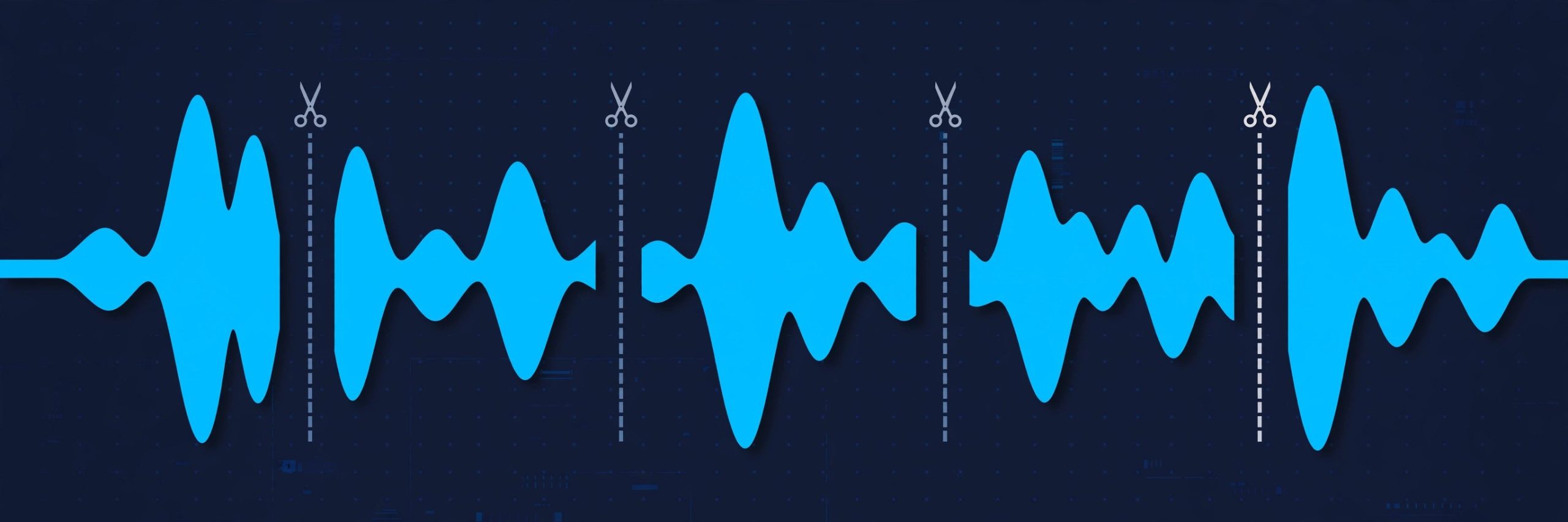
    The splitting is flexible: divide a file by duration, by file size, into a set number of equal parts, or automatically at the silences between tracks using silence detection, including splitting from a CUE file. A built-in player lets you preview each section before you commit, and you can add fade-in and fade-out effects at the cut points. The vendor sells it as inexpensive shareware with a trial version, so you can test it before paying — it is not a free full product.

    Key Features

    • Split MP3, M4A and AAC files without re-encoding or quality loss
    • Automatic splitting by silence, duration, file size or number of parts
    • CUE file support for splitting albums and long recordings accurately
    • Built-in player to preview sections before splitting
    • Fade-in and fade-out effects and removal of unwanted sounds

    How to Download

    1. Visit the vendor's official website and find the MP3 Splitter for Mac product page.
    2. Start your download from the official site: Download from the official site
    3. Open the downloaded DMG, drag the app to Applications, and try the trial before buying a licence.

    Is MP3 Splitter free?
    No. It is shareware: a trial version is available from AppleMacSoft so you can test the splitting features, and a paid licence unlocks the full product.

    Does splitting reduce audio quality?
    No. The app cuts the original compressed audio into separate files without re-encoding it, so the output pieces keep the quality of the source file.

  • MainStage 3.7.1 for Mac

    MainStage 3.7.1 for Mac

    MainStage 3.7.1 for Mac

    MainStage 3.7.1 for Mac

    Mac Audio
    Updated Nov 6, 2026
    Mac Audio • Updated Nov 6, 2026

    MainStage 3.7.1 is Apple's live performance app for Mac, designed to take the sounds you use in the studio onto the stage. Instead of a timeline, it gives you a full-screen, high-contrast performance view built around patches and concert setlists, so keyboardists, guitarists and vocalists can switch sounds instantly during a show while keeping their eyes on the performance, not the screen.

    MainStage shares its instruments and effects with Logic Pro — the same plug-ins and sound library — but it is a separate, much cheaper app sold as a one-time purchase on the Mac App Store. It is not free, and there is no free full version. MainStage is also included in Apple Creator Studio for subscribers. Version 3.7.1 is an older release in the MainStage 3 line; the App Store delivers the current version matched to your macOS.

    Key Features

    • Full-screen live view optimised for on-stage visibility
    • Concerts, sets and patches for instant sound switching mid-show
    • Logic Pro-compatible instruments, plug-ins and sound library
    • Flexible mapping to MIDI keyboards, foot switches and controllers
    • Playback tracks, looping tools and vocal/guitar processing chains

    How to Download

    1. Open Apple's official MainStage listing and check that your Mac and audio interface are compatible.
    2. Start your download from the official site: Download from the official site
    3. Buy the app once in the Mac App Store, install it, then download the additional sound content from inside MainStage.

    Do I need Logic Pro to use MainStage?
    No. MainStage is a standalone app with its own instruments and effects. Owning Logic Pro simply means your sounds and plug-in settings carry across between the two.

    Is MainStage free with a Mac?
    No. It is a low-cost one-time purchase on the Mac App Store, and it is also included in an Apple Creator Studio subscription. It does not come preinstalled for free.

  • Logic Pro X 10.4.4 for Mac

    Logic Pro X 10.4.4 for Mac

    Logic Pro X 10.4.4 for Mac

    Logic Pro X 10.4.4 for Mac

    Mac Audio
    Updated Nov 6, 2026
    Mac Audio • Updated Nov 6, 2026

    Logic Pro X 10.4.4 is Apple's professional music production application for Mac — a complete recording studio covering songwriting, beat making, audio editing and mixing in one package. It ships with a huge library of software instruments, samplers, effects plug-ins and Apple Loops, plus pro tools like Flex Time and Flex Pitch for fixing timing and tuning without re-recording a performance.

    Logic Pro is paid software: on Mac it is a one-time purchase from the Mac App Store, not a free full version. Apple has long offered a free trial, and a trial route is currently available through Apple Creator Studio for new subscribers — check the official page for the offer in your region. Version 10.4.4 is an older "Logic Pro X" release; the App Store now sells the app simply as Logic Pro.

    Key Features

    • Full multitrack recording, editing and mixing environment
    • Large bundled library of instruments, plug-ins and Apple Loops
    • Flex Time and Flex Pitch for timing and tuning correction
    • Drummer tracks and Smart Controls for fast arrangement building
    • Logic Remote support for controlling sessions from iPhone or iPad

    How to Download

    1. Open Apple's official Logic Pro page and review the Mac system requirements and library size.
    2. Start your download from the official site: Download from the official site
    3. Complete the one-time purchase in the Mac App Store, install the app, then download the sound library from inside Logic Pro.

    Is Logic Pro X free?
    No. On Mac it is a one-time Mac App Store purchase. Apple offers a trial route — currently via Apple Creator Studio for new subscribers — but there is no free full version.

    What happened to the "X" in the name?
    Apple dropped the "X" with later releases, so the current app is just called Logic Pro. Projects made in Logic Pro X 10.4.4 open in the modern version.

  • Apisonic Labs Speedrum 1.0.7.1 for Mac

    Apisonic Labs Speedrum 1.0.7.1 for Mac

    Apisonic Labs Speedrum 1.0.7.1 for Mac

    Apisonic Labs Speedrum 1.0.7.1 for Mac

    Mac Audio
    Updated Nov 6, 2026
    Mac Audio • Updated Nov 6, 2026

    Apisonic Labs Speedrum 1.0.7.1 for Mac is a drum sampler plugin built around the MPC way of working: load samples onto pads, tap out a pattern, and keep moving while the idea is fresh. Version 1 offers 32 pads in two banks, with up to eight sample layers per pad, so a single pad can hold a stack, a velocity split or a round-robin set rather than just one lonely kick.

    Each pad carries essential processing — filtering, envelopes, pitch and effects — and a built-in browser lets you drag samples straight from your library onto pads. It runs in a Mac DAW as a VST, VST3 or Audio Units plugin. Speedrum is paid software (around €49 at launch) with a demo, and its smaller sibling Speedrum Lite is the free taster; the full version is not free.

    Key Features

    • 32 MPC-style pads in two banks, with up to 8 sample layers per pad
    • Per-pad envelopes, filtering, pitch control and essential built-in effects
    • Integrated sample and kit browser with drag-and-drop loading
    • Loads WAV, AIFF, FLAC, MP3 and OGG samples, with a loop slicer for breaks
    • VST, VST3 and AU plugin formats for Mac DAWs, in a resizable interface

    How to Download

    1. Make sure your DAW supports VST, VST3 or AU plugins on macOS.
    2. Start your download from the official site: Download from the official site
    3. Install the plugin, rescan plugins in your DAW, and open Speedrum on an instrument track to try the demo.

    Is Speedrum free?
    No. Speedrum is paid software with a demo. Speedrum Lite is Apisonic Labs' separate free edition with fewer pads and layers — a good way to test the workflow first.

    Which Mac DAWs can use Speedrum?
    Any host that loads VST, VST3 or AU plugins, which includes most major Mac DAWs such as Logic Pro (AU), Ableton Live, Cubase and FL Studio.

  • AOM Total Bundle 1.10.0 for Mac

    AOM Total Bundle 1.10.0 for Mac

    AOM Total Bundle 1.10.0 for Mac

    AOM Total Bundle 1.10.0 for Mac

    Mac Audio
    Updated Nov 6, 2026
    Mac Audio • Updated Nov 6, 2026

    The AOM Total Bundle is A.O.M. Factory's all-in-one license for its audio plugin catalogue, and version 1.10.0 for Mac is an earlier release of that bundle. Rather than buying each effect separately, one Total Bundle license unlocks the Japanese developer's full lineup of mixing and mastering tools: the Invisible Limiter series of transparent mastering limiters, the tranQuilizr equalizers, Nu Compressor and Tau Compressor Plus for dynamics, DeSibilizer for taming vocal sibilance, Stereo Imager D, Cyclic Panner, Wave Shredder, Wave Exciter, and the Sakura Dither utility, among others.

    On the Mac the plugins run as Audio Unit, VST2, VST3, AAX-Native, and CLAP in compatible hosts, on both Intel and Apple Silicon machines, with sample rates from 44.1 kHz up to 384 kHz. Be clear about the licensing before you buy: Total Bundle is a 1-year license (listed at 100 USD excluding tax), newly released plugins are included while it is valid, and A.O.M. offers no perpetual Total Bundle license — individual plugins can be bought perpetually instead. Installers come from A.O.M.'s official site, so you can evaluate the plugins before committing.

    Key Features

    • One license covers every A.O.M. plugin, including new releases during its term
    • Mastering-grade limiters: Invisible Limiter, G2, and G3
    • tranQuilizr and tranQuilizr G2 transparent equalizers
    • Dynamics and utilities: Nu Compressor, DeSibilizer, Stereo Imager D, Sakura Dither
    • Audio Unit, VST3, AAX, and CLAP formats for Mac DAWs

    How to Download

    1. Open A.O.M. Factory's official Total Bundle page for licensing details.
    2. Start your download from the official site: Download from the official site
    3. Download the Mac installers, load the plugins in your DAW, and activate them with your Total Bundle license.

    Is the Total Bundle a one-time purchase?
    No. It is a 1-year license only, and A.O.M. states there is no plan for a perpetual Total Bundle. Individual plugins do offer perpetual licenses.

    Which DAWs can use these plugins on Mac?
    Any host that supports Audio Unit, VST2/VST3, AAX-Native, or CLAP — including Logic Pro via Audio Unit and Pro Tools via AAX. A.O.M. publishes a full supported-host list on its support site.

  • AnyMP4 MP3 Converter 8.2.8 for Mac

    AnyMP4 MP3 Converter 8.2.8 for Mac

    AnyMP4 MP3 Converter 8.2.8 for Mac

    AnyMP4 MP3 Converter 8.2.8 for Mac

    Mac Audio
    Updated Nov 6, 2026
    Mac Audio • Updated Nov 6, 2026

    AnyMP4 MP3 Converter 8.2.8 for Mac is a focused audio tool from AnyMP4's older Mac catalogue: instead of a full video suite, it does one job — turning audio files and video soundtracks into MP3 and other everyday formats. Listings describe it converting AAC, AIFF, ALAC, WAV, M4A, FLAC and OGG to MP3, AAC, WAV and M4A, and pulling audio out of MP4, MOV, MKV and AVI video files.

    One honest caution: we could not verify a current dedicated product page for this standalone converter on anymp4.com — AnyMP4 now folds most audio conversion into Video Converter Ultimate. Treat version 8.2.8 as a legacy listing, check macOS compatibility carefully, and never download it from a crack or mirror site. Full use required a paid licence.

    Key Features

    • Converts common audio formats including AAC, WAV, FLAC, OGG and M4A to MP3
    • Extracts audio tracks from video files and saves them as MP3, WAV, AAC and more
    • Outputs to MP3, AAC, AIFF, ALAC, WAV and M4A for Apple and other players
    • Batch conversion to work through a folder of songs or recordings at once
    • Adjustable audio settings such as bitrate, sample rate and channels

    How to Download

    1. First check anymp4.com to see whether this standalone converter is still offered for your version of macOS.
    2. If it is no longer sold, use AnyMP4's current converter from the official site instead of an unofficial copy of this one.

    Is AnyMP4 MP3 Converter still available?
    We could not confirm a live dedicated page for it, so availability is uncertain. It appears in older catalogues at version 8.2.8, but AnyMP4's current audio conversion is mainly in Video Converter Ultimate.

    Is it free?
    It was sold as paid software with a trial, not as freeware. Any site offering a "free full version" or a cracked copy is unofficial and a common source of malware — avoid it.

  • AnyMP4 Audio Recorder 1.0.10 for Mac

    AnyMP4 Audio Recorder 1.0.10 for Mac

    AnyMP4 Audio Recorder 1.0.10 for Mac

    AnyMP4 Audio Recorder 1.0.10 for Mac

    Mac Audio
    Updated Nov 4, 2026
    Mac Audio • Updated Nov 4, 2026

    AnyMP4 Audio Recorder for Mac is a focused capture tool for anyone who needs clean sound without a complicated studio setup. It records whatever plays through your Mac's sound card — streaming music, online lectures, voice calls — alongside anything spoken into a connected microphone, and it can grab both sources at the same time.

    The recorder is paid software from AnyMP4 Studio, sold as monthly, lifetime and multi-user licences, but a free trial lets you test it first — note that trial recordings are capped at three minutes and trimming unlocks after registration. Finished clips export to MP3, M4A, WAV or AAC at quality levels from compact up to lossless.

    Key Features

    • Records system sound, microphone input, or both sources together
    • Exports to MP3, M4A, WAV and AAC with quality up to lossless
    • Built-in library to play, rename, organise and share recordings
    • Preview listening plus a cutter to trim unwanted sections before saving
    • Scheduled recording with set start and stop times, and custom hotkeys

    How to Download

    1. Check that your Mac runs a recent version of macOS and has enough free space for your recordings.
    2. Start your download from the official site: Download from the official site
    3. Open the installer, move the app to Applications, then launch it and enable System Sound, Microphone, or both before pressing REC.

    Is AnyMP4 Audio Recorder free?
    No. It is paid software with a free trial; trial recordings are limited to three minutes, and a licence removes that cap.

    Can it record a call and my voice at once?
    Yes. Turn on both System Sound and Microphone and it captures the call audio together with your own narration in a single file.