Category: Mac Utilities

  • Grey Matter 1.0.0 for Mac

    Grey Matter 1.0.0 for Mac

    Grey Matter 1.0.0 for Mac

    Grey Matter 1.0.0 for Mac

    Mac Utilities
    Updated Aug 14, 2026
    Mac Utilities • Updated Aug 14, 2026

    Grey Matter is an audio plugin from Mixland that treats a circuit like a playground. It is built on physics based modelling of circuit strain, inspired by vintage converter stages from classic console hardware. Used gently, it adds warmth and smooth glue to a track. Pushed hard, it bends and strains the sound into far wilder places, and the fun is in exploring everything between those two points inside your DAW.

    Key Features

    • Physics based circuit modelling that turns real circuit strain into creative sound shaping
    • Modelling of three vintage converter stages known for warmth and a smooth top end roll off
    • Interactive sandbox controls let you push parts past their normal hardware limits
    • Gentle settings give transparent glue, while hard settings give bold circuit bent colour
    • Runs in AAX, VST3 and AU formats in major DAW apps on Mac and Windows

    How to Download

    1. Download from the official site to start the free trial or buy a licence from Mixland.
    2. Run the installer and choose the plugin formats your DAW needs.
    3. Open your DAW, rescan your plugins if needed, and load Grey Matter on a track.

    System Requirements

    On Mac, Grey Matter runs on both Apple silicon and Intel machines and supports a wide range of macOS versions. You need a DAW that hosts AAX, VST3 or AU plugins, and no separate licence dongle is required.

    FAQs

    Can I try Grey Matter before buying?

    Yes. Mixland offers a free trial of the full plugin, so you can test it in your own sessions before you spend anything.

    What kind of sounds is Grey Matter for?

    It suits anything from subtle warmth on a mix bus to bold, strained colour on drums, synths and guitars. The result depends on how far you push it.

    Does Grey Matter need a dongle?

    No. The product page states that no iLok is required, and the licence is a lifetime licence.

  • 2Do 2.9.92 for Mac

    2Do 2.9.92 for Mac

    2Do 2.9.92 for Mac

    2Do 2.9.92 for Mac

    Mac Utilities
    Updated Aug 14, 2026
    Mac Utilities • Updated Aug 14, 2026

    Some task apps force you into one rigid method. 2Do takes the opposite approach. It starts as a simple list for errands and reminders, yet it can grow into a full planning system with projects, checklists and saved searches. You use the parts that suit you and leave the rest aside.

    Key Features

    • Organises tasks into lists projects and checklists with tags and locations
    • Offers smart lists and powerful search so important tasks surface
    • Supports quick entry so you can capture a thought
    • Syncs through services such as iCloud Dropbox or your own CalDAV server
    • Gives you alerts due dates and notes to keep each task clear and complete

    How to Download

    1. Visit Download from the official site and choose the Mac version from the store options shown there.
    2. Install 2Do, open it, and create your first list.
    3. Pick a sync method in settings if you also plan to use 2Do on other devices.

    System Requirements

    2Do runs on recent versions of macOS and the maker notes that newer releases need macOS 14 or later for some sharing features. Check the official site for the exact requirement of the current build, and keep enough free space for your task database and backups.

    FAQs

    Is 2Do only a simple list app?

    No. It can stay simple, but it also handles projects, checklists, tags and saved searches for people who plan.

    Does 2Do need an account to work?

    No account is required to use the app itself. You only sign in to a sync service if you want your tasks shared across devices.

    Can I use 2Do on my phone as well?

    Yes, separate apps exist for iPhone iPad and Android. They are sold separately and can sync with the Mac app through a service you choose.

  • Objective See ReiKey 1.4.2 for Mac

    Objective See ReiKey 1.4.2 for Mac

    Objective See ReiKey 1.4.2 for Mac

    Objective See ReiKey 1.4.2 for Mac

    Mac Utilities
    Updated Aug 14, 2026
    Mac Utilities • Updated Aug 14, 2026

    ReiKey is a free security tool from Objective See that watches for keyboard event taps on your Mac. Many keyloggers capture what you type by installing exactly this kind of tap, so ReiKey scans for taps that are already present and keeps watch for new ones, alerting you the moment one appears.

    Key Features

    • Scans your Mac for keyboard event taps that are already installed
    • Monitors in the background and alerts you when a new tap appears
    • Shows which process installed each tap so you can judge it yourself
    • Runs as a light menu bar app that stays out of your way
    • Free and open source, published by the Objective See foundation

    How to Download

    1. Get the app from Download from the official site and save the archive.
    2. Open the archive and run the ReiKey app it contains.
    3. Run a first scan, review the taps it lists, and leave monitoring on.

    System Requirements

    The Objective See site lists compatibility from OS X 10.13 onward for ReiKey. It is a small utility with modest needs, and it asks for no special permissions to do its core scanning work.

    FAQs

    Does ReiKey catch every kind of keylogger?

    No, and the maker is open about that. It detects the common event tap method that much Mac malware uses, but keyloggers built on other methods can slip past it.

    Will ReiKey flag normal apps as well?

    Yes, at times. Helpful tools such as text expanders and shortcut apps also install taps for honest reasons. ReiKey shows you the process so you can decide.

    Does ReiKey send my data anywhere?

    The site explains that it only checks for a new version and can send anonymised crash reports. No keystrokes or personal information are collected.

  • LookAway 2.4.11 for Mac

    LookAway 2.4.11 for Mac

    LookAway 2.4.11 for Mac

    LookAway 2.4.11 for Mac

    Mac Utilities
    Updated Aug 14, 2026
    Mac Utilities • Updated Aug 14, 2026

    LookAway is a break reminder for Mac that helps your eyes, neck and back survive long days at the screen. It schedules short and long breaks, reminds you to blink, and nudges you about posture. What makes it pleasant to live with is the timing. LookAway waits for a good moment, warns you before a break starts, and holds off while you are busy, so breaks become a habit you keep rather than a timer you fight.

    Key Features

    • Short and long screen breaks with a gentle warning and snooze options before each one
    • Smart Pause holds breaks during meetings, calls, screen recording, video and full screen games
    • Separate blink reminders and posture nudges that run apart from full breaks
    • Planned Breaks sit at a fixed time of day, such as lunch or an afternoon walk
    • Breaks sync to iPhone and iPad through the free LookAway Mirror companion app

    How to Download

    1. Download from the official site to get the current Mac build and start the trial.
    2. Open the downloaded file and move LookAway into your Applications folder.
    3. Launch the app, set your break lengths and intervals, and let it run from the menu bar.

    System Requirements

    LookAway needs macOS 13 or later and runs on both Apple silicon and Intel Macs. The Mirror companion app runs on iPhone and iPad if you want your breaks to follow you away from the desk.

    FAQs

    Will LookAway interrupt my meetings?

    No. Smart Pause spots meetings, calls, recordings and video playback and delays the break until you are free, then resumes the schedule.

    Is LookAway a subscription?

    The direct version is a single purchase that you pay once. It is also sold through the Mac App Store and Setapp, where pricing can differ.

    Does LookAway work on my iPhone too?

    Yes, through LookAway Mirror. When a Mac break starts, the break syncs to your phone or tablet so you do not just swap one screen for another.

  • Mac Mouse Fix 3.1.0 for Mac

    Mac Mouse Fix 3.1.0 for Mac

    Mac Mouse Fix 3.1.0 for Mac

    Mac Mouse Fix 3.1.0 for Mac

    Mac Utilities
    Updated Aug 14, 2026
    Mac Utilities • Updated Aug 14, 2026

    A plain mouse on a Mac can feel like a poor cousin of the trackpad. Scrolling jumps, extra buttons do little, and gestures are missing. Mac Mouse Fix closes that gap. It gives a regular third party mouse smooth scrolling and many of the gestures you would normally get from an Apple trackpad.

    Key Features

    • Adds smooth trackpad style scrolling with levels you can adjust to taste
    • Lets mouse buttons trigger gestures such as Mission Control and desktop switching
    • Allows you to assign actions and keyboard shortcuts to clicks and drags
    • Lets you change scroll direction for the mouse without changing the trackpad
    • Has open source code published on GitHub so anyone can inspect how it works

    How to Download

    1. Go to Download from the official site and download Mac Mouse Fix for your Mac.
    2. Install the app and grant Accessibility access when macOS asks you to do so.
    3. Open the settings, assign actions to your mouse buttons, and adjust scrolling until it feels right.

    System Requirements

    Mac Mouse Fix 3 supports macOS 11 and later, and a mouse with extra buttons unlocks the full gesture set. A basic two button mouse still gains the scrolling improvements. Check the official site for notes about specific mouse models.

    FAQs

    Is Mac Mouse Fix really free?

    Version 2 remains free, while version 3 offers a free trial period and then a small one time cost to own it. The official site explains the current terms clearly.

    Does it work with the Apple Magic Mouse?

    No. The app is made for third party mice. The developer notes that the Magic Mouse is not supported.

    Why does it ask for Accessibility access?

    macOS requires that permission before any app can watch mouse input and turn button presses into gestures and shortcuts.

  • Objective See OverSight 2.4.0 for Mac

    Objective See OverSight 2.4.0 for Mac

    Objective See OverSight 2.4.0 for Mac

    Objective See OverSight 2.4.0 for Mac

    Mac Utilities
    Updated Aug 14, 2026
    Mac Utilities • Updated Aug 14, 2026

    OverSight is a free privacy tool from Objective See that keeps watch over your Mac microphone and webcam. Some malware records people through these devices without any sign, so OverSight alerts you whenever the mic or camera becomes active and tells you which process is responsible, giving you the choice to allow or block it.

    Key Features

    • Alerts you whenever your microphone or webcam is activated
    • Identifies the process that is accessing the mic or camera
    • Lets you allow or block a process directly from the alert
    • Detects extra processes quietly joining an existing camera session
    • Free and open source, published by the Objective See foundation

    How to Download

    1. Get the app from Download from the official site and save the archive.
    2. Open the archive and run the OverSight installer app inside it.
    3. Approve the system prompt it shows, since alerts are its core mechanism.

    System Requirements

    The current OverSight needs macOS 12 or later and an account with administrative rights, which is the standard setup on most Macs. Older builds for earlier macOS releases are linked from the product page.

    FAQs

    Why does OverSight need administrative rights?

    Its monitoring works at a system level so it can see every mic and camera activation. The maker explains that this is why install and use need an admin account.

    Will it alert me during normal video calls?

    Yes, and that is expected. When a call app uses your camera, OverSight names it, and you simply allow it. Unknown processes are the ones worth a second look.

    Can OverSight stop a process from recording?

    Yes. When an alert appears for camera or mic access, you can block that process from within the alert instead of only being told about it.

  • Feeder 4.9.1 for Mac

    Feeder 4.9.1 for Mac

    Feeder 4.9.1 for Mac

    Feeder 4.9.1 for Mac

    Mac Utilities
    Updated Aug 14, 2026
    Mac Utilities • Updated Aug 14, 2026

    Feeder, from Reinvented Software, is a Mac app for creating, editing and publishing RSS feeds. It is best known among podcasters, because a podcast lives or dies by its feed, but it works just as well for a news feed for a site or for appcast feeds that deliver software updates. Feeder makes the whole job feel like writing email. You add items, write your notes, check the preview, and publish to your server in one go.

    Key Features

    • Create a new feed in a few steps, or download and edit an existing feed from the web
    • Full support for Apple Podcasts fields, with previews and validation before you publish
    • Rich text editor for show notes, with templates, auto complete and HTML and Markdown colouring
    • Publish by FTP, SFTP, Amazon S3 or WebDAV, with scheduled publishing when you need it
    • Feeds live in iCloud, so you can work on them on all your Macs and share them with others

    How to Download

    1. Download from the official site to get the trial or buy the full version from Reinvented Software.
    2. Open the downloaded file and move Feeder into your Applications folder.
    3. Launch Feeder and create your first feed, or open a feed you already publish.

    System Requirements

    Feeder 4.9.1 needs macOS 14 or later, per the vendor release notes. It is a native Mac app, and iCloud features need you to be signed in to iCloud on your Mac.

    FAQs

    Is Feeder only for podcasts?

    No. Podcasts are its best known use, but Feeder also handles plain news feeds and Sparkle appcast feeds for Mac software updates.

    Can I try Feeder first?

    Yes. Reinvented Software offers a time limited trial download, and the trial can be turned into the full version after purchase.

    Where does Feeder publish my feed?

    Feeder uploads the feed, images and media files to your own server by FTP, SFTP, S3 or WebDAV, so you stay in control of your feed and can move hosts at any time.

  • Folder Preview Pro 3.3 for Mac

    Folder Preview Pro 3.3 for Mac

    Folder Preview Pro 3.3 for Mac

    Folder Preview Pro 3.3 for Mac

    Mac Utilities
    Updated Aug 14, 2026
    Mac Utilities • Updated Aug 14, 2026

    Finder has one odd blind spot. Press the space bar on a photo or a document and Quick Look shows it at once, yet press it on a folder or an archive and you learn almost nothing. Folder Preview Pro fills that gap. Select a folder or a zip style archive and you can browse inside, peek at files, and open or copy items without leaving the window.

    Key Features

    • Shows the contents of folders in Quick Look
    • Previews archive files so you can see what is packed inside before extracting
    • Lets you open and copy files from the preview
    • Lets you move through nested folders while staying in the same window
    • Works in Finder and in supported third party file manager apps

    How to Download

    1. Visit Download from the official site and follow the steps shown there to get the app.
    2. Install Folder Preview Pro and enable its Quick Look extension in system settings if asked.
    3. Select any folder or archive in Finder and press the space bar to preview it.

    System Requirements

    Folder Preview Pro needs macOS 12 or later according to its current listings. It is a lightweight extension that works alongside Finder and places little demand on your Mac.

    FAQs

    Does it extract archives to show their contents?

    No extraction is needed just to look. You browse the contents in place and only unpack an archive when you actually want the files.

    Can I open a file from inside the preview?

    Yes. That is the main advantage of the Pro version. You can open and copy files directly from the Quick Look window.

    Does it work outside Finder?

    It also works in supported third party file managers, so the same space bar habit carries over if you rarely use Finder.

  • MonitorControl 4.4.0 for Mac

    MonitorControl 4.4.0 for Mac

    MonitorControl 4.4.0 for Mac

    MonitorControl 4.4.0 for Mac

    Mac Utilities
    Updated Aug 14, 2026
    Mac Utilities • Updated Aug 14, 2026

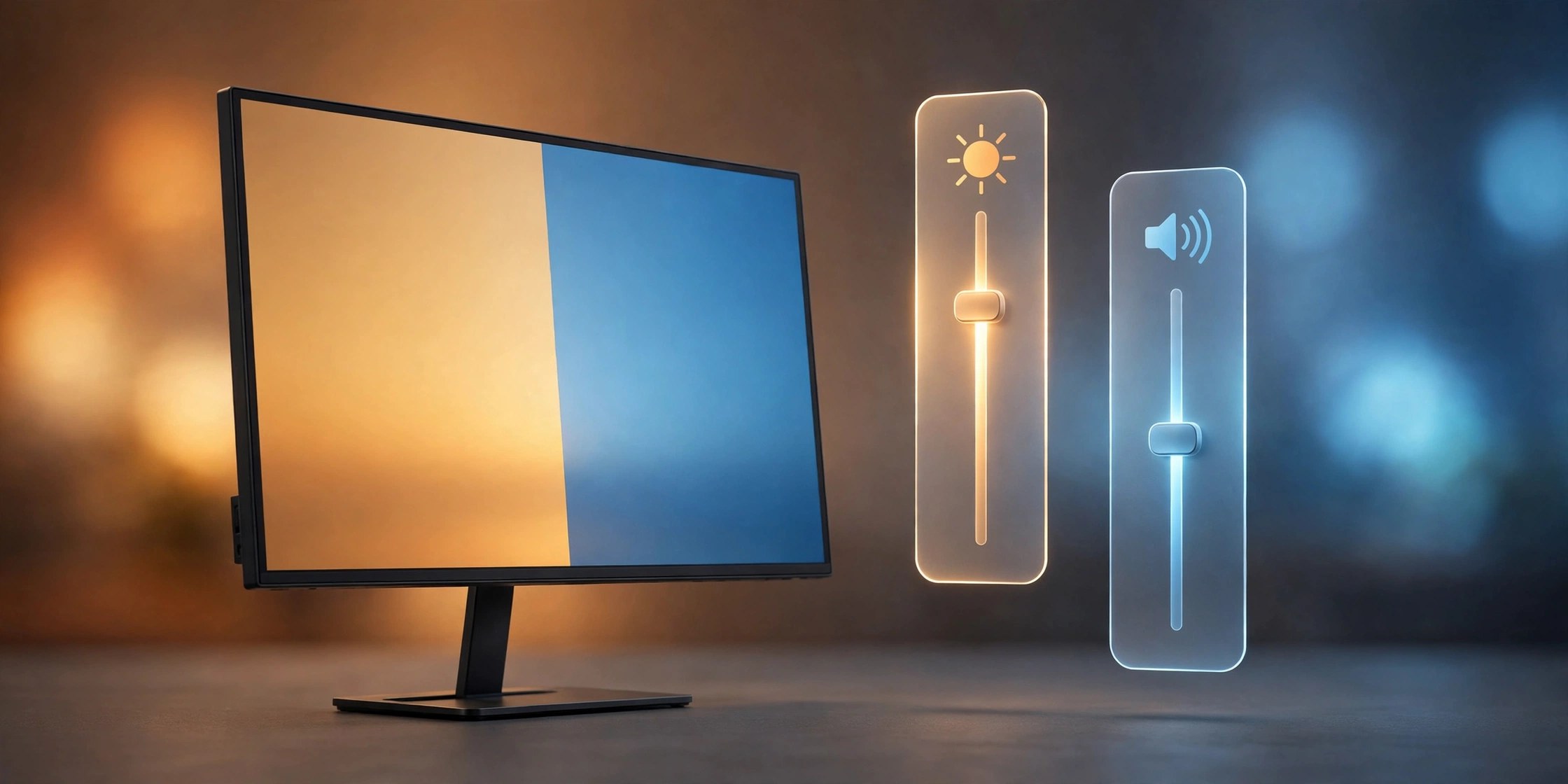
    If you use an external monitor with your Mac, the brightness keys probably do nothing for that screen. MonitorControl fixes this. It is a free open source menu bar app that talks to your display and lets you adjust its brightness, contrast and volume with the same keys you use for a built in screen, or from a small panel in the menu bar.

    Key Features

    • Adjust external display brightness with the standard Mac brightness keys
    • Control display volume and contrast from a tidy menu bar panel
    • Uses the DDC protocol that most modern monitors already support
    • Separate sliders and settings for each connected display
    • Free and open source, with the code published on GitHub

    How to Download

    1. Use the download button on this page, or Download from the official site to open the project page on GitHub.
    2. Download the latest release, open the disk image and move MonitorControl to your Applications folder.
    3. Launch the app and allow the accessibility access macOS asks for.

    System Requirements

    MonitorControl runs on recent versions of macOS and works on both Intel and Apple Silicon Macs. Your monitor needs to accept DDC commands, which most modern displays do, though some docks and adapters can block them.

    FAQs

    Is MonitorControl really free?

    Yes. It is published under an open source license and costs nothing to download or use. Development is supported by voluntary donations.

    Why do the brightness keys not change my screen?

    Some monitors, docks and adapters do not pass DDC commands through. Connect the display with a direct cable, check again, and make sure accessibility access is granted.

    Does it work with more than one monitor?

    Yes. MonitorControl lists each connected display on its own, so you can set the brightness and volume of every screen separately.

  • OB Xd 3.25.1 for Mac

    OB Xd 3.25.1 for Mac

    OB Xd 3.25.1 for Mac

    OB Xd 3.25.1 for Mac

    Mac Utilities
    Updated Aug 14, 2026
    Mac Utilities • Updated Aug 14, 2026

    OB Xd from discoDSP is a software synth inspired by the classic Oberheim OB X hardware from 1979. Version 3 rebuilt the engine from the ground up with the original author, keeping the voice character, filter behaviour and envelope feel of the hardware while removing its old limits. The result covers warm vintage bass and pads with ease, and it can also stack voices into thick modern textures that the original hardware could never reach.

    Key Features

    • Polyphonic unison stacks up to 16 voices per note, without losing chord polyphony
    • Two filter characters, Circuit modelled from real hardware and the Classic OB Xd sound
    • Two independent LFOs, each with its own rate, waveforms and modulation destinations
    • Full MPE support with per note pitch, timbre and pressure routed to many destinations
    • Runs as a standalone app and as an AU, VST, VST3, AAX and LV2 plugin

    How to Download

    1. Download from the official site to get the trial or the registered version from discoDSP.
    2. Run the installer and choose the plugin formats your DAW uses.
    3. Open your DAW, rescan plugins if needed, and load OB Xd on an instrument track.

    System Requirements

    Current builds need macOS 12 Monterey or later and run natively on Apple silicon and Intel Macs. The vendor guide suggests 8 GB of RAM, and a single online activation is needed for the licence.

    FAQs

    Is there a free version of OB Xd?

    Yes. The free trial is fully functional for personal use, while the registered version adds higher oversampling, more formats and commercial use rights.

    Will my old OB Xd presets still work?

    Yes. OB Xd 3 loads presets and banks made for OB Xd 2, and older projects keep the Classic filter sound they were saved with.

    Does OB Xd support MPE controllers?

    Yes. It supports controllers such as LinnStrument and ROLI Seaboard and sets itself up from the controller, with factory presets for major MPE surfaces.