Kdenlive 26.08.3 for Mac
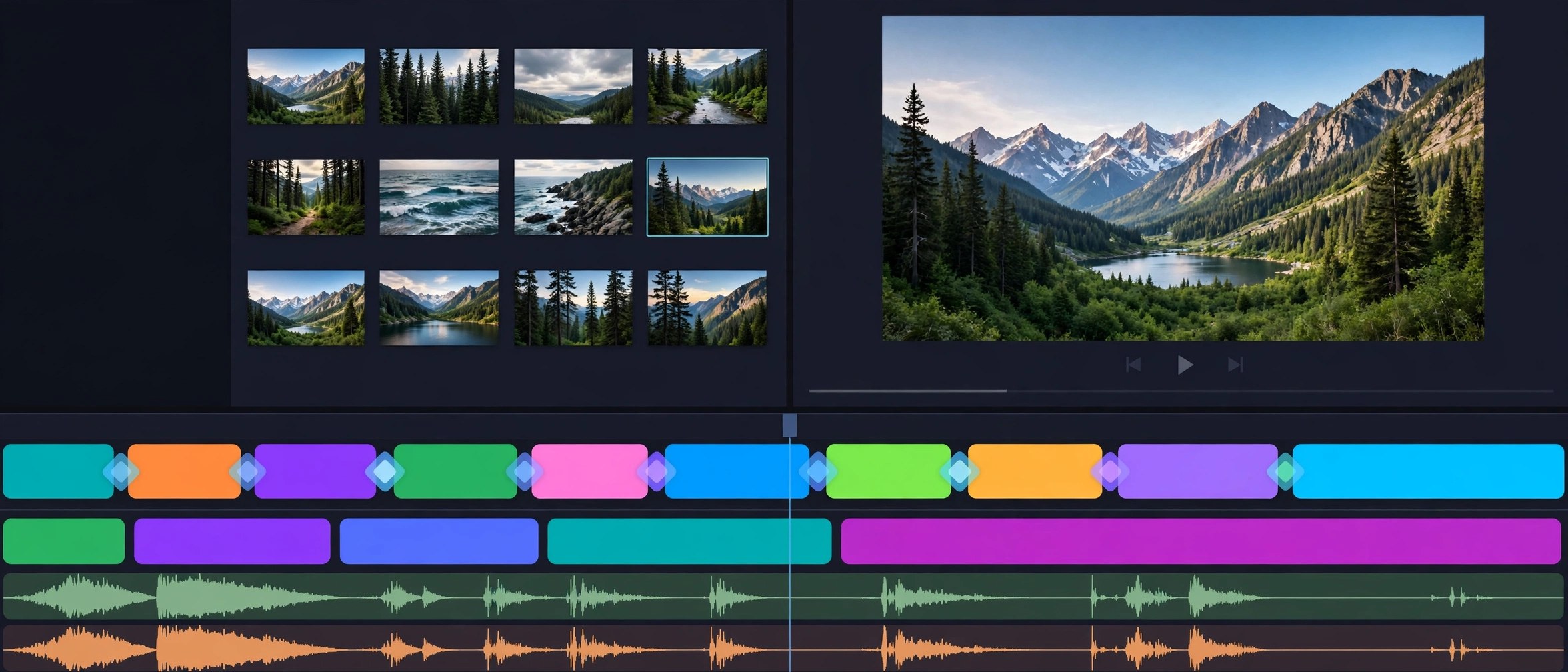
Mac UtilitiesKdenlive is a free and open source video editor from the KDE community, built for people who have outgrown a basic trim tool but do not want a subscription. The timeline holds many video and audio tracks, so a project can grow from a simple family clip into a layered production with music, voice and titles. Effects, transitions and colour tools sit close to the timeline. No watermark, no fee, and renders in the formats sharing sites expect.
Key Features
- Multi track timeline for video and audio with snapping and markers
- Wide library of effects and transitions, with keyframes for control
- Title and subtitle tools for captions and on screen text
- Colour scopes and correction tools for clips shot in mixed light
- Proxy clips for smooth editing of large camera files
How to Download
- Download from the official site and pick the macOS build for your Mac.
- Open the downloaded disk image and move Kdenlive into Applications.
- Launch Kdenlive, create a project, add clips and start editing.
System Requirements
Current Kdenlive builds for Mac need macOS 13 or later, with builds for Intel and Apple Silicon Macs. Editing rewards memory and free disk space for projects and renders.
FAQs
Is Kdenlive really free with no limits?
Yes. It is free and open source under the GPL, with no paid tier, watermark or trial timer.
Can Kdenlive handle 4K footage on a Mac?
It can. Proxy editing uses light stand in clips while you edit, then full quality files for the render.
Is Kdenlive good for beginners?
Expect a short learning curve. Simple cuts, titles and music are easy to learn, and the manual helps.







Leave a Reply