Category: Mac Audio

  • Audio Damage AD046 Quanta 1.2.0 for Mac

    Audio Damage AD046 Quanta 1.2.0 for Mac

    Audio Damage AD046 Quanta 1.2.0 for Mac

    Audio Damage AD046 Quanta 1.2.0 for Mac

    Mac Audio
    Updated Nov 6, 2026
    Mac Audio • Updated Nov 6, 2026

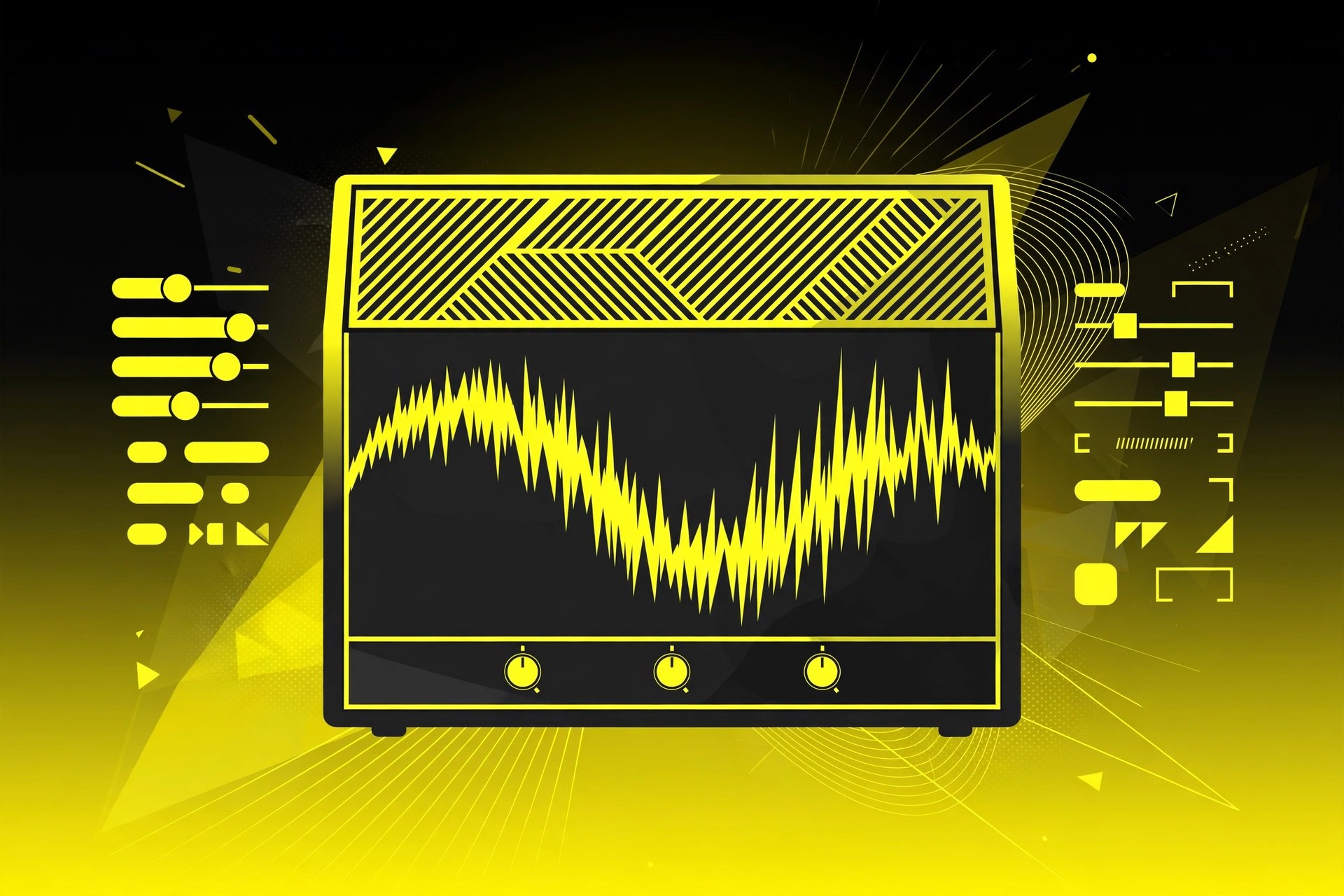
    Quanta is a granular synthesizer plug-in from Audio Damage for Mac. Instead of playing a sample back normally, its engine chops your audio into tiny grains and reassembles them, turning simple recordings into clouds, pads and strange melodic textures. It pairs that engine with filters, envelopes and flexible modulation inside your DAW.

    Key Features

    • Ten-voice true stereo granular engine with up to 100 grains per voice, each up to one second long
    • Load your own samples in WAV, AIFF, Ogg, FLAC and MP3 formats by drag and drop
    • Full control over grain pitch, rate, direction, shape, length, panning and source position
    • Two multi-mode filters plus flexible envelope generators and flexible LFOs for modulation
    • MPE support and a factory library with designer presets from well-known sound designers

    How to Download

    1. Check that your DAW can host AU, VST3 or AAX instrument plug-ins on macOS.
    2. Get the installer from the developer: Download from the official site
    3. Install Quanta, load it on an instrument track, and drop one of your own samples onto the waveform to begin.

    System Requirements

    Quanta needs a Mac running a recent version of macOS and a 64-bit DAW that supports AU, VST3 or AAX plug-ins. An Intel or Apple silicon Mac with a multi-core processor handles dense grain clouds best.

    FAQs

    Is there a newer version of Quanta?

    Yes. Audio Damage has since released Quanta 2, which adds a second virtual analogue oscillator and built-in effects. The official link on this page points to the current Quanta 2 product page on the Audio Damage site.

    Does Quanta come with sounds, or do I need my own samples?

    Both. Quanta ships with factory content and designer presets, and its real strength is loading your own audio, so any recording you own can become raw material for new sounds.

  • Audio Damage AD045 ADverb2 2.3 for Mac

    Audio Damage AD045 ADverb2 2.3 for Mac

    Audio Damage AD045 ADverb2 2.3 for Mac

    Audio Damage AD045 ADverb2 2.3 for Mac

    Mac Audio
    Updated Nov 6, 2026
    Mac Audio • Updated Nov 6, 2026

    ADverb2 is Audio Damage's vintage-style digital reverb plug-in for Mac, inspired by the lush plate reverbs of early-1980s studio hardware. It deliberately keeps the control set small and friendly, so you can dial in a flattering space for drums, vocals or synths in seconds rather than scrolling through pages of parameters.

    Key Features

    • Version 2.3 offers three algorithms: the original Plate, a modern Ambience, and a large smooth Hall
    • Shared controls for pre-delay, reverb time, size, contour, rolloff and diffusion
    • Input level and output mix controls to balance the reverb against your dry signal
    • Preset browser with folders and favourites, including a large factory preset collection
    • Runs as AU, VST3, AAX and CLAP in 64-bit Mac hosts, with no DRM or dongle

    How to Download

    1. Confirm your DAW supports AU, VST3, AAX or CLAP plug-ins on macOS.
    2. Get the installer from the developer: Download from the official site
    3. Run the installer, rescan your plug-ins, and insert ADverb2 on a track or an effects return.

    System Requirements

    ADverb2 runs on Intel and Apple silicon Macs with a recent version of macOS and a 64-bit DAW. See the official product page for the minimum system requirements of the current build.

    FAQs

    How is ADverb2 different from Eos 2?

    Eos 2 is Audio Damage's deeper modern algorithmic reverb with more algorithms and more shaping controls. ADverb2 is the vintage-character option: fewer knobs, a strong opinionated sound, and a workflow closer to old hardware.

    Can I try ADverb2 before buying?

    Audio Damage offers demo versions of its plug-ins on the official product pages, so check there for the current demo terms before you purchase a licence.

  • Audio Damage AD044 Discord4 4.2 for Mac

    Audio Damage AD044 Discord4 4.2 for Mac

    Audio Damage AD044 Discord4 4.2 for Mac

    Audio Damage AD044 Discord4 4.2 for Mac

    Mac Audio
    Updated Nov 6, 2026
    Mac Audio • Updated Nov 6, 2026

    Discord4 is Audio Damage's long-running stereo pitch shifter plug-in for Mac, originally modelled on the classic Eventide H910 harmonizer and developed well beyond it. Each channel has its own pitch shifter, delay, filter and feedback path, so repeats keep shifting as they echo, which makes it useful for everything from subtle vocal doubling to spiralling, otherworldly effects.

    Key Features

    • Two independent pitch shifters, one per stereo channel, with a range of three octaves up or down
    • Three engines: Vintage, Modern for cleaner shifting, and Granular with a Chaos control
    • Per-channel delay, bandpass filter and feedback, plus cross-feedback between channels
    • Built-in stereo reverb inside the feedback loop for easy shimmer-style effects
    • MIDI control of the shift amount and two flexible LFOs for moving, animated sounds

    How to Download

    1. Make sure your DAW supports AU, VST3, AAX or CLAP plug-ins on macOS.
    2. Get the installer from the developer: Download from the official site
    3. Install the plug-in, rescan in your DAW, and load Discord4 on a track or return to start experimenting.

    System Requirements

    Discord4 runs on Intel and Apple silicon Macs with a recent version of macOS and a 64-bit DAW. Check the official product page for the exact minimum macOS version of the current build.

    FAQs

    What is new in Discord4 4.2?

    Version 4.2 rebuilds the plug-in on current SDKs and adds a new preset browser with folders and favourites, a preset bar for stepping through sounds, and 30 new factory presets, bringing the total to 50.

    Is Discord4 a subscription?

    No. It is a one-time purchase with a perpetual licence, no DRM and no online activation requirement after install, according to Audio Damage.

  • Audio Damage AD043 Filterstation2 2.1.1 for Mac

    Audio Damage AD043 Filterstation2 2.1.1 for Mac

    Audio Damage AD043 Filterstation2 2.1.1 for Mac

    Audio Damage AD043 Filterstation2 2.1.1 for Mac

    Mac Audio
    Updated Nov 6, 2026
    Mac Audio • Updated Nov 6, 2026

    Filterstation2, from Audio Damage, is a dual resonant filter plug-in for Mac based on the classic serial and parallel filter topology made famous by the Sherman Filterbank. It runs inside your DAW as an effect, letting you sweep, mangle and animate synths, drums, guitars and vocals with two linked filters and plenty of modulation.

    Key Features

    • Two resonant filters that can run in series, in parallel, or split across the stereo field
    • Twelve filter algorithms, including lowpass, highpass, bandpass and notch responses
    • Includes Audio Damage's 914 bandpass and Filterpod lowpass models, plus an MS20-style filter
    • LFO with multiple patterns and tempo sync, plus an envelope follower for dynamic sweeps
    • Available in AU, VST3, AAX and CLAP formats for 64-bit Mac hosts

    How to Download

    1. Check that your DAW supports AU, VST3, AAX or CLAP plug-ins on macOS.
    2. Get the installer from the developer: Download from the official site
    3. Run the installer, rescan plug-ins in your DAW, and try the fully functional demo before you buy.

    System Requirements

    Filterstation2 runs on Intel and Apple silicon Macs with macOS 10.13 or later and a 64-bit DAW. A recent version of macOS is recommended for the latest build.

    FAQs

    Is Filterstation2 free?

    No. It is a paid plug-in from Audio Damage, sold with a perpetual licence and no subscription. A time-limited demo is available on the official product page so you can test it in your own sessions first.

    Does Filterstation2 need a dongle or online activation?

    No. Audio Damage sells its plug-ins without DRM or dongles, so once installed you can simply open Filterstation2 in your host and start working.

  • Audio Damage AD043 Filterstation 2.1.0 for Mac

    Audio Damage AD043 Filterstation 2.1.0 for Mac

    Audio Damage AD043 Filterstation 2.1.0 for Mac

    Audio Damage AD043 Filterstation 2.1.0 for Mac

    Mac Audio
    Updated Nov 6, 2026
    Mac Audio • Updated Nov 6, 2026

    Audio Damage AD043 Filterstation 2.1.0 for Mac is Filterstation2, a dual resonant filter plugin inspired by the Sherman Filterbank, the hardware unit famous for aggressive, musical filtering. Two filters can run in series, in parallel, or split across the stereo field.

    Twelve filter algorithms cover lowpass, highpass, bandpass and notch shapes, including Audio Damage's 914 bandpass and Filterpod models and an MS20-style filter. An envelope follower, an LFO with multiple patterns and a VCA mode for gating and tremolo make it as much a rhythm and sound-design tool as a filter.

    Key Features

    • Two resonant filters in serial, parallel or stereo configurations
    • 12 filter algorithms including 914 bandpass, Filterpod and MS20-style models
    • Envelope follower with stereo sidechain input for auto-wah style movement
    • LFO with twelve patterns plus VCA mode for tremolo and gating effects
    • Resizable vector interface and cross-platform presets, in AU, VST3, AAX and CLAP

    How to Download

    1. Check the system requirements below and confirm your DAW supports one of the plugin formats.
    2. Visit the product page and click Download from the official site to get the current Mac installer or trial.
    3. Run the installer from the official product page, then load Filterstation2 in your DAW.

    System Requirements

    Audio Damage lists Filterstation2 for Intel and Apple silicon macOS 10.13 or newer, in AU, VST3, AAX and CLAP formats. It is a perpetual licence with no copy protection or subscription.

    FAQs

    Is Filterstation2 based on real hardware?

    It is Audio Damage's take on the dual-filter topology the Sherman Filterbank made famous, rebuilt with modern features rather than being a sample of one specific unit.

    Is there an iPhone or iPad version?

    Yes, Filterstation2 is also sold separately as an AUv3 app for iPhone and iPad, and presets are compatible with the desktop plugin.

  • Audio Damage AD042 Axon 2.1.1 for Mac

    Audio Damage AD042 Axon 2.1.1 for Mac

    Audio Damage AD042 Axon 2.1.1 for Mac

    Audio Damage AD042 Axon 2.1.1 for Mac

    Mac Audio
    Updated Nov 6, 2026
    Mac Audio • Updated Nov 6, 2026

    Audio Damage AD042 Axon 2.1.1 for Mac is Axon 2, an FM percussion synthesizer driven by Audio Damage's unusual Neuron Sequencer. Instead of a normal step grid, neurons trigger each other in a network, creating rhythms that evolve and interact in ways a linear sequencer would not produce.

    Seven FM voices are tuned for drums and percussion, and the sequencer can also send MIDI out to drive other instruments. A built-in stereo delay extends the patterns further. It is an experimental instrument, aimed at IDM, ambient and electronic producers who enjoy happy accidents.

    Key Features

    • Neuron Sequencer that generates interacting, evolving rhythm patterns
    • Seven FM synthesis voices designed for percussion sounds
    • Sequencer can trigger external synths and samplers over MIDI
    • Built-in stereo delay for extending and smearing patterns
    • Full MIDI Learn for hardware control of sequencer and voices

    How to Download

    1. Check the system requirements below and note that Audio Damage now offers a newer Axon generation.
    2. Use the green Download button on this page to reach the developer's website, and get the Mac version from there.
    3. Install the plugin, load it as an instrument in your DAW, and start the sequencer.

    System Requirements

    Axon 2 runs on macOS as an AU, VST and AAX instrument plugin inside a DAW host. Audio Damage currently sells Axon 3, so check the developer's website for the version that fits your setup.

    FAQs

    Is Axon a normal drum machine?

    No. Its network sequencer deliberately avoids predictable step patterns, so it suits experimental rhythm work better than straightforward four-on-the-floor programming.

    Can Axon drive my other plugins?

    Yes. The sequencer outputs MIDI, so the patterns it generates can play other drum synths and samplers in your DAW while its own FM voices play along or stay silent.

  • Audio Damage AD037 Kombinat Tri 3.1.0 for Mac

    Audio Damage AD037 Kombinat Tri 3.1.0 for Mac

    Audio Damage AD037 Kombinat Tri 3.1.0 for Mac

    Audio Damage AD037 Kombinat Tri 3.1.0 for Mac

    Mac Audio
    Updated Nov 6, 2026
    Mac Audio • Updated Nov 6, 2026

    Audio Damage AD037 Kombinat Tri 3.1.0 for Mac is a multi-band distortion plugin built for serious sound mangling. Kombinat Tri splits your audio into low, mid and high bands with crossover filters, then lets a different distortion engine process each band independently.

    With thirteen engines on offer, from fuzz, saturation and tube clipping to ring modulation, bit degradation and the cheerfully named Nerd Rage, it can add gentle grit to one band or completely rebuild a drum loop. A resonant filter and a simple compressor at the output pull the result back together.

    Key Features

    • Three frequency bands with crossover controls and per-band bypass
    • 13 distortion engines including fuzz, saturate, clip, warp, degrade and ring mod
    • Output section with a multi-mode resonant filter and one-knob compressor
    • Factory presets covering subtle enhancement through to full destruction
    • AU, VST3 and AAX formats for Mac DAWs

    How to Download

    1. Check the system requirements below; note that Audio Damage now sells a newer Kombinat generation.
    2. Use the green Download button on this page to reach the developer's website, and get the Mac version from there.
    3. Install the plugin and load it on the track you want to process in your DAW.

    System Requirements

    Kombinat Tri runs on macOS as a 64-bit AU, VST3 and AAX plugin and needs a DAW host; it is not a standalone app. Audio Damage's current flagship is Kombinat4, so check the developer's site for which version suits your system.

    FAQs

    Is Kombinat Tri the latest version?

    No. Audio Damage has released Kombinat4 as the current generation, with more bands and engines. Kombinat Tri remains a capable three-band tool, and existing projects using it are unaffected.

    Can Kombinat Tri be subtle?

    Yes. Although it is famous for destruction, low drive settings on one band can add warmth or edge without obvious distortion, especially on drums and bass.

  • Audio Damage AD036 Dubstation 2.4.3 for Mac

    Audio Damage AD036 Dubstation 2.4.3 for Mac

    Audio Damage AD036 Dubstation 2.4.3 for Mac

    Audio Damage AD036 Dubstation 2.4.3 for Mac

    Mac Audio
    Updated Nov 6, 2026
    Mac Audio • Updated Nov 6, 2026

    Audio Damage AD036 Dubstation 2.4.3 for Mac is Dubstation 2, the bucket-brigade style dub delay that has been a fixture in electronic and dub production for over twenty years. It models the way analogue delay hardware darkens repeats as the delay time grows, giving echoes a warm, rounded character.

    Two delay lines can share one time or run independently, with ping-pong bouncing repeats across the stereo field. Saturation and filters sit inside the feedback path, an LFO bends the delay time for chorus-like movement, and reverse and loop modes turn it into a creative looper as well as a delay.

    Key Features

    • Bucket-brigade delay modelling with analogue-style darkening repeats
    • Dual delay lines, ping-pong mode and times from 4 ms up to 2 seconds
    • Saturation plus low- and high-cut filters in the feedback path
    • LFO modulation for chorus, pitch sweeps and moving echoes
    • Reverse and loop modes, tempo sync, tap tempo and a large factory preset library

    How to Download

    1. Check the system requirements below and confirm your DAW supports AU, VST3, AAX or CLAP.
    2. Visit the product page and click Download from the official site to get the current Mac installer or trial.
    3. Run the installer, then load Dubstation 2 on a track or delay return in your DAW.

    System Requirements

    Audio Damage lists Dubstation 2 for Intel and Apple silicon macOS 10.13 or newer, in AU, VST3, AAX and CLAP formats, sold as a perpetual licence with no copy protection.

    FAQs

    Is Dubstation 2 only for dub music?

    No. It is equally at home as a slapback on vocals and guitars, a tempo-synced echo on synths, or a looping texture tool; dub is simply where its sound became famous.

    Does it need an internet connection to activate?

    No. Like all Audio Damage products, Dubstation 2 has no copy protection and no online activation requirement after installation.

  • Audio Damage AD034 Eos 2.5.0 for Mac

    Audio Damage AD034 Eos 2.5.0 for Mac

    Audio Damage AD034 Eos 2.5.0 for Mac

    Audio Damage AD034 Eos 2.5.0 for Mac

    Mac Audio
    Updated Nov 6, 2026
    Mac Audio • Updated Nov 6, 2026

    Audio Damage AD034 Eos 2.5.0 for Mac is the current Eos 2 algorithmic reverb plugin, a long-running studio favourite from Audio Damage. Its algorithms were designed with Valhalla DSP, and it is known for dense, musical reverbs that suit synths, vocals and ambient work especially well.

    Eos 2 offers five algorithms: three plate reverbs, the long and lush SuperHall, and Random Plate, which was added in version 2.5. Controls stay deliberately simple, with crossover and filtering built in, so you can shape a space quickly instead of scrolling through dozens of parameters.

    Key Features

    • Five reverb algorithms: three plates, SuperHall and Random Plate
    • Algorithms designed for Audio Damage by Valhalla DSP
    • Built-in crossover and filtering to shape the reverb tail
    • Cross-platform preset system shared with the iOS version
    • AU, VST3, AAX and CLAP formats, with no copy protection or subscription

    How to Download

    1. Check the system requirements below and confirm your DAW supports one of the plugin formats.
    2. Visit the product page and click Download from the official site to get the current Mac installer or trial.
    3. Buy or download the installer, run it, and load Eos 2 on a track or return in your DAW.

    System Requirements

    Audio Damage lists Eos 2 for Intel and Apple silicon macOS 10.13 or newer, in AU, VST3, AAX and CLAP formats. It is a perpetual licence with no online activation required after install.

    FAQs

    Is Eos 2 a subscription plugin?

    No. It is a one-time purchase with a perpetual licence, and Audio Damage uses no copy protection on its plugins, so there is no dongle or activation server involved.

    Is there an iPad version?

    Yes, Eos 2 is also available separately as an AUv3 app for iPhone and iPad, and its presets are compatible with the desktop version.

  • Audio Assault Sigma 1.02 for Mac

    Audio Assault Sigma 1.02 for Mac

    Audio Assault Sigma 1.02 for Mac

    Audio Assault Sigma 1.02 for Mac

    Mac Audio
    Updated Nov 6, 2026
    Mac Audio • Updated Nov 6, 2026

    Audio Assault Sigma 1.02 for Mac, styled SI6MA, is a guitar amp simulation plugin built for heavy tones. Audio Assault modelled it on an acclaimed high-gain amplifier, and it is aimed squarely at rock and metal players who record direct into a DAW.

    Around the amp itself you get the tools a high-gain rig needs: a noise gate to keep tight riffs clean, a screamer-style drive in front, a 3-band EQ, and power amp saturation for pushing the sound harder. It also loads speaker cabinet responses, so a DI guitar can sound like a recorded amp without a microphone in sight.

    Key Features

    • High-gain amp model designed for aggressive rock and metal tones
    • Built-in noise gate and screamer-style boost for tight, focused riffs
    • 3-band EQ and a focus control for shaping the top end
    • Power amp saturation control for extra weight and grit
    • Cabinet response loading to complete the recorded-amp sound

    How to Download

    1. Check the system requirements below and make sure your DAW supports AU, VST3 or AAX.
    2. Use the green Download button on this page to reach the developer's website, and get the Mac version from there.
    3. Install the plugin, load it on a DI guitar track, and choose a cabinet to complete the tone.

    System Requirements

    Sigma runs on 64-bit Mac systems with a recent version of macOS, in AU, VST, VST3 and AAX formats. Check Audio Assault's website for the current build and exact requirements.

    FAQs

    Is Audio Assault Sigma free?

    Sigma was released as a free plugin when it launched, which is rare for a full amp sim. Availability can change as Audio Assault reorganises its store, so check the official site.

    Do I need Amp Locker to use Sigma?

    No. Sigma is a standalone plugin from before the Amp Locker platform became the centre of Audio Assault's range, so it loads directly in your DAW.