Author: admin

  • FL Studio 2026 for Mac

    FL Studio 2026 for Mac

    FL Studio 2026 for Mac

    FL Studio 2026 for Mac

    Mac Audio
    Updated Nov 4, 2026
    Mac Audio • Updated Nov 4, 2026

    FL Studio 26 is the latest generation of Image-Line's legendary digital audio workstation, now fully at home on the Mac. FL Studio started life as a Windows-only step sequencer, but the native macOS version has been a first-class citizen since version 20, and the current release runs cleanly on Intel and Apple silicon Macs. It is a complete production environment: pattern-based beat making, multi-track recording, a deep piano roll, dozens of built-in instruments and effects, and flexible mixing and mastering tools. The 2026 line brings a redesigned FLEX instrument, cloud project backup and new assistance features aimed at keeping you in the creative flow. Image-Line's standout policy remains lifetime free updates — once you own an edition, every future release is yours at no extra cost.

    Key Features

    • Native macOS app for Intel and Apple silicon, with the same workflow as the Windows version.
    • Pattern-based step sequencer plus multi-track timeline, piano roll and playlist arrangement.
    • Dozens of built-in instruments and effects, including the redesigned FLEX synth.
    • Cloud project backup and integrated FL Cloud sounds, plugins and mastering options.
    • Lifetime free updates for every paid edition — buy once, get future versions free.

    How to Download

    1. Download from the official site to reach the official FL Studio page on image-line.com.
    2. Open the Downloads section and grab the macOS installer — the free trial is the full program with no time limit.
    3. Install on your Mac, then unlock the paid features any time by signing into your Image-Line account.

    Is FL Studio free on Mac?

    The trial is free and unlimited in time — you can make full projects, though saving and reopening requires a paid edition. Owners get lifetime free updates.

    Does FL Studio 26 run on Apple silicon?

    Yes. FL Studio runs natively on Apple silicon Macs and Intel Macs alike; the same license works on both macOS and Windows.
  • Final Cut Pro 12.4 for Mac

    Final Cut Pro 12.4 for Mac

    Final Cut Pro 12.4 for Mac

    Final Cut Pro 12.4 for Mac

    Mac Video
    Updated Nov 4, 2026
    Mac Video • Updated Nov 4, 2026

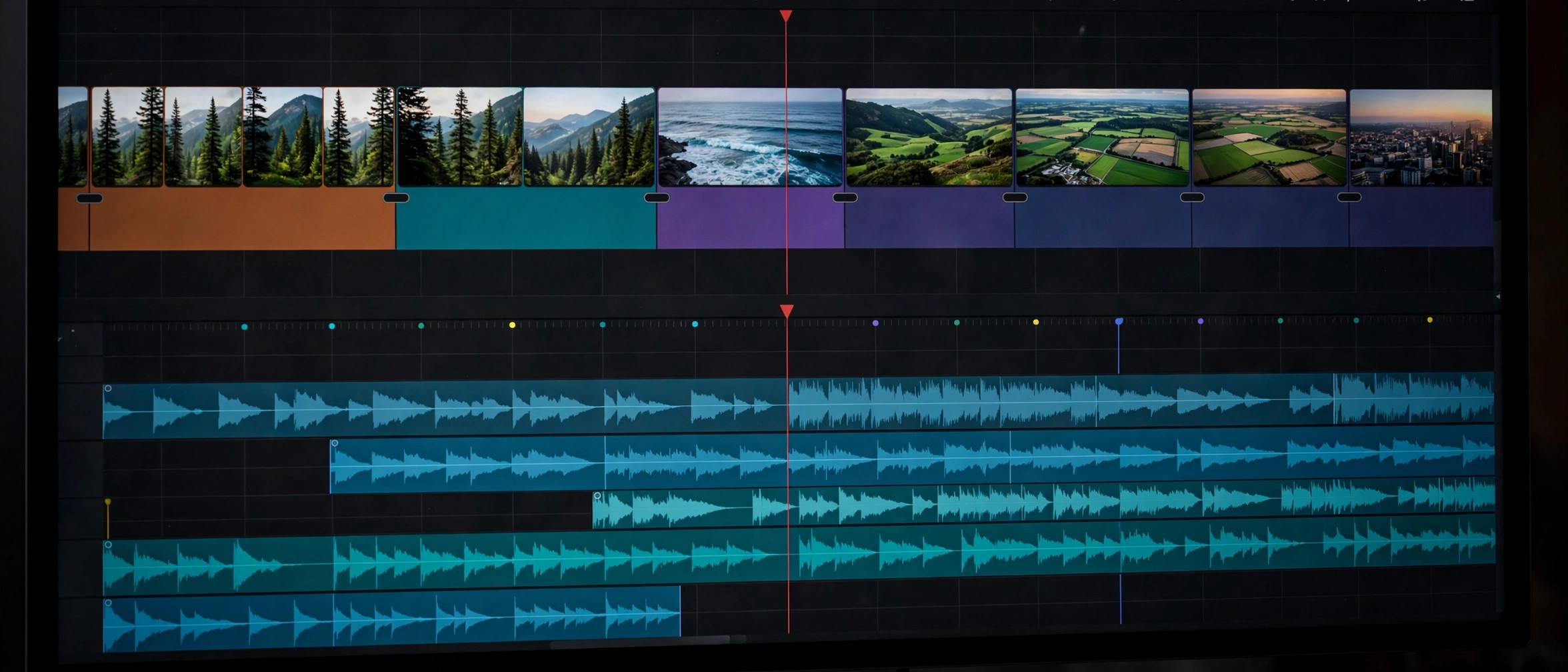
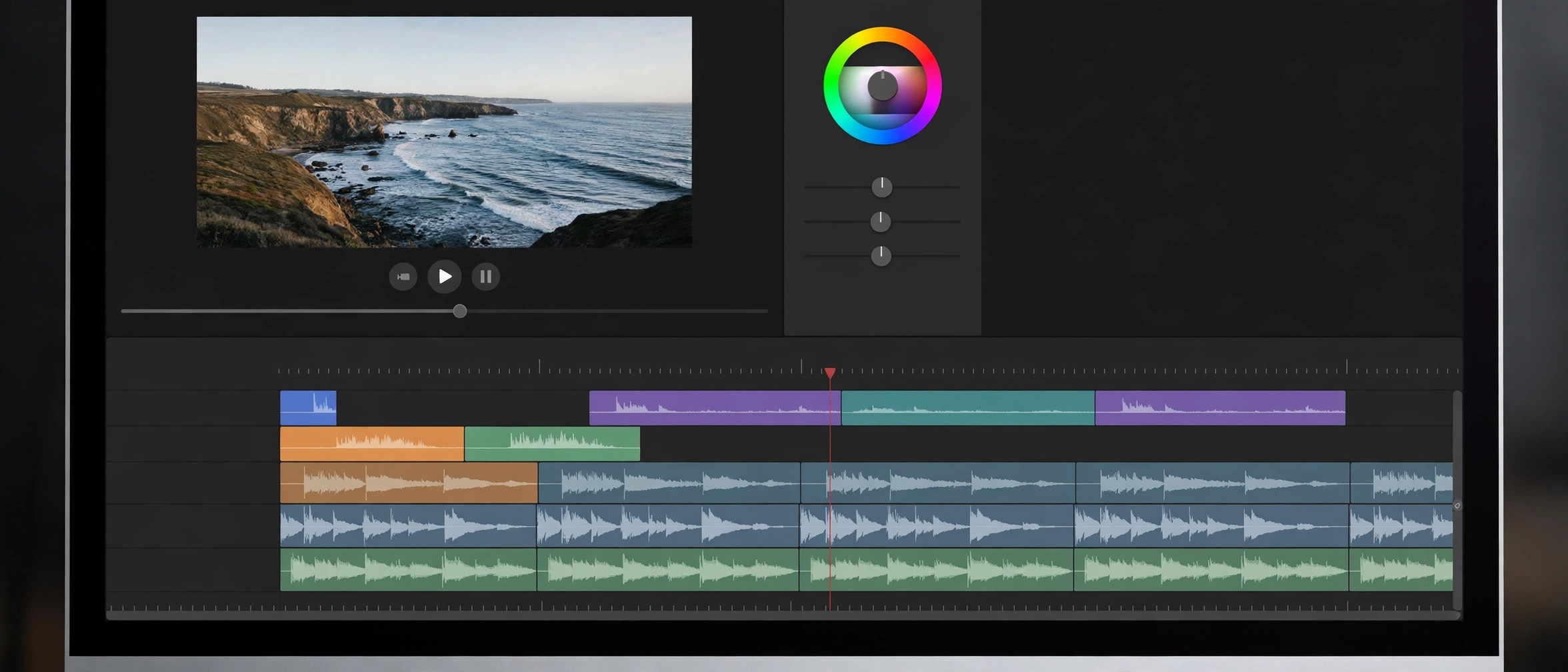
    Final Cut Pro 12.4 is Apple's professional video editor for Mac, built around the Magnetic Timeline that keeps clips in sync as you rearrange your story. It is optimized for Apple silicon, so 4K and higher-resolution timelines play and export quickly. Apple sells it as a one-time purchase, distributed exclusively through the Mac App Store.

    Key Features

    • Magnetic Timeline for fast, sync-safe editing without track collisions
    • Native Apple silicon performance with ProRes hardware acceleration
    • Professional color grading, audio mixing, and motion graphics tools built in
    • Multicam editing, 360-degree video, and HDR support
    • Companion apps Motion and Compressor available for titles and delivery

    How to Download

    1. Download from the official site — the App Store listing sold by Apple Inc.
    2. Buy it as a one-time purchase and it installs automatically through the App Store.
    3. Prefer a subscription? It is also bundled in Apple Creator Studio, which includes a free trial for new subscribers.

    Is Final Cut Pro free?
    No. It is a paid app — either a one-time purchase on the Mac App Store, or included in the Apple Creator Studio subscription (with a free trial).

    Does it work on Windows?
    No. Final Cut Pro is available for Mac and iPad only — there is no Windows version.

  • Filmora 16.0 for Mac

    Filmora 16.0 for Mac

    Filmora 16.0 for Mac

    Filmora 16.0 for Mac

    Mac Video
    Updated Nov 4, 2026
    Mac Video • Updated Nov 4, 2026

    Filmora is Wondershare's video editor aimed at creators who want professional-looking results without the learning curve of pro suites. The Mac version runs natively on both Apple Silicon and Intel Macs (macOS 10.15 or later) and packs a full editing timeline together with AI-powered tools: AI video enhancer, smart short-clip generator, auto captions, and a pen tool, plus screen recording and audio editing built in. It's the kind of editor that works for YouTube videos, social clips, and marketing content where speed matters more than frame-by-frame precision.

    Filmora is free to download and you can edit with every feature, but exports from the free version carry a Filmora watermark — there's no time limit on the trial. A paid plan removes the watermark, and the current release line is Filmora 16.

    Key Features

    • Multi-track timeline editor designed for beginners and semi-pros
    • AI tools: video enhancer, smart short clips, auto captions, and pen tool
    • Built-in screen recorder and audio editing workflow
    • Large library of effects, transitions, titles, and stock media
    • Native support for Apple Silicon and Intel Macs

    How to Download

    1. Go to the official Wondershare Filmora website and make sure you pick the Mac version.
    2. Get the official installer here: Download from the official site
    3. Open the downloaded Filmora Installer DMG, agree to the prompts, and install it on your Mac to start the free trial.

    Is Filmora free?
    It's free to download and edit with, but exported videos carry a watermark until you buy a plan. There's no free full version without the watermark.

    Which macOS versions are supported?
    The current version supports macOS 10.15 (Catalina) through macOS 26 (Tahoe), on both Intel and Apple Silicon Macs.

  • FileMaker Pro 2026 for Mac

    FileMaker Pro 2026 for Mac

    FileMaker Pro 2026 for Mac

    FileMaker Pro 2026 for Mac

    Mac Business
    Updated Nov 4, 2026
    Mac Business • Updated Nov 4, 2026

    Claris FileMaker Pro 19.5.1.36 for Mac is a low-code platform for building custom business apps — think inventory trackers, client databases, and reporting dashboards — without writing traditional code. Backed by Claris, an Apple company, it has been helping teams solve real workflow problems for over 40 years. You design layouts with drag-and-drop, connect tables with visual relationships, and automate routine work with its built-in script engine. Apps you build run natively on Mac, Windows, iPhone, and iPad, and can also be accessed through a web browser. It is a practical choice for small businesses that have outgrown spreadsheets but don't want to hire developers.

    Key Features

    • Low-code app builder: design custom apps with drag-and-drop layouts — if you can manage a spreadsheet, you can build with FileMaker Pro.
    • Built-in templates: start from ready-made starter apps for contacts, inventory, invoices, and more.
    • Script engine: automate hundreds of steps for workflows, data processing, and app behavior without a programming language.
    • Cross-platform deployment: run your apps on macOS, Windows, iPhone, iPad, and the web via FileMaker WebDirect.
    • Secure multi-user access: user authentication, role-based access controls, and record-level security for teams.

    How to Download

    1. Visit Claris's official page and Download from the official site to begin the genuine free trial.
    2. Sign up with your email — no credit card is required — and download the FileMaker Pro installer for Mac.
    3. Install the app and start your 45-day trial with full access to the platform from day one.

    Is there a free trial of FileMaker Pro?

    Yes. Claris offers a free 45-day trial of FileMaker with full platform access, and no credit card is required to start it.

    Do I need programming skills to use FileMaker Pro?

    No. It is a low-code platform: drag-and-drop design, visual relationships, and built-in templates mean most apps can be built without writing traditional code.

  • EndNote 2025.3 for Mac

    EndNote 2025.3 for Mac

    EndNote 2025.3 for Mac

    EndNote 2025.3 for Mac

    Mac Business
    Updated Nov 4, 2026
    Mac Business • Updated Nov 4, 2026

    EndNote 2025.3 is the Mac version of the long-running reference manager from Clarivate, used by researchers, students and academics to collect sources, insert citations and build correctly formatted bibliographies. Instead of hand-typing references or wrestling with style guides, you save articles and PDFs into an EndNote library and let the app handle formatting across more than 7,500 journal and citation styles. The 2025 line adds AI-assisted tools, including a Research Assistant designed to surface insights from your own library, and keeps the tight integration with Microsoft Word that most academic writers rely on. EndNote 2025.3 for macOS runs on Intel and Apple silicon Macs and syncs your library between desktop and the web, so your references follow you between machines.

    Key Features

    • Reference library with PDF storage, annotations and full-text search across everything you have saved.
    • Cite While You Write integration with Microsoft Word for in-text citations and instant bibliographies.
    • More than 7,500 citation styles, with tools to find journal-specific output styles.
    • AI-assisted Research Assistant in EndNote 2025 to help surface insights from your library.
    • Library sharing and EndNote Online sync for collaboration and working across devices.

    How to Download

    1. Download from the official site to reach the official EndNote product page from Clarivate.
    2. Choose the trial or purchase option that fits you; the installer downloads as a disk image (.dmg).
    3. Open the .dmg, run the installer, and either enter your product key or start the 30-day free trial when prompted.

    Is EndNote free for Mac?

    EndNote is commercial software. You can install a 30-day free trial from the official site to evaluate it before buying a license.

    Does EndNote 2025.3 work with Apple silicon Macs?

    Yes. The current EndNote 2025 releases support modern macOS on both Intel and Apple silicon machines; check the official system requirements for your setup.

  • DaVinci Resolve Studio 21.2 for Mac

    DaVinci Resolve Studio 21.2 for Mac

    DaVinci Resolve Studio 21.2 for Mac

    DaVinci Resolve Studio 21.2 for Mac

    Mac Video
    Updated Nov 4, 2026
    Mac Video • Updated Nov 4, 2026

    DaVinci Resolve Studio 21.1.1 is Blackmagic Design's paid edition of its all-in-one post-production suite, combining editing, color grading, visual effects, motion graphics, and audio mixing in a single app. It builds on the genuinely free DaVinci Resolve with the Neural Engine AI tools, extra effects, and professional format support. Version 21.1.1 belongs to the Resolve 21 family released for Mac, Windows, and Linux.

    Key Features

    • Editing, color, VFX, motion graphics, and Fairlight audio in one application
    • DaVinci Neural Engine tools like Magic Mask and smart reframing
    • Over 100 extra Resolve FX, temporal noise reduction, and HDR grading in the Studio edition
    • Support for 10-bit video, higher frame rates, and resolutions beyond 4K
    • One-time purchase license — no subscription

    How to Download

    1. Download from the official site — choose the DaVinci Resolve Studio installer for Mac from Blackmagic's download page.
    2. Studio needs an activation key, dongle, or assigned Cloud license. If you bought Studio on the Mac App Store, use the Store edition instead.
    3. Run the installer, enter your license details, and activate.

    Is there a free version?
    Yes. The standard DaVinci Resolve is free and genuinely capable. Studio is the paid one-time upgrade aimed at professionals.

    Is Studio a subscription?
    No. DaVinci Resolve Studio is sold as a one-time purchase license.

  • Compressor 5.4 for Mac

    Compressor 5.4 for Mac

    Compressor 5.4 for Mac

    Compressor 5.4 for Mac

    Mac Video
    Updated Nov 4, 2026
    Mac Video • Updated Nov 4, 2026

    Compressor is Apple's professional encoding companion for Final Cut Pro and Motion, built for editors who need precise control over how video is compressed and delivered. Where Final Cut Pro covers fast, preset-based sharing, Compressor opens up the settings underneath: you can fine-tune codecs, resolutions, captions and packaging for broadcast, streaming or archive. The 5.0 generation brought the interface and engine up to date for modern workflows, including spatial and immersive video formats alongside everyday standards like H.264 and HEVC. It is a one-time purchase through the Mac App Store rather than a subscription, which makes it an easy add-on for freelancers and small studios. If you are finishing projects on a Mac and want delivery-ready files every time, Compressor earns its place in the toolkit.

    Key Features

    • Deep integration with Final Cut Pro and Motion — send timelines straight to Compressor with your custom settings.
    • Wide codec support, including ProRes, H.264, HEVC and caption formats such as CEA-608, iTT and SRT.
    • Batch encoding with droplet workflows to convert whole folders of files in one pass.
    • Distributed encoding across multiple Macs on a network to finish large jobs faster.
    • Custom export presets that you can create once and reuse across every project.

    How to Download

    1. Open the Mac App Store on your Mac and make sure you are signed in with your Apple Account.
    2. Search for Compressor or Download from the official site to open the app's official Mac App Store page.
    3. Complete the one-time purchase, click Get or the download icon, and the app installs to your Applications folder automatically.

    Is Compressor included with Final Cut Pro?

    No. Compressor is sold separately on the Mac App Store, although it integrates tightly with Final Cut Pro and Motion once installed.

    Does Compressor offer a free trial?

    Apple does not currently offer a free trial of Compressor; it is a paid one-time purchase, with no subscription required.

  • CleanMyMac for Mac

    CleanMyMac for Mac

    CleanMyMac for Mac

    CleanMyMac for Mac

    Mac Utilities
    Updated Nov 4, 2026
    Mac Utilities • Updated Nov 4, 2026

    CleanMyMac is MacPaw's flagship Mac maintenance app, built exclusively for macOS since 2009. It combines several utilities into one window: junk cleanup that removes caches, logs, and system waste; a malware scanner powered by MacPaw's Moonlock technology; an uninstaller that removes apps with their leftover files; and a Space Lens disk visualizer that shows what's eating your storage. Because every build is notarized by Apple and the app is also sold on the Mac App Store, it's one of the safest cleanup tools you can install on a Mac.

    CleanMyMac isn't free — plans start with a monthly subscription, a yearly plan, or a one-time purchase — but MacPaw offers a 7-day free trial that unlocks the full feature set so you can evaluate it properly before paying. The app requires macOS 11 (Big Sur) or later and runs on both Apple Silicon and Intel Macs.

    Key Features

    • Smart cleanup that removes junk, caches, and system logs safely
    • Moonlock malware scanning built into the maintenance routine
    • Uninstaller that deletes apps together with leftover files
    • Space Lens disk visualization to find and remove large files
    • Updater and extension manager to keep apps and plugins current

    How to Download

    1. Head to the official MacPaw download page for CleanMyMac.
    2. Start your download from the official site: Download from the official site
    3. Open the DMG, drag CleanMyMac to your Applications folder, and launch it to begin the 7-day free trial.

    Is CleanMyMac free?
    No. It's paid software (subscription or one-time license), but there's a 7-day free trial with full features. There's no free full version.

    Is it safe?
    Yes, when downloaded from macpaw.com or the Mac App Store. Be aware of fake copycat sites — never install CleanMyMac from a page that asks you to paste Terminal commands.

  • CleanMyMac 5.7.3 for Mac

    CleanMyMac 5.7.3 for Mac

    CleanMyMac 5.7.3 for Mac

    CleanMyMac 5.7.3 for Mac

    Mac Utilities
    Updated Nov 4, 2026
    Mac Utilities • Updated Nov 4, 2026

    CleanMyMac 5.5.6 for Mac is MacPaw's all-in-one Mac maintenance utility, built to keep your computer running fast and clutter-free. Instead of juggling a handful of separate tools, you get junk cleanup, malware removal, performance optimization, and app management in one tidy interface. It works on both Apple Silicon and Intel Macs, and it is notarized by Apple, which means it has passed Apple's own security check for malware. Whether your drive is filling up with leftover files or your Mac just feels sluggish, this is a straightforward way to give it a proper tune-up.

    Key Features

    • Smart Care: run a complete cleanup, protection, and speed optimization with a single click.
    • Deep junk scanning: finds and removes system junk, outdated caches, logs, and large hidden files that eat up storage.
    • Anti-malware protection: the built-in Moonlock engine scans for macOS malware, adware, and ransomware.
    • App uninstaller and updater: completely remove unused apps along with their leftovers, and keep the rest up to date.
    • Menu-bar health monitor: watch CPU load, memory usage, and disk space in real time from your menu bar.

    How to Download

    1. Click the button below to Download from the official site — this takes you to MacPaw's official CleanMyMac page.
    2. Grab the free trial installer, open the downloaded .DMG file, and drag CleanMyMac into your Applications folder.
    3. Launch the app and run your first Smart Care scan. After the trial, you can keep using it with a paid plan.

    Is CleanMyMac 5.5.6 free?

    MacPaw offers a free trial so you can test the full feature set before paying. After the trial ends, CleanMyMac requires a paid subscription or one-time plan to keep using.

    Is CleanMyMac safe to use?

    Yes. It is notarized by Apple, and MacPaw states the app only deletes files that are safe for removal. As with any cleaner, it is smart to review what a scan finds before deleting.

  • Capture One Pro 16.9 for Mac

    Capture One Pro 16.9 for Mac

    Capture One Pro 16.9 for Mac

    Capture One Pro 16.9 for Mac

    Mac Photo & Design
    Updated Nov 4, 2026
    Mac Photo & Design • Updated Nov 4, 2026

    Capture One Pro 16.7.5.7 for Mac is professional photo editing software built around outstanding RAW processing and true-to-life color. Born from a company with decades of imaging expertise, it gives photographers precise control over every part of the image — from tethered shooting in the studio to the final export. It supports hundreds of camera models and lenses with tailored color profiles, so your files look right from the moment they load. Many professionals choose it for its industry-leading tethered capture and its session-based workflow that keeps client shoots fast and organized.

    Key Features

    • Superb RAW processing: detailed, natural-looking conversions with tailored profiles for nearly 600 cameras.
    • Industry-leading tethering: shoot directly into Capture One with fast, reliable live preview.
    • Precision color tools: advanced color editing, skin tone tools, and true-to-life color science.
    • Layers and masking: local adjustments with AI-assisted masking for selective edits.
    • Flexible workflow: Sessions for shoots and Catalogs for large archives, with Lightroom catalog import.

    How to Download

    1. Go to Capture One's official page and Download from the official site to start the free trial safely.
    2. Install the app on your Mac and sign in with your Capture One account to activate the trial.
    3. Import a few RAW files and explore the editing tools before choosing a subscription or perpetual license.

    Can I try Capture One Pro for free?

    Yes. Capture One offers a free trial from its official website so you can test the full Pro feature set before deciding on a plan.

    Do I need a subscription to use Capture One Pro?

    No. Pro is available as a monthly or annual subscription, but you can also buy a perpetual license that you own outright — the choice is yours.