Author: admin

  • AdGuard 2.13.0.1558 for Mac

    AdGuard 2.13.0.1558 for Mac

    AdGuard 2.13.0.1558 for Mac

    AdGuard 2.13.0.1558 for Mac

    Mac Security
    Updated Nov 4, 2026
    Mac Security • Updated Nov 4, 2026

    AdGuard 2.13.0.1558 for Mac is a full-featured desktop app that blocks ads, pop-ups and trackers across your entire Mac — not just inside one browser. Because it filters at the system level, it cleans up pages in Safari, Chrome, Firefox and other apps, while also cutting the tracking scripts that follow you around the web.

    AdGuard also adds practical privacy and safety layers: phishing and malicious-site warnings, custom filter lists, and control over which apps and sites are filtered. The result is faster page loading, less visual clutter and a noticeably quieter browsing experience, with a menu-bar interface for quick on and off control.

    Key Features

    • System-wide ad, pop-up and banner blocking in all browsers and apps
    • Tracker and third-party cookie blocking to protect your privacy
    • Phishing and malicious website protection
    • Custom filter lists and rules for advanced users
    • Easy menu-bar control with per-app and per-site filtering options

    How to Download

    1. Download from the official site to get the genuine AdGuard installer for macOS.
    2. Open the downloaded DMG, launch the installer and approve the system permissions it asks for.
    3. Complete the in-app setup, choose your filters, and AdGuard will start protecting your Mac.

    Is AdGuard for Mac free?
    Not the full version. AdGuard offers a free trial period for the desktop app; continued full use requires a paid licence, which also works across other platforms. A separate free Safari-only extension exists, but it is a different, lighter product.

    Can I download AdGuard from third-party sites instead?
    We recommend against it. AdGuard handles your web traffic, so installing a modified copy from an unofficial site is especially risky. The official adguard.com download page is the only safe source.
  • Acon Digital Mastering Suite 1.1.4 for Mac

    Acon Digital Mastering Suite 1.1.4 for Mac

    Acon Digital Mastering Suite 1.1.4 for Mac

    Acon Digital Mastering Suite 1.1.4 for Mac

    Mac Audio
    Updated Nov 4, 2026
    Mac Audio • Updated Nov 4, 2026

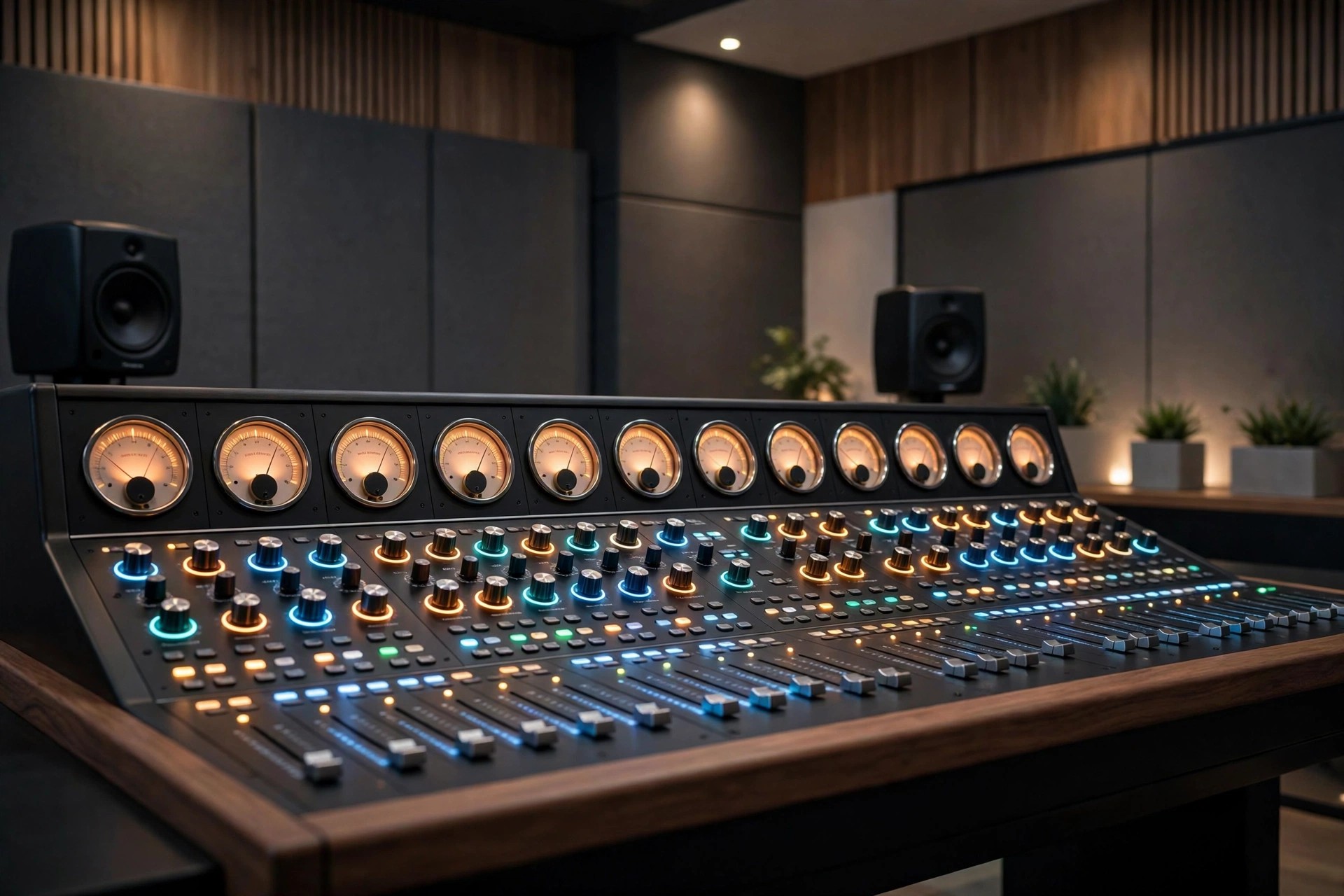
    Acon Digital Mastering Suite 1.1.4 for Mac is a focused bundle for the final stage of a production: mastering. Now presented by Acon Digital as the Mix & Mastering Suite, it gives Mac producers a transparent set of tools to polish a finished mix without changing its character.

    The idea behind the suite is clarity rather than colour. Its five classic plug-ins handle equalisation, compression, multiband control, peak limiting and dithering, each designed to stay clean even at strong settings, so loudness and balance come from careful processing, not distortion.

    Key Features

    • Equalize parametric EQ with freely adjustable filter slope per band
    • Dynamics works as a compressor, expander or gate with look-ahead
    • Multiband Dynamics for dynamic control in up to four frequency bands
    • Limit transparent limiter for clean loudness and true-peak control
    • Dither with flexible perceptual noise shaping for bit-depth conversion

    How to Download

    1. Check your Mac DAW supports VST, VST3, AAX or Audio Units plug-ins.
    2. Download from the official site and try the suite on a finished mix.
    3. Install the plug-ins, build a simple mastering chain, and compare at matched loudness.

    Is Acon Digital Mastering Suite free?
    No, the suite is a paid bundle. Acon Digital offers a free trial with no credit card required, so you can master a track before buying.

    Do I still need a DAW to use Mastering Suite?
    Yes, these are plug-ins, not a standalone app. They run inside a compatible Mac host such as Logic Pro, Cubase, Studio One or Reaper.

  • Acon Digital Extract Dialogue 1.0.5 for Mac

    Acon Digital Extract Dialogue 1.0.5 for Mac

    Acon Digital Extract Dialogue 1.0.5 for Mac

    Acon Digital Extract Dialogue 1.0.5 for Mac

    Mac Audio
    Updated Nov 4, 2026
    Mac Audio • Updated Nov 4, 2026

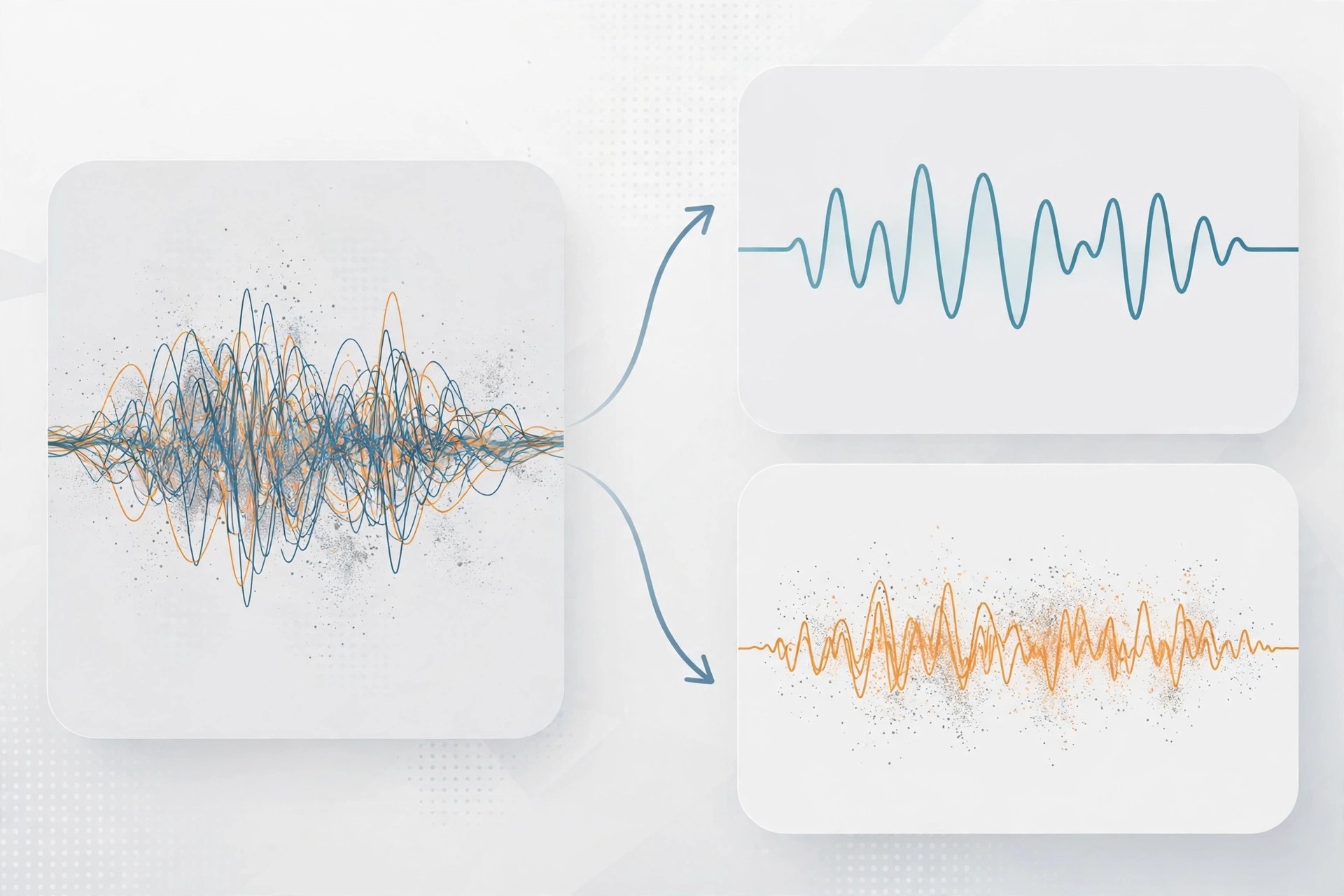
    Acon Digital Extract Dialogue 1.0.5 for Mac is a speech-cleaning plug-in for video editors, podcasters and dialogue editors. When a voice was recorded next to traffic, wind, rustling clothes or a humming air conditioner, it works to isolate the words and push the distractions into the background.

    The plug-in is built on deep learning. It was trained on large sets of clean voice recordings and common noise sources, so it can tell dialogue apart from background sound in real time, without you building noise profiles or drawing anything on a spectrogram first.

    Key Features

    • AI separation of dialogue from wind, traffic, hum, clicks and rustle
    • Fully automatic operation — add it to a dialogue track and it works
    • Sensitivity controls, including adjustment in separate frequency bands
    • Real-time processing for editing in your DAW or video editor
    • Runs on Mac as VST, VST3, AAX and Audio Units plug-ins

    How to Download

    1. Make sure your Mac editing host supports VST, AU or AAX plug-ins.
    2. Download from the official site and install the free trial.
    3. Place Extract Dialogue on a noisy dialogue clip and adjust sensitivity to taste.

    Is Acon Digital Extract Dialogue free?
    No, it is paid software. Use the free trial from Acon Digital to test it on your hardest location recording before deciding to buy.

    Is it safe to get Extract Dialogue from mirror sites?
    No, mirror and crack sites risk malware and broken licences. The official Acon Digital page is the only download source we recommend.

  • Acon Digital DeVerberate 3.0.3 for Mac

    Acon Digital DeVerberate 3.0.3 for Mac

    Acon Digital DeVerberate 3.0.3 for Mac

    Acon Digital DeVerberate 3.0.3 for Mac

    Mac Audio
    Updated Nov 4, 2026
    Mac Audio • Updated Nov 4, 2026

    Acon Digital DeVerberate 3.0.3 for Mac tackles a problem every recorder knows: too much room. When dialogue, a vocal or an interview was captured in a reverberant hall, bathroom-like office or empty room, this plug-in can pull the reverb down and bring the voice forward.

    Version 3 uses deep learning for dialogue, trained to separate the direct voice from its reflections automatically. For music and other material it keeps a proven manual algorithm, giving you separate control over the dry signal and the reverberated signal so you can reduce echo, or even increase it for creative effect.

    Key Features

    • AI-based automatic reverb reduction for recorded dialogue and speech
    • Manual mode for vocals, instruments and finished music recordings
    • Separate level control for direct sound and reverberation
    • Early Reflections Filter to target the most noticeable room reflections
    • Available for Mac as VST, VST3, AAX and Audio Units plug-ins

    How to Download

    1. Check that your Mac host supports VST, AU or AAX plug-ins.
    2. Download from the official site and try the trial on your roomiest recording.
    3. Install, load DeVerberate on the track, and adjust the reverb level to taste.

    Is Acon Digital DeVerberate free?
    No, it is a paid plug-in, but a free trial is available from Acon Digital so you can hear the de-reverb result on your own audio first.

    Can DeVerberate remove all reverb completely?
    It can reduce reverb dramatically, especially on dialogue, but extreme, very long reverb may leave traces. Gentle settings usually sound the most natural.

  • Acon Digital DeFilter 1.1.4 for Mac

    Acon Digital DeFilter 1.1.4 for Mac

    Acon Digital DeFilter 1.1.4 for Mac

    Acon Digital DeFilter 1.1.4 for Mac

    Mac Audio
    Updated Nov 4, 2026
    Mac Audio • Updated Nov 4, 2026

    Acon Digital DeFilter 1.1.4 for Mac is an automatic equalisation plug-in for recordings that sound boxy, harsh or uneven. It is aimed at podcasters, dialogue editors and musicians who recorded in a spare room, office or other space that was never treated for sound.

    Rather than asking you to hunt for problem frequencies by ear, DeFilter listens to your audio, learns its tonal balance, and builds a correction filter for you. You can match a recording to a speech or music target, use a reference track, or let it preserve the overall character while smoothing the narrow peaks and dips.

    Key Features

    • Automatic correction of tonal imbalances in speech and music
    • Reduces resonant peaks, dips and audible comb filter effects
    • Match recordings to built-in target profiles or a reference recording
    • Adjustable correction strength and filter length for subtle or strong fixes
    • Works as VST, VST3, AAX and Audio Units plug-in in Mac hosts

    How to Download

    1. Confirm your DAW or editor on Mac supports VST, AU or AAX plug-ins.
    2. Download from the official site and install the trial version.
    3. Load DeFilter on a problem track, press Learn, and compare before and after.

    Is Acon Digital DeFilter free?
    No, DeFilter is a paid plug-in. Acon Digital provides a free trial, which is the safest way to check whether it improves your own recordings.

    Should I download DeFilter from a free plug-in site?
    No, unofficial sites often bundle modified installers. Download only from Acon Digital to get a clean, current and properly licensed copy.

  • Acon Digital AudioLava 2.1.4 for Mac

    Acon Digital AudioLava 2.1.4 for Mac

    Acon Digital AudioLava 2.1.4 for Mac

    Acon Digital AudioLava 2.1.4 for Mac

    Mac Audio
    Updated Nov 4, 2026
    Mac Audio • Updated Nov 4, 2026

    Acon Digital AudioLava 2.1.4 for Mac is made for one clear job: bringing old vinyl records and cassette tapes back to life on your Mac. If you have shelves of LPs or boxes of tapes you want to preserve digitally, this is a friendly, guided way to record and clean them.

    Instead of overwhelming you with studio jargon, AudioLava walks you through recording, splitting tracks, cleaning the sound and saving or burning the result. Its restoration tools are based on Acon Digital's respected restoration technology, but presented in a simpler interface for home archivists and collectors.

    Key Features

    • Record LP and tape sources to your Mac with automatic track splitting
    • Removes tape hiss, hum, clicks and crackle from ageing recordings
    • Repairs clipped audio and emulates a phono preamplifier in software
    • Real-time preview so you can fine-tune cleaning before you save
    • Export restored tracks or burn them directly to audio CD

    How to Download

    1. Connect your turntable or tape deck to your Mac and check compatibility first.
    2. Download from the official site and start with the trial version.
    3. Install AudioLava, record a short test side, and clean it before digitising everything.

    Is Acon Digital AudioLava free?
    No, AudioLava is affordable paid software. A free trial is available from Acon Digital, so you can test a real transfer before you pay.

    Can AudioLava fix every damaged record?
    It can greatly reduce hiss, clicks and hum, but deeply scratched or warped records will still have limits. Clean the disc first for the best result.

  • Acon Digital Acoustica Premium 7.5.1 for Mac

    Acon Digital Acoustica Premium 7.5.1 for Mac

    Acon Digital Acoustica Premium 7.5.1 for Mac

    Acon Digital Acoustica Premium 7.5.1 for Mac

    Mac Audio
    Updated Nov 4, 2026
    Mac Audio • Updated Nov 4, 2026

    Acoustica Premium from Acon Digital is a complete audio editor for Mac and Windows, covering recording, editing, restoration, mastering and podcast production in one application. It supports high-resolution audio up to 32-bit and 384 kHz, so studio-quality material keeps its full detail from capture to final export.

    The Premium Edition goes beyond the Standard Edition with spectral editing, multichannel support up to 7.1 surround, and a bundled suite of restoration and mastering plug-ins that also work inside other DAWs as VST, VST3, AAX and Audio Units. Version 7.5.1 runs natively on Apple Silicon as well as Intel Macs, which keeps the interface fast even on large sessions.

    Key Features

    • Full audio editing with spectral retouch tools and multitrack support
    • Restoration Suite for de-click, de-clip, de-hum and de-noise work
    • Extract:Dialogue AI tool for separating speech from background noise
    • Mastering Suite with EQ, dynamics, multiband processing and limiting
    • Native Apple Silicon and Intel support, plus VST, VST3, AAX and AU hosting

    How to Download

    1. Download from the official site
    2. Start with the free 30-day trial to test Acoustica on your own recordings.
    3. Install the app, activate your licence, and open or record your first session.

    Is Acoustica Premium free?
    No. It is a paid one-off licence, although Acon Digital offers a 30-day free trial. There is no free full version of the Premium Edition.

    Where should I download Acoustica?
    Only from acondigital.com or an authorised reseller. Cracked copies of audio editors are a classic malware vector, and they cannot receive updates or support from Acon Digital.

  • Acon Digital Acoustica Premium Edition 7.4.1 for Mac

    Acon Digital Acoustica Premium Edition 7.4.1 for Mac

    Acon Digital Acoustica Premium Edition 7.4.1 for Mac

    Acon Digital Acoustica Premium Edition 7.4.1 for Mac

    Mac Audio
    Updated Nov 4, 2026
    Mac Audio • Updated Nov 4, 2026

    Acon Digital Acoustica Premium Edition 7.4.1 for Mac is a complete audio workstation for editing, restoring and finishing sound on a Mac. It suits musicians, podcasters and post-production editors who want one polished application instead of juggling several separate tools for everyday audio work.

    The Premium Edition goes beyond basic trimming and fading. It adds spectral editing for precise repairs, multitrack sessions, and a bundled set of restoration and mastering plug-ins, so a noisy interview, a clipped vocal or a full mix can all be handled in the same project window.

    Key Features

    • Powerful waveform and spectral editing for detailed, sample-accurate repairs
    • Multitrack editing with support for high-resolution and surround audio
    • Built-in restoration tools for noise, clicks, hum and clipping problems
    • Mastering plug-ins for EQ, dynamics, limiting and dithering
    • Clean, modern Mac interface with native Apple Silicon support

    How to Download

    1. Check that your Mac meets the system requirements on the official product page.
    2. Download from the official site and try the trial version first.
    3. Install the app, open your audio file, and purchase a licence only if it fits your workflow.

    Is Acon Digital Acoustica Premium Edition free?
    No, it is paid software, but Acon Digital offers a free trial so you can test the editor and its plug-ins before buying a licence.

    Is it safe to download from other websites?
    No, avoid unofficial download sites, as repacked copies may contain malware or outdated builds. Always get Acoustica from Acon Digital directly.

  • ACDSee Photo Studio 26.0.3 for Mac

    ACDSee Photo Studio 26.0.3 for Mac

    ACDSee Photo Studio 26.0.3 for Mac

    ACDSee Photo Studio 26.0.3 for Mac

    Mac Photo & Design
    Updated Nov 4, 2026
    Mac Photo & Design • Updated Nov 4, 2026

    ACDSee Photo Studio for Mac is a photo management and editing application built for photographers who want speed without a heavy catalogue import step. It reads your photos directly from their folders, so you can browse, search, rate and organise a large library immediately, then move into editing without waiting for an import to finish.

    Version 26.0.3 adds AI-driven organisation and cleanup to that workflow. AI Keywords make searching a sprawling library effortless, AI Denoise cleans up noisy shots while keeping detail sharp, and non-destructive editing means every change can be revisited or reversed. It runs natively on both Apple Silicon and Intel Macs.

    Key Features

    • Fast direct-to-drive browsing with no catalogue import required
    • Non-destructive Develop mode with RAW support and AI presets
    • AI Keywords for zero-effort searching across your photo library
    • AI Denoise and AI Object Masking for cleaner, precisely targeted edits
    • Native Apple Silicon performance, Mobile Sync, and HEIC metadata support

    How to Download

    1. Download from the official site
    2. Start the free 15-day trial to test it on your own library before buying.
    3. Install the app, point it at your photo folders, and begin organising and editing.

    Is ACDSee Photo Studio for Mac free?
    No. It is a paid application, though ACDSee offers a free 15-day trial of the full version. There is no free full version of the paid software.

    Where should I download it from?
    Only from acdsee.com or the official Mac App Store edition. Unofficial download mirrors often bundle modified installers, so they are not a safe way to get a photo editor that will touch your whole library.

  • ACD Systems Canvas Draw 6.0.2 for Mac

    ACD Systems Canvas Draw 6.0.2 for Mac

    ACD Systems Canvas Draw 6.0.2 for Mac

    ACD Systems Canvas Draw 6.0.2 for Mac

    Mac Photo & Design
    Updated Nov 4, 2026
    Mac Photo & Design • Updated Nov 4, 2026

    Canvas Draw for Mac was a powerful all-in-one graphics tool from ACD Systems, made for small businesses, designers, illustrators and technical professionals who need to communicate with confidence. It combined precise vector illustration, raster image editing and page layout in a single application, so one project could move from sketch to finished brochure, floor plan or technical drawing without switching apps.

    Version 6.0.2 brought that toolkit to macOS with micron-level accuracy and broad file-format support, including DWG and other CAD-adjacent imports. Note that the product has since been rebranded and is continued by Canvas GFX as Canvas X Draw, so new buyers should look at the current successor rather than expecting a fresh Canvas Draw licence.

    Key Features

    • Precise vector illustration tools with dimensioning for technical drawings
    • Integrated raster image editing, filters and effects in the same document
    • Layout and publishing tools for brochures, ads, business cards and manuals
    • Import and export for dozens of vector, raster and CAD file formats
    • Smart lines and shape tools for diagrams, floor plans and flowcharts

    How to Download

    1. Download from the official site
    2. For new purchases, choose the current Canvas X Draw for Mac on the official Canvas GFX site, since Canvas Draw itself is no longer sold under that name.
    3. Run the installer, then open a new document and start with a template or a blank canvas.

    Is Canvas Draw free?
    No. It was sold as a paid application, historically with a one-month free trial. The modern successor is also paid, and no legitimate free full version exists.

    Where is it safe to download?
    Only from the official Canvas GFX site. Sites offering "cracked" Canvas Draw 6 builds are notorious for modified installers that macOS Gatekeeper flags as damaged or unidentified — and that risk is not worth a drawing app.