Category: Mac Utilities

  • Superhive Market Blender to Daz Studio Plugin 3.8.63 for Mac

    Superhive Market Blender to Daz Studio Plugin 3.8.63 for Mac

    Superhive Market Blender to Daz Studio Plugin 3.8.63 for Mac

    Superhive Market Blender to Daz Studio Plugin 3.8.63 for Mac

    Mac Utilities
    Updated Aug 18, 2026
    Mac Utilities • Updated Aug 18, 2026

    The Blender to Daz Studio Plugin is a bridge for 3D artists who build in Blender but finish scenes in Daz Studio. Instead of wrestling with generic export files and fixing what breaks, the plugin sends objects across with their materials, PBR textures, armatures, animations and morphs in a format Daz Studio understands. It suits props, environments and full scenes, and recent versions handle larger files with hundreds of objects. Updated Aug 18, 2026.

    Key Features

    • Exports Blender scenes into Daz Studio in one flow
    • Converts Principled BSDF materials to Iray materials
    • Carries PBR textures such as base color and normal maps
    • Preserves armatures, animations and morphs where supported
    • Handles large scenes with many objects in recent versions

    How to Download

    1. Open the official vendor page linked below and check that the version and system needs match your Mac.
    2. Use this link to get the installer: Download from the official site and save the file to your Mac.
    3. Open the downloaded file and follow the on screen steps to install the app.
    4. Launch the app from the Applications folder and complete any first run setup it shows.

    System Requirements

    You need Blender and Daz Studio 4.23 or later installed, on a Mac running a recent version of macOS, or a Windows machine if you work across both. Allow plenty of free disk space for scenes, textures and exported files.

    FAQs

    Do my Blender materials need a special setup?

    Yes. Materials should use the Principled BSDF shader with textures connected in the standard way, so the plugin can convert them cleanly for Daz Studio.

    Can it move a whole scene, not just one object?

    Yes. It is built to export many objects together, including environments, so a set built in Blender can arrive in Daz Studio ready to arrange.


  • RoundPro 1.0.0 for Mac

    RoundPro 1.0.0 for Mac

    RoundPro 1.0.0 for Mac

    RoundPro 1.0.0 for Mac

    Mac Utilities
    Updated Aug 18, 2026
    Mac Utilities • Updated Aug 18, 2026

    Rounded corners show up everywhere in modern motion design, from app screens and lower thirds to buttons and cards. Rounding them well by hand in After Effects can be slow, and keeping the radius consistent across many layers is fiddly work. RoundPro is a focused tool for that job. It gives artists a direct way to control roundness on shapes and graphic elements, so designs look softer and more consistent without a pile of manual path edits on every layer. Updated Aug 18, 2026.

    Key Features

    • Direct control over corner roundness in After Effects
    • Consistent radius across many shapes and layers
    • Speeds up titles cards and interface style graphics
    • Adjustments stay editable as the design changes

    How to Download

    1. Find the vendor listing for this tool and download the Mac package.
    2. Install it as the vendor directs for After Effects on macOS.
    3. Restart After Effects and open the tool from its menu or panel area.

    System Requirements

    You need a Mac running a recent version of macOS with Adobe After Effects installed. Apple silicon and Intel Macs are fine in general, and the tool needs only a small amount of free disk space next to the main app.

    FAQs

    What is RoundPro used for?

    It controls rounded corners on shapes and graphic elements in After Effects, which is useful for titles, cards, buttons and clean interface style animation.

    Can I change the radius later?

    Yes. The whole point of a control based tool is that you can revisit the setting and adjust the roundness as the design develops.

  • Pigment 1.3.0 for Mac

    Pigment 1.3.0 for Mac

    Pigment 1.3.0 for Mac

    Pigment 1.3.0 for Mac

    Mac Utilities
    Updated Aug 18, 2026
    Mac Utilities • Updated Aug 18, 2026

    Colour choices drift as a project grows. A title card uses one blue, the lower third uses another, and by the final render nothing quite matches. Pigment is a palette tool for After Effects that keeps those decisions in one place. Build a palette from a base colour and it generates harmonious companions in seconds, then apply and reuse those colours across layers and compositions. Palettes can be saved and shared, instead of endless trips to the colour picker.

    Key Features

    • Creates harmonious colour palettes from a starting colour in seconds
    • Lets you customise palette colours and apply them quickly to layers
    • Keeps project colours consistent across compositions and scenes
    • Saves palettes for reuse on later projects and client work
    • Lives inside After Effects so colour work stays in your normal flow

    How to Download

    1. Download from the official site and check the current version and host compatibility.
    2. Install Pigment using the aescripts manager app or the method on the product page.
    3. Restart After Effects, open the Pigment panel, and build your first palette.

    System Requirements

    You need a Mac with a supported version of After Effects and recent macOS. It is a small panel extension and adds little load to your normal work.

    FAQs

    Who is Pigment made for?

    It is made for After Effects artists who choose and manage colour themselves, from solo motion designers to small teams that need a shared and repeatable palette.

    Can I tweak a generated palette?

    Yes. Generated colours are a starting point, not a lock in. You can adjust individual swatches until the palette fits your footage, brand or mood board.

    Can palettes be reused on other projects?

    Yes. Saved palettes can be opened again later, which helps series work and returning clients stay visually consistent.

  • NCH Express Scribe Transcription Pro 14.11 for Mac

    NCH Express Scribe Transcription Pro 14.11 for Mac

    NCH Express Scribe Transcription Pro 14.11 for Mac

    NCH Express Scribe Transcription Pro 14.11 for Mac

    Mac Utilities
    Updated Aug 18, 2026
    Mac Utilities • Updated Aug 18, 2026

    Express Scribe Transcription Pro from NCH Software is an audio player designed for one job: helping typists turn recordings into accurate text. Playback can be controlled with hot keys or a compatible foot pedal, so your hands stay on the keyboard, and speed can be slowed or raised without changing pitch. The Pro edition widens format support to cover more audio and video files, plus extra pedal models. Updated Aug 18, 2026.

    Key Features

    • Variable speed playback that keeps voices clear
    • Hot key and foot pedal control while you type
    • Support for many audio formats, with more in Pro
    • Video playback support in the Pro edition
    • Works with popular speech recognition tools if needed

    How to Download

    1. Open the official vendor page linked below and check that the version and system needs match your Mac.
    2. Use this link to get the installer: Download from the official site and save the file to your Mac.
    3. Open the downloaded file and follow the on screen steps to install the app.
    4. Launch the app from the Applications folder and complete any first run setup it shows.

    System Requirements

    You need a Mac running a recent version of macOS, on Apple silicon or Intel, with headphones or speakers and enough free disk space for recordings. A compatible foot pedal is optional, and an internet connection helps for receiving files.

    FAQs

    What is the difference between the free and Pro editions?

    Pro supports a wider range of file formats and foot pedals, and adds video playback. The free edition covers the most common audio formats for everyday typing work.

    Can I control playback without the mouse?

    Yes. Hot keys let you play, pause, rewind and adjust speed from the keyboard, and many typists add a foot pedal for even smoother control.

  • Raycast 2.11 for Mac

    Raycast 2.11 for Mac

    Raycast 2.11 for Mac

    Raycast 2.11 for Mac

    Mac Utilities
    Updated Aug 18, 2026
    Mac Utilities • Updated Aug 18, 2026

    Raycast is a launcher that replaces a lot of small trips around your Mac with one keyboard shortcut. Press the hotkey, type a few letters, and you can open an app, find a file, search the web, paste from your clipboard history or run a command. A large store of extensions connects it to the tools you already use, and features like snippets, window management and quick calculations sit in the same place. Recent updates added new voice and AI commands for paid plans. Updated Aug 18, 2026.

    Key Features

    • Launch apps and find files from one search box
    • Clipboard history and snippets save repeat typing
    • Window management arranges your workspace from the keyboard
    • Large extension store connects your everyday tools

    How to Download

    1. Visit the official site and use the Download from the official site link to get the Mac app.
    2. Open the downloaded file and move Raycast into your Applications folder.
    3. Launch it and set the hotkey you want to summon it with.

    System Requirements

    The current generation of Raycast needs a recent version of macOS and an Apple silicon Mac, per the vendor notes for version 2. Older releases served Intel Macs and older systems. The app is lightweight and needs only modest free disk space.

    FAQs

    Is Raycast free?

    The core launcher is free for personal use. Paid plans add advanced AI features, longer clipboard history and sync options, but the everyday launcher tools are in the free version.

    How is it different from Spotlight?

    Spotlight focuses on search. Raycast adds commands, extensions, snippets, clipboard history and window tools, so it acts on results rather than only finding them.

  • ChronyControl 1.7.0 for Mac

    ChronyControl 1.7.0 for Mac

    ChronyControl 1.7.0 for Mac

    ChronyControl 1.7.0 for Mac

    Mac Utilities
    Updated Aug 18, 2026
    Mac Utilities • Updated Aug 18, 2026

    ChronyControl gives Mac users a friendly way to install and manage chrony, the well regarded service that keeps a computer clock in step with trusted time servers on the internet. Instead of editing configuration files by hand in Terminal, you work through a tidy panel that shows status at a glance and guides each change. It suits anyone who needs dependable time for logs, backups and secure connections. Updated Aug 18, 2026.

    Key Features

    • Installs chrony and its companion tools in one guided flow
    • Shows daemon status and time offset in a clear panel
    • Works as a front end for the chronyc command tool
    • Helps you choose and configure network time servers

    How to Download

    1. Open the official vendor page linked below and check that the version and system needs match your Mac.
    2. Use this link to get the installer: Download from the official site and save the file to your Mac.
    3. Open the downloaded file and follow the on screen steps to install the app.
    4. Launch the app from the Applications folder and complete any first run setup it shows.

    System Requirements

    You need a recent version of macOS on an Apple silicon or Intel Mac. Keep modest free disk space for the app and its logs, plus an internet connection to reach time servers.

    FAQs

    Why does accurate time matter on a Mac?

    Many secure services, file logs and backup tools rely on a correct clock. If the time drifts too far, sign in attempts and scheduled jobs can fail in confusing ways.

    Does ChronyControl replace the built in time setting?

    It manages the chrony service, which is a separate and more precise way to sync time. Read the guidance in the app before you change settings that macOS also controls.

  • ExpressVPN 14.3.1 for Mac

    ExpressVPN 14.3.1 for Mac

    ExpressVPN 14.3.1 for Mac

    ExpressVPN 14.3.1 for Mac

    Mac Utilities
    Updated Aug 18, 2026
    Mac Utilities • Updated Aug 18, 2026

    ExpressVPN for Mac wraps your internet connection in encryption, which helps on public WiFi and keeps your traffic more private from local networks. The app connects in one tap, offers servers in many countries, and includes extras such as split tunnelling, a kill switch style guard that blocks traffic if the connection drops, and protection tools that filter ads and trackers. A paid subscription is needed to connect. Updated Aug 18, 2026.

    Key Features

    • One tap connection with servers in many countries
    • Lightway protocol built for speed and quick reconnects
    • Split tunnelling to choose which apps use the VPN
    • Network lock that blocks traffic if the VPN drops
    • Advanced protection against ads, trackers and harmful sites

    How to Download

    1. Open the official vendor page linked below and check that the version and system needs match your Mac.
    2. Use this link to get the installer: Download from the official site and save the file to your Mac.
    3. Open the downloaded file and follow the on screen steps to install the app.
    4. Launch the app from the Applications folder and complete any first run setup it shows.

    System Requirements

    You need a Mac running macOS 11 or later, on Apple silicon or Intel, with an internet connection and an active ExpressVPN subscription. Keep a little free disk space for the app and its automatic updates.

    FAQs

    Will a VPN slow my connection down?

    Some slowdown is normal with any VPN because traffic takes an extra step. A nearby server and the Lightway protocol usually keep the difference small for browsing and streaming.

    Can I use ExpressVPN on other devices too?

    Yes. One subscription covers several devices at once depending on your plan, including phones, tablets, other computers and some routers and TVs.

  • Pulsar Modular P252 MDN Diode 1.0.10 for Mac

    Pulsar Modular P252 MDN Diode 1.0.10 for Mac

    Pulsar Modular P252 MDN Diode 1.0.10 for Mac

    Pulsar Modular P252 MDN Diode 1.0.10 for Mac

    Mac Utilities
    Updated Aug 18, 2026
    Mac Utilities • Updated Aug 18, 2026

    Some compressors aim to be invisible. The P252 MDN Diode aims for the opposite. Built with mixer Marc Daniel Nelson, it models a rare 1968 germanium diode compressor from a London studio console, a design known for a firm and forward sound. The plugin recreates that feedback diode behaviour, where the controls interact and the tone shifts as you drive it. It suits drums, bass, rock vocals and any source that benefits from grip and character rather than polite control. Updated Aug 18, 2026.

    Key Features

    • Models a rare germanium diode compressor from 1968
    • Feedback design where controls interact musically
    • Drive control moves from firm grip to bold colour
    • Suits drums bass vocals piano and mix bus work

    How to Download

    1. Open the product page and use the Download from the official site link to buy or try the plugin.
    2. Download the Mac installer from your account after purchase.
    3. Run the installer and choose the plugin formats your host needs.

    System Requirements

    You need a Mac running a recent version of macOS with a host app that supports AU, VST3 or AAX plugins, such as a major digital audio workstation. Apple silicon and Intel Macs are supported in general, and the plugin needs only modest free disk space.

    FAQs

    What sound is it known for?

    It is a character compressor with weight and forward energy, based on an early diode design. Think attitude and grip rather than clean and transparent gain control.

    Which formats does it use?

    The vendor lists Audio Unit, VST3 and AAX, in mono and stereo, so it fits most professional hosts on the Mac.

  • Cotypist 2026.3.1 for Mac

    Cotypist 2026.3.1 for Mac

    Cotypist 2026.3.1 for Mac

    Cotypist 2026.3.1 for Mac

    Mac Utilities
    Updated Aug 17, 2026
    Mac Utilities • Updated Aug 17, 2026

    Cotypist is a quiet writing helper that sits behind everything you type on your Mac. As you write in Mail, Slack, Notes or a browser, it suggests the next words in line with your sentence. Press Tab and the suggestion is yours. Ignore it and it fades away. Because the model runs on your own machine, your words stay there, and it works offline too.

    Updated Aug 17, 2026

    Key Features

    • Suggests the next words as you type in almost every Mac app
    • Runs its language model locally, with no cloud calls for your text
    • Lets you accept a word or a longer stretch with a simple Tab press
    • Learns your names and phrasing over time while data stays on your Mac
    • Works offline once the model has downloaded to your computer

    How to Download

    1. Start at the vendor page here: Download from the official site and download the Mac app.
    2. Open the file and drag Cotypist into your Applications folder.
    3. Launch it, grant accessibility permission when asked, and let the local model finish downloading.

    System Requirements

    The vendor states Cotypist needs an Apple silicon Mac with macOS 14 or later. Intel Macs are not supported. The local model needs a few gigabytes of free space and the app uses a modest share of memory while you type.

    FAQs

    Does Cotypist send my typing to the cloud?

    No. The vendor says completions are generated on your Mac, so what you type is not sent to a server for processing.

    Which apps does it work in?

    It works in most places you can type, including mail clients, chat apps, note apps and browsers, right inside the text field you already use.

    Is there a free option?

    The vendor offers a free download with a trial of the paid tier, then a free plan with limits. Check the official site for the current plan details.

  • Bitwig Studio 6.1.4 for Mac

    Bitwig Studio 6.1.4 for Mac

    Bitwig Studio 6.1.4 for Mac

    Bitwig Studio 6.1.4 for Mac

    Mac Utilities
    Updated Aug 17, 2026
    Mac Utilities • Updated Aug 17, 2026

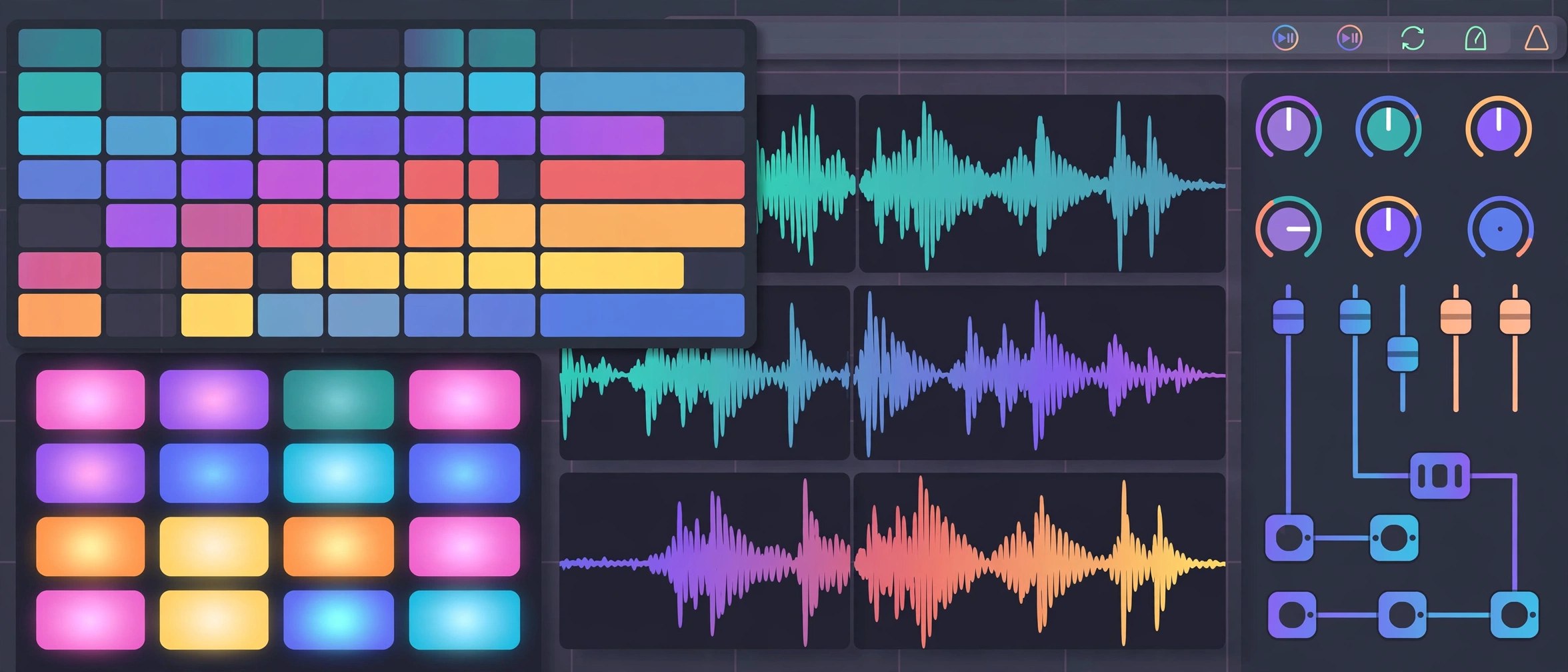
    Bitwig Studio is a complete digital audio workstation for writing, recording and performing music, built by Bitwig in Berlin. It pairs an arranger timeline with a clip launcher for trying ideas live, and underneath sits one of the deepest modulation systems in any music app. Version 6.1 brings a radically updated Sampler, and the current 6.1.4 release can even read a rekordbox library.

    Key Features

    • Combines an arranger timeline with a clip launcher for live idea building
    • Includes the Grid, a modular environment for building instruments and effects
    • Lets modulators animate almost any parameter at audio rate
    • Ships a renewed Sampler with slicing and expanded play modes in 6.1
    • Reads rekordbox libraries and track analysis data from version 6.1.4

    How to Download

    1. Start with the trial or an edition from Download from the official site.
    2. Run the macOS installer and sign in with your Bitwig account.
    3. Install the sound packages you want from the Packages tab in the dashboard.

    System Requirements

    Bitwig lists macOS 12 Monterey or above for the current version, on Intel or Apple Silicon Macs. Allow generous free disk space if you install the full sound content, and use a low latency audio interface for live recording.

    FAQs

    Can I try Bitwig Studio before buying?

    Yes. The official trial runs the full version free for 30 days. After the trial, the app opens in demo mode where saving and exporting are switched off.

    What is the Grid?

    It is a patching environment inside Bitwig where you connect modules to build your own synths, effects and note processors, then save them as devices in your tracks.

    How do updates work after I buy?

    Each purchase includes 12 months of updates at no extra cost. Your licence keeps working after that period with the last version you received.