Category: Mac Utilities

  • PdfCraft 0.20.0 for Mac

    PdfCraft 0.20.0 for Mac

    PdfCraft 0.20.0 for Mac

    PdfCraft 0.20.0 for Mac

    Mac Utilities
    Updated Aug 1, 2026
    Mac Utilities • Updated Aug 1, 2026

    PdfCraft is a free PDF reader and organizer from the ArtCraft team that helps you read and manage PDF files on your Mac. It is made for students, office workers and anyone who deals with documents each day and wants a fast local app, with no account and no need to upload private files to a website.

    Key Features

    • Read PDF files in a clean and calm reading view
    • Search the text of a document to find words fast
    • Reorder, rotate or remove pages in a document
    • Combine several PDF files into a single document
    • Split a long document into smaller PDF files
    • Work on your own Mac, so documents stay private

    How to Download

    1. Use the download button on this page or visit Download from the official site to get the Mac build.
    2. Open the downloaded file and move PdfCraft into your Applications folder.
    3. Open the app and choose a PDF file from your Mac to start reading.

    FAQs

    Is PdfCraft free to use?

    Yes. PdfCraft is free and open source, and you do not need an account to read or organize your files.

    Can PdfCraft combine PDF files?

    Yes. You can join several PDF files into one document and save the result as a new file on your Mac.

    Is PdfCraft a finished app?

    No. The team describes it as early alpha, so it is still growing and is best tried on copies of important documents first.

  • OnlySwitch 3.6.0 for Mac

    OnlySwitch 3.6.0 for Mac

    OnlySwitch 3.6.0 for Mac

    OnlySwitch 3.6.0 for Mac

    Mac Utilities
    Updated Aug 1, 2026
    Mac Utilities • Updated Aug 1, 2026

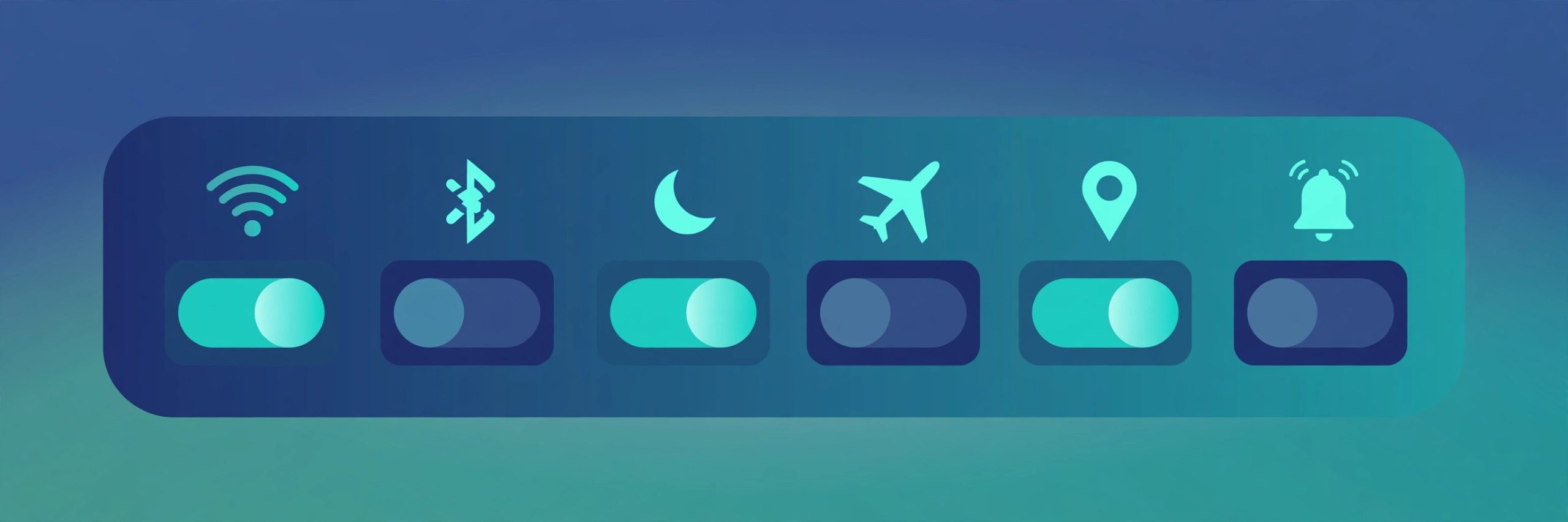
    OnlySwitch is a free and open source menu bar app by developer jacklandrin that gathers dozens of everyday Mac controls into one panel. Instead of digging through Settings again and again, you click one menu bar icon and flip the switch you need. It suits Mac owners who like a tidy desktop, presenters who hide icons before sharing a screen, and anyone who changes system settings often during the day.

    Key Features

    • One panel with switches for dark mode, hidden desktop icons and keeping your Mac awake
    • Can hide the notch on MacBook Pro models that have one
    • Controls for AirPods, screen capture, screen recording and other daily tools
    • Lets you import Siri Shortcuts and build custom Evolution switches with scripts
    • Only Agent can turn a plain English request into a script and run it for you
    • You choose which switches appear, so the panel stays short and personal

    How to Download

    1. Use the download button on this page or open the project page on GitHub.
    2. Download from the official site and get the latest disk image from the releases area.
    3. Open the disk image, move OnlySwitch to your Applications folder and launch it.

    FAQs

    Is OnlySwitch free?

    Yes. OnlySwitch is free and open source under the MIT license, and anyone can view its code on GitHub.

    Does it work on Intel and Apple silicon Macs?

    Yes. Current builds work on both Apple silicon and Intel Macs, according to the project listings.

    Can I hide switches I never use?

    Yes. The switch list is customizable, so you can keep only the controls you reach for every day.

  • Zotero 10.0.9 for Mac

    Zotero 10.0.9 for Mac

    Zotero 10.0.9 for Mac

    Zotero 10.0.9 for Mac

    Mac Utilities
    Updated Aug 1, 2026
    Mac Utilities • Updated Aug 1, 2026

    Zotero is a free reference manager that helps you collect, organize, cite and share research. Instead of keeping track of papers, books and web pages by hand, you save them into one personal library, attach your notes and files, and let Zotero build your citations and bibliographies in the style your journal or university requires. It is made for students, academics and research teams who work with many sources.

    Key Features

    • Save sources from your browser with the Zotero Connector for Safari, Chrome and Firefox
    • Organize items in collections and find them fast with search and tags
    • Read and annotate PDFs inside the built in reader
    • Create citations and bibliographies in a wide range of citation styles
    • Sync your library across devices and share group libraries with a team

    How to Download

    1. Use the download button on this page, or get the Mac build from the official page: Download from the official site
    2. Open the downloaded disk image and move Zotero into your Applications folder.
    3. Launch Zotero, then install the Connector in your browser so you can save sources in one click.

    System Requirements

    Zotero 10 runs on macOS 10.15 or later. One installer covers both Intel and Apple silicon Macs.

    FAQs

    Is Zotero free?

    Yes. Zotero is free and open source. If you need more online storage for synced files, Zotero offers optional paid storage plans, but the app itself costs nothing.

    Which writing apps does Zotero work with?

    Zotero adds citation tools to Microsoft Word and LibreOffice, and it works with Google Docs through the Connector, so you can cite while you write.

    Can I use Zotero offline?

    Yes. Your library is stored on your Mac and stays available without a connection. Sync simply runs again when you are back online.

  • EffectCraft 0.23.1 for Mac

    EffectCraft 0.23.1 for Mac

    EffectCraft 0.23.1 for Mac

    EffectCraft 0.23.1 for Mac

    Mac Utilities
    Updated Aug 1, 2026
    Mac Utilities • Updated Aug 1, 2026

    EffectCraft is a free motion graphics app from the ArtCraft team for animated titles, moving text and visual effects on your Mac. It is made for video creators and curious beginners who want to bring still designs to life with movement. The app is still in development, so its tools and layout may change as new versions arrive.

    Key Features

    • Build a scene from layers of text, shapes and footage
    • Animate movement and change over time with keyframes
    • Add effects to footage and text to change their look
    • Preview your animation as you work on it
    • Work with cameras and lights in a scene for depth
    • Render your finished work as a video to share

    How to Download

    1. Use the download button on this page or visit Download from the official site to get the Mac build.
    2. Open the downloaded file and move EffectCraft into your Applications folder.
    3. Open the app, start a new composition and add your first layer.

    FAQs

    Is EffectCraft free to use?

    Yes. EffectCraft is free and open source, so you can try motion graphics without paying for a plan.

    What can I make with EffectCraft?

    You can make animated titles, moving logos, simple visual effects and short animated clips for your videos.

    Is EffectCraft finished?

    No. It is still in development, so save your work often and expect changes as the project grows.

  • Dopamine 3.0.12 for Mac

    Dopamine 3.0.12 for Mac

    Dopamine 3.0.12 for Mac

    Dopamine 3.0.12 for Mac

    Mac Utilities
    Updated Aug 1, 2026
    Mac Utilities • Updated Aug 1, 2026

    Dopamine is an elegant audio player by Digimezzo that plays the music files you already own and presents them in a clean, pretty library. Earlier versions were made for Windows only, but the current Dopamine 3 series was rebuilt to run on Windows, Linux and macOS, and the project does publish Mac builds, so Mac users are fully included this time. It suits listeners with a personal music collection who want a calm player without accounts or subscriptions.

    Key Features

    • Builds a tidy library from your own music folders, sorted by artist, album and song
    • Shows album artwork and offers several views, including a compact mini player
    • Includes an equalizer so you can shape the sound to your taste
    • Supports playlists, favourites and synced lyrics for songs that carry lyric data
    • Plays common audio formats and reads the tags stored inside your files
    • Written with Electron and shared as a free project on GitHub

    How to Download

    1. Use the download button on this page or open the project page on GitHub.
    2. Download from the official site and choose the Mac package from the latest release.
    3. Open the disk image, move Dopamine to your Applications folder and point it at your music folder.

    FAQs

    Is there really a Mac version of Dopamine?

    Yes. The Dopamine 3 series added macOS support, its change log records fixes made for macOS, and its build process produces a Mac disk image.

    Is Dopamine free?

    Yes. Dopamine is free to download and use, and its source code is available on GitHub.

    Does Dopamine stream music?

    No. Dopamine plays audio files stored on your own computer rather than streaming from online services.

  • Microsoft .NET 11.0.100 for Mac

    Microsoft .NET 11.0.100 for Mac

    Microsoft .NET 11.0.100 for Mac

    Microsoft .NET 11.0.100 for Mac

    Mac Utilities
    Updated Aug 1, 2026
    Mac Utilities • Updated Aug 1, 2026

    Microsoft .NET is a free developer platform from Microsoft for building many kinds of software, from web apps and cloud services to desktop and mobile apps. The Mac package gives you the .NET SDK, which bundles the command line tools, libraries and runtimes you need to create, build and run .NET apps on macOS. It is aimed at developers who write in languages such as C# and F#, whether they are learning the platform, building a personal project or shipping production services from a Mac.

    Key Features

    • Complete SDK with command line tools to create, build and run apps
    • Support for C#, F# and Visual Basic projects
    • Build web apps and services with ASP.NET Core
    • Use .NET MAUI to target macOS, Windows, iOS and Android from one codebase
    • Includes both the .NET runtime and the ASP.NET Core runtime

    How to Download

    1. Use the download button on this page, or open the official download page: Download from the official site
    2. Choose the .NET 11 SDK installer for macOS that matches your Mac, Arm64 for Apple silicon or x64 for Intel.
    3. Run the installer, then open Terminal and type dotnet to confirm the tools are ready.

    FAQs

    What is the difference between the SDK and the runtime?

    The runtime only runs finished apps. The SDK includes the runtime plus the tools and libraries you need to build apps, so developers should install the SDK.

    Is .NET free to use?

    Yes. .NET is free and open source, and there are no license fees for building or shipping apps with it, including commercial apps.

    Do I need Visual Studio to use .NET on a Mac?

    No. The SDK works on its own from the command line, and many developers pair it with a code editor such as Visual Studio Code.

  • DesignCraft 0.19.0 for Mac

    DesignCraft 0.19.0 for Mac

    DesignCraft 0.19.0 for Mac

    DesignCraft 0.19.0 for Mac

    Mac Utilities
    Updated Aug 1, 2026
    Mac Utilities • Updated Aug 1, 2026

    DesignCraft is a free page layout app from the ArtCraft team for magazines, leaflets, newsletters and books on your Mac. It is made for writers, small publishers and designers who want to place text and images on pages with care. The app is still at an early stage, so it suits test projects and people who enjoy growing tools.

    Key Features

    • Lay out pages and spreads for multi page documents
    • Place text in frames and flow it across pages
    • Use styles to keep headings and body text consistent
    • Add images and shapes to your page designs
    • Set up pages that are ready for print work
    • Export your layout as a PDF file to share

    How to Download

    1. Use the download button on this page or visit Download from the official site to get the Mac build.
    2. Open the downloaded file and move DesignCraft into your Applications folder.
    3. Open the app, start a new document and place your first text frame.

    FAQs

    Is DesignCraft free to use?

    Yes. DesignCraft is free and open source, with no subscription and no license server to deal with.

    What can I make with DesignCraft?

    You can lay out magazines, books, leaflets, newsletters and other documents that are built page by page.

    Is DesignCraft ready for big print jobs?

    Not yet. It is still early in its life, so try it on a small project first and keep copies of your work.

  • MB Liquid Glass 1.6.0 for Mac

    MB Liquid Glass 1.6.0 for Mac

    MB Liquid Glass 1.6.0 for Mac

    MB Liquid Glass 1.6.0 for Mac

    Mac Utilities
    Updated Aug 1, 2026
    Mac Utilities • Updated Aug 1, 2026

    MB Liquid Glass is a native effect plugin for Adobe After Effects, sold through aescripts, that turns shapes, text and matte sources into editable glass inside your composition. It gives motion designers a quick way to build the soft glass look that is popular in modern interface and title work, without stacking many layers by hand. It suits After Effects artists on Mac who design titles, product shots and social graphics.

    Key Features

    • Creates glass style refraction directly inside your composition
    • Adjustable refraction strength for a soft lens distortion feel
    • Background blur controls that sit behind the glass surface
    • Spectral color separation that adds a gentle colour fringe at edges
    • Highlight, tint and shadow controls to finish the glass look
    • Works on shape layers, matte sources and the rounded rectangle shapes built into After Effects

    How to Download

    1. Use the download button on this page or open the product page on aescripts.
    2. Download from the official site and complete your purchase or trial there.
    3. Install the plugin with the aescripts manager app, then find the effect inside After Effects.

    FAQs

    Is MB Liquid Glass a standalone app?

    No. It is an effect plugin that runs inside Adobe After Effects, so you need After Effects installed on your Mac to use it.

    Is MB Liquid Glass free?

    No. It is a paid plugin sold on aescripts, and that store handles payment, license keys and updates.

    What can I apply the effect to?

    The vendor describes it working on shape layers, matte sources and built in rounded rectangles within a composition.

  • QOwnNotes 26.11.7 for Mac

    QOwnNotes 26.11.7 for Mac

    QOwnNotes 26.11.7 for Mac

    QOwnNotes 26.11.7 for Mac

    Mac Utilities
    Updated Aug 1, 2026
    Mac Utilities • Updated Aug 1, 2026

    QOwnNotes is a free and open source note taking app that keeps your notes as plain text Markdown files in a folder you control. Because the notes are ordinary files, they stay readable in any text editor and are never locked inside a private database. It is built for people who write a lot of notes, like the structure Markdown gives them, and want optional sync through their own Nextcloud or ownCloud server instead of a rented cloud service. Students, writers and technical users feel at home in it quickly.

    Key Features

    • Notes stored as plain text Markdown files in your own folder
    • Works with Nextcloud and ownCloud to sync notes across devices
    • Tags, subfolders and strong search to organize large note collections
    • Markdown preview, task lists and a note history with a trash view on the server
    • Optional note encryption and script support to extend the app

    How to Download

    1. Use the download button on this page, or get the Mac build from the official site: Download from the official site
    2. Open the downloaded disk image and move QOwnNotes into your Applications folder.
    3. Launch the app and point it at a notes folder, then connect your cloud account if you want sync.

    FAQs

    Is QOwnNotes free?

    Yes. QOwnNotes is free and open source software, and you can use every feature without paying or creating an account.

    Where are my notes stored?

    Your notes live as plain text Markdown files in a folder you choose on your Mac. You can back that folder up or sync it with the tools you already trust.

    Do I need a Nextcloud account to use it?

    No. QOwnNotes works fully with a local folder on its own. A Nextcloud or ownCloud account only adds sync, note versions and sharing across your devices.

  • WordCraft 0.17.0 for Mac

    WordCraft 0.17.0 for Mac

    WordCraft 0.17.0 for Mac

    WordCraft 0.17.0 for Mac

    Mac Utilities
    Updated Aug 1, 2026
    Mac Utilities • Updated Aug 1, 2026

    WordCraft is a free open source word processor for Mac users who want a familiar document workflow without a subscription. It is built in Rust by the ArtCraft team and follows the layout people know from Microsoft Word, with a ribbon, styles and tools for everyday writing. It reads and writes docx files, works fully offline, and suits students, writers and small teams who prepare letters, reports and documents on macOS.

    Key Features

    • A familiar ribbon layout with styles, tables and references for documents
    • Reads and writes docx files so documents move easily between apps
    • Works offline with your files stored on your own Mac
    • Track changes and mail merge tools for careful editing and bulk letters
    • A universal Mac build that runs on Apple silicon and Intel Macs
    • Free and open source under the MIT or Apache 2.0 licenses

    How to Download

    1. Open the official project page: Download from the official site and find the newest release.
    2. Download the universal Mac disk image, open it, and move WordCraft into your Applications folder.
    3. Launch WordCraft from Applications and open or create your first document.

    System Requirements

    WordCraft needs macOS 11 or later. The universal Mac build runs on Apple silicon and Intel Macs, and the app is signed and notarized.

    FAQs

    Is WordCraft free to use?

    Yes. WordCraft is free and open source, and you can download it from the official GitHub project without an account or a subscription.

    Can WordCraft open Word documents?

    Yes. It reads and writes docx files, the format used by Microsoft Word. The project is still in alpha, so check complex layouts first.

    Does WordCraft work offline?

    Yes. The app runs on your Mac and documents stay on your own disk, so you can write and edit without an internet connection.