Category: Mac Utilities

  • Quick Matte 2.1.12 for Mac

    Quick Matte 2.1.12 for Mac

    Quick Matte 2.1.12 for Mac

    Quick Matte 2.1.12 for Mac

    Mac Utilities
    Updated Aug 4, 2026
    Mac Utilities • Updated Aug 4, 2026

    Quick Matte is a plugin for Adobe After Effects and Premiere Pro that removes backgrounds from video using AI. Editors use it to cut a person or object out of a shot without a green screen and without hours of manual rotoscoping. It is made by Blace Plugins and sold through aescripts, and the Mac version runs inside the Adobe host apps on systems that meet their requirements.

    Key Features

    • Automatic background removal powered by AI models
    • Creates clean alpha mattes from ordinary footage
    • Works on a wide range of scenes, not only studio shots
    • Installs into After Effects and Premiere Pro as an effect
    • Updated models in version 2 for better edge quality
    • Useful for interviews, product clips and social videos

    How to Download

    Quick Matte is sold through the aescripts store, which also offers a trial so you can test it on your own footage and hardware before buying. Open the product page, sign in or create an account, and follow the install steps given for your host app. Download from the official site

    Frequently Asked Questions

    Is Quick Matte a standalone Mac app?
    No. It is a plugin, so you need Adobe After Effects or Premiere Pro installed to use it.

    Is there a free trial?
    Yes. The aescripts product page offers a trial version, so you can check the results and performance on your own Mac first.

    Do I need a green screen?
    No. The AI builds the matte from normal footage, which is the main reason many editors choose it.
  • Dangerzone 0.11.1 for Mac

    Dangerzone 0.11.1 for Mac

    Dangerzone 0.11.1 for Mac

    Dangerzone 0.11.1 for Mac

    Mac Utilities
    Updated Aug 4, 2026
    Mac Utilities • Updated Aug 4, 2026

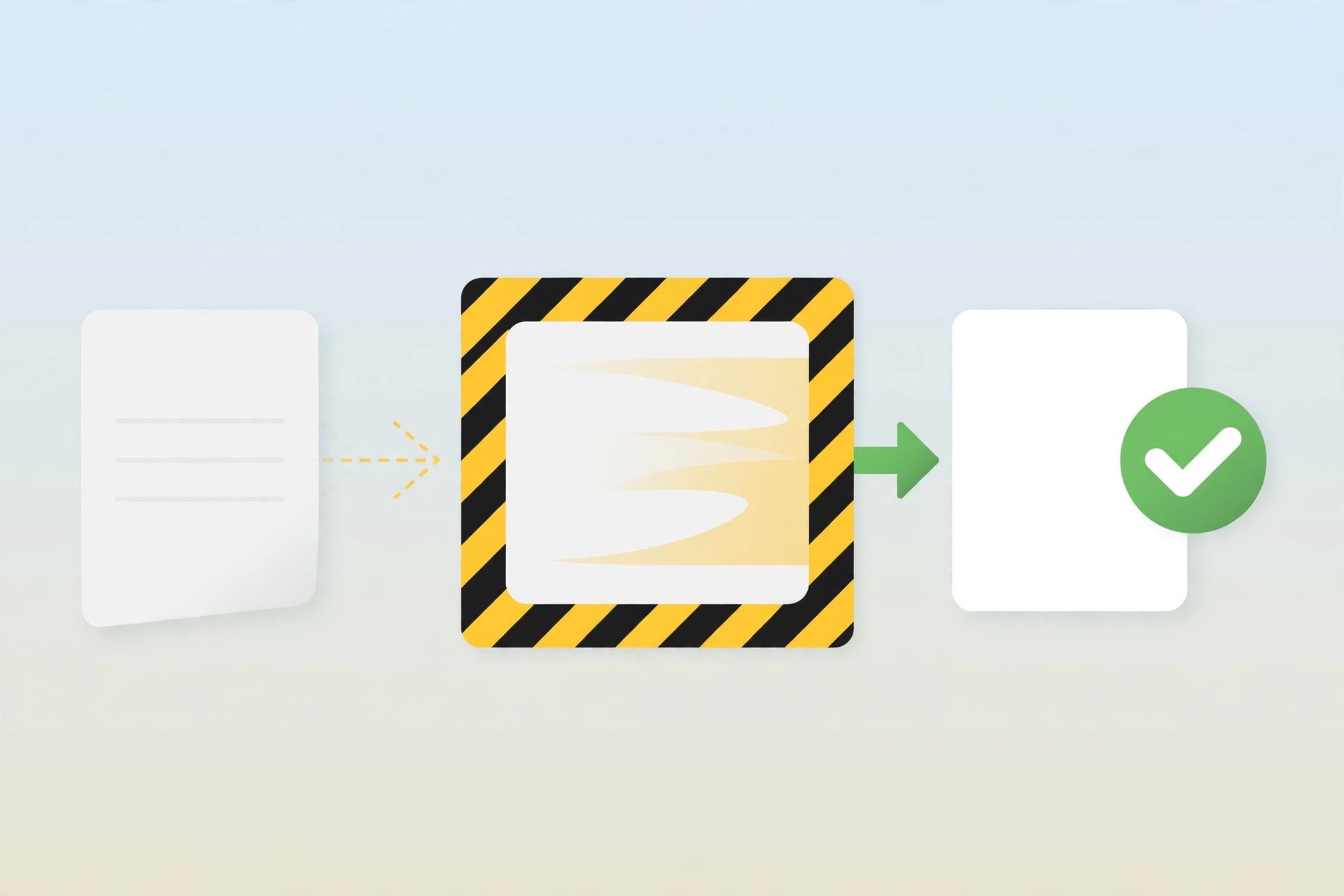
    Dangerzone is a free open source tool from Freedom of the Press Foundation that makes it safer to open documents you receive from people you do not know. Journalists, lawyers and office staff often get PDFs, Word files or images from strangers, and such files can hide harmful content. Dangerzone takes the document apart inside an isolated container, rebuilds it as a clean PDF, and gives you that safe copy to read. The original file never runs freely on your Mac, which greatly lowers the risk.

    Key Features

    • Convert PDFs, office documents and images into safe PDF files
    • Processing happens inside isolated containers away from your system
    • Works with common formats from Microsoft Office and LibreOffice
    • Optional text recognition so converted pages stay searchable
    • Free and open source, built for journalists and careful users
    • Runs on macOS, Windows and Linux with the same simple workflow

    How to Download

    Get Dangerzone only from its official project site so you know the installer is genuine and signed by the foundation. Open the official page, choose the Mac download for Apple silicon or Intel, open the disk image and drag Dangerzone into your Applications folder. The tool is free, and the project also offers a Homebrew install option for Mac users who prefer it. Download from the official site

    Frequently Asked Questions

    Is Dangerzone free? Yes. Dangerzone is free and open source software released by Freedom of the Press Foundation and its contributors.

    What file types can it handle? It accepts PDFs, Microsoft Office and LibreOffice documents, and common image formats, and returns a safe PDF.

    Does the converted PDF look the same? It looks very close to the original because pages are rebuilt from images, but complex interactive elements do not carry over.

  • kitty 0.50.0 for Mac

    kitty 0.50.0 for Mac

    kitty 0.50.0 for Mac

    kitty 0.50.0 for Mac

    Mac Utilities
    Updated Aug 4, 2026
    Mac Utilities • Updated Aug 4, 2026

    kitty is a terminal emulator created by Kovid Goyal, the developer behind calibre. It renders text with the graphics card instead of the processor alone, which keeps scrolling and output smooth even when a build or a log is printing thousands of lines. It suits programmers and power users who live in the terminal and want speed, tabs and layouts they can shape to their own habits. kitty is free and open source.

    Key Features

    • GPU based rendering for fast, smooth text output and scrolling
    • Tabs, windows and many tiling layouts inside one window
    • Kittens, a set of small tools for tasks like viewing images in the terminal
    • A graphics protocol that lets programs show images right in the terminal
    • Remote control from scripts and the command line
    • One plain text config file that controls fonts, colors and shortcuts

    How to Download

    The project site carries the official macOS build as a signed app bundle. Download it, open the disk image and drag kitty into your Applications folder. Download from the official site The same page links to full documentation, so you can read about layouts and the config file before or after you install.

    FAQ

    Is kitty free? Yes. kitty is free and open source software, released under the GPL license, with the full source code published by the project.

    Does kitty work only on Mac? No. kitty also runs on Linux and other Unix like systems, and the config file travels well between machines.

    What are kittens? Kittens are small helper programs that ship with kitty. They add jobs like an image viewer, a color picker and a diff viewer inside the terminal.

  • Universal Media Server 15.10.0 for Mac

    Universal Media Server 15.10.0 for Mac

    Universal Media Server 15.10.0 for Mac

    Universal Media Server 15.10.0 for Mac

    Mac Utilities
    Updated Aug 4, 2026
    Mac Utilities • Updated Aug 4, 2026

    Universal Media Server is a free media server that streams the films, music and photos stored on your Mac to other devices around your home. It speaks DLNA and UPnP, so smart TVs, games consoles, phones and tablets can all browse and play your library. It can also serve files to a web browser, which makes it handy when a device has no media app of its own installed.

    Key Features

    • Stream video, audio and images to DLNA and UPnP devices
    • Transcode formats on the fly when a device cannot play a file as it is
    • Browse and play your library from any web browser
    • Support for a very wide range of TVs, consoles and other players
    • Access your media quickly, without waiting for long library scans
    • Free and open source, with no tracking of your activity

    How to Download

    The project website carries the official Mac build along with versions for other systems. Download the macOS package, install it, and the setup steps will help you share your first folders across your home network. Download from the official site

    Frequently Asked Questions

    Is Universal Media Server free?
    Yes. It is free and open source software for Mac, Windows and Linux.

    Does it work with my smart TV?
    Very likely. It supports a large range of DLNA devices, including TVs from major makers, games consoles and streaming sticks.

    Do I need an internet connection to use it?
    No. Streaming happens across your home network, so your files stay inside your house.

  • GIMP 3.2.8 for Mac

    GIMP 3.2.8 for Mac

    GIMP 3.2.8 for Mac

    GIMP 3.2.8 for Mac

    Mac Utilities
    Updated Aug 4, 2026
    Mac Utilities • Updated Aug 4, 2026

    GIMP is a free open source image editor that runs on Mac, Windows and Linux. Photographers use it to retouch pictures, designers use it to build graphics for web and print, and artists use it to draw and paint. It offers layers, masks, filters and a full set of painting and selection tools, so it covers most jobs people expect from paid photo software, yet it costs nothing. Separate official builds are provided for Apple silicon and Intel Macs, which makes it a strong choice for any modern Mac setup.

    Key Features

    • Full photo editing with layers, masks and blend modes
    • Painting and drawing tools with support for graphics tablets
    • Wide range of filters and color correction tools
    • Opens and exports many formats including PSD, PNG, JPEG and TIFF
    • Extendable with community plug ins and scripts
    • Completely free and open source with no subscription

    How to Download

    Download GIMP only from the official GIMP website, since other sites sometimes bundle unwanted extras. Open the official downloads page, choose the macOS disk image for Apple silicon or Intel, open it and drag GIMP into your Applications folder. The GIMP team does not sell the app on the Mac App Store, so any paid listing there is not from the project. Download from the official site

    Frequently Asked Questions

    Is GIMP really free? Yes. GIMP is free and open source software released under the GNU General Public License, with no trial limits or watermarks.

    Can GIMP open Photoshop files? Yes. It can open and export PSD files, although very complex projects may not convert perfectly.

    Which Macs are supported? The current release needs macOS 11 Big Sur or newer and offers separate builds for Apple silicon and Intel Macs.

  • NVIDIA GeForce NOW for Mac

    NVIDIA GeForce NOW for Mac

    NVIDIA GeForce NOW for Mac

    NVIDIA GeForce NOW for Mac

    Mac Utilities
    Updated Aug 4, 2026
    Mac Utilities • Updated Aug 4, 2026

    NVIDIA GeForce NOW is a cloud gaming service that runs your PC games on NVIDIA servers and streams the picture to your Mac. The heavy work happens in the data center, so even a modest Mac can play demanding titles as long as the internet connection is strong. You bring games you already own on supported stores, link your accounts, and play through the Mac app or a supported browser.

    Key Features

    • Streams games from remote NVIDIA servers instead of your Mac hardware
    • Links with stores such as Steam, Epic Games Store, GOG and Ubisoft Connect
    • Play through the native Mac app or in a supported web browser
    • A free tier lets you test the service before paying for a membership
    • Paid memberships raise session length, queue priority and stream quality
    • Saves and settings follow your account across devices

    How to Download

    Open the official NVIDIA download page, choose the Mac app and run the installer it gives you. Then sign in with an NVIDIA account, pick a free or paid membership and link the game stores you use. Download from the official site A wired connection or strong WiFi makes a real difference to picture quality and input response.

    FAQ

    Does GeForce NOW include the games? No. The service streams games you already own on supported stores. Each title must also be listed as supported on the service.

    Is there a free option? Yes. NVIDIA offers a free tier with standard access and shorter sessions, alongside paid memberships with priority access and higher stream quality.

    What internet speed do I need? NVIDIA publishes guidance on its site. In simple terms, faster and more stable connections give sharper pictures and less delay, and wired ethernet works best.

  • Angry IP Scanner 3.12.1 for Mac

    Angry IP Scanner 3.12.1 for Mac

    Angry IP Scanner 3.12.1 for Mac

    Angry IP Scanner 3.12.1 for Mac

    Mac Utilities
    Updated Aug 4, 2026
    Mac Utilities • Updated Aug 4, 2026

    Angry IP Scanner is a small network scanner that shows you which devices are alive on your network. Home users run it to find everything connected to their router, while network administrators use it to audit address ranges and check for open ports. It has been around for many years, it is free and open source, and the Mac version needs no installation before you can start scanning.

    Key Features

    • Scan local networks or internet address ranges quickly
    • Scan by range, at random or from a list stored in a file
    • Show extra details such as host names, MAC addresses and open ports
    • Export results into formats such as CSV, TXT and XML
    • Extend the scan with a choice of data fetchers
    • Command line interface for scripted checks

    How to Download

    The official website offers separate Mac builds for Apple silicon and Intel machines, and each one bundles the Java runtime it needs. Pick the build that matches your Mac, open the package and allow the app in your security settings on first launch. Download from the official site

    Frequently Asked Questions

    Is Angry IP Scanner free?
    Yes. It is free and open source software, released under the GPL.

    Do I need to install Java on my Mac?
    No. The current Mac downloads include their own Java runtime, so there is nothing extra to install.

    Why does macOS warn me when I open it?
    The app is not notarized by Apple, so Gatekeeper asks you to confirm. You can allow it once through the Privacy and Security settings.

  • FastFlix 6.3.2 for Mac

    FastFlix 6.3.2 for Mac

    FastFlix 6.3.2 for Mac

    FastFlix 6.3.2 for Mac

    Mac Utilities
    Updated Aug 4, 2026
    Mac Utilities • Updated Aug 4, 2026

    FastFlix is a free open source app by Chris Griffith that gives video encoding a simple visual face. Under the surface it uses FFmpeg, the powerful media engine that normally needs long typed commands. With FastFlix you pick a video, choose an encoder and quality settings from clear menus, and start the job. It is popular with home media fans who shrink large recordings, keep HDR picture data during conversion, and prepare files for phones, TVs and media servers without learning command syntax.

    Key Features

    • Friendly graphical interface built on top of FFmpeg
    • Software encoders including x264, x265 and AV1 options
    • Keeps HDR10 metadata for supported encoders such as x265
    • Support for Dolby Vision metadata copying on supported setups
    • Queue and profile tools for repeat encoding jobs
    • Free and open source, available for Mac, Windows and Linux

    How to Download

    Get FastFlix from its official project channels so you receive a clean and current release. The project publishes each release through its official pages, and the package record shows version 6.3.2 as the current release. FastFlix needs FFmpeg on your system to do the encoding work, and the project wiki explains the setup steps for new users. Download from the official site

    Frequently Asked Questions

    Is FastFlix free? Yes. FastFlix is free and open source software, and so is the FFmpeg engine it works with.

    Do I need FFmpeg installed? Yes. FastFlix is an interface for FFmpeg, so FFmpeg version 4.3 or greater is required for most tasks.

    Can it keep HDR in my videos? In many cases yes. It preserves HDR10 data for x265 and some hardware encoders, depending on your FFmpeg build.

  • MKVToolNix 103.0 for Mac

    MKVToolNix 103.0 for Mac

    MKVToolNix 103.0 for Mac

    MKVToolNix 103.0 for Mac

    Mac Utilities
    Updated Aug 4, 2026
    Mac Utilities • Updated Aug 4, 2026

    MKVToolNix is a set of tools for working with Matroska files, the MKV container used for a huge share of video stored today. It lets you combine video, audio and subtitle tracks into one file, pull tracks back out, split files into parts and inspect what sits inside a container, all without encoding the video again. The project by Moritz Bunkus is free and open source, and it has been in steady development for many years.

    Key Features

    • mkvmerge combines video, audio, subtitles and chapters into one MKV file
    • MKVToolNix GUI gives the tools a clear graphical front end
    • mkvextract pulls chosen tracks, chapters and tags out of a file
    • mkvinfo shows the structure and details of a Matroska file
    • mkvpropedit changes headers and track properties without a full remux
    • No re encoding during muxing, so quality stays exactly as the source

    How to Download

    The project site lists packages for each platform, including the macOS disk image. Download the Mac build, open the image and drag the app into your Applications folder. Download from the official site The same site posts the news page for each release, which is the best place to confirm the newest version and read what changed.

    FAQ

    Is MKVToolNix free? Yes. The tools are free and open source under the GPL, for personal and professional use alike.

    Does MKVToolNix convert video formats? It mainly muxes and edits containers. It can place tracks into MKV or WebM files, but it is not a video encoder, so picture and sound stay untouched.

    Can I add subtitles to a video? Yes. Add the video and the subtitle file in the GUI, set the language and start multiplexing to get one MKV with the subtitles inside.

  • LuLu 4.5.7 for Mac

    LuLu 4.5.7 for Mac

    LuLu 4.5.7 for Mac

    LuLu 4.5.7 for Mac

    Mac Utilities
    Updated Aug 4, 2026
    Mac Utilities • Updated Aug 4, 2026

    LuLu is a free firewall for Mac from the Objective See foundation, built by security researcher Patrick Wardle. The firewall built into macOS mainly guards incoming traffic, while LuLu watches outgoing connections instead. Whenever a program tries to reach the internet for the first time, LuLu shows an alert and lets you allow or block it, which protects your privacy and can expose software that quietly contacts servers in the background.

    Key Features

    • Alert you when a program makes a new outgoing connection
    • Allow or block each connection once, for a set time or for good
    • Create detailed rules by process, address and port
    • Profiles, allow lists and block lists for different situations
    • Passive mode for quiet rule based filtering without alerts
    • Free and open source, with the code published for anyone to inspect

    How to Download

    LuLu is distributed from the Objective See website as a signed disk image. Download it, copy the app to your Applications folder and follow the welcome steps, which guide you through approving its system extension and network filter. Download from the official site

    Frequently Asked Questions

    Is LuLu really free?
    Yes. LuLu is free and open source, and the project is supported by donations and sponsors.

    Does LuLu replace the macOS firewall?
    No. They cover different directions. The macOS firewall watches incoming traffic, while LuLu watches outgoing connections.

    Which macOS versions does LuLu support?
    The current version runs on macOS 10.15 and later.