Author: admin

  • AirRadar 8.0.1 for Mac

    AirRadar 8.0.1 for Mac

    AirRadar 8.0.1 for Mac

    AirRadar 8.0.1 for Mac

    Mac Utilities
    Updated Nov 4, 2026
    Mac Utilities • Updated Nov 4, 2026

    AirRadar 8.0.1 for Mac, by Koingo Software, is an advanced Wi-Fi scanner that shows you far more about the wireless networks around you than the macOS Wi-Fi menu ever will. It lists every network in range with detailed technical information, graphs signal and noise over time, and helps you spot interference and overcrowded channels.

    That makes it useful in two very different situations. At home or in an office, administrators use it to pick the quietest channel and place routers sensibly. On the road, it logs networks it finds, places them on a map using location services, and can automatically join the best open network in range when you return to a place.

    Key Features

    • Scans and lists nearby Wi-Fi networks with encryption, vendor, channel, band and beacon details
    • Graphs signal strength and noise over time to reveal interference from other devices
    • GPS and location integration places discovered networks on a map and saves scan logs
    • Favourites, filters, labels and auto-join for the best network in range
    • Spoken network names, sound alerts and Notification Center integration while scanning

    How to Download

    1. Open Koingo's official AirRadar page and check the macOS requirement for the current version.
    2. Start your download from the official site: Download from the official site
    3. Install the app — the demo begins after installation — and buy a license from Koingo to unlock it.

    Is AirRadar free?
    Koingo provides the download as a demo that starts after installation, and the full app needs a paid license. The official page lists several license options, including one-time prices, so check it for current terms.

    Can it improve my home Wi-Fi?
    It can show you which channels nearby networks are crowding and which are quiet, plus how your signal changes around the house. You still change the channel in your router's settings, but AirRadar gives you the evidence to choose well.


  • Airmail Pro 26.0.34 for Mac

    Airmail Pro 26.0.34 for Mac

    Airmail Pro 26.0.34 for Mac

    Airmail Pro 26.0.34 for Mac

    Mac Business
    Updated Nov 4, 2026
    Mac Business • Updated Nov 4, 2026

    Airmail Pro 26.0.34 for Mac is the premium tier of Airmail, the highly customisable email client for Apple devices. Airmail brings Gmail, iCloud, Exchange, Outlook and standard IMAP accounts into one fast inbox, then lets you shape almost everything about it — colours per account, swipe and keyboard actions, rules, templates and integrations with task and calendar apps.

    The Pro subscription is aimed at people who live in email for work. It unlocks multiple accounts, custom actions that combine several steps into one click, snooze and send-later, a smart inbox, and iCloud sync of settings, signatures and rules between your Mac, iPhone and iPad, so your setup follows you from desk to phone.

    Key Features

    • Unified inbox for Gmail, iCloud, Exchange, Outlook, IMAP and POP accounts
    • Custom actions, rules and templates that automate repetitive email handling
    • Snooze messages, schedule send-later, and use the smart inbox to focus on what matters
    • iCloud sync keeps accounts, signatures, rules and settings aligned across Apple devices
    • Integrations with tools such as Todoist, OmniFocus, Fantastical, Dropbox and OneDrive

    How to Download

    1. Airmail is sold only through Apple — its FAQ says it is available exclusively on the Mac App Store.
    2. Start your download from the official site: Download from the official site
    3. Install it from the Mac App Store link there, add an account free, then subscribe to Pro inside the app if you need it.

    Is Airmail Pro free?
    The app is free to download and use with one account. Airmail Pro is a paid subscription that unlocks unlimited accounts and the advanced features, with the exact price shown in the app for your region.

    Does one subscription cover my iPhone too?
    Yes, according to Airmail's help pages, a single Pro subscription syncs to your other Apple devices signed in with the same Apple ID and iCloud account — you do not buy it separately per device.

  • AirMagic 1.0.2.7263 for Mac

    AirMagic 1.0.2.7263 for Mac

    AirMagic 1.0.2.7263 for Mac

    AirMagic 1.0.2.7263 for Mac

    Mac Photo & Design
    Updated Nov 4, 2026
    Mac Photo & Design • Updated Nov 4, 2026

    AirMagic 1.0.2.7263 for Mac was Skylum's dedicated editor for drone and aerial photography. Instead of a full manual editing suite, it did one job automatically: you dragged in a drone photo and its AI analysed the image, detected which drone camera took it, and applied lens corrections, haze removal, sky enhancement and colour adjustments tuned for aerial shots.

    That one-click approach suited drone pilots who came home with hundreds of images and no wish to grade each one by hand, and batch processing could work through a whole flight at once. An honest note on its current status: Skylum has since discontinued AirMagic as a standalone product and now presents Luminar as its successor on the official AirMagic page, so check that page for Skylum's current recommendation before planning a purchase.

    Key Features

    • Automatic AI enhancement built specifically for drone and aerial photos, not general portraits
    • Detects the drone camera and applies matching lens corrections and colour optimisation
    • Haze removal, sky enhancement and detail reveal tuned for high-altitude images
    • Batch processing enhances a full set of flight photos in one pass
    • Worked as a standalone app and as a plugin for Lightroom, Photoshop and Apple Photos

    How to Download

    1. Read the current status first: Skylum has discontinued AirMagic and promotes Luminar as its successor.
    2. Start your download from the official site: Download from the official site
    3. Follow Skylum's current offer on that page, and keep any existing AirMagic license details safe if you own it.

    Can I still buy AirMagic?
    Skylum no longer sells AirMagic as its current drone editor; the official page now compares it with Luminar and recommends Luminar instead. Existing owners can keep using the version they already have installed.

    What should drone photographers use now?
    Skylum's own answer is Luminar, which adds panorama stitching, layers and support for newer cameras on top of the automatic AI enhancement idea that AirMagic started.

  • Airfoil 5.12.8 for Mac

    Airfoil 5.12.8 for Mac

    Airfoil 5.12.8 for Mac

    Airfoil 5.12.8 for Mac

    Mac Audio
    Updated Nov 4, 2026
    Mac Audio • Updated Nov 4, 2026

    Airfoil 5.12.8 for Mac, from Rogue Amoeba, sends any audio playing on your Mac to speakers and receivers around your home. macOS normally limits AirPlay output to certain apps and a single destination. Airfoil removes those limits: music from Spotify, a browser, or any other app can play through your Apple TV, HomePod, Chromecast, Sonos speakers and Bluetooth devices.

    Better still, you can play to several outputs at once, in sync, and group speakers for different rooms. A free companion app, Airfoil Satellite, turns other Macs, PCs and phones into receivers and lets you control playback remotely. It is made for anyone building a flexible multi-room setup from hardware they already own.

    Key Features

    • Streams audio from any Mac app, or all system audio, to AirPlay, Cast, Sonos and Bluetooth devices
    • Plays to multiple speakers at the same time with everything kept in sync
    • Speaker groups, auto-transmit on launch, menu bar mode and a built-in equalizer
    • Silence monitor can disconnect automatically when audio stops playing
    • Free Airfoil Satellite companion receives audio on other computers and mobile devices

    How to Download

    1. Go to Rogue Amoeba's official Airfoil page and check the macOS version your Mac needs.
    2. Start your download from the official site: Download from the official site
    3. Open the download, move Airfoil to Applications, and try it before buying a license key.

    Is Airfoil free?
    Rogue Amoeba offers a free trial download. In trial mode, noise is overlaid after ten minutes of streaming in a session. Buying a license key unlocks the same download for unlimited use.

    Can it play to different speaker brands together?
    Yes. Airfoil can send one stream to a mix of AirPlay, Chromecast, Sonos and Bluetooth outputs at the same time, and it keeps them playing in sync.

  • Airflow 3.3.10 for Mac

    Airflow 3.3.10 for Mac

    Airflow 3.3.10 for Mac

    Airflow 3.3.10 for Mac

    Mac Video
    Updated Nov 4, 2026
    Mac Video • Updated Nov 4, 2026

    Airflow 3.3.10 for Mac, from the team at airflowapp.com, solves one simple problem well: getting a video file stored on your Mac to play on the big TV. Instead of copying files to a USB stick or converting them first, you drop a file into Airflow and stream it straight to a Chromecast, Apple TV or AirPlay 2 television on your network.

    The app uses its own video processing pipeline rather than a basic converter wrapper. When a file already suits your TV, Airflow leaves the original stream untouched for the best quality and lowest CPU load. When a format is incompatible, it transcodes on the fly, using hardware acceleration where your Mac supports it.

    Key Features

    • Streams local video to Chromecast, Apple TV and AirPlay 2 TVs, up to 4K HDR where supported
    • Handles most common video formats and codecs without converting files in advance
    • Multichannel audio support, including Dolby Digital Plus passthrough with Atmos
    • Embedded and external subtitle support, with integrated subtitle search and scrubbing previews
    • Free companion remote app for iPhone and Android, plus playlists and resume-position tracking

    How to Download

    1. Visit the official Airflow website and confirm your TV device is among the supported targets.
    2. Start your download from the official site: Download from the official site
    3. Install the app, pick a video file, and choose your Chromecast or Apple TV to start streaming.

    Is Airflow free?
    Airflow is paid software sold with a one-time payment — its official FAQ states it is not a subscription and the license does not expire. One license can be activated on the computers you own.

    Will it work with my smart TV?
    Only if the TV has Chromecast built in or supports AirPlay 2, or you have an Apple TV or Chromecast attached. Airflow is deliberately focused on those devices rather than every TV brand.

  • AirBuddy 3.3.0.850 for Mac

    AirBuddy 3.3.0.850 for Mac

    AirBuddy 3.3.0.850 for Mac

    AirBuddy 3.3.0.850 for Mac

    Mac Utilities
    Updated Nov 4, 2026
    Mac Utilities • Updated Nov 4, 2026

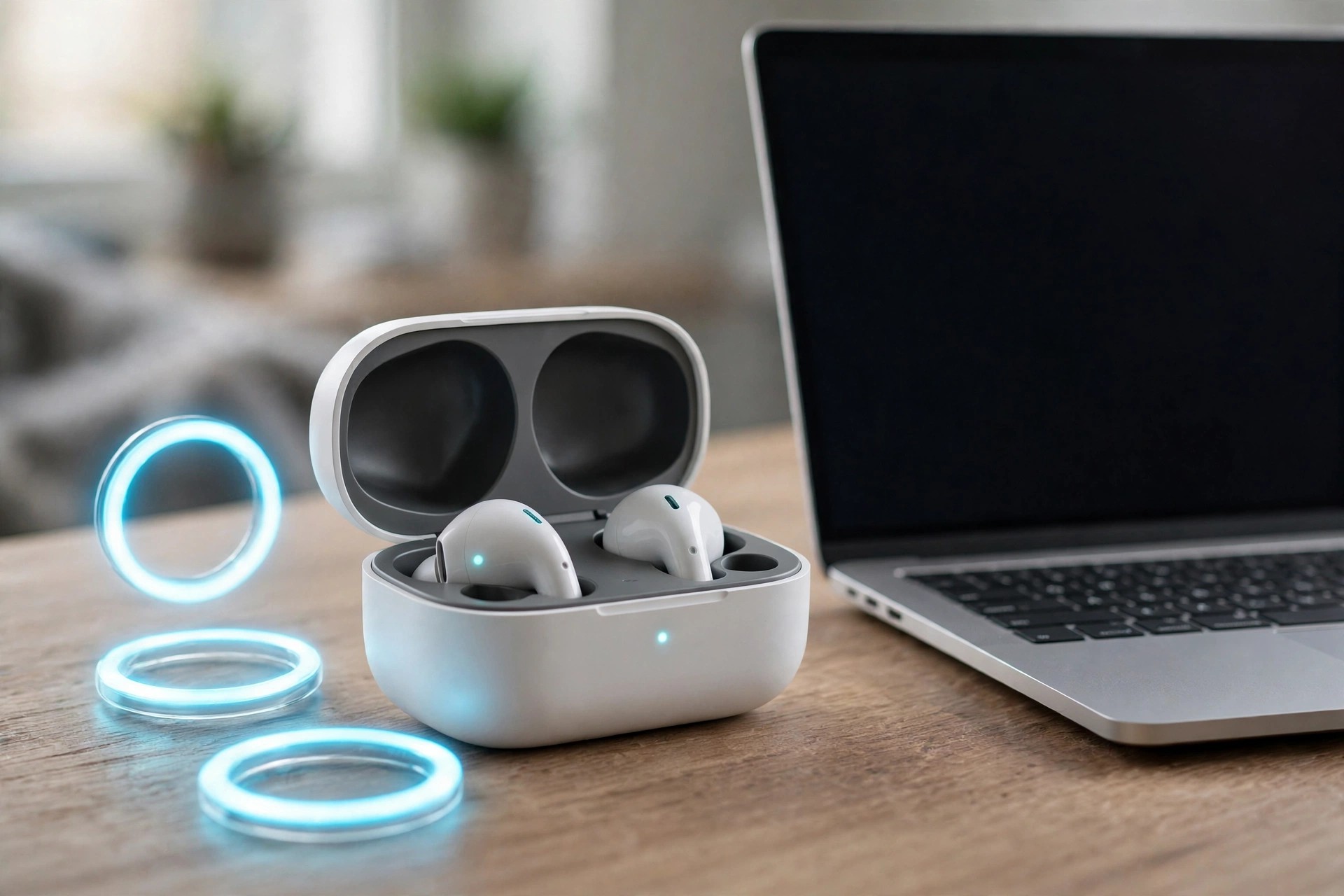
    AirBuddy 3.3.0.850 for Mac, by indie developer Guilherme Rambo, gives your Mac the polished wireless-device experience Apple gives the iPhone. Open your AirPods case near your Mac and you get a familiar status pop-up, battery levels at a glance, and one-click connections instead of digging through Bluetooth settings.

    Version 3 goes well beyond AirPods. AirBuddy tracks nearby Apple and Bluetooth devices from a dashboard and widgets, shows battery alerts before something dies mid-call, controls what is playing, and can hand a Magic Mouse, Keyboard or Trackpad between Macs. It is built for people who juggle several Apple devices at one desk all day.

    Key Features

    • iPhone-style pop-ups and quick connect for AirPods and supported Beats headphones
    • Dashboard and desktop widgets showing battery and status for your nearby devices
    • Battery alerts with per-device thresholds, plus Now Playing controls and widgets
    • Magic Handoff moves a Magic Mouse, Keyboard or Trackpad between Macs
    • Shortcuts and AppleScript automation for connecting devices and checking status

    How to Download

    1. Check the system requirements on the official AirBuddy website — recent versions need a current macOS.
    2. Start your download from the official site: Download from the official site
    3. Install the app, grant the Bluetooth permissions it asks for, and connect your devices.

    Is AirBuddy free?
    No, AirBuddy is a paid app sold as a one-time license on its official site, and it is also available through Setapp. Check the site for current pricing and any trial options before you buy.

    Does it only work with AirPods?
    No. AirPods and Beats are the headline devices, but AirBuddy also monitors other nearby Apple and Bluetooth devices, including iPhone, Apple Watch and Magic accessories.

  • Air Printer — Printer Server Pro 5.2.2 for Mac

    Air Printer — Printer Server Pro 5.2.2 for Mac

    Air Printer — Printer Server Pro 5.2.2 for Mac

    Air Printer — Printer Server Pro 5.2.2 for Mac

    Mac Utilities
    Updated Nov 4, 2026
    Mac Utilities • Updated Nov 4, 2026

    Air Printer — Printer Server Pro 5.2.2 for Mac is the full, upgraded edition of Flyingbee Software's Air Printer. The base app turns your Mac into a print server that shares its connected printers with iPhone, iPad and other computers on your network. The Pro upgrade removes the limits of the basic version, so longer documents and colour printing work the way you would expect from a normal printer.

    It suits home and small-office users who rely on a non-AirPrint printer every day and do not want to replace working hardware just to print from a phone. Once the Mac is running the server, printing from an iOS app feels like ordinary AirPrint: choose the shared printer, set your options, and print.

    Key Features

    • Shares Mac-connected printers with iPhone, iPad and other devices over local Wi-Fi
    • Pro upgrade unlocks full documents and colour printing beyond the basic version's limits
    • Virtual printer mode saves incoming jobs as PDF files stored on the Mac
    • Supports common print settings including paper type, page range, quality and orientation
    • Sold through the official Mac App Store listing as an in-app full-version upgrade

    How to Download

    1. Open the official Mac App Store listing below — Pro is the full-version upgrade inside that app.
    2. Start your download from the official site: Download from the official site
    3. Install Air Printer, then use its in-app upgrade to unlock the Pro full version.

    Is the Pro version a separate app?
    No separate listing was found. On the official Mac App Store page, the full version is sold as an in-app purchase inside Air Printer, so download that app first and upgrade from within it.

    Is Air Printer Pro free?
    No. The base app is free to download, but the full Pro upgrade is a paid in-app purchase. Check the current price on the official App Store listing before buying.

  • Air Printer — Printer Server 6.6.8 for Mac

    Air Printer — Printer Server 6.6.8 for Mac

    Air Printer — Printer Server 6.6.8 for Mac

    Air Printer — Printer Server 6.6.8 for Mac

    Mac Utilities
    Updated Nov 4, 2026
    Mac Utilities • Updated Nov 4, 2026

    Air Printer — Printer Server 6.6.8 for Mac, from Flyingbee Software, turns a Mac into a wireless print server for the printers connected to it. Many older USB and network printers never gained Apple's AirPrint support, so an iPhone or iPad simply cannot see them. Air Printer bridges that gap: run it on your Mac, share a printer, and nearby Apple devices can print to it over your local Wi-Fi.

    It is a practical fix for homes and small offices that want to keep a perfectly good printer working with modern devices. Photos, emails, web pages and documents can all be sent to the shared printer, and the app can also act as a virtual printer that saves incoming jobs as PDF files on the Mac instead of using paper.

    Key Features

    • Turns printers connected to your Mac into AirPrint-style printers for iPhone, iPad and other Macs
    • Prints photos, emails, web pages and documents wirelessly over your local network
    • Virtual printer option saves print jobs as PDF files on the Mac instead of printing them
    • Shows common print options such as paper type, page range, quality and orientation
    • Free to download from the Mac App Store, with an in-app upgrade to the full version

    How to Download

    1. Open the official Mac App Store listing linked below and check the current macOS requirements.
    2. Start your download from the official site: Download from the official site
    3. Install the app, launch it, and add the printers you want to share.

    Is Air Printer free?
    The Mac App Store listing is free to download with in-app purchases. An upgrade to the full version is offered inside the app, so check the listing for the current price before you buy.

    Do my devices need the same network?
    Yes. Your Mac and the device you print from need to be on the same Wi-Fi network, because Air Printer works as a local print server rather than a cloud printing service.

  • AIR Music Technology Xpand!2 2.3.1 for Mac

    AIR Music Technology Xpand!2 2.3.1 for Mac

    AIR Music Technology Xpand!2 2.3.1 for Mac

    AIR Music Technology Xpand!2 2.3.1 for Mac

    Mac Audio
    Updated Nov 4, 2026
    Mac Audio • Updated Nov 4, 2026

    AIR Music Technology Xpand!2 2.3.1 for Mac is the workstation plugin many producers first met inside Pro Tools, now available for any Mac DAW. It is a four-part multitimbral instrument: each patch can hold up to four sounds, each with its own MIDI channel, key zone, mix, arpeggiation, modulation and effects, which makes it easy to build layered keys, split keyboards and full mini-arrangements in a single instance.

    Its sounds are generated with a mix of wavetable and FM synthesis, tonewheel modelling and sample playback, and the library runs to more than 2,500 presets across 29 categories. On macOS it is supplied in AU and VST formats. For songwriters and producers who need good sounds fast, it remains one of the most practical all-rounders in the AIR catalogue.

    Key Features

    • Four stereo instrument parts per patch, each with its own MIDI channel and zone
    • Up to 64 voices per part, with mono and poly voice modes
    • 2,500+ presets and parts in 29 categories, from pianos to drums and synths
    • Two effects processors with 50 studio effects, including reverbs and Chaos Delay
    • AU and VST formats for macOS, with arpeggiation and modulation per part

    How to Download

    1. Confirm the current version and requirements on the official Xpand!2 page.
    2. Get it here: Download from the official site
    3. Install, authorize with your account, and load Xpand!2 in your DAW.

    Is Xpand!2 free?
    No, Xpand!2 is a paid plugin, although it is frequently discounted by AIR and authorized retailers. Avoid unofficial downloads, which cannot be licensed or updated safely.

    Does Xpand!2 work outside Pro Tools?
    Yes. The standalone release works in AU and VST hosts on Mac such as Logic Pro, Ableton Live and Cubase, not only in Pro Tools.

  • AIR Music Technology Vacuum Pro 1.2.0 for Mac

    AIR Music Technology Vacuum Pro 1.2.0 for Mac

    AIR Music Technology Vacuum Pro 1.2.0 for Mac

    AIR Music Technology Vacuum Pro 1.2.0 for Mac

    Mac Audio
    Updated Nov 4, 2026
    Mac Audio • Updated Nov 4, 2026

    AIR Music Technology Vacuum Pro 1.2.0 for Mac takes the tube-driven idea of the original Vacuum and expands it into a full polyphonic synthesizer. Six virtual vacuum tube circuits run through the signal path, adding crunch and warmth at every stage, which makes it easy to recreate the thick analogue sounds of the 1970s and 80s — or push them somewhere new.

    The instrument is built from two complete synth parts that can be stacked, split or layered across the keyboard, and it runs on macOS in AU, VST and AAX formats. With more than 350 presets from well-known sound designers, it works both as an instant source of vintage basses, pads and leads and as a deep subtractive synth for programmers.

    Key Features

    • Four-oscillator polyphonic design with vacuum tube circuit modelling
    • Six tube circuits adding grit throughout the signal path
    • Two synth parts that can be stacked, split and layered
    • 350+ tweakable presets by Richard Devine and Mark Ovenden
    • AU, VST and AAX plugin formats for macOS DAWs

    How to Download

    1. Check system requirements and pricing on the official product page.
    2. Get it here: Download from the official site
    3. Run the Mac installer, authorize online, and load Vacuum Pro in your DAW.

    Is Vacuum Pro free?
    No, Vacuum Pro is a paid plugin. Download it from AIR Music Technology or an authorized store so your licence, activation and updates work correctly.

    How is Vacuum Pro different from Vacuum?
    Vacuum Pro is polyphonic with four oscillators and two layerable parts, while the original Vacuum is a simpler monophonic synth focused on basses and leads.