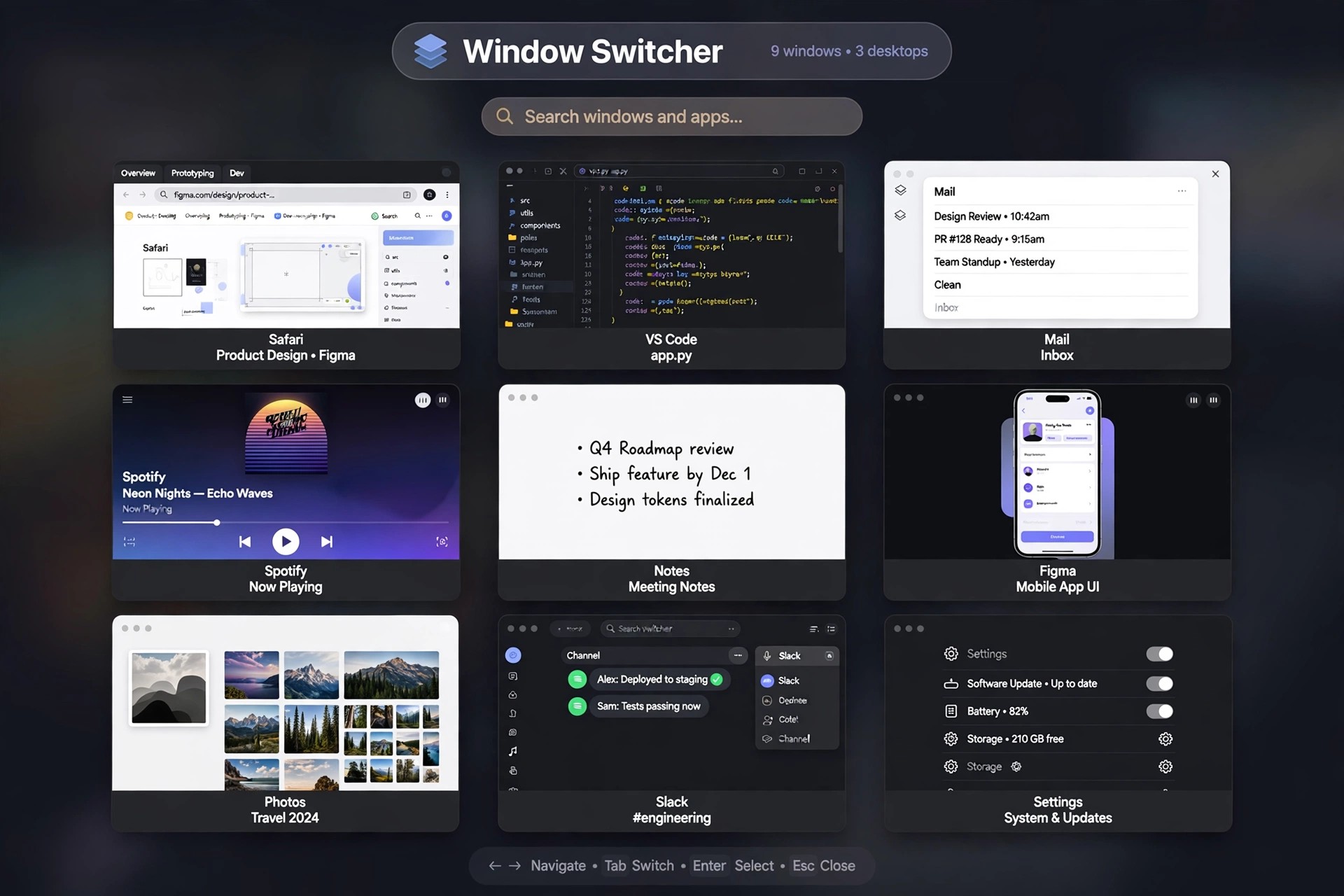
AltTab 10.3.0 for Mac
Mac UtilitiesAltTab 10.3.0 for Mac gives macOS the window switcher it never shipped with: a Windows-style Alt+Tab overlay that shows every open window, instead of the single icon per app that Command+Tab offers. It is an open-source project maintained by developer Louis Pontoise together with community contributors, and its full source code is published on GitHub under the GPL licence.
Press the shortcut and you see live thumbnails of all your windows, including minimised and hidden ones, gathered from every Space and every connected monitor. You can tap through the list, click a thumbnail to jump straight to a window, or close, minimise and quit apps without leaving the switcher. AltTab is completely free to use — there is no paid full version waiting to be unlocked.
Key Features
- Live thumbnail previews of every window, including minimised and hidden windows
- Sees windows across all Spaces and multiple monitors in one overlay
- Fully customisable shortcuts — keep the Option+Tab default or remap it to Command+Tab
- Several appearance styles with adjustable thumbnail sizes, themes and spacing
- Window actions from inside the switcher: close, minimise, hide, fullscreen or quit apps
How to Download
- Download from the official site
- Grab the latest release from the official site or the project's GitHub page, or install it with Homebrew using brew install --cask alt-tab.
- Launch the app and grant the Accessibility and Screen Recording permissions macOS requests, so AltTab can list your windows and draw their previews.
Is AltTab really free?
Yes. AltTab is free, open-source software with no licence fee and no feature paywall. If a third-party site tries to sell you an AltTab download or a licence key for it, you are not dealing with the official project.
Why does AltTab ask for Accessibility and Screen Recording access?
macOS requires Accessibility permission before any app may read window titles and move focus between windows, and Screen Recording permission before it can capture window previews. Without the second permission AltTab still works, but it shows app icons instead of live thumbnails.







Leave a Reply