Category: Mac Utilities

  • Aegis 2.01 for Mac

    Aegis 2.01 for Mac

    Aegis 2.01 for Mac

    Aegis 2.01 for Mac

    Mac Utilities
    Updated Nov 4, 2026
    Mac Utilities • Updated Nov 4, 2026

    Aegis 2.01 for Mac is a small security utility by developer Jiulong Zhao (dragonBTV), sold through the Mac App Store. Its job is narrow but important: it protects your Mac from data being copied onto external storage. Any USB, Thunderbolt or FireWire drive, flash stick or SD card that is not on your own pre-set whitelist is blocked when plugged in, while trusted devices connect normally with no delay.

    It suits anyone who uses a Mac in a shared office, classroom or studio, where a flash drive is still the simplest way files get stolen. You can even allow or block individual partitions of the same disk. Aegis itself is password-protected, with the password stored in the macOS Keychain, and the whitelist is stored in protected form so it cannot be quietly edited.

    Key Features

    • Blocks any external storage device that is not on your whitelist
    • Covers USB, Thunderbolt and FireWire drives, flash sticks and SD cards
    • Block or allow individual partitions of a single physical disk
    • Simple whitelist enrolment: open preferences, plug the device in, unplug it
    • Password-protected settings with the password saved in the macOS Keychain

    How to Download

    1. Search the Mac App Store for Aegis by dragonBTV, as this older version's listing could not be verified live; avoid third-party installers.
    2. Install the app, set your password, then plug in each trusted drive once to add it to the whitelist.

    Is Aegis free?
    Aegis was a Mac App Store app by dragonBTV. We could not verify a current live listing or price for version 2.01, so check the App Store directly rather than trusting sites advertising it as a free download.

    Does Aegis block my own drives too?
    Only until you trust them. Whitelisted devices mount automatically with no delay; anything unknown is blocked, and you can reset the trusted list in the app to start over.

  • Adze 1.4.12 for Mac

    Adze 1.4.12 for Mac

    Adze 1.4.12 for Mac

    Adze 1.4.12 for Mac

    Mac Utilities
    Updated Nov 4, 2026
    Mac Utilities • Updated Nov 4, 2026

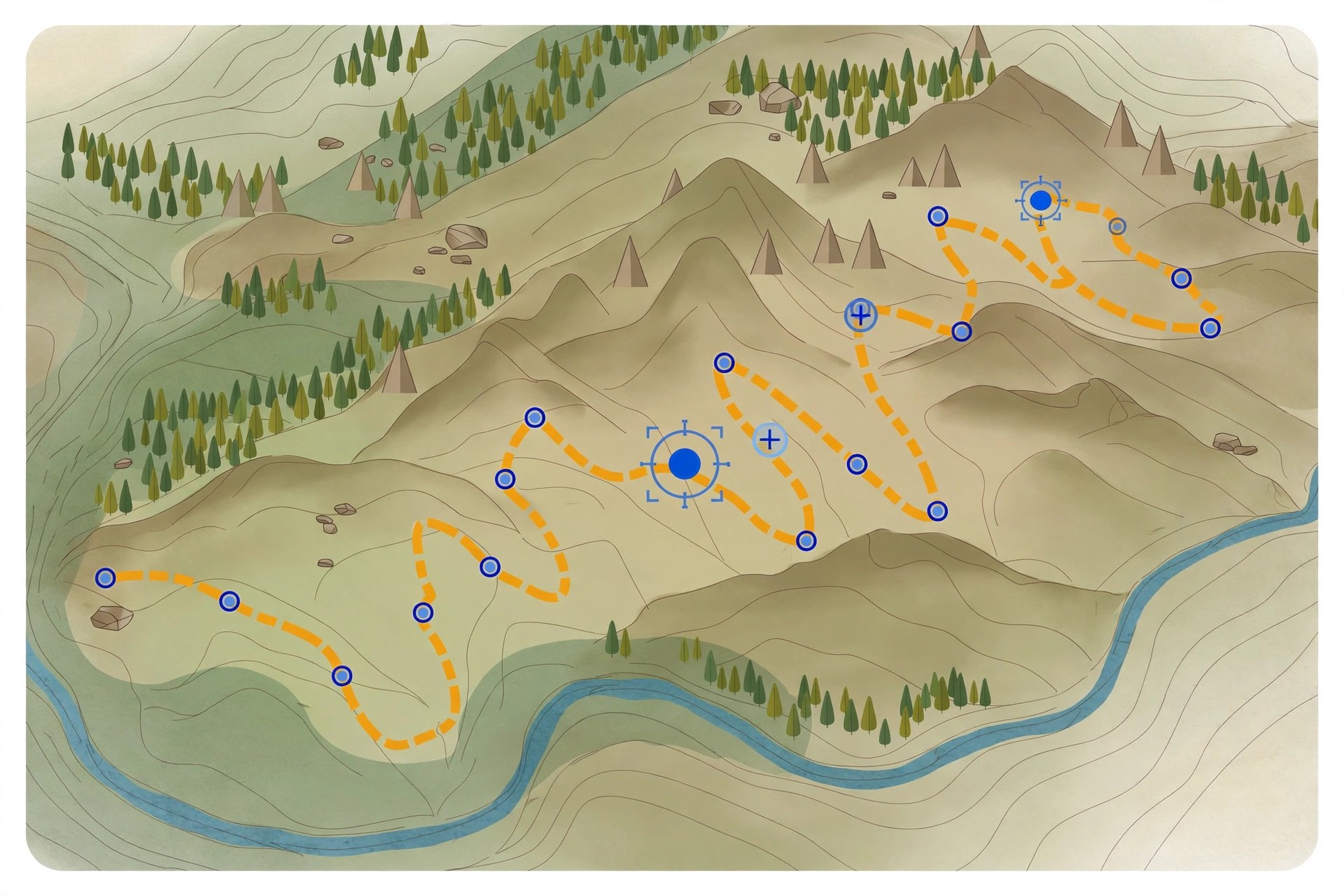
    Adze 1.4.12 for Mac is a dedicated editor for GPX files, the standard format GPS devices and outdoor apps use to store tracks, routes and waypoints. Open a tracklog recorded on a hike, ride or run and Adze shows it on a map, ready for proper editing rather than just viewing: you can create, modify and delete tracks, adjust individual points, and clean up the messy sections every real-world recording contains.

    It is aimed at hikers, cyclists, geocachers and other outdoor users who keep an archive of GPX files and want them accurate. Useful touches include merging and splitting tracks, detecting rest stops, editing timestamps and viewing track statistics before sharing or uploading a route. Adze was sold as a paid app at around $20 as a one-time purchase. We could not verify a live official product page for this older version, so treat download sources with care.

    Key Features

    • Create, modify and delete tracks, routes and waypoints in GPX files
    • Merge and split tracks, with automatic rest stop detection
    • Timestamp tools and statistics for reviewing recorded activities
    • Optimise files by removing redundant track points
    • Export tracks to KML for use in Google Earth

    How to Download

    1. Check the developer's site or the Mac App Store for current availability, as this is an older release.
    2. Install the app, then open your GPX files from Finder to start editing.

    Is Adze free?
    No. Adze was sold as a paid app, at around $20 as a one-time purchase. Any site offering this version as a free download is not an official source.

    What files does Adze work with?
    Adze works with GPX files from GPS devices and outdoor apps, and can export to KML. It edits existing recordings and planned routes; it is not a GPS recorder itself.

  • Advanced Uninstall Manager 3.1 for Mac

    Advanced Uninstall Manager 3.1 for Mac

    Advanced Uninstall Manager 3.1 for Mac

    Advanced Uninstall Manager 3.1 for Mac

    Mac Utilities
    Updated Nov 4, 2026
    Mac Utilities • Updated Nov 4, 2026

    Advanced Uninstall Manager 3.1 for Mac is an application uninstaller from Systweak Software. Dragging an app onto its window does more than move it to the Trash: the tool scans for the preferences, caches, support files and other data the app left scattered around your system, and removes everything together in a single click.

    It is useful for anyone who tests a lot of software or whose Mac has slowed down under years of half-removed apps. Alongside uninstalling, it lists the programs that launch at login so you can disable the ones you do not need and shorten boot times. Advanced Uninstall Manager is paid software sold through the Mac App Store, and it requires macOS 10.11 or later; the developer's site links to the current App Store listing and pricing.

    Key Features

    • Drag-and-drop uninstalling that removes an app and all its associated files
    • Scans and presents a categorised list of installed apps and startup programs
    • Login item manager to disable unnecessary startup apps and improve boot time
    • Keeps a history of removed applications, with details for each uninstall
    • Protects native system apps so important macOS components are not removed

    How to Download

    1. Download from the official site
    2. Follow the developer's link to the Mac App Store and purchase and install the app from there.
    3. Launch Advanced Uninstall Manager, drag in the app you want gone, review the related files found and confirm the uninstall.

    Is Advanced Uninstall Manager free?
    No. It is a paid app sold on the Mac App Store with a one-time price rather than a subscription. Check the App Store listing linked from the official site for the current price in your region.

    Why not just drag apps to the Trash?
    Dragging to the Trash removes the app bundle but usually leaves behind preferences, caches and support files. This tool finds and removes those leftovers too, which is the main reason to use it.

  • Advanced Duplicate Cleaner 1.7 for Mac

    Advanced Duplicate Cleaner 1.7 for Mac

    Advanced Duplicate Cleaner 1.7 for Mac

    Advanced Duplicate Cleaner 1.7 for Mac

    Mac Utilities
    Updated Nov 4, 2026
    Mac Utilities • Updated Nov 4, 2026

    Advanced Duplicate Cleaner 1.7 for Mac is a duplicate file finder from Tweaking Technologies, available on the Mac App Store. It scans your whole Mac, or just the folders you choose, and identifies both exact duplicates and similar files across photos, videos, music, documents and even apps, grouping the results so you can review them before anything is removed.

    It is aimed at Mac users whose drives have filled up with repeated downloads, copied photo libraries and backed-up folders. Scan results are split into Duplicates and Similar sections, and an Auto-Mark option can select the copies for you. Nothing is deleted permanently; chosen files are moved to the Trash so you can recover them. The App Store listing is free to download with in-app purchases, so check the listing for what the paid upgrade unlocks.

    Key Features

    • Finds duplicate and similar files, photos, videos, music, documents and apps
    • Scan the whole Mac or add specific folders and recommended locations
    • Results grouped into Duplicates and Similar sections for easy review
    • Auto-Mark and Smart Cleanup to select and remove copies in a few clicks
    • Removed files go to the Trash first, so mistakes can be undone

    How to Download

    1. Download from the official site
    2. On the Mac App Store listing, click Get to install Advanced Duplicate Cleaner on your Mac.
    3. Launch the app, choose folders to scan, review the results and use Smart Cleanup to remove the copies you do not need.

    Is Advanced Duplicate Cleaner free?
    The Mac App Store download is free with in-app purchases. You can install and scan with it, but some cleanup capability is tied to the paid in-app upgrade listed on the App Store page.

    Will it delete my only copy of a file?
    No. It works on duplicates and similar files, shows you the groups before removal, and sends removed items to the Trash rather than erasing them permanently, so you stay in control.

  • Adsorb 1.0.1 for Mac

    Adsorb 1.0.1 for Mac

    Adsorb 1.0.1 for Mac

    Adsorb 1.0.1 for Mac

    Mac Utilities
    Updated Nov 4, 2026
    Mac Utilities • Updated Nov 4, 2026

    Adsorb 1.0.1 for Mac is a small network-level ad blocker for macOS from the team behind the Murus firewall. Rather than working as a browser extension, Adsorb runs as a system network filter: it keeps a list of known advertising and tracking hostnames and blocks outbound connections to them before they leave your Mac.

    Because the filtering happens at network level, it applies to every app and process, not only Safari, Chrome or Firefox, and there are no per-browser extensions to install and maintain. You control it from a small menu bar icon near the clock, where you can switch the filter on or off and open its preferences. Adsorb is distributed directly from the developer's website; check that page for the current price and macOS requirements.

    Key Features

    • Blocks connections to well-known ad services and trackers system-wide
    • Works with all browsers and apps, with no browser extensions required
    • Simple menu bar control to enable or disable the filter at any time
    • Filter activates automatically each time you launch Adsorb
    • Lightweight design from the makers of the Murus firewall for Mac

    How to Download

    1. Download from the official site
    2. Download the Adsorb disk image from the Murus website and open it on your Mac.
    3. Install the app, launch it, and use the menu bar icon to confirm the filter is enabled.

    Does Adsorb only block ads in my browser?
    No. Because it filters at the network level, Adsorb blocks ad and tracker connections from all apps and background processes, not just web browsers.

    Is Adsorb a VPN?
    No. Adsorb does not route your traffic through remote servers. It filters connections locally on your Mac using its built-in list of blocked hostnames.

  • Adam 3.7.0 for Mac

    Adam 3.7.0 for Mac

    Adam 3.7.0 for Mac

    Adam 3.7.0 for Mac

    Mac Utilities
    Updated Nov 4, 2026
    Mac Utilities • Updated Nov 4, 2026

    Adam 3.7.0 for Mac is a listing we could not confidently match to a single, identifiable product. The name "Adam" is used by several unrelated tools — including audio plugins, a productivity platform and developer utilities — and we found no official vendor page for a Mac app at exactly version 3.7.0. Rather than guess, we are publishing this page with that uncertainty stated plainly.

    If you are looking for a specific "Adam" tool, check its developer name in an existing installed copy, a purchase receipt or the app's About panel, then go directly to that developer's own website for the current Mac release and its requirements.

    Key Features

    • Before opening the installer, check that the version and developer match what you expected.
    • Is Adam 3.7.0 free?
      We cannot say, because we could not identify the exact product behind this listing. Pricing depends entirely on which developer's "Adam" app you actually mean, so check that developer's official site.

      Why is there no download link from a mirror site here?
      Because unofficial download sites are a common source of tampered installers and malware, especially for ambiguously named apps. Until the genuine developer is confirmed, linking to a random mirror would be unsafe.

  • ActiveDock 2.810 for Mac

    ActiveDock 2.810 for Mac

    ActiveDock 2.810 for Mac

    ActiveDock 2.810 for Mac

    Mac Utilities
    Updated Nov 4, 2026
    Mac Utilities • Updated Nov 4, 2026

    ActiveDock 2.810 for Mac, from MacPlus Software, replaces the standard macOS Dock with a far more capable launcher of its own. If you find Apple's Dock too limited — no real grouping, no window previews, little control over appearance — ActiveDock is built to fix exactly those frustrations while keeping a familiar Dock-style feel.

    You can organise apps, documents and folders into groups, preview open windows before switching to them, and restyle the whole thing with custom themes and icons. It also adds a Start-menu-style launcher, making it a practical alternative to tools like uBar or cDock for users who live in the Dock all day.

    Key Features

    • Full Dock replacement with live window previews for running apps
    • Groups and folders for organising apps, files and documents together
    • Custom themes, icons and appearance settings to match your desktop
    • Start-menu-style launcher for quick access to apps and system areas
    • Works without replacing system files or disabling SIP

    How to Download

    1. Download from the official site to get the current MacPlus Software installer.
    2. Open the downloaded DMG and move ActiveDock into your Applications folder.
    3. Launch the app, follow the setup prompts, and customise your new Dock's groups and theme.

    Is ActiveDock free?
    No. ActiveDock is paid software sold as a one-time licence, but a free trial is available from the official site so you can test the Dock replacement before buying.

    Can I trust ActiveDock downloads from other sites?
    Stick to the official MacPlus Software page. Copies on unofficial download sites may be outdated or modified, and a Dock replacement runs at the heart of your desktop, so a clean installer matters.

  • Action 1.1.4 for Mac

    Action 1.1.4 for Mac

    Action 1.1.4 for Mac

    Action 1.1.4 for Mac

    Mac Utilities
    Updated Nov 4, 2026
    Mac Utilities • Updated Nov 4, 2026

    Action 1.1.4 for Mac is a listing we could not confidently match to a single, identifiable product. Several unrelated apps share the name "Action", and we found no official vendor page for a Mac app at exactly version 1.1.4. Rather than guess, we are publishing this page with that uncertainty stated plainly.

    If you arrived here looking for a specific tool, the safest move is to identify its developer first — from an existing installed copy, an original purchase receipt, or the app's own About panel — and then go directly to that developer's website for the current Mac release and its system requirements.

    Key Features

    • Before opening the installer, check that the version and developer match what you expected.
    • Is Action 1.1.4 free?
      We cannot say, because we could not identify the exact product behind this listing. Pricing depends on which developer's "Action" app you actually mean, so check that developer's official site rather than trusting download portals.

      Why is there no download link from a mirror site here?
      Because unofficial download sites are a common source of tampered installers and malware, especially for ambiguously named apps. Until the genuine developer is confirmed, linking to a random mirror would be unsafe.

  • Soulver for Mac

    Soulver for Mac

    Soulver for Mac

    Soulver for Mac

    Mac Utilities
    Updated Nov 4, 2026
    Mac Utilities • Updated Nov 4, 2026

    Soulver for Mac, made by Acqualia, is a notepad calculator that lets you mix words and numbers on the same page. Instead of tapping buttons on a traditional calculator, you type lines like a note, and Soulver works out each answer live on the right-hand side as you write.

    It suits budgets, quotes, invoices, travel planning and quick estimates where the reasoning matters as much as the result. Because every calculation stays visible in plain language, you can re-read a sheet weeks later, change one figure, and watch every total update instantly across the page.

    Key Features

    • Natural-language calculations — write sums in words and see answers appear line by line
    • Live currency conversion, plus hundreds of units for length, weight, time, data and more
    • Variables, subtotals and answer references so later lines can build on earlier results
    • Date and time maths, percentages and time-zone conversions handled in plain text
    • Sheets saved as plain text files with iCloud sync across Mac, iPhone and iPad

    How to Download

    1. Download from the official site
    2. Open the download, move Soulver to Applications, and launch it.
    3. Start a new sheet, or buy a licence in the app to unlock it fully after the trial.

    Is Soulver free?
    No. Soulver is a paid app, but Acqualia offers a free trial so you can test the notepad calculator on your own sums before buying a licence.

    Can Soulver replace a spreadsheet?
    For quick, readable calculations, yes — it is faster to set up than a spreadsheet. For large tables a spreadsheet still fits better. Either way, download Soulver only from Acqualia or the App Store; unofficial copies may be altered and will not update properly.

  • Acon 1.1.1 for Mac

    Acon 1.1.1 for Mac

    Acon 1.1.1 for Mac

    Acon 1.1.1 for Mac

    Mac Utilities
    Updated Nov 4, 2026
    Mac Utilities • Updated Nov 4, 2026

    When macOS Big Sur redesigned app icons, many older apps were left with odd, outdated shapes that clashed with the new rounded-square look. Acon is a small, focused Mac utility that fixes exactly that: it turns your existing app icons into clean Big Sur-style icons, so your Dock and Launchpad look consistent again.

    The app is simple by design. Give it an icon, choose a solid colour or gradient background, and Acon shapes it into the modern squircle format with the right size and proportions. It runs on Apple Silicon and Intel Macs and works on macOS 10.11 and later, making it useful even for older machines.

    Key Features

    • Converts odd-shaped icons into rounded Big Sur-style icons
    • Solid colour and gradient background fills for a matching look
    • Simple, fast workflow with no design experience required
    • Native support for Apple Silicon and Intel Macs
    • Compatible with macOS 10.11 and later

    How to Download

    1. Download from the official site
    2. Open Acon from your Applications folder and drop in the icon you want to restyle.
    3. Pick a background, export the finished icon, and apply it to the app via Get Info.

    Is Acon free?
    Acon was distributed through the Mac App Store, and its store page lists its current pricing and terms. Avoid assuming it is free simply because some directory pages label it that way — check the official listing before installing.

    Is it safe to download Acon elsewhere?
    Only get it from the official Mac App Store listing. Third-party sites repackaging Mac App Store apps can ship modified installers, and there is no reason to risk that for a small icon utility.