Author: admin

  • Farrago 2.2.0 for Mac

    Farrago 2.2.0 for Mac

    Farrago 2.2.0 for Mac

    Farrago 2.2.0 for Mac

    Mac Utilities
    Updated Aug 15, 2026
    Mac Utilities • Updated Aug 15, 2026

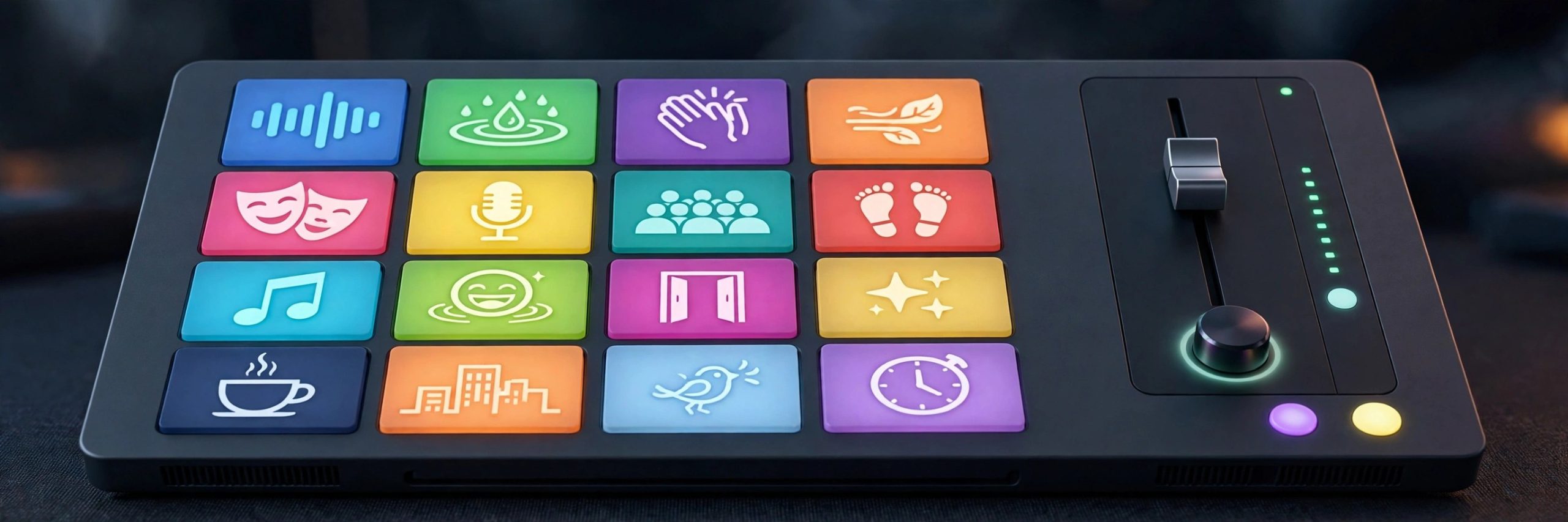
    Farrago is a soundboard built for moments when timing matters. Podcasters use it to fire an intro theme, a laugh, or a sponsor sting at the exact second it is needed, while theatre teams use it to run cues through a whole show. Sounds sit on tiles in tidy sets, and a single key press or mouse click plays them at once. It feels simple on the surface, yet there is enough depth underneath for people who run audio live every week.

    Key Features

    • Trigger sounds instantly from a grid of tiles using keyboard, mouse or MIDI control
    • Organise clips into sets for different shows, episodes or scenes
    • Edit clips inside the app with trimming and fades for clean starts and ends
    • Search a large free sound library from inside the app to find new effects fast
    • Control playback with Shortcuts, Stream Deck and a master volume with limiting

    How to Download

    1. Download from the official site and open the app, or use the download button on this page.
    2. Move Farrago into your Applications folder and launch it.
    3. Add your first sounds to a set and assign them to tiles.

    System Requirements

    Farrago runs on modern versions of macOS and the vendor lists support for recent systems including the latest macOS releases. Check the official site for the minimum version that matches your Mac before you install.

    FAQs

    Who is Farrago made for?

    It suits podcasters, streamers, teachers and theatre crews who need reliable instant playback of short audio clips during recording or performance.

    Can I edit a clip without another app?

    Yes. Basic editing lives inside each tile, so you can trim a clip and add fades without leaving Farrago.

    Can I try Farrago before paying?

    The vendor offers a trial download from its site. Trial limits and current pricing are explained there, so read them before you decide.


  • SlapMac 1.4.6 for Mac

    SlapMac 1.4.6 for Mac

    SlapMac 1.4.6 for Mac

    SlapMac 1.4.6 for Mac

    Mac Utilities
    Updated Aug 15, 2026
    Mac Utilities • Updated Aug 15, 2026

    SlapMac is a small novelty app with one joyful idea. Give your MacBook a light slap and it yells back. The app listens to the motion sensor inside Apple Silicon MacBooks, judges how firm the tap was, and plays a sound that matches. A soft tap might earn a squeak. A firmer slap gets a bigger reaction. It lives quietly in the menu bar, asks for almost no setup, and exists purely to make you and anyone nearby smile.

    Key Features

    • Detect real slaps and taps using the motion sensor in supported MacBooks
    • Play different sounds based on how hard the laptop was tapped
    • Choose from dozens of sound effects grouped in several voice packs
    • Adjust sensitivity so typing and desk bumps do not trigger sounds by mistake
    • Load your own audio files to create personal reactions and jokes

    How to Download

    1. Download from the official site and open the app, or use the download button on this page.
    2. Move SlapMac into your Applications folder and launch it.
    3. Pick a voice pack, set the sensitivity and try a gentle tap first.

    System Requirements

    SlapMac needs an Apple Silicon MacBook with a motion sensor and a recent version of macOS. Intel Macs and desktop Macs cannot detect slaps in the same way. Check the official site for the supported models before you install.

    FAQs

    Will slapping damage my MacBook?

    Use gentle taps only. The app responds to light contact, and treating your laptop kindly is always the sensible choice.

    Does SlapMac work on Intel Macs?

    No. It relies on the motion sensor found in supported Apple Silicon MacBooks, so Intel models are not supported.

    Can I use my own sounds?

    Yes. The app lets you load your own audio files, so you can record a friend, a pet, or a favourite silly noise.

  • Substage 1.2.3 for Mac

    Substage 1.2.3 for Mac

    Substage 1.2.3 for Mac

    Substage 1.2.3 for Mac

    Mac Utilities
    Updated Aug 15, 2026
    Mac Utilities • Updated Aug 15, 2026

    Substage sits below your Finder windows and lets you describe file jobs in plain words. Select a few videos and type a request to convert them, ask what codec a file uses, or tell it to tidy a messy folder. Substage turns your words into the right Terminal command, shows you what will happen, and runs it only when you are happy. It brings the power of the command line to people who never wanted to memorise its syntax.

    Key Features

    • Turn plain language requests into Terminal commands that act on selected Finder items
    • Preview what a command will create, change, move or delete before it runs
    • Convert images, video and documents and inspect file details with short prompts
    • Use your choice of AI models, including local models through Ollama or LM Studio
    • Save custom rules and instant actions for jobs you repeat every day

    How to Download

    1. Download from the official site and open the app, or use the download button on this page.
    2. Move Substage into your Applications folder and launch it.
    3. Select files in Finder and type your first request in the bar.

    System Requirements

    Substage needs a recent version of macOS, and the vendor lists macOS 15 or later. Some tasks use AI services or local models, so check the official site for setup details and current requirements before you install.

    FAQs

    Do I need to know Terminal commands?

    No. You describe the job in everyday words and Substage builds the command. Reading the preview before it runs is still a wise habit.

    Does Substage send my file contents to AI services?

    The vendor says it sends your prompt and file paths as context, not the contents of your files. Local models can keep even more of the work on your Mac.

    What jobs suit Substage best?

    Quick single tasks suit it best, such as converting a file, resizing images, zipping a folder, or asking questions about selected files.

  • Octavo 1.2.2 for Mac

    Octavo 1.2.2 for Mac

    Octavo 1.2.2 for Mac

    Octavo 1.2.2 for Mac

    Mac Utilities
    Updated Aug 15, 2026
    Mac Utilities • Updated Aug 15, 2026

    Anyone who has printed a booklet at home knows the pain. You fold the pages and the order is wrong, so the middle of the story lands on the cover. Octavo solves that quiet maths problem for you. It takes your PDF, arranges the pages in the order a folded booklet needs, adds fold and staple marks where they help, and exports sheets that are ready to print. It also handles small zines, brochures and other folded pieces with the same care.

    Key Features

    • Arrange PDF pages automatically for folded and stapled booklet printing
    • Choose layouts for booklets, mini zines, brochures and bound documents
    • Clean up scanned pages with rotation, deskew and margin controls
    • Set paper size, placement, scaling and page numbers for each project
    • Add fold, staple and trim marks and export an imposed PDF for printing

    How to Download

    1. Download from the official site and open the app, or use the download button on this page.
    2. Move Octavo into your Applications folder and launch it.
    3. Start from a template, import your PDF and follow the steps in order.

    System Requirements

    Octavo is a Mac app for current versions of macOS. The free version covers mini zines and lets you try other layouts, while the paid unlock removes the banner on printed pages. Check the official site for exact requirements before you install.

    FAQs

    What does imposition mean?

    It means placing pages on a sheet in the order they need for folding. Octavo does that ordering for you, so the folded result reads correctly.

    Can I make more than booklets?

    Yes. The app also covers mini zines, concertina zines, brochures, business cards and other folded or bound layouts.

    Can I export instead of printing directly?

    Yes. You can export an imposed PDF for printing elsewhere, or a reading order PDF for viewing on screen.

  • Glow 3.5.0 for Mac

    Glow 3.5.0 for Mac

    Glow 3.5.0 for Mac

    Glow 3.5.0 for Mac

    Mac Utilities
    Updated Aug 14, 2026
    Mac Utilities • Updated Aug 14, 2026

    Glow is a menu bar manager for Mac that brings order to a crowded top bar. It lets you hide the icons you rarely use, sort the rest into sections, and open hidden items in a click from a floating bar. It also restyles the bar itself with a glass look you can shape, tint and shadow to suit your desktop, so the bar feels personal from the start.

    Key Features

    • Hide and sort menu bar icons in three sections so only the items you use daily stay visible
    • Floating Bar opens hidden items with their real menus, without expanding the whole bar
    • Glow Search finds any menu bar item by name when the bar gets crowded
    • Moods save the full look of the bar and can also switch your wallpaper, layout and Dock
    • Glass styling with your own shape, tint, border and shadow, plus rounded screen corners

    How to Download

    1. Download from the official site to get the current build and try the full app free for a short trial period.
    2. Open the downloaded file and move Glow into your Applications folder.
    3. Launch Glow, arrange your sections, and save your first Mood once the bar looks right.

    System Requirements

    Glow needs macOS 26 or macOS 27 and runs on both Apple silicon and Intel Macs. It is built on the newest system styling, so it cannot run on older versions of macOS.

    FAQs

    Is Glow a subscription app?

    No. Glow is sold as a single purchase and you own it for good, with future updates included at no extra cost.

    Does Glow collect data about my Mac use?

    The maker says Glow does not collect usage data. It only goes online for trial and licence checks and to look for updates.

    Can I try Glow before I pay?

    Yes. The free trial unlocks the whole app with every feature included, so you can live with it for a few days before deciding.

  • Vibe Island 1.0.49 for Mac

    Vibe Island 1.0.49 for Mac

    Vibe Island 1.0.49 for Mac

    Vibe Island 1.0.49 for Mac

    Mac Utilities
    Updated Aug 14, 2026
    Mac Utilities • Updated Aug 14, 2026

    Vibe Island turns the MacBook notch into a control panel for AI coding agents. If you run several agent sessions at once, you normally have to keep switching back to each terminal to see who finished, who is waiting and who needs an answer. Vibe Island watches those sessions for you and shows their status in one small panel at the top of the screen. You can approve requests and reply from the panel, then jump straight back to the exact session that needs you.

    Key Features

    • Live status for many AI coding tools, including Claude Code, Codex, Cursor and Gemini CLI
    • Approve permission requests and answer agent questions right from the notch panel
    • Precise jump back to the right terminal tab, split pane or editor window for each session
    • Sound alerts for key events, with custom sound packs and plan review in Markdown
    • Native Swift app built for Apple silicon that stays light on memory while it runs

    How to Download

    1. Download from the official site to get the free trial and the current Mac build.
    2. Open the downloaded file and move Vibe Island into your Applications folder.
    3. Launch the app and let it set up your coding tools on first run, with no keys to add by hand.

    System Requirements

    Vibe Island is a native Mac app built for Apple silicon and needs a recent version of macOS. It also works on Macs without a notch, where the panel floats at the top of the screen instead.

    FAQs

    Which agents does Vibe Island support?

    It supports a wide range of command line agents, including Claude Code, Codex, Gemini CLI, Cursor, OpenCode and Copilot, with more added over time.

    Can I try Vibe Island for free?

    Yes. A free trial download is available from the official site, and the full app is a single purchase rather than a subscription.

    Does it work with remote sessions?

    Yes. Vibe Island can watch sessions on remote servers over SSH as well as sessions running on your own Mac.

  • Objective See BlockBlock 2.5.2 for Mac

    Objective See BlockBlock 2.5.2 for Mac

    Objective See BlockBlock 2.5.2 for Mac

    Objective See BlockBlock 2.5.2 for Mac

    Mac Utilities
    Updated Aug 14, 2026
    Mac Utilities • Updated Aug 14, 2026

    BlockBlock is a free security tool from Objective See that keeps an eye on the places where software makes itself persistent on a Mac. Many good apps add login items or background helpers so they start again after a restart, but unwanted software does the same thing to survive. BlockBlock watches those locations around the clock and shows an alert the moment a new persistent item appears, so you can allow the items you trust and block the ones you do not.

    Key Features

    • Monitors common persistence locations, including login items and launch agents and daemons
    • Alerts show the process behind the change, its path and signing details, plus VirusTotal links
    • Allow or block each item, and your choice is saved as a rule for next time
    • Extra protections can flag scripts and programs that lack proper notarization
    • Free and open source, built on the Apple Endpoint Security framework

    How to Download

    1. Download from the official site to get the current release from Objective See.
    2. Open the installer app inside the download and press Install, then approve the system prompt.
    3. Give BlockBlock Full Disk Access when asked, so it can watch the system in full.

    System Requirements

    BlockBlock runs on macOS 10.15 and later. Install needs an administrator account, and the tool asks for Full Disk Access because it relies on the system Endpoint Security framework to watch for changes.

    FAQs

    Does an alert mean my Mac is infected?

    Not on its own. Plenty of normal apps add persistent items, including BlockBlock itself. Read each alert with care and allow only the items you recognise and trust.

    What happens when I block an item?

    BlockBlock removes the persistent item from the system and saves your choice as a rule, and every response is written to its log file for later review.

    Is BlockBlock really free?

    Yes. Objective See gives its tools away free of charge, and the source code is public so anyone can inspect how the tool works.

  • Grey Matter 1.0.0 for Mac

    Grey Matter 1.0.0 for Mac

    Grey Matter 1.0.0 for Mac

    Grey Matter 1.0.0 for Mac

    Mac Utilities
    Updated Aug 14, 2026
    Mac Utilities • Updated Aug 14, 2026

    Grey Matter is an audio plugin from Mixland that treats a circuit like a playground. It is built on physics based modelling of circuit strain, inspired by vintage converter stages from classic console hardware. Used gently, it adds warmth and smooth glue to a track. Pushed hard, it bends and strains the sound into far wilder places, and the fun is in exploring everything between those two points inside your DAW.

    Key Features

    • Physics based circuit modelling that turns real circuit strain into creative sound shaping
    • Modelling of three vintage converter stages known for warmth and a smooth top end roll off
    • Interactive sandbox controls let you push parts past their normal hardware limits
    • Gentle settings give transparent glue, while hard settings give bold circuit bent colour
    • Runs in AAX, VST3 and AU formats in major DAW apps on Mac and Windows

    How to Download

    1. Download from the official site to start the free trial or buy a licence from Mixland.
    2. Run the installer and choose the plugin formats your DAW needs.
    3. Open your DAW, rescan your plugins if needed, and load Grey Matter on a track.

    System Requirements

    On Mac, Grey Matter runs on both Apple silicon and Intel machines and supports a wide range of macOS versions. You need a DAW that hosts AAX, VST3 or AU plugins, and no separate licence dongle is required.

    FAQs

    Can I try Grey Matter before buying?

    Yes. Mixland offers a free trial of the full plugin, so you can test it in your own sessions before you spend anything.

    What kind of sounds is Grey Matter for?

    It suits anything from subtle warmth on a mix bus to bold, strained colour on drums, synths and guitars. The result depends on how far you push it.

    Does Grey Matter need a dongle?

    No. The product page states that no iLok is required, and the licence is a lifetime licence.

  • OB Xd 3.25.1 for Mac

    OB Xd 3.25.1 for Mac

    OB Xd 3.25.1 for Mac

    OB Xd 3.25.1 for Mac

    Mac Utilities
    Updated Aug 14, 2026
    Mac Utilities • Updated Aug 14, 2026

    OB Xd from discoDSP is a software synth inspired by the classic Oberheim OB X hardware from 1979. Version 3 rebuilt the engine from the ground up with the original author, keeping the voice character, filter behaviour and envelope feel of the hardware while removing its old limits. The result covers warm vintage bass and pads with ease, and it can also stack voices into thick modern textures that the original hardware could never reach.

    Key Features

    • Polyphonic unison stacks up to 16 voices per note, without losing chord polyphony
    • Two filter characters, Circuit modelled from real hardware and the Classic OB Xd sound
    • Two independent LFOs, each with its own rate, waveforms and modulation destinations
    • Full MPE support with per note pitch, timbre and pressure routed to many destinations
    • Runs as a standalone app and as an AU, VST, VST3, AAX and LV2 plugin

    How to Download

    1. Download from the official site to get the trial or the registered version from discoDSP.
    2. Run the installer and choose the plugin formats your DAW uses.
    3. Open your DAW, rescan plugins if needed, and load OB Xd on an instrument track.

    System Requirements

    Current builds need macOS 12 Monterey or later and run natively on Apple silicon and Intel Macs. The vendor guide suggests 8 GB of RAM, and a single online activation is needed for the licence.

    FAQs

    Is there a free version of OB Xd?

    Yes. The free trial is fully functional for personal use, while the registered version adds higher oversampling, more formats and commercial use rights.

    Will my old OB Xd presets still work?

    Yes. OB Xd 3 loads presets and banks made for OB Xd 2, and older projects keep the Classic filter sound they were saved with.

    Does OB Xd support MPE controllers?

    Yes. It supports controllers such as LinnStrument and ROLI Seaboard and sets itself up from the controller, with factory presets for major MPE surfaces.

  • Vertigo 5.1.0 for Mac

    Vertigo 5.1.0 for Mac

    Vertigo 5.1.0 for Mac

    Vertigo 5.1.0 for Mac

    Mac Utilities
    Updated Aug 14, 2026
    Mac Utilities • Updated Aug 14, 2026

    Vertigo from discoDSP is an additive synthesizer that builds sound in a very different way from most synths. Instead of starting from a wave and filtering it down, Vertigo builds each voice from hundreds of individual partials. It can also pull a sound apart. Drop in an audio file and it analyses the recording, then rebuilds it as additive data you can edit, stretch and morph into something new. Images can become sound in the same way.

    Key Features

    • Additive engine with up to 512 oscillators per voice and a very low noise floor
    • Resynthesis from audio files through FFT analysis, with several frame sizes and window shapes
    • Image import turns pictures into harmonic material you can play and edit
    • Two sound states per voice with morphing between them, driven by wheel, velocity or automation
    • Two filters in series or parallel, a formant filter, eight effects and 16 voice polyphony

    How to Download

    1. Download from the official site to get the demo or the full version from discoDSP.
    2. Run the installer and choose the plugin formats your DAW uses.
    3. Open your DAW, rescan plugins if needed, and load Vertigo on an instrument track.

    System Requirements

    On Mac, Vertigo needs macOS 12 Monterey or later and runs natively on Apple silicon and Intel machines as a Universal Binary. The vendor guide suggests 8 GB of RAM, and activation needs an internet connection once.

    FAQs

    What makes additive synthesis different?

    An additive synth builds a sound by adding many simple partials together, each with its own level and movement. That gives very fine control over the harmonic makeup of a tone.

    Can Vertigo really turn a recording into a synth sound?

    Yes. Its resynthesis reads an audio file, measures the partials inside it, and rebuilds the sound as editable additive data rather than playing the file back as a sample.

    Which plugin formats does Vertigo use on Mac?

    Vertigo runs as a standalone app and as an AU, VST, VST3 and AAX plugin, so it fits most Mac DAW setups.